[](https://github.com/jaywcjlove/awesome-mac#menu-bar-tools)
English | [简体中文](./README_ZH.md)
 # KeyStats - macOS/Windows Keyboard & Mouse Statistics Menu Bar App
KeyStats is a lightweight native menu bar application for macOS and Windows that tracks daily keyboard keystrokes, mouse clicks, mouse movement distance, and scroll distance.
# KeyStats - macOS/Windows Keyboard & Mouse Statistics Menu Bar App
KeyStats is a lightweight native menu bar application for macOS and Windows that tracks daily keyboard keystrokes, mouse clicks, mouse movement distance, and scroll distance.


 ## Installation & Usage
### macOS
#### Option 1: Install via Homebrew
```bash
# Tap the repository
brew tap debugtheworldbot/keystats
# Install the app
brew install keystats
```
Update the app:
```bash
brew upgrade keystats
```
#### Option 2: [Download from GitHub Releases](https://github.com/debugtheworldbot/keyStats/releases)
### Windows
#### Option 1: Install via Scoop
```bash
scoop bucket add keystats https://github.com/debugtheworldbot/scoop-keystats
scoop install keystats
```
#### Option 2: [Download from GitHub Releases](https://github.com/debugtheworldbot/keyStats/releases)
> **No dependencies required**: The Windows version uses .NET Framework 4.8, which is pre-installed on Windows 10 (1903+) and Windows 11 - ready to use out of the box. If your Windows 10 version is older (before 1903), you can upgrade your system or [manually install .NET Framework 4.8](https://dotnet.microsoft.com/download/dotnet-framework/net48).
### Linux
[Download the Linux version](https://github.com/0x5c0f/keyStats/releases)
## Features
- **Keyboard Keystroke Statistics**: Real-time tracking of daily key presses
- **Mouse Click Statistics**: Separate tracking of left and right clicks
- **Mouse Movement Distance**: Track total distance of mouse movement
- **Scroll Distance Statistics**: Record cumulative page scroll distance
- **Menu Bar Display**: Core data displayed directly in macOS menu bar
- **Detailed Panel**: Click menu bar icon to view complete statistics
- **Daily Auto-Reset**: Statistics automatically reset at midnight
- **Data Persistence**: Data persists after application restart
## System Requirements
### macOS
- macOS 13.0 (Ventura) or higher
### Windows
- **Windows 10 (1903+) or Windows 11**
- **No dependencies required**: Uses .NET Framework 4.8 (pre-installed on Windows 10/11, ready to use out of the box)
- **App size**: ~5-10 MB (lightweight, no additional runtime needed)
> **Note**: If your Windows 10 version is older (before 1903), you can:
> 1. Upgrade to Windows 10 1903 or higher (recommended)
> 2. Or manually install .NET Framework 4.8: [Download link](https://dotnet.microsoft.com/download/dotnet-framework/net48)
## First Run Permission Setup
### macOS
KeyStats requires **Accessibility permissions** to monitor keyboard and mouse events. On first run:
1. The app will prompt a permission request dialog
2. Click "Open System Settings"
3. Find KeyStats in "Privacy & Security" > "Accessibility"
4. Enable the permission toggle for KeyStats
5. Once authorized, the app will automatically start tracking
> **Note**: Without granting permissions, the app will not be able to track any data.
>
> **Reinstall/upgrade tip**: Because the app is not signed, macOS will not automatically update Accessibility authorization after each reinstall. Remove the existing KeyStats entry in "Privacy & Security" > "Accessibility", then return to the app and click the "Get Permission" button to request access again.
>
> **Auto-update tip (unsigned builds, macOS Ventura+)**: The first Sparkle update may fail. Enable KeyStats in "Privacy & Security" > "App Management" first. If it already failed, click the system authorization notification, turn on the toggle in Settings, and click "Update Now" again.
### Windows
The Windows version **requires no additional permission setup**. The app will automatically start tracking once launched.
> **Note**: On first launch, Windows may show a security warning. Click "Run anyway" to proceed.
## Privacy Statement
KeyStats only tracks the **count** of keystrokes and clicks, and **does NOT record**:
- Which specific keys were pressed
- Text content that was typed
- Specific click locations or applications
All data is stored locally only and is never uploaded to any server.
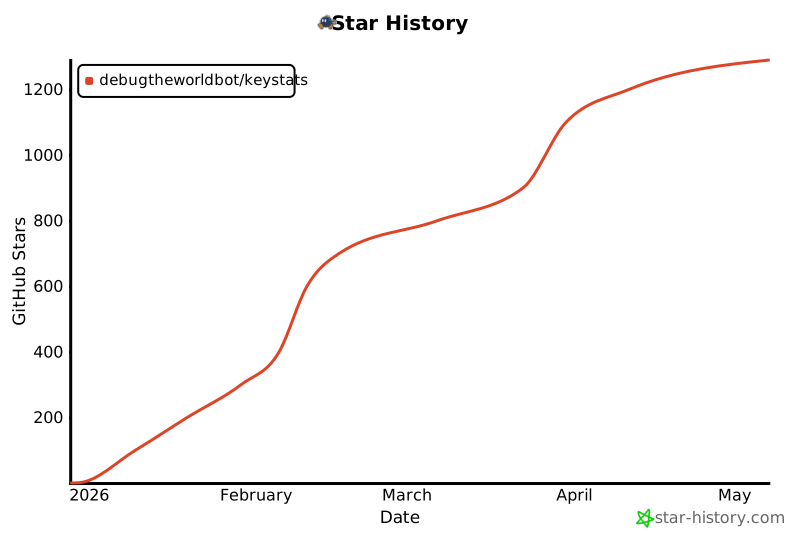
## Star History
[](https://www.star-history.com/#debugtheworldbot/keyStats&type=date&legend=top-left)
## License
MIT License
## Installation & Usage
### macOS
#### Option 1: Install via Homebrew
```bash
# Tap the repository
brew tap debugtheworldbot/keystats
# Install the app
brew install keystats
```
Update the app:
```bash
brew upgrade keystats
```
#### Option 2: [Download from GitHub Releases](https://github.com/debugtheworldbot/keyStats/releases)
### Windows
#### Option 1: Install via Scoop
```bash
scoop bucket add keystats https://github.com/debugtheworldbot/scoop-keystats
scoop install keystats
```
#### Option 2: [Download from GitHub Releases](https://github.com/debugtheworldbot/keyStats/releases)
> **No dependencies required**: The Windows version uses .NET Framework 4.8, which is pre-installed on Windows 10 (1903+) and Windows 11 - ready to use out of the box. If your Windows 10 version is older (before 1903), you can upgrade your system or [manually install .NET Framework 4.8](https://dotnet.microsoft.com/download/dotnet-framework/net48).
### Linux
[Download the Linux version](https://github.com/0x5c0f/keyStats/releases)
## Features
- **Keyboard Keystroke Statistics**: Real-time tracking of daily key presses
- **Mouse Click Statistics**: Separate tracking of left and right clicks
- **Mouse Movement Distance**: Track total distance of mouse movement
- **Scroll Distance Statistics**: Record cumulative page scroll distance
- **Menu Bar Display**: Core data displayed directly in macOS menu bar
- **Detailed Panel**: Click menu bar icon to view complete statistics
- **Daily Auto-Reset**: Statistics automatically reset at midnight
- **Data Persistence**: Data persists after application restart
## System Requirements
### macOS
- macOS 13.0 (Ventura) or higher
### Windows
- **Windows 10 (1903+) or Windows 11**
- **No dependencies required**: Uses .NET Framework 4.8 (pre-installed on Windows 10/11, ready to use out of the box)
- **App size**: ~5-10 MB (lightweight, no additional runtime needed)
> **Note**: If your Windows 10 version is older (before 1903), you can:
> 1. Upgrade to Windows 10 1903 or higher (recommended)
> 2. Or manually install .NET Framework 4.8: [Download link](https://dotnet.microsoft.com/download/dotnet-framework/net48)
## First Run Permission Setup
### macOS
KeyStats requires **Accessibility permissions** to monitor keyboard and mouse events. On first run:
1. The app will prompt a permission request dialog
2. Click "Open System Settings"
3. Find KeyStats in "Privacy & Security" > "Accessibility"
4. Enable the permission toggle for KeyStats
5. Once authorized, the app will automatically start tracking
> **Note**: Without granting permissions, the app will not be able to track any data.
>
> **Reinstall/upgrade tip**: Because the app is not signed, macOS will not automatically update Accessibility authorization after each reinstall. Remove the existing KeyStats entry in "Privacy & Security" > "Accessibility", then return to the app and click the "Get Permission" button to request access again.
>
> **Auto-update tip (unsigned builds, macOS Ventura+)**: The first Sparkle update may fail. Enable KeyStats in "Privacy & Security" > "App Management" first. If it already failed, click the system authorization notification, turn on the toggle in Settings, and click "Update Now" again.
### Windows
The Windows version **requires no additional permission setup**. The app will automatically start tracking once launched.
> **Note**: On first launch, Windows may show a security warning. Click "Run anyway" to proceed.
## Privacy Statement
KeyStats only tracks the **count** of keystrokes and clicks, and **does NOT record**:
- Which specific keys were pressed
- Text content that was typed
- Specific click locations or applications
All data is stored locally only and is never uploaded to any server.
## Star History
[](https://www.star-history.com/#debugtheworldbot/keyStats&type=date&legend=top-left)
## License
MIT License