# Defeat Beta API MCP
**Defeat Beta API MCP** is an [MCP](https://modelcontextprotocol.io/introduction) server that exposes data from [defeatbeta-api](https://github.com/defeat-beta/defeatbeta-api) to large language models via standardized contextual interfaces, enabling structured and controlled financial data analysis.
Click [here](../doc/mcp/README.md) to discover more ways to use MCP and explore additional use cases and best practices.
## Overall Architecture
```text
┌──────────────────────┐
│ MCP Client │
│ (Claude Desktop / │
│ Manus AI / │
│ Cherry Studio / │
│ Other MCP Clients) │
└──────────┬───────────┘
│ MCP (stdio)
│ JSON-RPC
▼
┌──────────────────────────────┐
│ Defeat Beta API MCP Server │
│ │
│ - MCP Tool Definitions │
│ - Context Construction │
│ - Windowing / Summarization │
│ - Output Shaping for LLM │
│ │
│ (runs in isolated .venv) │
└──────────┬───────────────────┘
│
│ Python API Calls
▼
┌──────────────────────────────┐
│ defeatbeta-api │
│ (Published PyPI Package) │
│ │
│ - Market Data Access │
│ - Price / History / Metrics │
│ │
└──────────┬───────────────────┘
│
▼
┌──────────────────────────────┐
│ Financial Data Sources │
│ (via defeatbeta-api) │
└──────────────────────────────┘
```
## Installation
Defeat Beta API MCP can be installed through natural language in MCP-capable agents and clients, including **Claude Desktop**, **Manus**, **Codex**, **Hermes Agent**, **OpenClaw Agent**, and others.
Send the following message to your agent:
```text
Install the Defeat Beta API MCP from https://github.com/defeat-beta/defeatbeta-api/tree/main/mcp. Use uvx to run it, configure it for this agent, and verify that the MCP server connects successfully.
```
The agent will handle the installation and MCP configuration for you.
### Troubleshooting: Installation Timeout
The first startup may take longer while `uvx` downloads the package. If the installation or MCP connection times out, ask your agent to run the following command and then retry:
```shell
uvx --refresh "git+https://github.com/defeat-beta/defeatbeta-api.git#subdirectory=mcp"
```
### Optional: HTTP Proxy
If your environment cannot access the [Defeat Beta Yahoo Finance Dataset](https://huggingface.co/datasets/defeatbeta/yahoo-finance-data), ask your agent to configure the `DEFEATBETA_GATEWAY` environment variable for the MCP server:
```text
Configure the Defeat Beta API MCP to use my HTTP proxy by setting DEFEATBETA_GATEWAY to http://127.0.0.1:8118, then restart the MCP server and verify the connection.
```
Replace `http://127.0.0.1:8118` with your proxy address.
## Usage
After installation, ask your agent financial data questions directly. The agent will use Defeat Beta API MCP when appropriate.
Examples:
- What is Apple's latest stock price?
- Show NVIDIA's price history for the last month.
- Compare the key financial metrics of Microsoft and Google.
- Summarize Tesla's recent market performance.
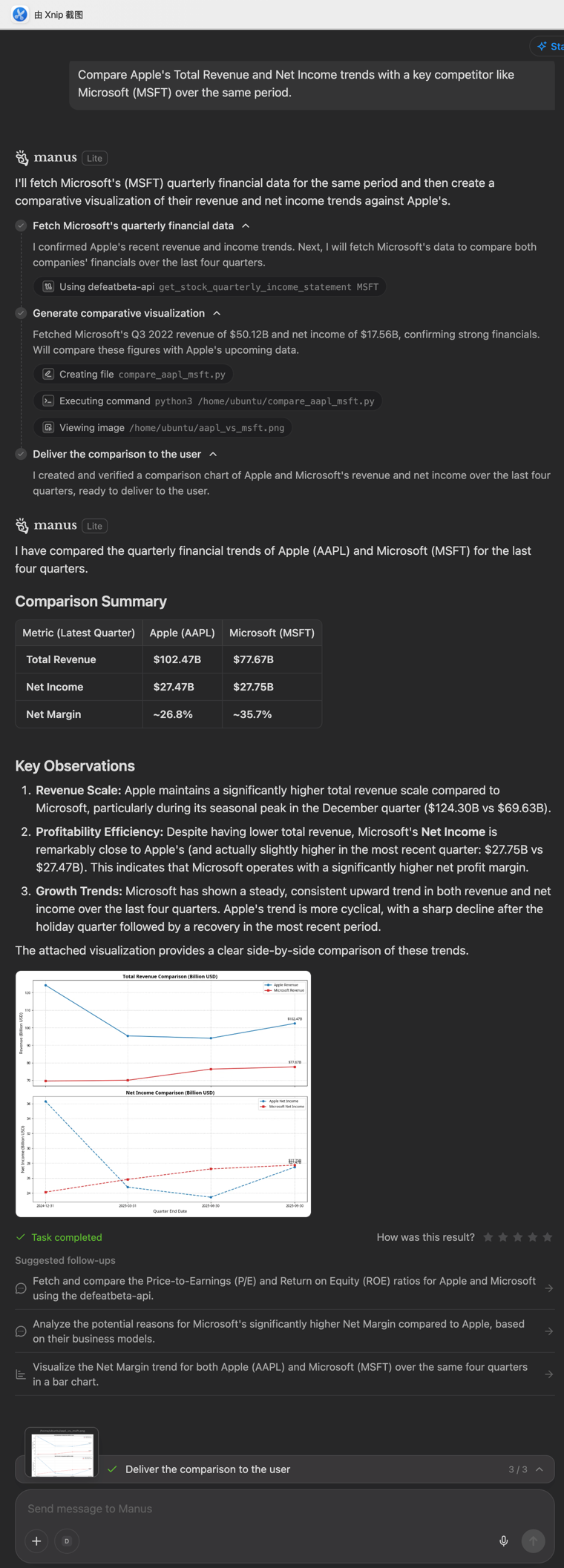
📷 View a Claude Desktop example

📷 View a Manus example