GoogleMaterialDesignIcons
=========================
[](https://developer.apple.com/iphone/index.action)
[](https://developer.apple.com/swift)
[](https://github.com/dekatotoro/GoogleMaterialDesignIcons/issues?state=open)
#Google Material Design Icons Font for iOS
It is based on [https://github.com/google/material-design-icons](https://github.com/google/material-design-icons).
it converts the material-design-icons svg file in the font file, it was easy to use.
**You can use the 1661 icons!**
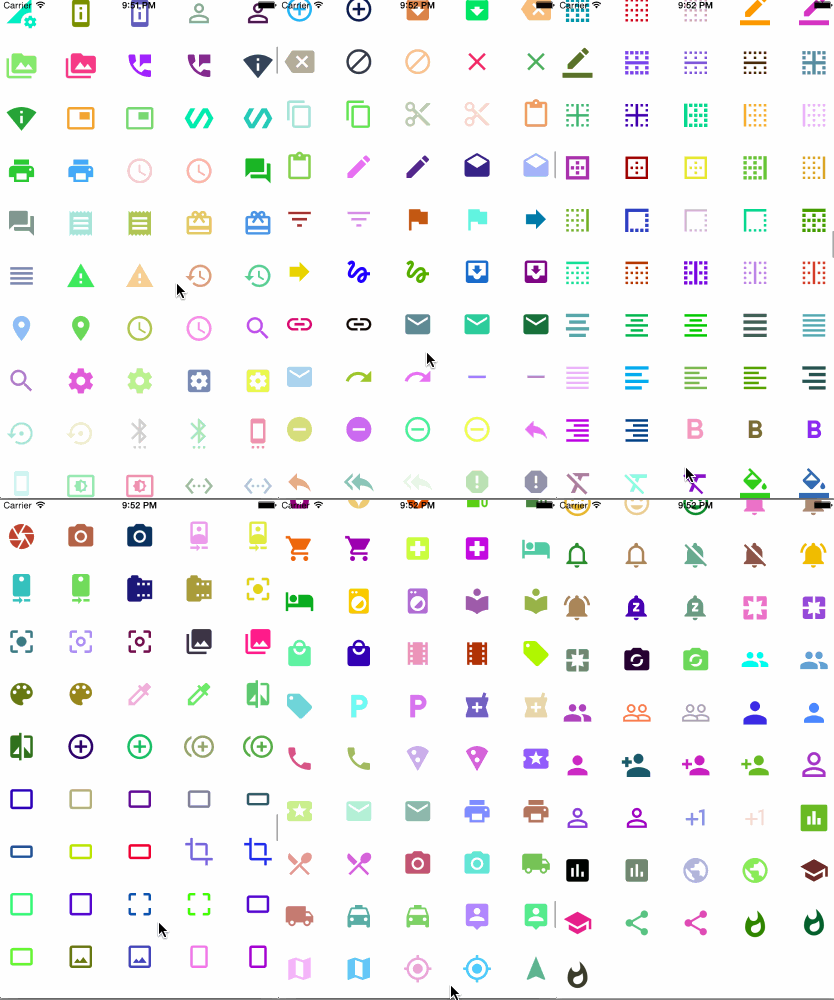
##Benefits of using the Font
- Import is easier to project(Since held together in one file)
- Color easy to change
- Resistant to change size
- Management easier
- Put out in the text as part of the AttributedString
##Installation
####CocoaPods
comming soon...
####Manually
Add the `GoogleIcon.swift`, `googleicon.ttf` file to your project.
info.plist added `Fonts provided by application` key and
specify the `googleicon.ttf` to Item0 value.
##Usage
Please look at the icon/googleicon.html.
googleicon.html has been icon code definition.
The constant of icon code is defined in GoogleIcon class, please use.
```swift
GoogleIcon.e600
GoogleIcon.e601
GoogleIcon.e602
GoogleIcon.e603
...
hogeLabel.font = UIFont(name: GoogleIconName, size: 30.0)
hogeLabel.textColor = UIColor.greenColor()
hogeLabel.text = GoogleIcon.e600
```
You can also be set font in the storyboard.
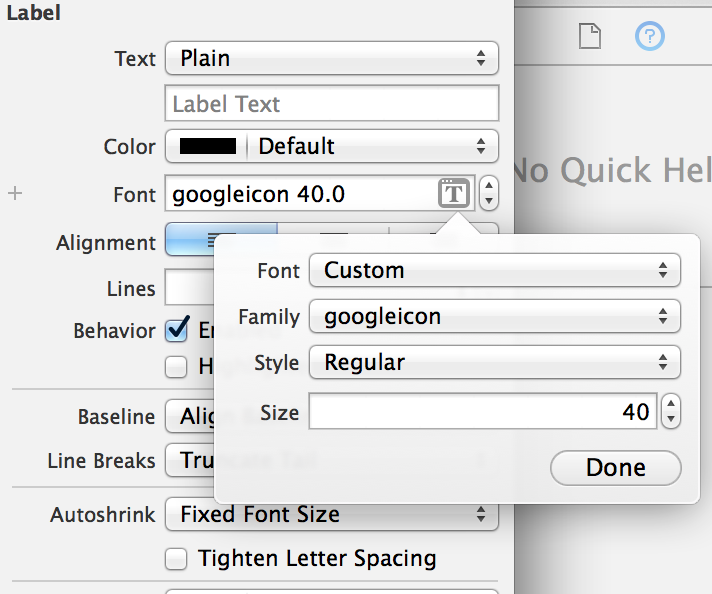
To input font characters directly in the Interface Builder, do the following after selecting googlefont:
1. Add the "Unicode Hex Input" input source under (System Preferences > Keyboard > Input Sources).
2. Hold down ```Option``` and type four hex digits to enter a Unicode character.
For example, you can ```Option``` + ```e648``` to enter the checkmark icon.
## Requirements
Requires iOS 7.0.
## Features
- Clipboard copy from Html
- Complete example
## Contributing
Forks, patches and other feedback are welcome.
## Creator
[Yuji Hato](https://github.com/dekatotoro)
[Blog](http://buzzmemo.blogspot.jp/)
## License
GoogleMaterialDesignIcons is available under the [Attribution 4.0 International](http://creativecommons.org/licenses/by/4.0/) license.