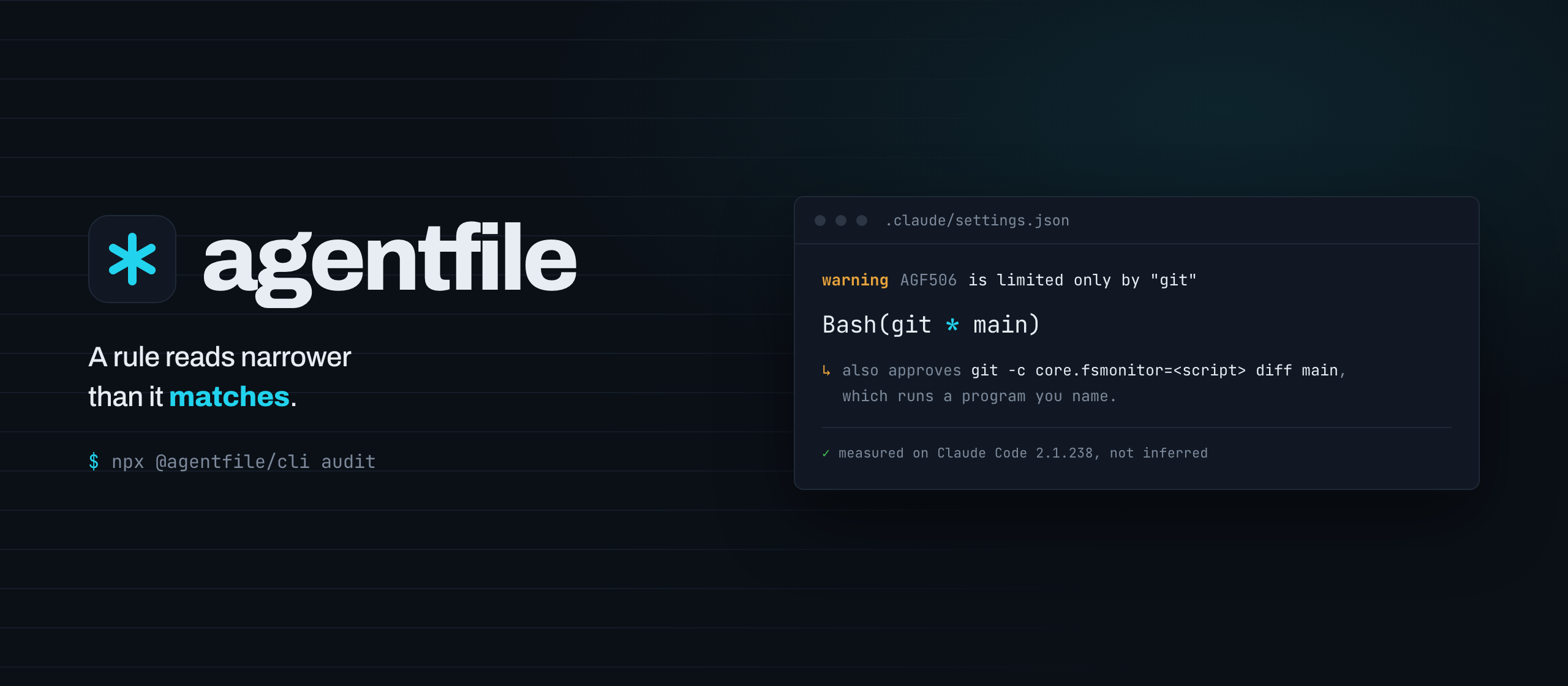
> Find what is wrong with the AI agent configuration your repository already has.
Your team uses Claude Code, Copilot, Cursor, Codex — each with its own instruction file, in its own format, in its own place. Nobody reads all of them at once, so they drift, contradict each other, and quietly cost context in every session.
`agentfile` reads them as they are and tells you what is wrong.
```bash
npx @agentfile/cli doctor
```
No setup. No file to adopt first. Nothing written to disk. **Nothing it finds is ever executed** — hooks, skills, commands and MCP configuration are read as text, and a clean result says "no pattern matched", never "this is safe".
---
## The problem
The same rule, maintained in four places, drifting apart:
```
AGENTS.md ← the one that is current
CLAUDE.md ← a copy, edited last month
.github/copilot-instructions.md ← a copy, probably out of date
.cursor/rules/main.mdc ← different format, different rules
```
Symlinks solve the copying. They do not tell you that two of these disagree about the package manager, that a hook points at a script nobody committed, that a `.mcp.json` server will silently fail to load, or that 10,000 tokens load into every session before anyone types a word.
---
## What it does
Nine questions, one command each. Run them in this order the first time:
```bash
npx @agentfile/cli doctor # what is here, and what is wrong with it
npx @agentfile/cli context src/api.ts # which configuration applies here, and why
npx @agentfile/cli audit # what a hook, skill or MCP server could do
npx @agentfile/cli adopt # plan a single source of truth
```
Then, once it is part of the build:
```bash
npx @agentfile/cli check # fast enough for a pre-commit hook
npx @agentfile/cli validate --strict # every layer, in CI
npx @agentfile/cli lint # drifted copies, duplication, context cost
npx @agentfile/cli compile --check # generated files still match their source
npx @agentfile/cli eval # did the agent actually comply
```
Everything is deterministic: no model, no network, same tree in, same findings out. Every finding carries a stable code, a location, why it matters, and what to do about it.
---
## How it works
agentfile reads whatever is there, normalises it into one representation with full provenance, and answers every question from that:
```
AGENTS.md, CLAUDE.md, .cursorrules ┐
.claude/{rules,skills,agents,commands}/ │
.cursor/{rules,commands}/ ├─→ one normalized model ─→ doctor
.github/copilot-instructions.md │ every node knows check
.github/instructions/, .agents/skills/ │ its file, line, lint
.claude/settings.json, .mcp.json ┘ platform and scope audit
context
compile
```
Because there is one resolver, `context` and `compile` cannot disagree about what applies where.
If you would rather keep one source and generate the rest, `adopt` plans that and `compile` maintains it. That is a choice, not a prerequisite.
---
## Getting started
Point it at any repository:
```bash
npx @agentfile/cli doctor
```
It needs nothing from you. If it finds nothing, it says what it looked for.
---
## Installation
```bash
npm install --save-dev @agentfile/cli
```
Add to `package.json`:
```json
{
"scripts": {
"ai:check": "agentfile check",
"ai:validate": "agentfile validate --strict"
}
}
```
> **Requires Node.js >=22.0.0.**
The local dashboard is a separate install, because it ships an HTTP server most projects never want: `npm install --save-dev @agentfile/ui`.
---
## Documentation
- [Diagnostic codes](docs/diagnostics.md) — every `AGFxxx`, what it means, and how to configure it
- [What is stable](docs/stability.md) — what CI and editors may depend on
- [Moving to v2](docs/migration-v2.md) — nothing you have breaks; here is what is new
- [Security](SECURITY.md) — what agentfile promises about execution, and what it does not promise about safety
- [Contributing](CONTRIBUTING.md) — the rules the code follows, and why
---
## Commands
### `npx @agentfile/cli doctor`
Analyses the AI agent configuration your repository already has — no setup required, nothing written to disk.
```bash
npx @agentfile/cli doctor
npx @agentfile/cli doctor --verbose # list every file found
npx @agentfile/cli doctor --format json # machine-readable, for CI
```
It reads `AGENTS.md`, `CLAUDE.md`, `.claude/rules/`, `.claude/skills/`, `.claude/agents/`, `.claude/commands/`, `.cursor/rules/`, `.cursor/commands/`, `.github/copilot-instructions.md`, `.github/instructions/`, and `.mcp.json`, then reports:
- what configuration exists, per platform, and where it lives
- how much context loads into **every** session (an estimate, clearly labelled)
- rules duplicated across platforms — the drift the rest of agentfile prevents
- skills whose description is too thin for an agent to route on
- misconfigurations such as an MCP server that will silently fail to load, or an instruction file importing a path that does not exist
- permission rules, hooks and MCP servers that grant more than they appear to, such as a wildcard that stands in for the program itself
`doctor` runs every layer agentfile implements, so it is the whole picture in one command. The narrower verbs are subsets of it: `check` for the fast structural pass, `lint` for quality, `audit` for security on its own.
`doctor` runs no model, makes no network calls, and never executes a hook, script, or MCP command it finds. It exits non-zero on errors, so it can gate CI.
### `npx @agentfile/cli adopt`
Proposes a single source of truth for the configuration you already have, and shows the plan before touching anything.
```bash
npx @agentfile/cli adopt # plan only — writes nothing
npx @agentfile/cli adopt --apply # carry it out, after confirming
npx @agentfile/cli adopt --source claude # consolidate into CLAUDE.md instead
```
Adoption happens in two phases, and the order is not cosmetic. A compiler never carries a target's own file into that target, so generating `CLAUDE.md` while `CLAUDE.md` still holds text nothing else has would lose that text. So:
1. **Consolidate.** Everything every platform says is gathered into one file — `AGENTS.md` by default, because it is the cross-tool standard — which stays hand-written. Bodies are appended whole under a heading naming where they came from: nothing is rewritten, reordered, or summarised, and a file the source already says everything from is skipped rather than copied again.
2. **Generate.** The other platforms' files become compiler output of that source.
Nothing is written without `--apply`, and `--apply` confirms first. A hand-written file is overwritten only once its own text is already in the source — anything else is still refused, exactly as `compile` refuses it. Skills, subagents, commands, hooks, MCP servers and permission rules are left alone, and the plan says so rather than leaving you to notice.
Asking `compile` to do both phases at once is reported as `AGF205`: with two hand-written targets each becomes the other's source, and under `--force` their contents swap.
### `npx @agentfile/cli rule [code]`
What a diagnostic code means, from the same registry that produces it.
```bash
npx @agentfile/cli rule # every code, grouped by band
npx @agentfile/cli rule AGF302 # one code in full
```
### `npx @agentfile/cli context `
What configuration actually applies to a file — in load order, with the reason for each.
```bash
npx @agentfile/cli context src/api/handler.ts
npx @agentfile/cli context src/api/handler.ts --excluded # and why the rest did not
```
When an agent behaves unexpectedly, the question is never "what does the configuration say" — it is *which of these nine files reached this request, and which one won*. This answers that: every instruction in load order with its platform and the reason it matched, the rules and skills available there, and the context cost at that path, separating what loads in every session from what is specific to the path.
### `npx @agentfile/cli explain `
The inverse question: where does this piece of configuration come from, and when does it apply?
```bash
npx @agentfile/cli explain .cursor/rules/api.mdc
npx @agentfile/cli explain deploy # a skill by name
npx @agentfile/cli explain "use pnpm" --at src/api/handler.ts
```
A target can be a file path, a skill or subagent name, or part of a rule's text. With `--at`, it answers whether the rule applies to that file, **why or why not**, and what outranks it there. It also names the other files declaring the same thing.
### `npx @agentfile/cli check`
Fast deterministic validation, built for pre-commit hooks and editors. A full run takes around 140 ms including Node startup.
```bash
npx @agentfile/cli check
npx @agentfile/cli check --strict # warnings fail the run
npx @agentfile/cli check --format json
```
Runs the structural and resolution checks: files that will not parse, references that point at nothing, the same rule maintained in several places, glob-scoped rules that match no file, and rules whose scope differs between platforms. No network, no model, nothing executed.
#### Silencing a finding you have already decided about
A finding you have reviewed and accepted is silenced with a comment in the file itself, in whatever comment syntax that file already uses:
```markdown
```
`agentfile-disable-next-line` covers the following line, `agentfile-disable-line` its own line, and `agentfile-disable` the whole file. Name no codes and it silences everything on that line.
Two things keep this from becoming a way to hide problems. Suppressed findings are **counted, not discarded** — every command says how many it silenced, and `--format json` carries each one with the directive responsible, so `--no-suppressions` is never needed to find out what a repository has chosen not to see. And a directive that silences nothing is reported as `AGF005`, so a suppression cannot quietly outlive the problem it was written for.
### `npx @agentfile/cli lint`
Quality analysis — the things that are not wrong but are costing you.
```bash
npx @agentfile/cli lint
npx @agentfile/cli lint --budget 2000 # tighten the context budget
npx @agentfile/cli lint --similarity 0.75 # loosen near-duplicate detection
```
Finds copies of a rule that have **drifted apart** — exact comparison goes quiet at exactly the moment someone edits one copy and not the others — and measures always-loaded context against a budget, naming the largest contributors. Similarity is measured on words, not meaning, and the output says so.
For skills, it reports descriptions too thin for an agent to route on, two skills an agent has no basis to choose between, bodies past the size the specification recommends, and frontmatter that will not survive being shared through claude.ai or the Skills API.
### `npx @agentfile/cli validate`
Strict validation across every layer. Designed for CI.
```bash
npx @agentfile/cli validate
npx @agentfile/cli validate --target claude # what would compiling to Claude Code lose?
npx @agentfile/cli validate --target all
npx @agentfile/cli validate --strict
npx @agentfile/cli validate --list-rules # print the rule set
```
With `--target`, it checks the features your configuration uses against what that platform actually supports, and every finding cites the platform's own documentation. Without `--target` it says compatibility was not checked, rather than assuming a target and failing your build over it.
It also validates every `SKILL.md` against the [Agent Skills specification](https://agentskills.io/specification) — agentfile validates against that standard rather than inventing a replacement — and statically inspects the scripts a skill bundles against a documented set of risk patterns. **Nothing found in the repository is ever executed**, and a clean result says "no pattern matched", never "this is safe".
`ai/contract.yaml` is still validated first and reported exactly as before, and a schema failure is still an immediate exit 1.
### `npx @agentfile/cli audit`
Security and trust analysis of hooks, skills, MCP servers, and permission rules.
```bash
npx @agentfile/cli audit
npx @agentfile/cli audit --all # include informational findings
npx @agentfile/cli audit --strict # treat warnings as errors
```
Reads everything as text and executes nothing. Reports risky hook commands, unpinned MCP packages, committed credentials, permission rules that do not grant what they appear to, and prompt-injection indicators — each finding with the reason and, where it applies, the platform documentation that backs it. The output names every surface analysed and every file it could not read, and a clean result says what it means: no pattern matched, **not** "this is safe".
### `npx @agentfile/cli compile`
Compiles the normalized configuration into native target files.
```bash
npx @agentfile/cli compile --target claude cursor # from whatever your source of truth is
npx @agentfile/cli compile --target agents-md --check # CI: exit 1 on drift, writes nothing
```
Whatever the repository maintains — AGENTS.md, CLAUDE.md, an agentfile contract — becomes the input; the requested targets get their documented file shapes (AGENTS.md files, CLAUDE.md plus `.claude/rules`, Copilot instruction files, Cursor `.mdc` rules). What a target cannot express is reported (`AGF201`–`AGF203`) instead of silently dropped, output is deterministic and marker-stamped, and a file agentfile does not own is never overwritten without `--force`.
### `npx @agentfile/cli eval`
Behavioral evaluation: run an agent task in an isolated workspace, judge the result with deterministic assertions. See [docs/evals.md](docs/evals.md).
```bash
npx @agentfile/cli eval --agent "claude -p {prompt}"
npx @agentfile/cli eval evals/button.eval.yaml --keep-workspace
```
Nothing executes in your working tree, no agent runs unless you name one, and results are cached against the repository state so unchanged evals are not re-run. Exit codes: 0 passed, 1 assertions failed, 2 harness error.
## Generated-file utilities
These work with the manifest that both `compile` and the legacy `sync` write, so
they apply to either workflow.
### `npx @agentfile/cli diff`
Checks generated files against `.agentfile-manifest.json` and exits non-zero when drift is detected.
```bash
npx @agentfile/cli diff
npx @agentfile/cli diff --files CLAUDE.md,.github/copilot-instructions.md
```
### `npx @agentfile/cli clean`
Removes generated files that can be regenerated and updates manifest ownership records.
```bash
npx @agentfile/cli clean --dry-run
npx @agentfile/cli clean
```
### `npx @agentfile/cli rollback`
Restores files from `.agentfile-backup/`.
```bash
npx @agentfile/cli rollback --list
npx @agentfile/cli rollback --tag migrate-1700000000000
```
## Configuring agentfile
Everything below is also a flag, and a repository that never writes this file loses nothing. What the file buys is agreement: a pre-commit hook, a CI job and an editor cannot each spell out the same `--budget 2000 --similarity 0.75`, and a tool arguing for one source of truth should not need its own settings in three places.
`agentfile.yaml`, at the repository root, every key optional:
```yaml
# Directory names to skip, added to the built-in list
ignore:
- fixtures
# Per-code severity. `off` silences a code repository-wide
severity:
AGF302: info
AGF501: error
AGF203: off
budget: 2000 # always-loaded context budget, in estimated tokens
similarity: 0.75 # near-duplicate threshold
targets: [claude, copilot]
maxWarnings: 0 # fail when warnings exceed this
suppressions: true # honour agentfile-disable directives
```
A key nobody recognises is an error, not a shrug — a silently ignored `sevrity:` block is a setting the team believes is applied and is not, which is the failure agentfile exists to report. And a file that does not validate is reported and then **ignored entirely**: a half-applied configuration is worse than none, because the half that applied looks like the whole. A flag always beats the file.
Turning a code `off` in this file is a repository-wide decision, recorded in a committed file. It is a different thing from an `agentfile-disable` comment, which silences one finding at one line and is reported when it goes stale.
## GitHub Action
Two lines in a workflow, rather than a command someone has to remember:
```yaml
- uses: dennishavermans/agentfile@v1
```
The action runs `check` against the repository root, writes `agentfile.sarif`,
and fails the step when there are findings.
Uploading that SARIF is a separate step on purpose. It needs
`security-events: write`, and a job that asks for write access to your security
alerts should say so where you can see it, rather than acquire it as a side
effect of a step called "run the linter":
```yaml
name: agentfile
on: [push, pull_request]
permissions:
contents: read
security-events: write
jobs:
agentfile:
runs-on: ubuntu-latest
steps:
- uses: actions/checkout@v5
- uses: dennishavermans/agentfile@v1
id: agentfile
with:
fail-on-findings: false # report first, gate once the count is down
- uses: github/codeql-action/upload-sarif@v4
if: always()
with:
sarif_file: ${{ steps.agentfile.outputs.sarif-file }}
category: agentfile-check
```
`if: always()` matters once you turn gating on: without it, the upload is
skipped exactly when there is something to upload.
### Inputs
| input | default | what it does |
| --- | --- | --- |
| `command` | `check` | `check`, `validate`, `lint` or `audit` — the four that produce findings against a file |
| `root` | `.` | directory to analyse |
| `version` | `latest` | version or dist-tag of `@agentfile/cli`; pin an exact version for a job that cannot change under you |
| `sarif-file` | `agentfile.sarif` | where to write SARIF; empty string skips it |
| `fail-on-findings` | `true` | whether findings fail the step |
| `args` | none | extra arguments, e.g. `--strict` or `--max-warnings 5` |
### Outputs
| output | what it is |
| --- | --- |
| `exit-code` | `0` clean, `1` findings, `2` the tool could not run |
| `findings` / `errors` / `warnings` | counts, for a later step to act on |
| `sarif-file` | path to the log, empty when SARIF was not requested |
Running more than one command means more than one upload, and each needs its
own `category` (`agentfile-check`, `agentfile-audit`) or the second will close
the first one's alerts.
---
## Claude Code plugin
The configuration agentfile reads is configuration someone is editing in Claude
Code, so the tool can speak up at the moment of the edit rather than waiting to
be remembered:
```bash
claude plugin marketplace add dennishavermans/agentfile
claude plugin install agentfile@agentfile
```
It installs two things.
A **skill** covering the permission-matching behaviour that makes a rule grant
more than it reads, so an agent writing `Bash(git * main)` knows what it is
approving before the rule exists.
A **hook** on `PostToolUse` that runs the analysis after an edit to
`CLAUDE.md`, `AGENTS.md`, `.mcp.json`, `.claude/` or `.cursor/`, and reports
only the findings in the file that changed. It informs and never blocks: a hook
that refuses a write on a warning gets uninstalled the same day, and a finding
is advice rather than a verdict. Every failure path exits 0, so a missing
binary cannot wedge an edit.
The hook prefers an `agentfile` on `PATH` and falls back to `npx`, so it works
offline once the CLI is installed.
---
## pre-commit
For the repositories that already run [pre-commit](https://pre-commit.com):
```yaml
repos:
- repo: https://github.com/dennishavermans/agentfile
rev: v2.7.0
hooks:
- id: agentfile
- id: agentfile-audit
```
Two hooks, because no single command covers both halves. `agentfile` runs the
structural and resolution layers, the same ones `check` runs. `agentfile-audit`
runs the security layer over permission rules, hooks and MCP servers.
`audit` exits 0 on warnings and every permission finding is a warning, so
`agentfile-audit` passes `--strict`. Without it the hook would report success
on a rule that grants arbitrary command execution, which is worse than not
running it at all. Override `args` to relax that:
```yaml
- id: agentfile-audit
args: [--max-warnings, "5"]
```
Both hooks read the whole repository rather than the staged files, because
editing one skill can break a reference in another file. The file patterns are
only a trigger, and they match nested configuration too, so a monorepo with a
CLAUDE.md per package is covered.
The hooks run the CLI through `npx`, pinned to the version that matches `rev`,
so the machine needs Node but nothing installed up front.
---
## CI output
`check`, `validate`, `lint` and `audit` emit **SARIF 2.1.0** with `--format
sarif`, which GitHub code scanning reads. The action above is the packaged
version of this; by hand it is:
```yaml
- run: npx @agentfile/cli check --format sarif > agentfile.sarif
continue-on-error: true
- uses: github/codeql-action/upload-sarif@v4
with:
sarif_file: agentfile.sarif
```
Findings then appear as annotations on the pull request that introduced them instead of in a job log. Every code is declared with a documentation link, and findings are fingerprinted without their line number, so editing a file above a finding does not close the alert and open an identical new one.
`--max-warnings ` is the ratchet for working a warning count down: it fails the run when warnings exceed the ceiling, without `--strict`'s claim that every warning is an error.
---
## Legacy: the v1 contract workflow
The commands below generate files from an `ai/contract.yaml` that a repository
has to adopt first. They still work, are still tested, and nothing about their
output has changed — but they are no longer the recommended entry point. The v2
commands above read the configuration a repository already has and need no
adoption step, and `agentfile adopt` is the supported route from one to the
other.
### `npx @agentfile/cli init`
Interactive setup. Scaffolds `ai/contract.yaml`, agent templates, `.ai-agents.example`, and a CI workflow. Safe to run in existing projects — never overwrites existing files.
### `npx @agentfile/cli migrate`
Imports existing instruction files and creates a draft `ai/contract.yaml`.
```bash
npx @agentfile/cli migrate --from .github/copilot-instructions.md --from CLAUDE.md
npx @agentfile/cli migrate --from CLAUDE.md --replace-policy archive
npx @agentfile/cli migrate --from CLAUDE.md --targets claude,copilot
```
Key options:
- `--replace-policy keep|archive|delete`
- `--targets `
- `--exclude `
- `--dry-run`
- `--output `
### `npx @agentfile/cli watch`
Watches `ai/` for changes and automatically re-runs sync. Runs an initial sync on start.
```bash
npx @agentfile/cli watch
```
Solves the problem of manually running sync after every contract change.
### `npx @agentfile/cli sync`
Reads your personal `.ai-agents` file and generates the corresponding instruction files.
```bash
npx @agentfile/cli sync # generate files
npx @agentfile/cli sync --dry-run # render without writing — used in CI
```
### `npx @agentfile/cli ui`
Starts a local dashboard in your browser for inspecting your contract, previewing generated files, and monitoring drift.
```bash
npx @agentfile/cli ui # open dashboard on default port 4311
npx @agentfile/cli ui --port 3000 # custom port
npx @agentfile/cli ui --root ./packages/app # inspect a specific directory
```
Needs `@agentfile/ui` installed alongside the CLI (`npm install --save-dev @agentfile/ui`); it is not pulled in by default, because it ships an HTTP server and a built front end that most installs never use.
---
## Your rules file
`ai/contract.yaml` is your single source of truth:
```yaml
version: 1
project:
name: My Project
stack:
- typescript
- react
- nextjs
rules:
coding:
- Prefer small composable functions
- Avoid unnecessary abstractions
architecture:
- Follow feature-based folder structure
- Avoid cross-feature imports
testing:
- Critical business logic must have unit tests
naming:
- Use descriptive variable names
- Boolean variables must be prefixed with is, has, or should
```
---
## Personal agent selection
Each developer creates a `.ai-agents` file (gitignored) listing the agents they personally use:
```
# .ai-agents — yours, not the team's
claude
cursor
```
A committed `.ai-agents.example` documents the available options for new joiners.
---
## Skills
Skills define shared workflows that every agent understands. Define them once — each agent receives them in its own format.
```yaml
version: 1
project:
name: My Project
stack: [typescript, react]
rules:
coding:
- Prefer small composable functions
skills:
- name: create-component
description: Creates a new React component with tests
context:
- Components live in /src/components/{feature}/
- Always use TypeScript, never .jsx
steps:
- Create /src/components/{feature}/{Name}.tsx
- Create /src/components/{feature}/{Name}.test.tsx
- Export from /src/components/{feature}/index.ts
expected_output: A typed component with a matching test and barrel export
examples:
- input: "create a UserCard component"
output: "src/components/users/UserCard.tsx + test + index"
```
Each agent receives skills in its native format:
| Agent | Output |
|---|---|
| Claude | Appended to `CLAUDE.md` as markdown sections |
| Cursor | One `.mdc` file per skill in `.cursor/rules/skills/` |
| Copilot | Compact inline bullets in `copilot-instructions.md` |
| AGENTS.md | Full markdown — also read natively by Codex and Windsurf |
---
## Supported agents
| Agent | Generated file |
|---|---|
| `claude` | `CLAUDE.md` |
| `copilot` | `.github/copilot-instructions.md` |
| `cursor` | `.cursor/rules/main.mdc` + one `.mdc` per skill |
| `agents-md` | `AGENTS.md` — read natively by Codex and Windsurf |
Adding a new agent requires only a new folder in `ai/agents/`. No generator changes, no config edits.
---
## Per-folder overrides (monorepos)
Create an `ai.override.yaml` in any package directory to inject additional context into generated files for that package:
```yaml
blocks:
- section: Frontend Context
content: |
This package is a Next.js frontend.
Prefer React Server Components by default.
All API calls go through /lib/api — never call fetch directly.
```
Run `npx @agentfile/cli sync` from that directory and the override is injected automatically.
---
## Adding a new agent
Drop a new folder into `ai/agents/`:
```
ai/agents/windsurf/
config.yaml
template.md
```
`config.yaml` declares the agent name and output path:
```yaml
name: Windsurf
output: .windsurfrules
description: Windsurf AI rules file
```
`template.md` is your instruction template using `${token}` syntax:
```
# ${project.name} Rules
## Coding
${rules.coding}
## Architecture
${rules.architecture}
## Skills
${skills}
```
---
## Available tokens
| Token | Output |
|---|---|
| `${project.name}` | Project name |
| `${project.stack.join(', ')}` | Stack as comma-separated string |
| `${rules.coding}` | Coding rules as markdown bullets |
| `${rules.architecture}` | Architecture rules as markdown bullets |
| `${rules.testing}` | Testing rules as markdown bullets |
| `${rules.naming}` | Naming rules as markdown bullets |
| `${skills}` | Skills rendered in agent-native format |
| `${override}` | Injected override blocks (if any) |
---
## CI integration
`agentfile init` generates a GitHub Actions workflow for you. It runs two checks on every change to `ai/`:
```yaml
- name: Validate contract schema
run: npx @agentfile/cli validate
- name: Dry-run generation
run: npx @agentfile/cli sync --dry-run
```
The dry-run renders all templates without writing files — catching broken templates and invalid contracts before they reach developers.
---
## .gitignore
Add the following to your `.gitignore`:
```
# agentfile — personal config and generated files
.ai-agents
CLAUDE.md
.github/copilot-instructions.md
.cursor/
.windsurfrules
AGENTS.md
ai.override.yaml
.agentfile-manifest.json
.agentfile-backup/
```
---
## Programmatic usage
`@agentfile/core` is available as a standalone package for teams that want to integrate agentfile into their own tooling:
```typescript
import { generate, validateContract } from '@agentfile/core'
// Validate only
const contract = validateContract({ contractPath: 'ai/contract.yaml' })
// Full generation
const result = generate({
root: process.cwd(),
agents: ['claude', 'cursor'],
dryRun: false
})
for (const r of result.results) {
if (r.status === 'ok') console.log(`Generated ${r.output}`)
if (r.status === 'error') console.error(r.error.message)
if (r.status === 'skipped') console.warn(r.reason)
}
```
---
## Packages
| Package | Description |
|---|---|
| [`@agentfile/agentfile`](https://www.npmjs.com/package/@agentfile/agentfile) | Convenience wrapper — re-exports the full CLI |
| [`@agentfile/cli`](https://www.npmjs.com/package/@agentfile/cli) | CLI — `init`, `migrate`, `sync`, `validate`, `watch`, `diff`, `clean`, `rollback`, `ui` |
| [`@agentfile/core`](https://www.npmjs.com/package/@agentfile/core) | Core engine — schema, loader, renderer, generator |
| [`@agentfile/ui`](https://www.npmjs.com/package/@agentfile/ui) | Local dashboard — interactive UI for managing the contract and inspecting generated files (**beta**, install with `@beta` tag) |
| [VS Code extension](https://marketplace.visualstudio.com/items?itemName=agentfile.agentfile) | Sidebar, commands, and diagnostics directly in VS Code (**beta**, shows Preview badge on Marketplace) |
---
## Contributing
agentfile is in early development. Issues and pull requests are welcome,
including the ones that say a finding is wrong — that is the most useful kind of
report, and it has already changed the tool once.
```bash
npm install # from the root
npm run build # the CLI typechecks against core's built types, so build first
npm test
npm run lint
```
[CONTRIBUTING.md](CONTRIBUTING.md) has the rest: the rules the code follows and
why, how to add a diagnostic, and what makes a false-positive report
actionable.
---
## Release process
Publishing happens in GitHub Actions, not on a laptop, so every package carries
[npm provenance](https://docs.npmjs.com/generating-provenance-statements) — a
signed statement of which commit and which workflow built it. For a tool that
tells people what is unsafe in their configuration, publishing without that
would be the wrong way round.
1. Update the version in `packages/core`, `packages/cli` and
`packages/agentfile`, keeping the internal `@agentfile/*` dependency ranges
in step. The release workflow refuses to publish if the tag and the manifests
disagree.
2. Add the section to `CHANGELOG.md`. It becomes the release notes; the workflow
fails if there is no section for the version being tagged.
3. Tag and push:
```bash
git tag v2.0.0-beta.1
git push origin v2.0.0-beta.1
```
That runs lint, build and the full test suite, publishes `core` → `cli` →
`agentfile` in that order, and creates the GitHub release. A version with a
hyphen in it is treated as a pre-release: it goes out under the `next` dist-tag
and is marked as a pre-release on GitHub, so `npm install @agentfile/cli` keeps
resolving to the last stable version.
`workflow_dispatch` runs the same thing as a dry run, which is worth doing once
before the first real tag.
Two tag namespaces live in this repository and only one of them releases
anything. A version tag is `vX.Y.Z` and publishes; the GitHub Action's moving
major tag is `v1` and publishes nothing. The release workflow filters on
`v*.*.*` so that re-pointing `v1` at a newer commit, which happens every time
the Action changes, cannot start a release.
### One-time setup
- An `NPM_TOKEN` secret with publish rights, in a repository environment named
`release`.
- Better, if you can: [npm trusted
publishing](https://docs.npmjs.com/trusted-publishers), which drops the token
entirely and authenticates the workflow itself.
---
## License
MIT