# ⎈ Helm
### Take the helm of your Mac.
A native macOS toolkit — fifteen tools in one window, from live system monitors to a storage explorer with a drill-down treemap.
**Free forever** • Open Source (MIT) • Built with Flutter
### [⬇️ Download for macOS](https://github.com/devShakib015/helm/releases/latest/download/Helm.dmg)
macOS 12 Monterey or later · Apple Silicon & Intel · ~20 MB
---
## What is Helm?
**Helm** is an all-in-one utility for macOS. One app that replaces a folder full of them — system monitoring, disk cleaning, clipboard history, and a dozen everyday tools.
It's a **multi-tool platform**: fifteen tools sharing one window, one menu-bar item, and one design language.
## 📸 A look inside
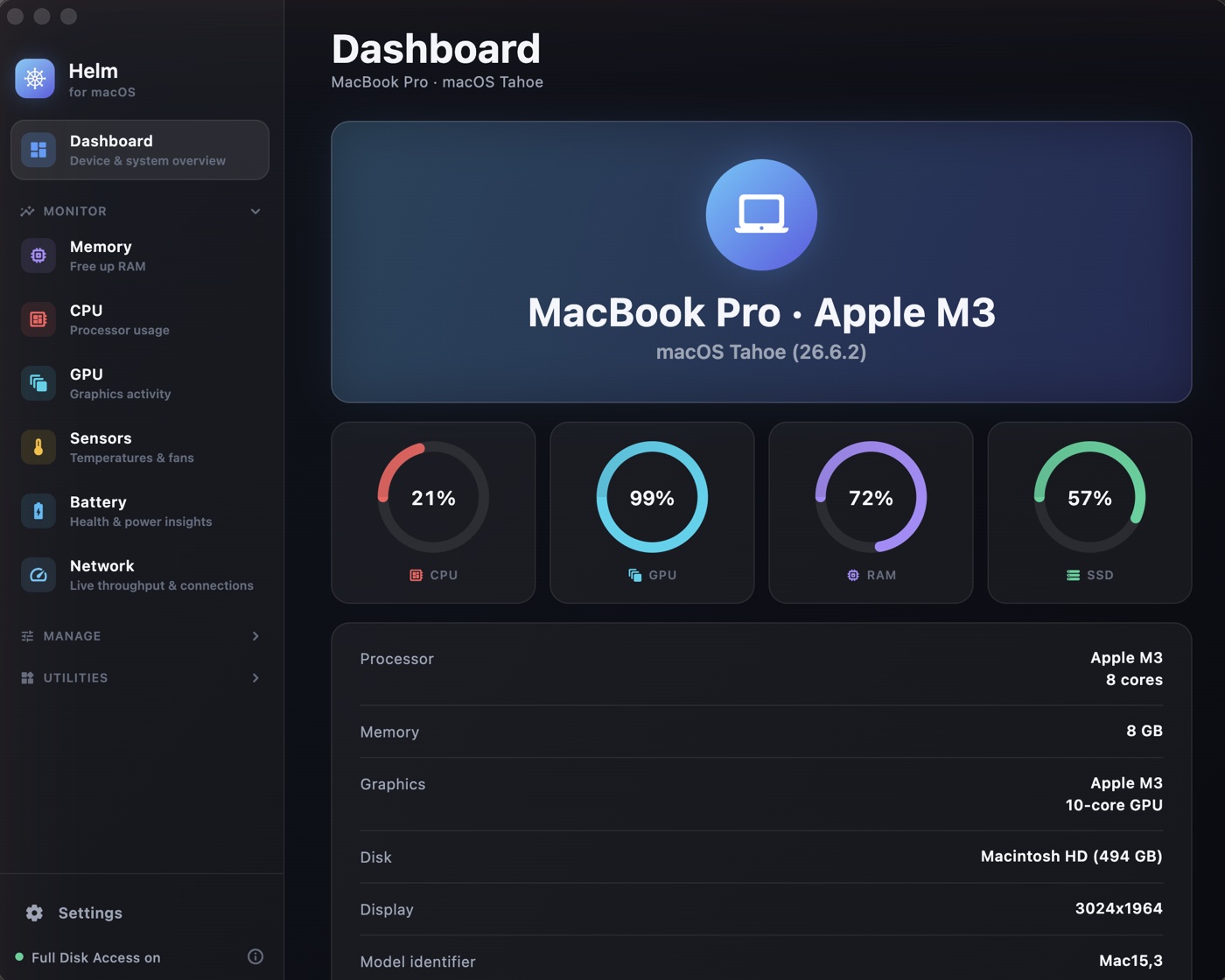 Dashboard — the whole machine at a glance
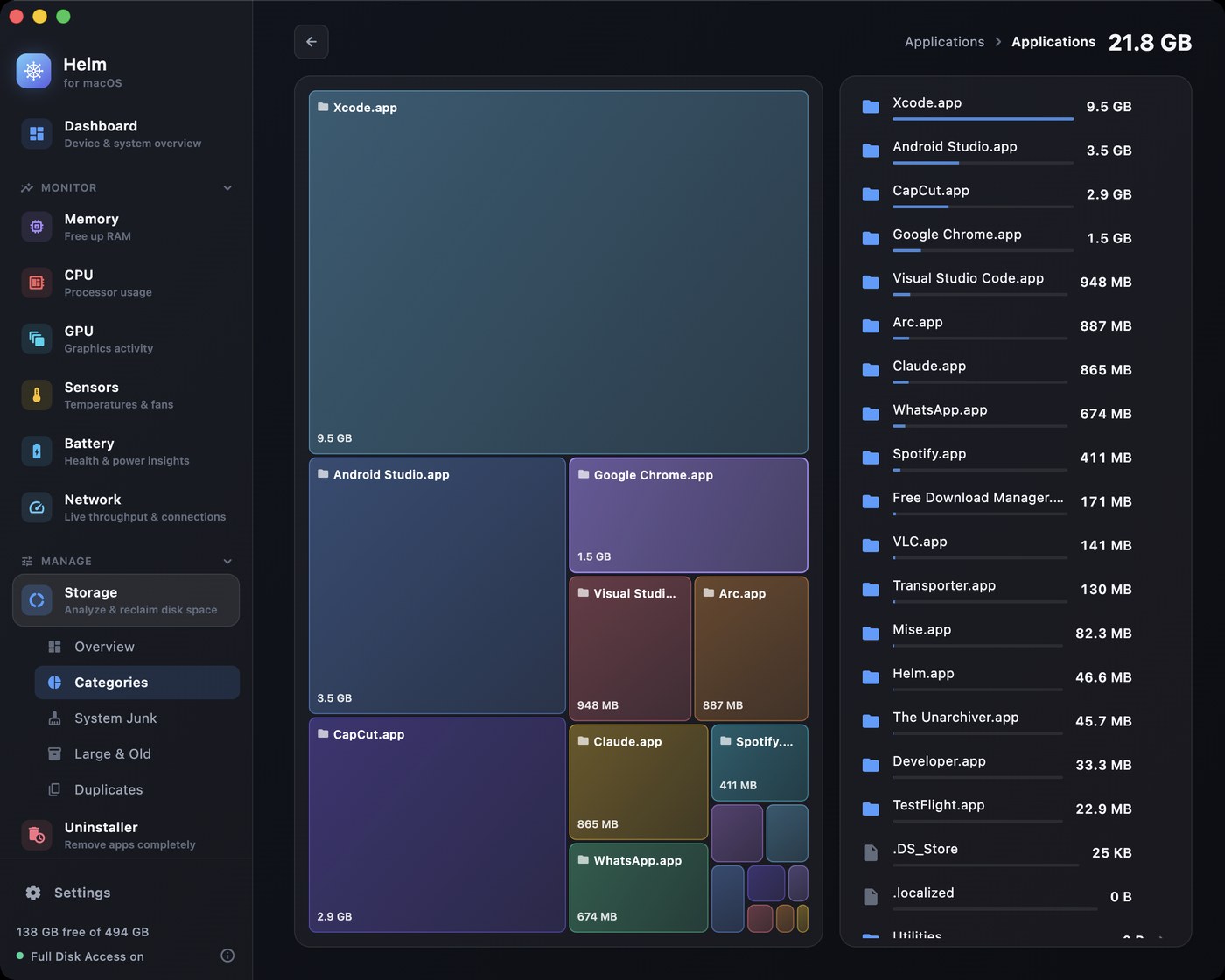 Explorer — a squarified treemap, drilled from the whole disk down to a single file; breadcrumbs climb back out
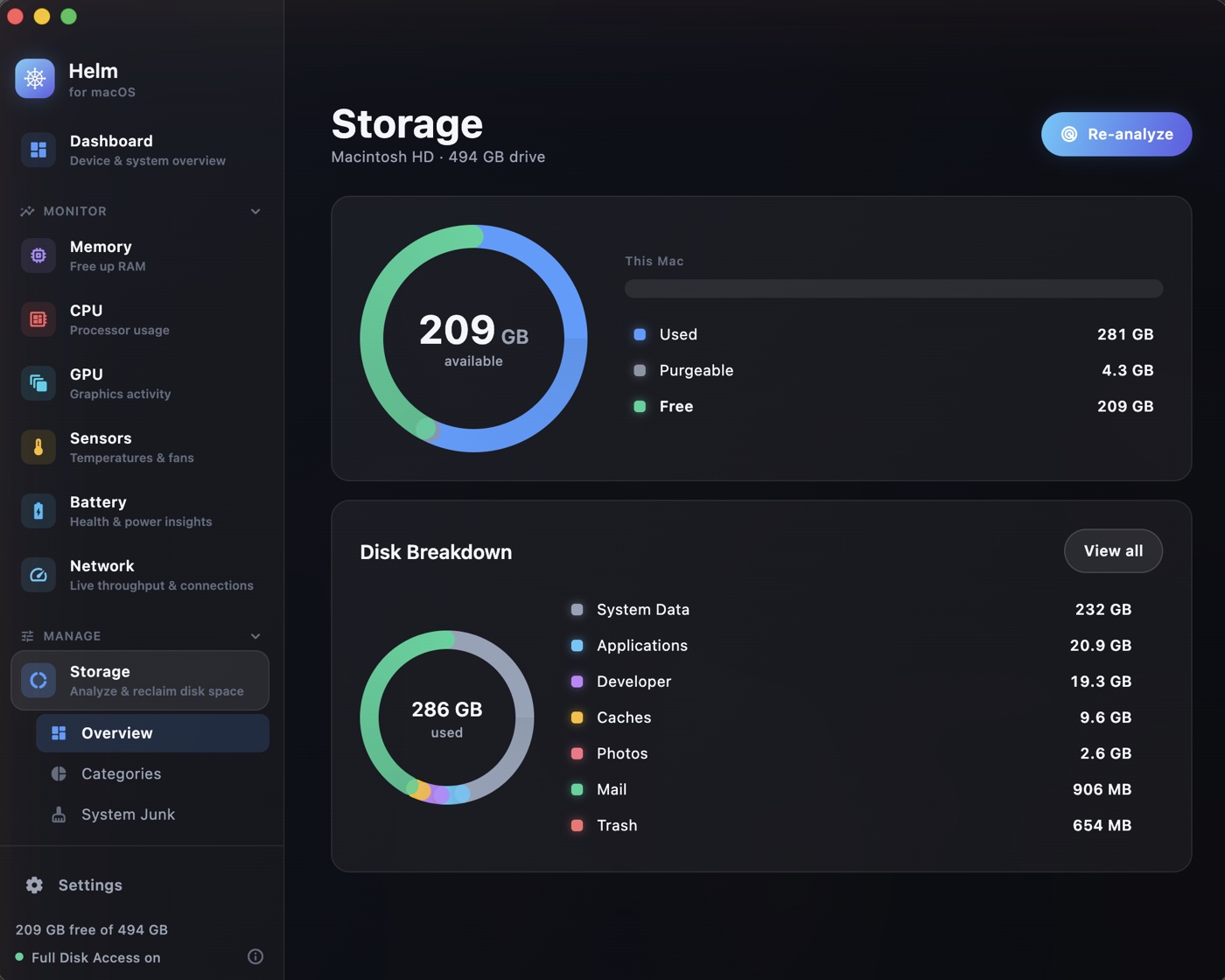
Storage — capacity including purgeable, matching About This Mac
|
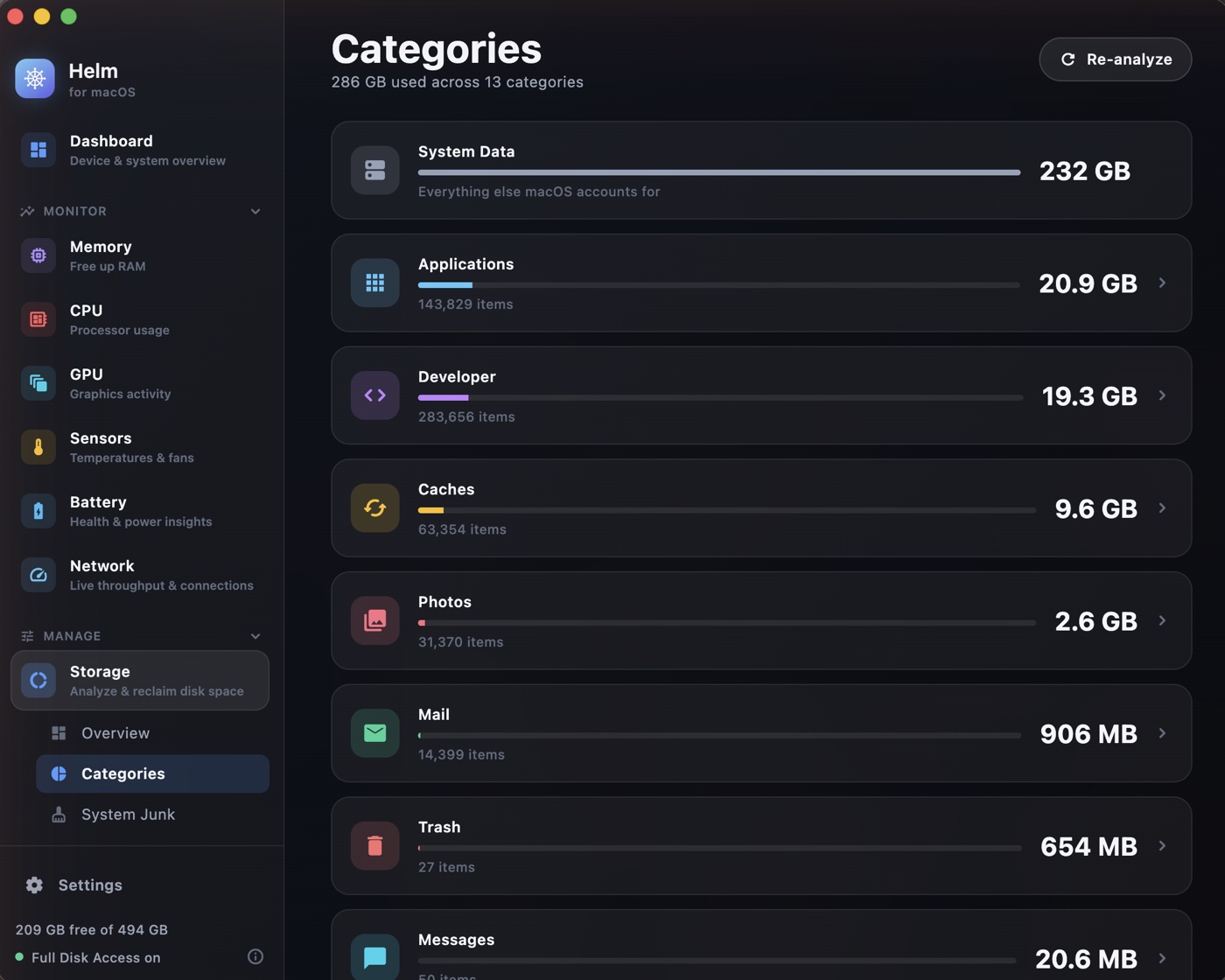
Categories — disjoint buckets, so nothing is counted twice
|
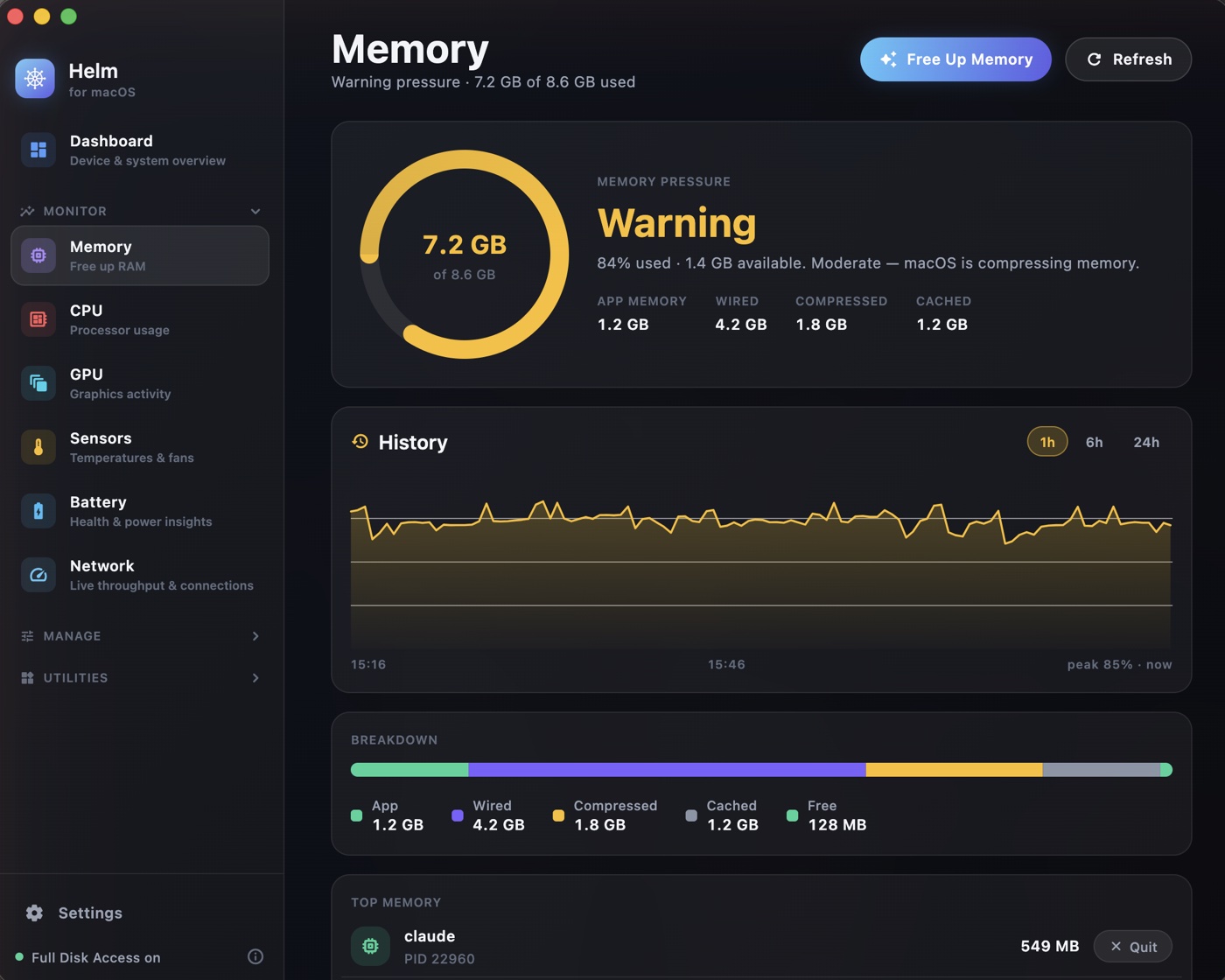
Memory — pressure, 24h history, and what is eating it
|
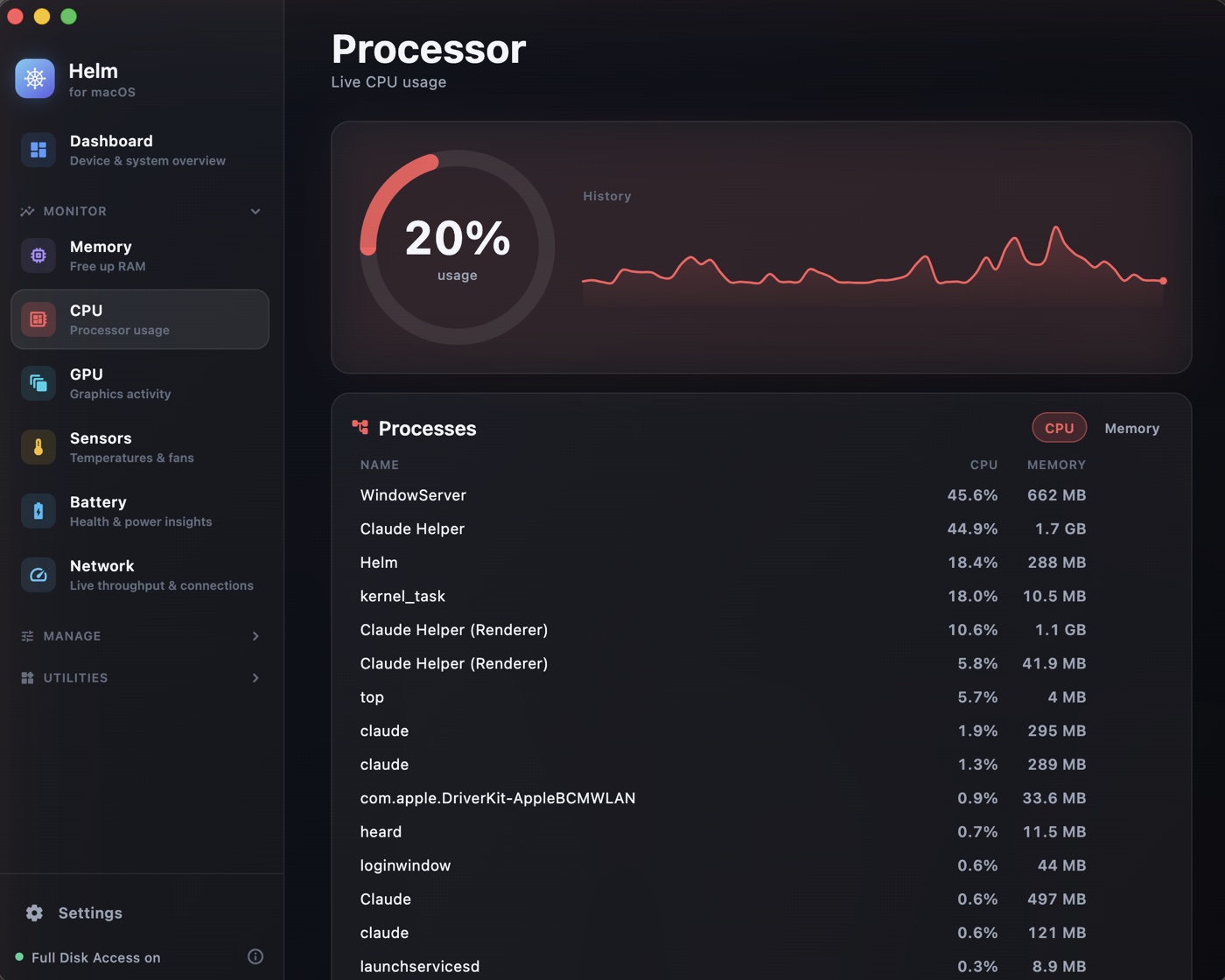
CPU — per-core usage with quit and force-kill
|
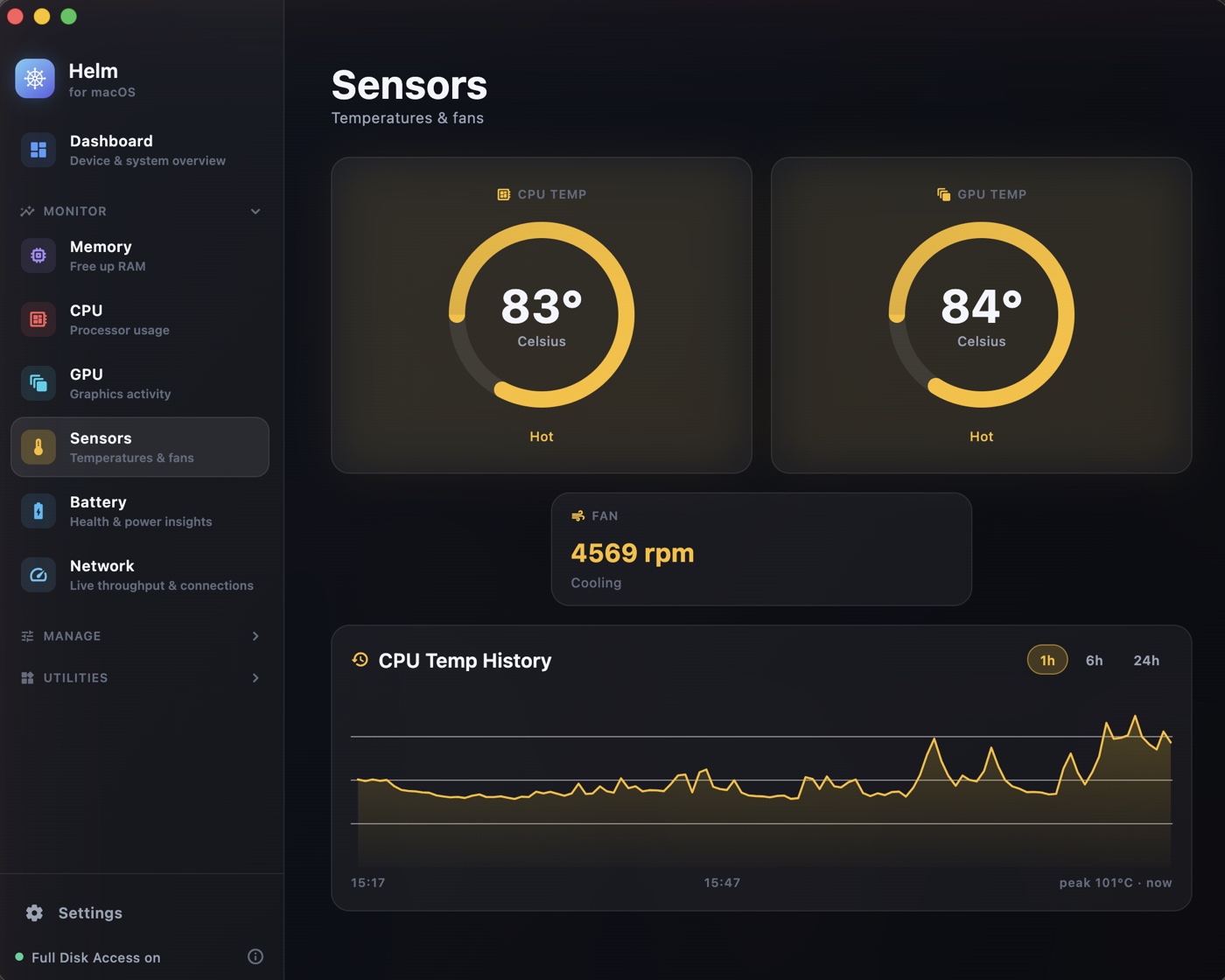
Sensors — real SMC temperatures and fan speed
|
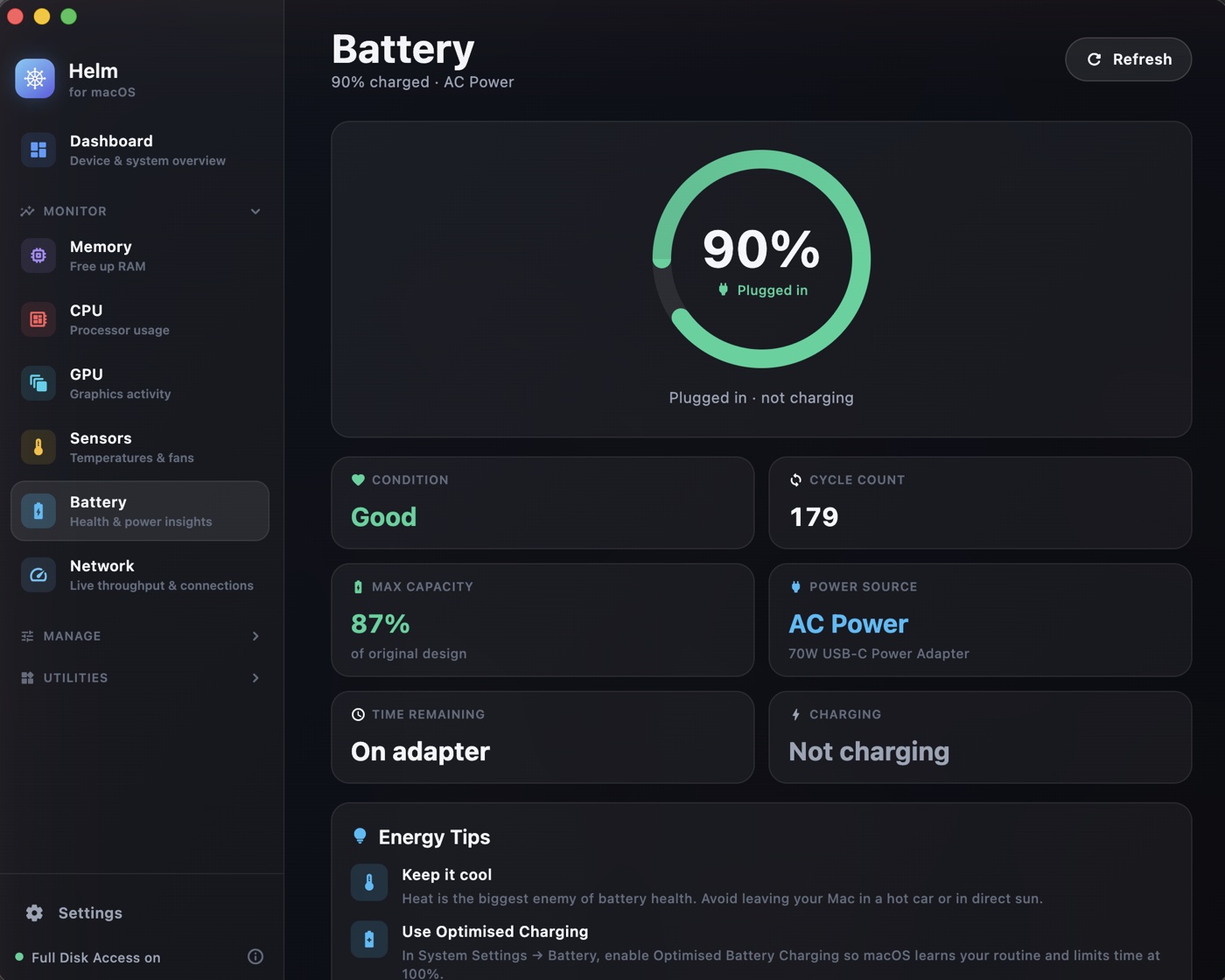
Battery — health, cycles, and Bluetooth device levels
|
## 📦 Install
1. **[Download the latest DMG](https://github.com/devShakib015/helm/releases/latest/download/Helm.dmg)**
2. Open it and drag **Helm** into your **Applications** folder
3. **First launch:** macOS will say *“Helm can’t be opened because Apple cannot check it for malicious software.”* Click **Done**, then:
> **System Settings ▸ Privacy & Security ▸** scroll down **▸ Open Anyway**
You only do this once. *(On older macOS you can also right-click the app ▸ **Open**.)*
4. Grant **Full Disk Access** when Helm asks, so the Storage tool can measure everything
Why does macOS warn about Helm?
Because Helm isn't *notarized* — Apple only notarizes apps from developers paying **$99/year** for the Apple Developer Program. Helm is free, so it isn't in that program.
The warning means **“Apple hasn't personally checked this app,”** not that anything is wrong with it. Your protection here is better than a signature: **the entire source code is in this repository.** Read it, audit it, and build it yourself if you'd rather:
```bash
git clone https://github.com/devShakib015/helm.git && cd helm
flutter build macos --release
```
Prefer the terminal? This removes the download quarantine flag directly:
```bash
xattr -dr com.apple.quarantine /Applications/Helm.app
```
> Helm is free and open source. No account, no telemetry, no network calls — nothing ever leaves your Mac.
## 💚 Free forever
Helm is **100% free, with every feature included, permanently.**
No paid tier. No "pro" version. No subscription, no trial, no locked features,
no upsell, no ads, no accounts. Every tool described below is in the app you
download, and always will be — that is a commitment, not an introductory offer.
It is also fully open source under the MIT licence: if you ever doubt any of
the above, the entire thing is right here to read.
> **Safe by design.** Helm never deletes destructively. Everything it removes goes to the **Trash**, so you can always get it back. The only exception is emptying the Trash itself — which you explicitly confirm.
## ✨ The Storage tool
| | Feature |
|---|---|
| 📊 | **Disk overview** — exact capacity including *purgeable* space, matching “About This Mac”. |
| 🍩 | **Category breakdown** — Applications, Documents, Photos, Music, Movies, Mail, Messages, Developer, Caches, Trash and the opaque *System Data*, all measured into disjoint, non-overlapping buckets. |
| 🗺️ | **Visual explorer** — a DaisyDisk-style **squarified treemap** with breadcrumb drill-down into any folder, down to individual files. |
| 🧹 | **System Junk cleaner** — user & system caches, logs, the Trash, saved app state, **developer junk** (Xcode DerivedData, simulators, npm/yarn/gradle/pip/CocoaPods caches…), browser caches, old downloads, mail attachments and conservative **app-leftover** detection. Safe items pre-selected; risky ones opt-in. |
| 📦 | **Large & Old files** — track down space hogs by size and age, with sort/filter controls. |
| 👯 | **Duplicate finder** — byte-for-byte content matching (size → quick hash → full MD5), always keeping at least one copy. |
| 🕰️ | **APFS snapshots** — surface and thin local Time Machine snapshots that quietly eat space. |
| 🔒 | **Full Disk Access aware** — works on most of your files immediately; guides you to grant FDA for an exact, complete picture. |
## 🎨 Design
A custom **“deep dark + glass”** design system: a frameless vibrancy window with the traffic lights overlaid on a translucent sidebar, native **SF Pro** typography, hand-built charts and treemaps (no chart dependency), and fluid motion throughout. It looks like a paid pro app — because it's meant to.
## 🏗️ Architecture
Helm is structured so new tools are easy to add and the heavy lifting never blocks the UI.
```
lib/
├─ app/ # app shell: tool registry, sidebar, window root
│ └─ shell/
├─ core/ # cross-tool foundation
│ ├─ models/ # pure-Dart, isolate-safe data models
│ ├─ services/ # native bridge, permissions, deletion, system info
│ ├─ theme/ # colors, typography, spacing
│ └─ widgets/ # reusable widgets
└─ tools/
└─ storage/ # the Storage tool (self-contained)
├─ engine/ # isolate-based scanners (category, junk, large, dup)
├─ state/ # ChangeNotifier controllers
└─ ui/ # views + storage-specific widgets
```
**Key engineering choices**
- **Background isolates** for every scan — the filesystem is walked off the UI thread, streaming live byte/file/path progress, fully cancellable.
- **Pure-Dart models** (no Flutter imports) so results copy cleanly across the isolate boundary.
- **Thin native layer** (Swift `MethodChannel`) for only what Dart can't do well: recoverable **Trash** removal (`FileManager.trashItem`) and accurate **purgeable** capacity (`URLResourceValues`).
- **Symlinks never followed** and protected OS paths (`/System`, `/usr`, …) are never touched — avoiding loops, double-counting (macOS firmlinks), and dangerous deletions.
- **Provider** for state, a single dark `ThemeData`, and `macos_window_utils` for the vibrancy window.
## 🚀 Build & run
Requires Flutter (stable) and Xcode.
```bash
flutter pub get
flutter run -d macos # debug
flutter build macos --release # release .app
./scripts/release.sh # signed + notarized DMG in dist/
```
Helm ships as a **notarized DMG** (not the Mac App Store) so it can request Full Disk Access — the app is deliberately **not sandboxed**. `scripts/release.sh` handles the whole pipeline: build → sign with the Hardened Runtime → notarize → staple → package. It adapts to the credentials available, so it still produces a local DMG without a Developer ID certificate.
- **Bundle ID:** `com.devshakib.helm`
- **Minimum macOS:** 12.0 (Monterey)+
## 🧰 The toolkit
**Fifteen tools**, grouped in one sidebar — plus a live **menu-bar item** with configurable metrics, and a **Dashboard** that shows your whole machine at a glance.
**Monitor**
- 🧠 **Memory** — live RAM breakdown, pressure gauge, top processes, free inactive memory
- ⚡ **CPU** — per-core usage and an Activity-Monitor-style process list with quit / force-kill
- 🎮 **GPU** — live graphics utilization
- 🌡️ **Sensors** — real CPU/GPU temperatures read straight from the SMC
- 🔋 **Battery** — health, cycles, power source, plus **Bluetooth device batteries** (AirPods, Magic Keyboard/Mouse)
- 📡 **Network** — live throughput, interfaces, Wi-Fi and active connections
**Manage**
- 📊 **Storage** — analyze & reclaim disk space (categories, treemap, junk, large files, duplicates)
- 🗑️ **Uninstaller** — remove an app *and* every leftover it leaves behind
- 🚀 **Startup** — manage login items and Launch Agents that run at boot
- 🛡️ **Privacy** — clear browsing/shell/recent-item traces and flush the DNS cache
**Utilities**
- 📋 **Clipboard** — full history for text, **images** and **file copies**, with a global **⌃⌘V quick-paste popup** at your cursor
- 🎨 **Color Picker** — sample any pixel on screen; copies as HEX/RGB/HSL/SwiftUI/Flutter
- ☕ **Keep Awake** — stop your Mac sleeping, indefinitely or on a timer
- ⚡ **Quick Actions** — hidden files, Dark Mode, Dock autohide, restart Finder/Dock, sleep display
Every monitor page keeps **24 hours of history** as a chart, and you can set **custom alerts** per metric ("tell me when RAM goes over 90%"), plus housekeeping watchers and a **login-item watchdog** that warns the moment an app installs itself at startup.
## 🔐 Privacy
Helm runs **entirely on your Mac**. It has no servers, no analytics, no network calls. Nothing about your files ever leaves the device.
## 📄 License
[MIT](LICENSE) © 2026 Shakib. Free to use, modify and share.
---
Made with care for macOS by Shakib.