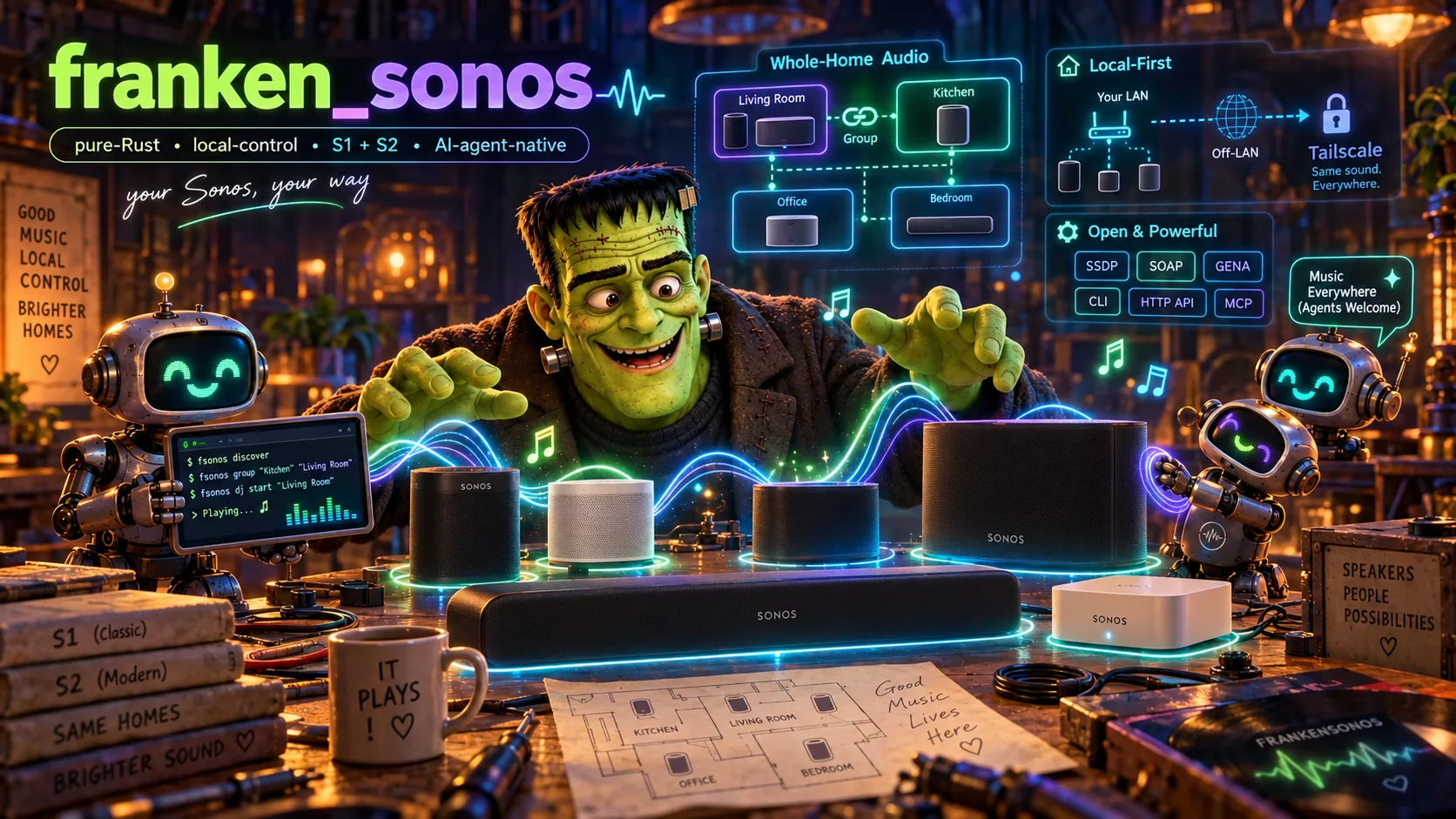
# FrankenSonos FrankenSonos illustration **Your Sonos, your way. Command your speakers from anywhere in the world, as long as you're on your Tailscale tailnet.** A memory-safe Rust controller and daemon for the Sonos speakers you already own: one binary that runs the whole house from the terminal, an HTTP API, or any AI agent that speaks MCP. ![status: pre-release](https://img.shields.io/badge/status-pre--release-orange) ![language: Rust 2024](https://img.shields.io/badge/Rust-2024%20(nightly)-dea584) ![license: MIT + rider](https://img.shields.io/badge/license-MIT%20%2B%20OpenAI%2FAnthropic%20rider-blue) ![interfaces: CLI · HTTP · MCP](https://img.shields.io/badge/interfaces-CLI%20%C2%B7%20HTTP%20%C2%B7%20MCP-7b4bff) ![networks: S1 + S2](https://img.shields.io/badge/Sonos-S1%20%2B%20S2-111)

> **Status: pre-release (before `0.1.0`).** Everything below is implemented, > and every feature is tested end to end against `fsonos-sim`, a virtual > Sonos house (an S1 and an S2 household speaking SOAP and GENA on loopback, > checked against scrubbed captures of real players). The daemon also runs a > real two-household house, S1 and S2, where discovery, grouping, volume, > favorites, Spotify rendering and announcements have run on real players, > and `fsonos selftest` checks yours without changing anything you can hear. > There is no real-hardware CI yet, and interfaces may still change before > `0.1.0`. --- ## Why FrankenSonos Sonos hardware is excellent and lasts for years; the software around it is where it falls short. The app loses speakers, grouping fights you, automation is out of reach, the legacy S1 line is frozen while S2 moves on without it, and the Spotify Web API cannot start playback on a Sonos at all. FrankenSonos talks to your speakers directly, over the local protocols they already speak (SSDP discovery, UPnP/SOAP on port 1400, GENA events), and turns the whole house, both generations at once, into something you and your agents can drive: - **From anywhere on your tailnet.** `fsonos serve` serves its HTTP API on loopback and your Tailscale addresses (MCP on loopback), and `fsonos tailscale setup` puts HTTPS in front of both with Tailscale Serve. Your phone in another city, an agent on a cloud VM, a laptop at work: if it is on your tailnet, it runs your house (the CLI there too: `FSONOS_DAEMON_URL=https://..ts.net fsonos pause Kitchen`). Nothing is exposed to the public internet, Funnel is never used, and the speakers never leave your LAN. - **Built for agents, with guardrails.** Every surface (CLI, HTTP, MCP) goes through one control path: the house policy (per-room volume caps, quiet hours, per-client tool allowlists), an action log of who did what, and undo. The volume caps and quiet hours bind the agent surfaces; the local CLI is trusted and runs uncapped by default (set `[clients.cli] capped = true` to cap it too). The caps hold for music an agent starts as well as for the volumes it sets: a play, a resume, a DJ start or skip, or an unmute first brings a room left loud down to its cap, and one whose level can't be read is not started. The DJ restarting a group on its own is held to them too, as client `dj` (`[clients.dj]`) and as whoever started it. Hand the house to an agent without it playing volume 80 at 2 a.m. - **A DJ that plays what you like.** It plays from your own Spotify likes and saves, in whatever genres they span (pop, jazz, hip-hop, soundtracks, classical), puts your own steering ahead of anything it infers, follows mood and time of day, spreads a set across artists, explains every pick, and keeps learning from your likes, dislikes, early skips and full listens. Classical works play whole, every movement in order. Standing preferences of your own — favored and avoided genres, artists and eras, a default energy, explicit tracks, pins and bans — override what it infers, on the CLI, HTTP and MCP. - **One memory-safe binary.** Pure Rust 2024 with `#![forbid(unsafe_code)]`, on an owned async stack (no Tokio, no reqwest). Nothing is installed on the speakers and nothing about them is changed. ## What it does | Area | What you get | |---|---| | **Discovery & topology** | Every player of both S1 and S2 households, its zone group and coordinator. Rooms resolve by name, `Room@S1` / `Room@S2`, your own aliases (`fsonos rooms alias add downstairs Kitchen "Living Room"`), `here` (your default room, `[defaults] room` in `aliases.toml`), or `all` / `everywhere` | | **Control** | Play a Spotify link (a track, album, playlist, artist, episode or show), a source URI, a Sonos favorite or a library search (your tracks, saved albums and playlists), or add a Spotify link to the queue instead, next or at the end (`fsonos play Kitchen --next`); seek within a track (`fsonos seek Kitchen +30`, `0` starts it over); play a track already on the queue where it is (`fsonos queue-play Kitchen 5`); set the queue's shuffle/repeat mode (`fsonos play-mode Kitchen SHUFFLE_NOREPEAT --expected-mode NORMAL`, or the web remote's Shuffle & repeat panel); pause, resume, next, previous; room or group volume (set or ±N); mute; ungroup — these on one room, an alias or `everywhere` at once (`fsonos pause everywhere`; `fsonos ungroup everywhere` breaks every group up), logged and undone as one action; fades on demand (`fsonos volume Kitchen 20 --fade 10s` ramps, `--fade auto` lets each speaker ramp itself at its own pace, `fsonos pause Den --fade 30s` fades out first); group; a room's tone, bass, treble and loudness (`fsonos eq Kitchen --bass 2`); **move** the music to another room (handing the group over, or `--copy` across households); **party** mode for a whole household. Group commands always go to the group's coordinator | | **Live state** | GENA subscriptions keep a live model of every zone (transport, track, volume, shuffle and repeat), so reads need no polling, and `GET /events` streams the changes as server-sent events (`fsonos events` prints them as they happen); `fsonos queue Kitchen` lists what is queued and what plays; `fsonos queue-search Kitchen "artist title"` finds exact queued occurrences across pages (also HTTP/MCP, with revision-checked continuation); `fsonos history` shows what played | | **Library** | Browse cached tracks, albums and playlists from the web remote, CLI or MCP, even with Spotify or speakers offline. Open a playlist's cached tracks in their original order, including duplicate occurrences, filter by title/artist/album, then play or queue an exact track. [Playlist contents](docs/PLAYLIST_CONTENTS.md) show the cache's age and whether the bounded sync read is complete, partial or not yet available | | **Self-healing** | A player that moved to a new address, or a group whose coordinator changed under a command, is found again and the command retried once (the answer notes `HEALED`); the live model resurveys and resubscribes on its own | | **DJ** | `dj start` with optional mood, artists, genres, decades or other steering constraints in one request, `skip`, `stop`; picks from your Spotify liked tracks and saved albums, in any genre; a song plays on its own, and a classical work plays whole, every movement in order; varied by artist (or composer), era and time-of-day energy; `dj steer` by mood, artists, genre, decade, keywords (which also match genres), work length or energy, and for classical music by composers and periods, any of them left out too (`--not-decade 80s`, `--not-genre pop`), for a while or until cleared; `dj prefs` sets your standing favorites, avoids, default energy and pins or bans; `dj status` and `dj why` explain the pick factor by factor; `dj rehearse` plans the set it would play from any hour, with each pick's reasons and how varied each hour is, without playing anything; `dj moods` and your own `moods.toml` programs; `dj like` / `dislike`, early skips and full listens shape later picks | | **Scenes** | `scene save dinner` captures grouping, volumes, mutes and what each group plays, or `--from dinner.toml` writes one out (a favorite, a stream, a Spotify link or the DJ with a mood and full direction per group). A captured DJ retains its added filters and remaining lifetime; [reusable directions](docs/DJ_DIRECTIONS.md) restart that lifetime on recall. A captured normal queue remembers its selected occurrence, position and known shuffle/repeat mode; [recall requires that original queue to remain unchanged](docs/SCENE_QUEUES.md). `scene apply dinner` sends only the steps the house needs, `--fade 20s` ramps the volumes there, and `fsonos undo` attempts to restore the prior state | | **Sleep & schedules** | `sleep Bedroom 45m` fades the group out over the last two minutes (with the speaker's own timer as a backstop); `schedule add "weekdays 07:30" dj start Kitchen --mood bright` (the mood lasts until the time-of-day program changes, then the program takes over), or use the full DJ direction flags, such as `--genre jazz --artist 'Miles Davis' --for 2h`, to reapply those settings on each run; `--automatic` clears prior steering. Also schedule a pause, a volume or a scene (ramped over the policy's fade), at times or after delays; runs with the rights of whoever added it; a restarted daemon picks its sleep timers up again | | **Announcements** | `say "Dinner is ready" --rooms Kitchen,Office` with offline Linux speech (FrankenTTS, espeak-ng or Piper) or macOS `say`; `chime bell`; `announce --file clip.wav`. Policy-capped playback restores the previous music and speaker state | | **Safety** | `policy.toml`: per-room caps, a per-step limit, quiet hours, per-client tool allowlists; over-limit volumes are clamped and say so (the local CLI runs uncapped by default); `fsonos log` / `undo`, `fsonos policy show` / `check` | | **Setup & diagnosis** | `fsonos setup` walks a first run (including your Spotify app and sign-in); `fsonos doctor` checks speakers, Spotify linkage, listeners, the daemon, the store's free disk space and the Tailscale chain, and names the fix for each problem | | **Three surfaces** | The `fsonos` CLI (`--json` everywhere), an HTTP API with an OpenAPI document, and an MCP server (tools plus `sonos://zones` and `sonos://dj` resources) over streamable HTTP or stdio, all answering alike, with the same stable error codes ([`docs/ERRORS.md`](docs/ERRORS.md)); editing room aliases (`fsonos rooms alias`) and checking `policy.toml` (`fsonos policy check`) are the CLI's alone, as they work on the data directory's files | | **A house without speakers** | `fsonos sim` starts virtual S1 and S2 households on loopback, so you can try every command, or develop an agent, with no hardware | ## Quick tour ```bash fsonos discover # every player on the LAN, S1 and S2 fsonos zones # the groups and what each is doing fsonos play "Living Room" --favorite "Morning" # a Sonos favorite (or a URI, or --search "bwv 988") fsonos play Kitchen spotify:album: --next # after the track playing; --queue for the end fsonos play-mode Kitchen SHUFFLE_NOREPEAT --expected-mode NORMAL # whole mode, guarded fsonos volume "Living Room" +5 # set, or change by ±N; --group for the whole group fsonos eq Kitchen --bass 2 --loudness off # tone: bass and treble -10..10, loudness on/off fsonos group Office Kitchen # Office joins Kitchen's group fsonos move "Living Room" Bedroom # the music follows you fsonos dj start "Living Room" --mood calm # the DJ, from your own Spotify taste fsonos dj start Kitchen --genre jazz --decade 60s --for 2h # choose and start a set together fsonos dj why "Living Room" # why it chose this pick fsonos queue-search Kitchen "dvorak prelude" # find music already queued, with exact positions fsonos dj browse tracks --playlist-uri 'spotify:playlist:' # inspect cached playlist order and coverage fsonos dj rehearse "Living Room" --at 23:00 # what it would play at 23:00, and why fsonos scene save dinner && fsonos scene apply dinner fsonos sleep Bedroom 45m # fade out, then pause fsonos schedule add "weekdays 07:30" dj start Kitchen --mood bright fsonos say "Dinner is ready" --rooms Kitchen,Office fsonos announce --file clip.wav --rooms Kitchen # an existing 16-bit PCM WAV fsonos stream Kitchen --input alsa_output.example.monitor # Linux desktop audio (Ctrl-C stops) fsonos undo # put the newest action back fsonos serve # the daemon: HTTP API on loopback + tailnet, MCP on loopback fsonos tailscale setup # HTTPS for the tailnet via Tailscale Serve (never Funnel) fsonos service install --tailscale-serve --load # serve as a login service that survives restarts fsonos doctor # what is wrong, and how to fix it fsonos selftest # live checks on your players; nothing you can hear changes fsonos selftest --audible --room Kitchen --room Office # with you listening: play, fade, group, hand over; all put back ``` No speakers handy? Run `fsonos sim` in one terminal; it prints the `--seeds` and `--routes` flags that point every other command (and `fsonos mcp`) at the virtual house. ### Live computer audio (experimental) On the computer connected to the speaker LAN, install FFmpeg with the `libmp3lame` encoder and a PipeWire/PulseAudio-compatible audio server. Use `pactl list short sources` to find your output device's **monitor** source, then: ```bash fsonos stream Kitchen --input .monitor # The default is --format pulse --input @DEFAULT_MONITOR@. # Use a dedicated PipeWire/PulseAudio virtual sink to stream only selected apps. # Ctrl-C ends the capture and restores the previous music if the room still plays this stream. ``` For macOS with a configured loopback/virtual audio device, choose `--format avfoundation --input :` (check `ffmpeg -f avfoundation -list_devices true -i ""`). The encoder starts locally; the Sonos player fetches MP3 from a randomly named, read-only endpoint bound only on the LAN interface used to reach that player. There is no public audio service or cloud relay. `--daemon-url` is not supported for live capture: the computer running `stream` must reach the players and be reachable by them. **Video lip-sync is experimental:** Sonos buffers HTTP-radio playback by seconds, and the delay drifts. Plain `stream` is for listening, not for in-sync video audio. `--latency-wav` measures the delay from a time-aligned reference/microphone recording, and `--sync-mpv --sync-input ` keeps mpv's `audio-delay` corrected from a live paired reference/microphone source while streaming. Both need a capture setup described in [Acoustic calibration](docs/AUDIO_CALIBRATION.md) and are not yet qualified on real speakers; startup calibration chirps and automatic source pairing remain tracked in issue #2. ### Offline speech and WAV announcements Linux discovers [FrankenTTS](https://github.com/Dicklesworthstone/franken_tts) (`ftts`) first, then `espeak-ng`. Install the engine and its local models before announcing; FrankenTTS's `ftts pull` prepares its models. An explicit Piper model takes priority in automatic Linux selection: set `piper_model` or `FSONOS_PIPER_MODEL` to a local `.onnx` file with its `.onnx.json` sidecar, or pass that model as `--voice`. macOS keeps using `/usr/bin/say` by default. `fsonos say "Dinner is ready" --voice ` selects the backend's voice, and `fsonos doctor --only speech` identifies the executable. Configure the data directory's `speech.toml` on the machine generating speech: the daemon host with `--daemon`, or the CLI host with `--direct`. For native FrankenTTS: ```toml backend = "frankentts" timeout_secs = 180 ``` Alternatively, this custom adapter runs espeak-ng with a default voice: ```toml backend = "command" command = ["espeak-ng", "--stdin", "-w", "{output}", "-v", "{voice}"] voice = "en" ``` The adapter sends text on stdin and substitutes exactly one `{output}` and optional `{voice}` inside individual arguments, without shell interpolation. `FSONOS_TTS_BACKEND`, `FSONOS_TTS_VOICE`, `FSONOS_PIPER_MODEL`, and `FSONOS_TTS_TIMEOUT_SECS` override their file settings. `FSONOS_TTS_COMMAND` is a JSON argument array (the same shape as `command` above) and selects the command adapter even when another backend is configured. A request's `--voice` overrides the configured voice. Synthesis defaults to 180 seconds; allowed `timeout_secs` values are 1–600. `announce --file` uploads the client's WAV bytes to the daemon. `POST /announce` and the daemon's MCP `announce` tool accept exactly one of `text`, `chime`, or `wav_base64` (standard padded base64), plus `rooms` and `volume`. Uploaded WAVs must be 16-bit PCM, at most 16 MiB and five minutes; all clips use the same validated media listener, volume caps and restoration. Announcement playback over MCP requires `fsonos serve`; standalone `fsonos mcp` has no media listener. ## From anywhere on your tailnet The daemon is the only thing that leaves your LAN, and only onto your tailnet: ```bash fsonos serve # API on loopback + every tailnet address, MCP on loopback; prints the URLs fsonos tailscale setup # Serve: https://..ts.net/ (API), :8443/mcp (MCP) fsonos doctor --only tailscale # Tailscale up, the MagicDNS name, the daemon answering, Serve in front ``` - `fsonos tailscale setup` maps HTTPS on 443 (API) and 8443 (MCP) to the daemon's loopback ports, refuses to run while Funnel is on for either port, and never touches Serve config it didn't make (`status`, `teardown`, `--dry-run`). - Run the daemon with `--tailscale-serve` (or `FSONOS_TAILSCALE_SERVE=1`) behind Serve: it sets Serve up at startup and trusts the login Serve passes along, so each HTTP and MCP caller is named by their Tailscale login, a `[clients."alice@example.com"]` table in `policy.toml` sets what that person's devices may do, and the action log records who did what. Without the flag, HTTP and MCP callers arriving through Serve get the daemon's own loopback rights (`loopback-http`), and `fsonos doctor --only tailscale` warns about it. Direct tailnet listeners identify the actual socket peer with Tailscale WhoIs. Each MCP request, session and resource subscription retains its admitted caller, so concurrent agents have their own policy, action history and undo ownership. Multiple MCP listeners share the same live house. Native MCP never accepts the HTTP API's local CLI token as an uncapped CLI or stdio identity. - Point an agent at it from any tailnet machine: ```bash claude mcp add --transport http fsonos https://..ts.net:8443/mcp curl https://..ts.net/zones ``` The full walkthrough (launchd, the firewall, tailnet policy grants, the Spotify sign-in) is in [`docs/DEPLOY.md`](docs/DEPLOY.md). ## For agents `fsonos serve` exposes the house as MCP tools (also `fsonos mcp` over stdio for a local agent, which hands the DJ, scenes, sleep timers and announcements to a running `serve`): ```text reads list_zones · list_rooms · list_players · get_zone · get_zone_state · list_favorites search_library · browse_library · playlist_contents · get_queue · search_queue get_play_mode · recent_plays · recent_actions · get_policy · doctor dj_status · dj_moods · dj_rehearse · events · echo list_scenes · get_scene · list_sleep_timers · list_schedules · get_eq control play · play_favorite · add_to_queue · play_queue · remove_from_queue · move_in_queue set_play_mode · pause · resume · next · previous seek · set_volume · mute · group · ungroup · move_playback · group_all · set_eq announce · undo_last · undo_checked · preview_undo · search_and_play fade_volume · fade_and_pause dj dj_start · dj_skip · dj_stop · dj_steer · dj_feedback · dj_preferences · dj_prefer dj_sync · dj_sync_status house save_scene · apply_scene · delete_scene · set_sleep_timer · add_schedule pause_schedule · resume_schedule · remove_schedule resources sonos://zones · sonos://zones/{room} · sonos://dj ``` An agent that needs only the everyday tools can ask for fewer: `fsonos mcp --profile essentials` (or `FSONOS_MCP_PROFILE=essentials`) offers the 15 most tasks use (`list_zones`, `get_zone_state`, `list_favorites`, `play`, `play_favorite`, `search_library`, `pause`, `resume`, `next`, `set_volume`, `dj_start`, `dj_steer`, `dj_skip`, `undo_last`, `events`): about 2,800 tokens of tool schemas instead of about 11,500 for all 68. The house policy applies the same either way. Over `fsonos serve`, give an agent the short list per caller with `[clients.""] mcp_profile = "essentials"` in `policy.toml`; its `tools/list` is then trimmed to the essentials while every other caller still sees all the tools. The profile shapes only what is listed, never what the policy allows. `events` is how an agent keeps up with the house: call it once for the newest event id, then again with `since` and `wait_secs` to hear what changes (a track, a volume, a regroup, a player going offline, a logged action, the DJ's picks) as it happens. Every HTTP route that an MCP tool mirrors has that tool's name as its operation id, so an agent gets the same answer, and the same error code, either way. The API documents itself at `GET /openapi.json`. ## Safety for a house run by agents ```toml # policy.toml in the data directory. A missing file falls back to the # [defaults] below only (no quiet hours, room caps or client tables until you # add them); the other sections here are examples. [defaults] max_volume = 70 # per room max_step = 20 # largest single increase [quiet_hours] # local time; may wrap midnight start = "22:00" end = "07:00" max_volume = 25 [rooms."Bedroom"] max_volume = 40 [clients."alice@example.com"] # a person behind Tailscale Serve allow = ["list_zones", "get_zone_state", "play", "set_volume"] [clients."tag:agent"] # an agent that may do anything but change volume deny = ["volume"] ``` - One choke point: every mutating call on every surface is authorized, snapshotted, carried out under the policy, and logged with who asked, the verdict (allow, clamp or deny) and what happened. That includes the DJ's own top-ups (client `dj`), a sleep timer's fade-out (client `sleep`), each audible self-test run (client `selftest`), `fsonos setup --test-play`'s short test play, the restore at the end of `fsonos stream`, and each step of a Spotify sign-in (never its code); none of these is undoable. - Starting a Spotify sign-in is the owner's: the CLI on the daemon's host (`fsonos setup`) and the owner's own devices (the tailnet login the daemon's host is logged in as, as the Apple and web remotes are through Tailscale) may; anyone else only when `policy.toml` grants it (`grant = ["auth"]` under the caller's `[clients.""]`), since whoever signs in chooses whose library and taste the DJ follows. With `FSONOS_TAILSCALE_SERVE` set the login can come from Serve's header, which any process on the daemon's host could also send, so there this guard is only as strong as local access (see [`docs/DEPLOY.md`](docs/DEPLOY.md)). - `allow`, `deny` and `grant` name tools or whole classes of them: `volume`, `playback`, `grouping`, `queue`, `sound`, `house-config`, `announce`, `dj`, `auth`, `undo`, and `read` for every read; a `grant` adds to what an `allow` list names, and a `deny` beats both. Composite calls are held to each step they would take: a client denied `set_volume` cannot fade a volume, applies a scene with its volumes left as they are (and told so), and its scheduled volume changes are refused when they fire. `fsonos policy check` names a denial another tool of the same class still gets around. - A scene or a schedule is its saver's: saving over, deleting, pausing, resuming or removing one another client saved needs the owner (the CLI, or the owner's own tailnet login) or `manage_others = true` under the caller's `[clients.""]`, so an agent cannot drop your wake-up alarm. One saved before fsonos kept who saved it is the owner's. - Edit `policy.toml` while the daemon runs and its next call obeys the new rules, no restart needed. An edit that does not parse is logged and the last good policy stays in force (`fsonos policy check` says what is wrong). - `fsonos undo` restores the volumes, grouping and what was playing in the zones the newest action changed (`--mine`: your own newest), and says what it could not. A scene deleted or saved over, and a schedule paused, resumed or removed, come back the same way (a schedule runs next at its next time). The `undo_last` tool and `POST /undo` undo the caller's own newest. Undo goes back at most an hour: past that, the house has moved on. It also refuses an action whose speakers someone changed since (in the Sonos app, say), naming what changed and putting nothing back; `fsonos undo --force` puts it back anyway. And it stops at a newer change it cannot put back (a queue edit, a sleep timer, a fade-out) rather than reach past it and roll back an older action instead. - Callers the daemon cannot identify get read-only tools; the API and MCP listeners refuse wildcard and public binds (unless you pass `--allow-unsafe-bind`); the HTTP API checks Host and Origin and accepts POST bodies only as JSON. ## Design - **Pure where it can be.** SSDP, SOAP, GENA and DIDL encoding, planning, the policy, scene diffs, schedules and the DJ's picks are pure functions, unit tested without a network; I/O sits behind narrow traits. - **Events, not polling.** The live model follows GENA, renews subscriptions, and resurveys when the house changes; group-wide commands are addressed to the coordinator automatically. - **S1 and S2 together.** Each player's generation is recorded, and the code branches only where the protocols differ; S1 and S2 rooms never share a group, and the commands say so instead of failing quietly. - **End to end against a simulator.** `fsonos-sim` serves the real protocols on loopback (queues, favorites, GENA, sleep timers, media fetches, a clock tests can move), and the e2e suite drives the real `fsonos` binary against it, logging every step as JSON lines. - **No site data.** Your rooms, addresses and tokens are learned at runtime and stored locally; the repository holds none of them. ## Architecture ``` SSDP / UPnP-SOAP / GENA (your LAN, port 1400) │ ┌───────────────────▼───────────────────┐ │ fsonos-proto discovery · SOAP · │ │ events · DIDL/URIs │ └───────────────────┬───────────────────┘ │ ┌───────────────────▼───────────────────┐ ┌────────────────┐ │ fsonos-core inventory · live model │ │ fsonos-spotify │ │ policy · scenes · schedules · store │◄──┤ library + DJ │ └───────────────────┬───────────────────┘ └───────┬────────┘ │ │ ┌──────────────┬───────────┼───────────────┐ Spotify Web API ▼ ▼ ▼ ▼ (read-only, your account) fsonos-api fsonos-mcp fsonos-cli fsonos-tailscale (HTTP API) (MCP tools) (`fsonos`) (tailnet presence) ``` | Crate | Responsibility | |---|---| | `fsonos-types` | Shared domain vocabulary (players, groups, tracks) | | `fsonos-proto` | SSDP, UPnP/SOAP, GENA events, DIDL-Lite and URIs | | `fsonos-core` | Inventory, the live model, grouping, moving, policy, snapshots and undo, scenes, schedules, sleep timers, announcements, the doctor, the local store | | `fsonos-spotify` | Read-only Spotify library sync and the DJ: works, picks, steering, feedback | | `fsonos-api` | The shared surface (requests, planning, policy, logging) and the HTTP API (`fastapi_rust`) | | `fsonos-mcp` | The MCP server and its tools and resources (`fastmcp_rust`) | | `fsonos-cli` | The `fsonos` binary: the CLI, `serve`, `setup`, `doctor`, `sim` | | `fsonos-tailscale` | Is this host on a tailnet, at which addresses and name; connect URLs; who a tailnet caller is | | `fsonos-sim` | The virtual Sonos house the tests (and `fsonos sim`) run against | Built on the author's Rust stack: [`asupersync`](https://github.com/Dicklesworthstone/asupersync) (async runtime), [`fsqlite`](https://github.com/Dicklesworthstone/frankensqlite) (local store), [`fastmcp_rust`](https://github.com/Dicklesworthstone/fastmcp_rust), and [`fastapi_rust`](https://github.com/Dicklesworthstone/fastapi_rust). The full design is in [`COMPREHENSIVE_PLAN_FOR_FRANKENSONOS.md`](COMPREHENSIVE_PLAN_FOR_FRANKENSONOS.md). ## Installation No published release binaries yet (pre-release). CI builds Apple Silicon and x86_64 Linux binaries for every push to `main`, but those artifacts expire with the run; a release download starts with `0.1.0`. Until then, build from source (the toolchain is pinned): ```bash git clone https://github.com/Dicklesworthstone/frankensonos cd frankensonos cargo build --release # the toolchain is pinned in rust-toolchain.toml cargo test --workspace # unit, golden and end-to-end tests (no speakers needed) ``` The binary is `target/release/fsonos`. Run it on a machine on the same LAN as your speakers; for access from anywhere, that machine also joins your tailnet. `fsonos setup` takes it from there. To run the daemon at boot, see [`docs/DEPLOY.md`](docs/DEPLOY.md) (launchd plus Tailscale). ## Roadmap Shipped: discovery and topology across S1 and S2, coordinator-addressed control and grouping, the GENA live model and self-healing, the DJ (drawing on everything you save or like on Spotify, plus your top tracks, recent plays and own playlists, in any genre) with your standing preferences, steering, explanations and feedback, scenes, sleep timers and schedules, announcements, the house policy with quiet hours, the action log and undo, `doctor` and `setup`, the simulator, and the CLI, HTTP API and MCP server, on loopback and your tailnet. The CLI goes through a running daemon when there is one, with room-name completions for zsh, bash and fish, and the daemon serves a web remote (rooms, now playing with album art, volume and mute, pause everywhere, the DJ and scenes) to any device on your tailnet. The daemon keeps the DJ's library fresh on its own, and `fsonos dj sync` refreshes it on demand. Next: - Real-hardware CI (a nightly `fsonos selftest` against a real house), then `0.1.0` with prebuilt binaries; CI already builds them for Apple Silicon and x86_64 Linux on every push to `main`. ## Scope & privacy FrankenSonos controls hardware you own, on your own network, and reads your own Spotify library with your own credentials (read-only, PKCE). It never writes to device firmware or changes anything on the speakers, and it handles no secrets beyond your own local OAuth cache. This repository is public and contains no site data (addresses, serials, tokens, room lists); all of that is learned at runtime and kept locally. The full boundary is in [`docs/SCOPE.md`](docs/SCOPE.md). ## Limitations - It is pre-release: simulator-verified end to end and run on one real two-household house, with a live self-test (`fsonos selftest`) but no real-hardware CI yet. Expect interfaces to change until `0.1.0`. - Sonos plays Spotify through its own music-service integration; the Spotify Web API is only used to read your library. Spotify must be linked once in each household's Sonos app, and the per-household render parameters are learned from your own Sonos favorites. Rendering was verified on real S1 and S2 players ([`docs/PROTOCOL.md`](docs/PROTOCOL.md) §4). - The DJ reads your library through a Spotify app of your own (create one at developer.spotify.com/dashboard); `fsonos setup` asks for its client id and keeps it in the data directory for the daemon. - The DJ's taste comes from your liked tracks and saved albums, plus your top tracks, recent plays and own playlists, leaning toward the artists you follow and play most (read-only scopes you grant at sign-in; without them it uses your library alone, and `doctor` says so). `dj steer`, standing preferences and `moods.toml` are your overrides. Spotify gives new apps no audio features, so a song's energy comes from its artists' genre tags, and a classical movement's from its tempo marking. New saves and likes reach the DJ at the daemon's next daily read of your library, or at once with `fsonos dj sync`. - You run the daemon on a machine on your speaker LAN (a Mac mini, a Pi, a NAS). The deploy docs describe macOS launchd; Linux speech uses a locally installed engine and models. - A sleep timer fades only through the daemon: the CLI's when one is running, HTTP and MCP. `fsonos sleep --direct`, or `fsonos sleep` with no daemon, sets the speaker's own timer, which pauses without a fade. - Spotify podcast episodes play like tracks. Artists and shows are accepted by the player and can be queued, but playing one from its Spotify id is a typed refusal: an artist needs Sonos' own SMAPI shortcut item id, and a show needs the service's container id, neither of which the Spotify id carries. Probed on 57.23: an artist Set is accepted with a minimal DIDL (200) and Play still returns to `STOPPED`, so "accepted" is not "starts". - The API and MCP server take their remote caller identity from Tailscale: WhoIs on a direct tailnet listener, or the login header behind Serve when the daemon runs with `FSONOS_TAILSCALE_SERVE`. Both apply the house policy's `[clients]` tables to that caller. A peer Tailscale cannot name uses `unknown` and is read-only by default. MCP resource subscriptions require `events` plus the permissions needed to read the selected document; resource reads apply the caller's current policy. ## FAQ **Does this replace the Sonos app?** For day-to-day control, grouping, the DJ, scenes, schedules and announcements, yes. You still link Spotify once in the official app so Sonos can render it. **Does it modify my speakers or their firmware?** No. It sends them the same local control requests a controller always has. Nothing is flashed or changed on the devices. **Why can't it just use the Spotify API to play music?** The Spotify Web API cannot target a Sonos renderer. Sonos plays Spotify through its own integration, so FrankenSonos builds the right `x-sonos-spotify:` request for *your* household, from parameters learned from your own favorites. **S1 and S2 at once?** Yes. Both households appear together, every command addresses the right one, and `Room@S1` / `Room@S2` picks between rooms with the same name. **Can my AI agent control it from another city?** Yes, over your Tailscale tailnet: the agent reaches the daemon, and the daemon reaches the speakers on the LAN. The house policy bounds what it may do, and `undo` puts it back. **Can I try it without Sonos speakers?** Yes: `fsonos sim` runs a virtual S1 and S2 house on loopback, and every command and the MCP server work against it. **What streaming services work?** Spotify first, plus anything you have saved as a Sonos favorite (stations, playlists, other services). The control layer is source-agnostic. ## About Contributions Please don't take this the wrong way, but I do not accept outside contributions for any of my projects. I simply don't have the mental bandwidth to review anything, and it's my name on the thing, so I'm responsible for any problems it causes; thus, the risk-reward is highly asymmetric from my perspective. I'd also have to worry about other "stakeholders," which seems unwise for tools I mostly make for myself for free. Feel free to submit issues, and even PRs if you want to illustrate a proposed fix, but know I won't merge them directly. Instead, I'll have Claude or Codex review submissions via `gh` and independently decide whether and how to address them. Bug reports in particular are welcome. Sorry if this offends, but I want to avoid wasted time and hurt feelings. I understand this isn't in sync with the prevailing open-source ethos that seeks community contributions, but it's the only way I can move at this velocity and keep my sanity. ## License MIT License with an OpenAI/Anthropic rider; see [`LICENSE`](LICENSE). (`LicenseRef-MIT-OpenAI-Anthropic-Rider`; not plain MIT.)

