# Paper Summarizer
**A Slack Bot for summarizing arXiv papers, powered by OpenAI LLMs.**
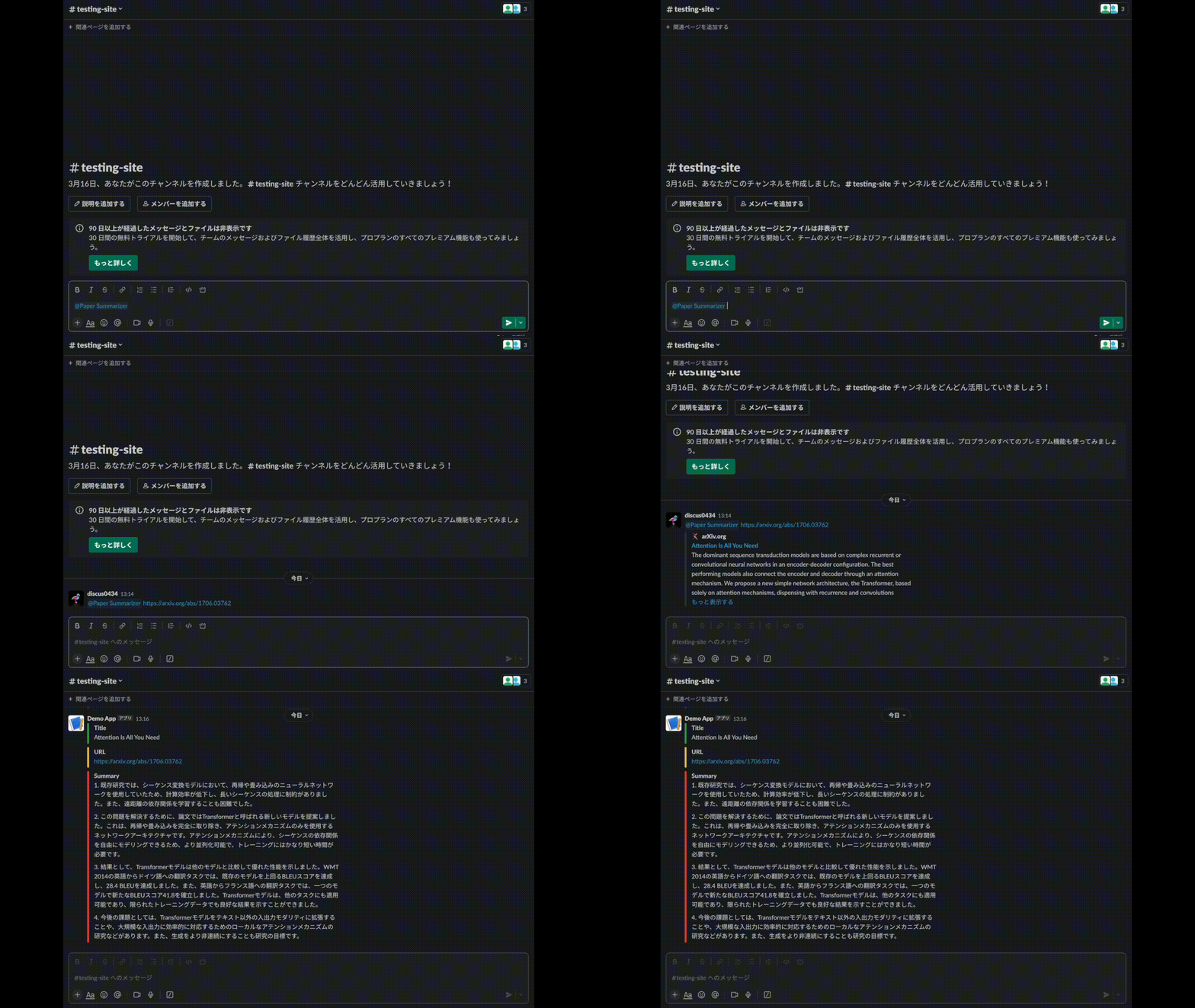
## Features
This repository offers 2 main features:
- **Summarize an arXiv paper which you mention in a Slack channel.**
- **Once a day, post summaries of papers which [AK](https://twitter.com/_akhaliq) mentions.**
Currently, the bot supports only papers posted on [arXiv](https://arxiv.org/).
## How to use
### 0. Get API keys for OpenAI and Slack
- OpenAI: [https://platform.openai.com/account/api-keys](https://platform.openai.com/account/api-keys)
- Slack: [https://api.slack.com/apps](https://api.slack.com/apps)
### 1. Add the bot to your Slack workspace and make it be able to react with user's mention
- This article may be helpful: [Enabling interactions with bots](https://api.slack.com/bot-users)
### 2. Clone this repository
```bash
git clone https://github.com/discus0434/paper-summarizer.git
```
### 3. Build a Docker image
If you do not use CUDA (i.e., you use only CPU), you can modify `Dockerfile` as follows:
```diff
- FROM paddlepaddle/paddle:2.4.1-gpu-cuda11.2-cudnn8.2-trt8.0
+ FROM paddlepaddle/paddle:2.4.1
```
Then, build a Docker image:
```bash
cd paper-summarizer/docker && make build
```
### 4. Set environment variables
`OPENAI_ORGANIZATION` might be optional.
```bash
echo "OPENAI_ORGANIZATION=org-XXX" >> .env
echo "OPENAI_API_KEY=sk-XXX" >> .env
echo "SLACK_INCOMING_WEBHOOK_URL=https://hooks.slack.com/services/XXX/XXX/XXX" >> .env
echo "SLACK_SIGNING_SECRET=XXX" >> .env
echo "SLACK_BOT_TOKEN=xoxb-XXX" >> .env
```
### 5. Run the API and forward the port
You can run the API with the following command:
```bash
make run
```
If your PC is Windows, run below in git bash:
```bash
make run-win
docker exec -it bash
python3 app.py
```
Then, forward the port by using [ngrok](https://ngrok.com/) or something like that.
## Requirements
- Computer with x86-64 architecture
- Docker
## License
This repository is licensed under AGPLv3. See [LICENSE](./LICENSE.txt) for more information.
## References
- For PDF to text conversion, using [PaddlePaddle](https://github.com/PaddlePaddle/PaddleOCR) model.
- The docker image is based on [paddlepaddle/paddle](https://hub.docker.com/r/paddlepaddle/paddle/tags/).