[](https://github.com/djtelicloud/grok-mcp-server/actions)
[](pyproject.toml)
[](pyproject.toml)
[](LICENSE)
[](https://modelcontextprotocol.io)
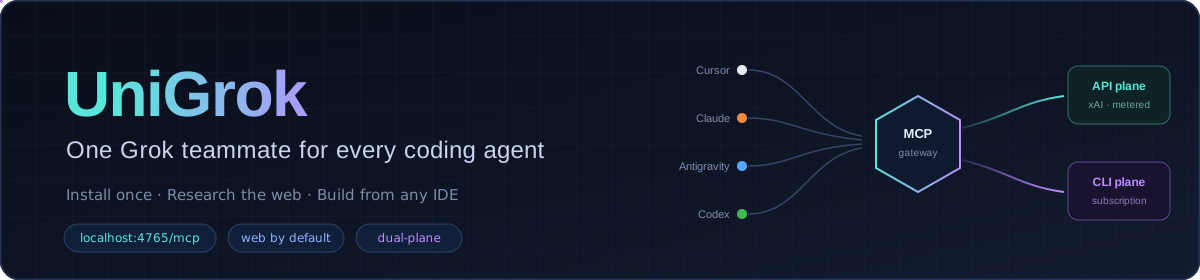
# One Grok teammate. Every coding agent.
Install UniGrok Core once, connect every MCP-capable IDE, and use `@grok` from any
project. Start with a no-key local model, a Grok Build login, an optional xAI API key,
or any combination of those routes.
```text
http://localhost:4765/mcp
```
This clone, the commands below, and the service they start on port `4765` are the
complete public offering. Private provider coordination and operator infrastructure are
not part of UniGrok Core.
## Get running in three minutes
You need [Docker Desktop](https://www.docker.com/products/docker-desktop/) and Git.
Choose at least one inference route:
1. **No-key local model** — Docker Model Runner plus a compatible local model.
2. **Grok Build login** — subscription or available free-tier CLI access.
3. **xAI developer API key** ([console.x.ai](https://console.x.ai/)) — optional and
metered; adds provider-hosted files, media, search, and code execution.
UniGrok discovers the routes that are actually ready. A local-only installation stays
local and reports unsupported cloud-only capabilities honestly.
> In a hurry? `npx @djtelicloud/unigrok` prints these setup steps in your terminal.
> (A full launcher that runs the setup for you is planned; today UniGrok installs via
> Docker, below.)
### 1. Download and build
```bash
git clone https://github.com/djtelicloud/grok-mcp-server.git
cd grok-mcp-server
docker compose build
```
### 2. Choose an inference route
**No paid key or CLI login.** Enable Docker Model Runner, pull a pinned Gemma model,
and start it locally:
```bash
docker desktop enable model-runner
docker model pull ai/gemma3:4B-Q4_K_M
docker model run --detach ai/gemma3:4B-Q4_K_M
```
This route uses Docker Desktop's private container endpoint and no API key. Leave
host-side TCP support disabled: Docker Model Runner's API is unauthenticated, and
enabling `--tcp` can expose it beyond localhost on some installations. The pinned
model supplies bounded local text assistance; UniGrok does not pretend that it
provides cloud search, media generation, or a separately certified code role.
**Grok Build.** Log in once — the device login runs inside the container and stores
the session in a private Docker volume:
```bash
docker compose run --rm grok-cli-auth
```
Want the Grok CLI on your own machine too? It is optional:
```bash
curl -fsSL https://x.ai/cli/install.sh | bash
```
**xAI API key (optional, metered).** Adds provider-hosted files, vision, image/video,
search, code execution, and bounded recovery. Keep the key in the service environment
only — never in IDE MCP JSON:
```bash
export XAI_API_KEY='