The Open Source DocuSign Alternative.
Learn more »
Discord
·
Website
·
Documentation
·
Issues
·
Upcoming Releases
·
Roadmap







## About Documenso
Signing documents digitally should be fast and easy and should be the best practice for every document signed worldwide. This is technically quite easy today, but it also introduces a new party to every signature: The signing tool providers. While this is not a problem in itself, it should make us think about how we want these providers of trust to work. Documenso aims to be the world's most trusted document-signing tool. This trust is built by empowering you to self-host Documenso and review how it works under the hood.
Join us in creating the next generation of open trust infrastructure.
## Recognition


## Community and Next Steps 🎯
- Check out the first source code release in this repository and test it.
- Tell us what you think in the [Discussions](https://github.com/documenso/documenso/discussions).
- Join the [Discord server](https://documen.so/discord) for any questions and getting to know to other community members.
- ⭐ the repository to help us raise awareness.
- Spread the word on Twitter that Documenso is working towards a more open signing tool.
- Fix or create [issues](https://github.com/documenso/documenso/issues), that are needed for the first production release.
## Contributing
- To contribute, please see our [contribution guide](https://github.com/documenso/documenso/blob/main/CONTRIBUTING.md).
## Contact us
Contact us if you are interested in our Enterprise plan for large organizations that need extra flexibility and control.
 ## Tech Stack



![]()
![]()
![]()
![]()
![]()
- [Typescript](https://www.typescriptlang.org/) - Language
- [ReactRouter](https://reactrouter.com/) - Framework
- [Prisma](https://www.prisma.io/) - ORM
- [Tailwind](https://tailwindcss.com/) - CSS
- [shadcn/ui](https://ui.shadcn.com/) - Component Library
- [react-email](https://react.email/) - Email Templates
- [tRPC](https://trpc.io/) - API
- [@documenso/pdf-sign](https://www.npmjs.com/package/@documenso/pdf-sign) - PDF Signatures (launching soon)
- [React-PDF](https://github.com/wojtekmaj/react-pdf) - Viewing PDFs
- [PDF-Lib](https://github.com/Hopding/pdf-lib) - PDF manipulation
- [Stripe](https://stripe.com/) - Payments
## Local Development
### Requirements
To run Documenso locally, you will need
- Node.js (v22 or above)
- Postgres SQL Database
- Docker (optional)
### Developer Quickstart
> **Note**: This is a quickstart for developers. It assumes that you have both [docker](https://docs.docker.com/get-docker/) and [docker-compose](https://docs.docker.com/compose/) installed on your machine.
Want to get up and running quickly? Follow these steps:
1. [Fork this repository](https://docs.github.com/en/pull-requests/collaborating-with-pull-requests/working-with-forks/about-forks) to your GitHub account.
After forking the repository, clone it to your local device by using the following command:
```sh
git clone https://github.com//documenso
```
2. Set up your `.env` file using the recommendations in the `.env.example` file. Alternatively, just run `cp .env.example .env` to get started with our handpicked defaults.
3. Run `npm run dx` in the root directory
- This will spin up a postgres database and inbucket mailserver in a docker container.
4. Run `npm run dev` in the root directory
5. Want it even faster? Just use
```sh
npm run d
```
#### Access Points for Your Application
1. **App** - http://localhost:3000
2. **Incoming Mail Access** - http://localhost:9000
3. **Database Connection Details**
- **Port**: 54320
- **Connection**: Use your favorite database client to connect using the provided port.
4. **S3 Storage Dashboard** - http://localhost:9001
## Developer Setup
### Manual Setup
Follow the [manual setup guide](https://docs.documenso.com/docs/developers/local-development/manual) to configure Documenso on your local machine.
### Run in Gitpod
- Click below to launch a ready-to-use Gitpod workspace in your browser.
[](https://gitpod.io/#https://github.com/documenso/documenso)
### Run in DevContainer
We support DevContainers for VSCode. [Click here to get started.](https://vscode.dev/redirect?url=vscode://ms-vscode-remote.remote-containers/cloneInVolume?url=https://github.com/documenso/documenso)
### Video walkthrough
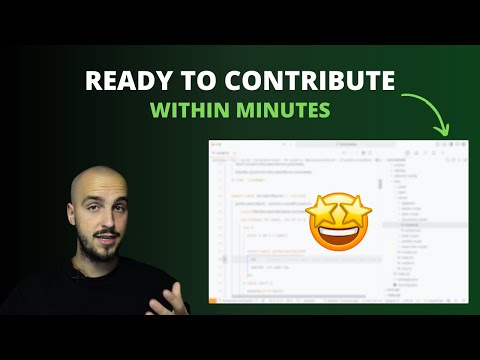
If you're a visual learner and prefer to watch a video walkthrough of setting up Documenso locally, check out this video:
[](https://youtu.be/Y0ppIQrEnZs)
## Docker
We provide official Docker images on [DockerHub](https://hub.docker.com/r/documenso/documenso) and [GitHub Container Registry](https://ghcr.io/documenso/documenso).
For setup instructions, see the [Docker Deployment](https://docs.documenso.com/docs/self-hosting/deployment/docker) and [Docker Compose](https://docs.documenso.com/docs/self-hosting/deployment/docker-compose) guides.
## Self Hosting
We support a variety of deployment methods including Docker, Docker Compose, Railway, Kubernetes, and manual deployment.
For full instructions, requirements, and configuration details, see the [Self Hosting documentation](https://docs.documenso.com/docs/self-hosting).
### One-Click Deploys
#### Railway
[](https://railway.app/template/bG6D4p)
#### Render
[](https://render.com/deploy?repo=https://github.com/documenso/documenso)
#### Koyeb
[](https://app.koyeb.com/deploy?type=git&repository=github.com/documenso/documenso&branch=main&name=documenso-app&builder=dockerfile&dockerfile=/docker/Dockerfile)
#### Elestio
[](https://elest.io/open-source/documenso)
## Troubleshooting
For troubleshooting self-hosted deployments, see the [Troubleshooting guide](https://docs.documenso.com/docs/self-hosting/maintenance/troubleshooting) and [Tips & Common Pitfalls](https://docs.documenso.com/docs/self-hosting/getting-started/tips).
### I'm not receiving any emails when using the developer quickstart.
When using the developer quickstart, an [Inbucket](https://inbucket.org/) server will be spun up in a docker container that will store all outgoing emails locally for you to view.
The Web UI can be found at http://localhost:9000, while the SMTP port will be on localhost:2500.
### I can't see environment variables in my package scripts.
Wrap your package script with the `with:env` script like such:
```
npm run with:env -- npm run myscript
```
The same can be done when using `npx` for one of the bin scripts:
```
npm run with:env -- npx myscript
```
This will load environment variables from your `.env` and `.env.local` files.
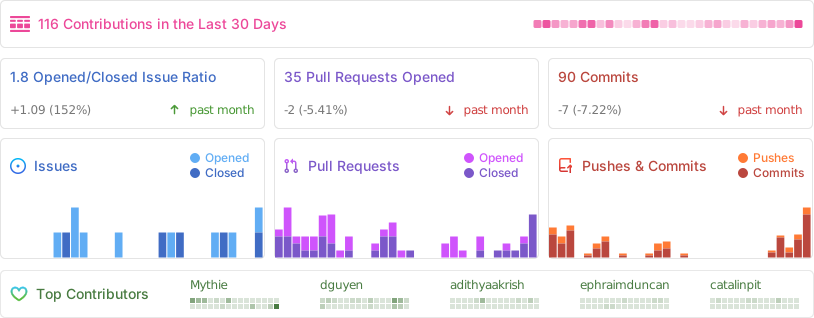
## Repo Activity