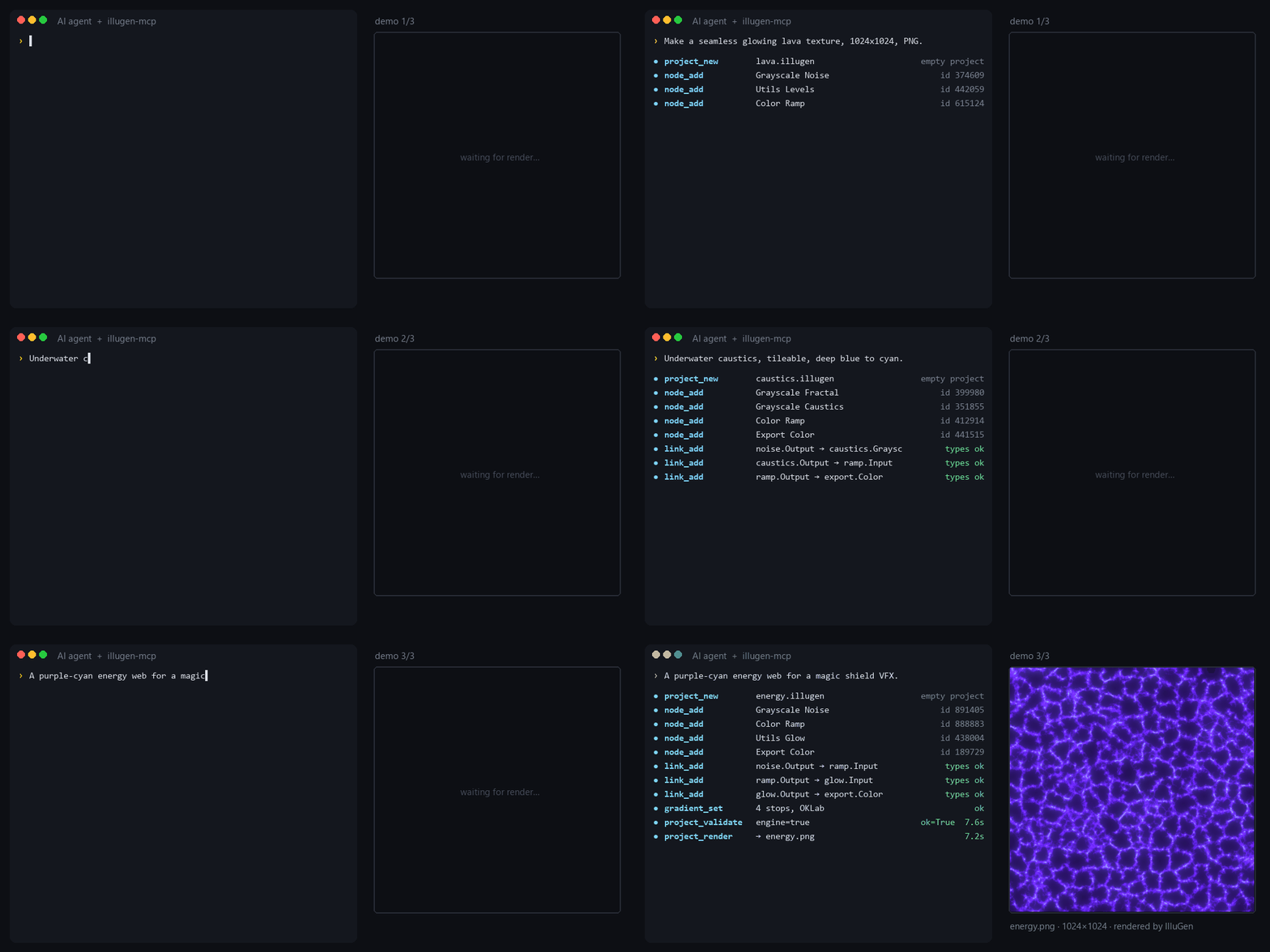
 Real tool calls and timings, real IlluGen renders. Reproduce them with
examples/demo_scenes.py.
Real tool calls and timings, real IlluGen renders. Reproduce them with examples/demo_scenes.py.
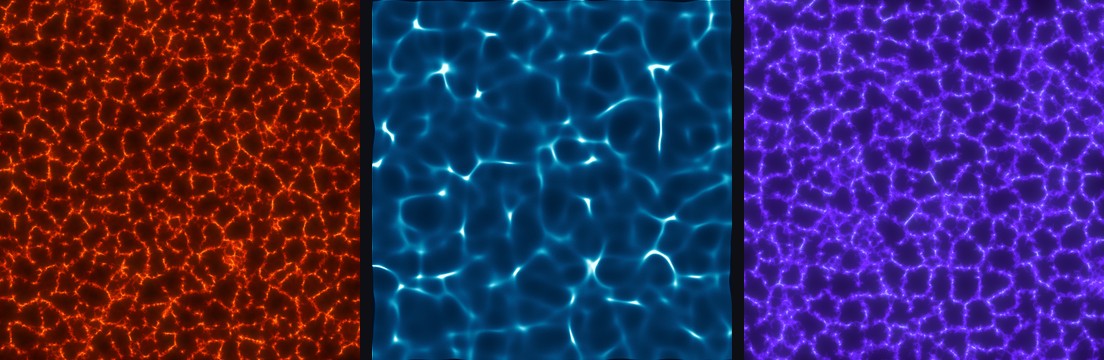 Lava (Voronoi noise → levels → color ramp → glow), caustics (polygon fractal → caustics → ramp) and an energy
web (Voronoi edges → ramp → glow): 4 to 5 nodes each, built and rendered by the agent in about 15 seconds.
The exact graphs are in [`examples/demo_scenes.py`](examples/demo_scenes.py).
## Example prompts
```text
Open the "brick_wall" preset, make it 2048x2048, make the bricks darker and render it.
```
```text
Create a 64-frame looping smoke flipbook (8x8 atlas), export as TGA to D:\fx\smoke.
```
```text
Build a subgraph "edge wear" (noise + levels + blur) with its seed exposed, use it twice with
different seeds and blend the results.
```
```text
Explain what every node in C:\projects\lava.illugen does and suggest how to make it less noisy.
```
## How it works
- **Editing happens directly on the file.** `.illugen` projects are read and written losslessly (a file
saved without changes is byte-identical), so offline edits are instant and safe. Node definitions come
from bundled tables matching IlluGen 1.2.1.
- **Rendering uses IlluGen itself.** The server starts a private copy of IlluGen in its own folder,
hidden from the screen and the taskbar, loads the project and triggers IlluGen's own export
shortcut. It follows progress through IlluGen's log and closes it when done. Your settings and open
IlluGen windows are not touched.
- **Errors come back to the agent.** Failed exports and loading warnings are detected and returned with a
screenshot, so the agent can fix the graph by itself.
Files written by the server: projects and renders where you ask, plus a scratch folder in
`%LOCALAPPDATA%\illugen-mcp` (override with `ILLUGEN_MCP_HOME`).
## Updating IlluGen
The bundled node tables target IlluGen **1.2.1**. After an IlluGen update, rebuild the catalog from your
installation (takes a few minutes, IlluGen runs invisibly):
```bash
uvx --from git+https://github.com/dokaNc/illugen-mcp python -m illugen_mcp.build_catalog
```
The new catalog is stored in `%LOCALAPPDATA%\illugen-mcp\data` and takes precedence over the bundled one.
## FAQ
**Does it work on macOS or Linux?**
Not yet: rendering drives the Windows build of IlluGen. Offline editing (`project_*`, `node_*`, `link_*`)
is pure Python and should work elsewhere, but only Windows is tested.
**Will it mess with the IlluGen I have open?**
No. Each render runs in its own private instance with its own configuration and recovery file.
**`IlluGen did not finish starting`**
Start IlluGen once by hand (activate the license, close the welcome screen), check the path with
`illugen_status`, and look at the latest log in `%LOCALAPPDATA%\JangaFX\illugen\logs`. If it persists,
[open an issue](https://github.com/dokaNc/illugen-mcp/issues) with that log.
**A render says "Nodes failed to export".**
Usually a graph problem (pin type mismatch, disconnected input). The screenshot returned with the error
shows the node in warning; `describe_node_type` lists the expected pin types.
**I changed IlluGen's keyboard shortcuts.**
Supported: the server reads them from IlluGen's `config.ini`.
## Development
```bash
git clone https://github.com/dokaNc/illugen-mcp
cd illugen-mcp
pip install -e ".[dev]"
pytest # tests needing IlluGen are skipped automatically if it isn't installed
ruff check .
```
Contributions are welcome: see [CONTRIBUTING.md](CONTRIBUTING.md).
## Disclaimer
IlluGen MCP is an independent community project. It is **not affiliated with, endorsed by or supported by
JangaFX**. IlluGen and JangaFX are trademarks of their respective owner. You need your own licensed copy of
IlluGen; this project neither includes nor modifies it.
## License
[MIT](LICENSE)