# Ambient Context
A macOS menu bar app that keeps a written record of what you work on, for
your own LLM to read.
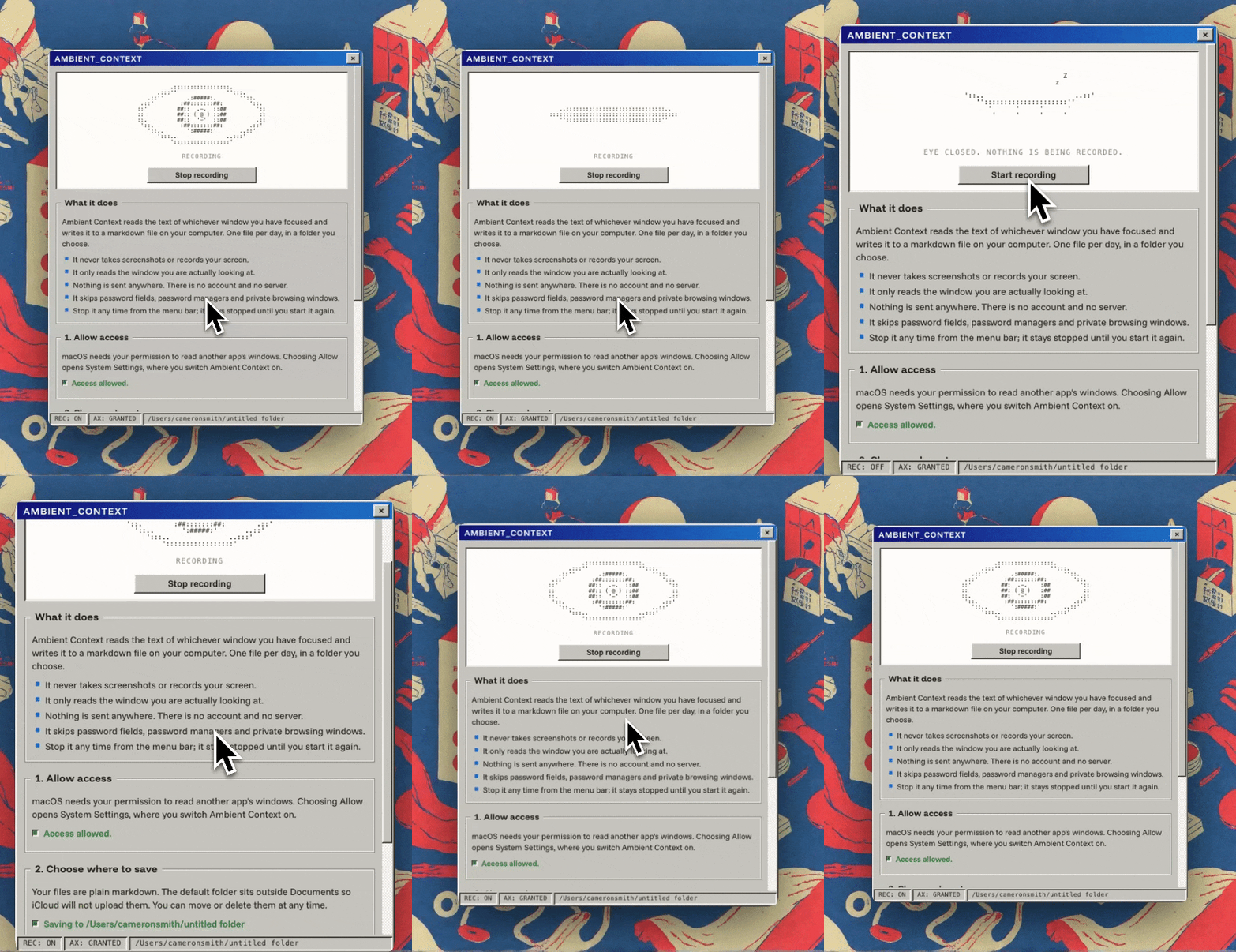
While the eye in your menu bar is open, Ambient Context reads the text of
whichever window you have focused (via the macOS accessibility tree, every
few seconds) and appends it to a plain markdown file: one file per day, in
a folder you choose. Point Claude Code or any other agent at that folder
and it can answer "what did I work on Tuesday?", build memory about your
projects, or write your standup for you.
- **No screenshots, no video.** It reads text through the accessibility
API, nothing else.
- **Nothing leaves your machine.** No account, no server, no telemetry, no
bundled model. This build makes no network calls at all; the signed
release will add a single update check against GitHub.
- **Files you own.** Plain markdown in a folder you chose. Move them,
grep them, delete them.
- **Redaction before writing.** Password managers and private browsing
windows are never captured. Password fields are skipped at the source,
and credentials, API keys and card-shaped numbers are scrubbed before
anything touches disk.
- **Built to be read by an LLM.** Lines are deduplicated across the day,
interface junk is filtered out, and each block records the document path
or URL it was looking at so your agent can open the real thing instead
of trusting fragments. The folder carries an `AGENTS.md` explaining the
format to whatever reads it.
Requires macOS 14+ on Apple Silicon.
## Status
Early and unsigned. There is no notarised download yet (Apple Developer
enrolment is in progress), so for now you build it yourself, which takes
about two minutes:
## Build and run
You need [Node](https://nodejs.org), [Rust](https://rustup.rs) and Xcode
Command Line Tools.
```bash
git clone https://github.com/dragthelake/ambient-context
cd ambient-context
npm install
npm run tauri build
```
The app lands in `src-tauri/target/release/bundle/macos/`. Drag
`Ambient Context.app` to Applications and open it.
For development, `npm run tauri dev` runs it with hot reload.
## First run
1. The settings window opens by itself. Grant Accessibility when asked:
this is the permission that lets the app read window text, and nothing
works without it.
2. Choose where to save. The default is `~/Ambient Context`, deliberately
outside `~/Documents` so iCloud does not sync your record off the
machine.
3. That's it. Recording starts once setup is complete and starts with the
app from then on. Click the eye in the menu bar to stop; stopping is
remembered until you start again.
Open eye: recording. Closed eye: not. Right-click the icon for today's
file, the folder and settings.
## What a day file looks like
```markdown
---
date: 2026-08-25
captured_by: Ambient Context 0.1.0
---
## 09:41–10:05 · Chrome · Tauri tray documentation
url: https://v2.tauri.app/learn/system-tray/
```
Block headings are the day's timeline. Body lines are written once per day
no matter how often they are seen, so the file stays small enough to hand
to an LLM whole. `AGENTS.md` in the capture folder documents the format
and how to read it well.
## Notes for testers
- Chromium and Electron apps (Chrome, Slack, VS Code, Obsidian, Figma...)
only build their accessibility tree when asked, so the first seconds of
capture in those apps are thin and fill in on later passes. Chrome may
show a slightly glitchy window-resize animation while enabled; that is a
known cost of the mechanism.
- GPU-rendered terminals (Kitty, Alacritty) expose little or no text.
Terminal.app and iTerm2 work.
- Capture your findings: which apps come back rich, partial or empty is
exactly the feedback that helps (`docs/census.md` has the template).
## Tests
```bash
cd src-tauri && cargo test
```
## Privacy model, in one paragraph
The app reads only the focused window: never background windows, other
displays or minimised windows, and never while the screen is locked. It
excludes password managers and private browsing entirely, skips secure
input fields at the accessibility level, and pattern-scrubs secrets before
writing. Everything it produces is plaintext on your own disk, and the
capture folder is excluded from capture so it cannot observe itself. If
you find a hole in any of this, please open an issue.