Mobilerun is an open-source framework for controlling Android and iOS devices with LLM agents.
It gives agents mobile-native tools to inspect UI state, understand screenshots, tap, swipe, type, plan multi-step workflows, and return results through a CLI or Python API.
- 🤖 Control Android and iOS devices with natural language commands
- 🔀 Use OpenAI, Anthropic, Gemini, Ollama, DeepSeek, OpenRouter, and OpenAI-compatible models
- 🧠 Run direct tasks or enable reasoning mode for complex multi-step automation
- 💻 Automate from the CLI, a terminal UI, Docker, or Python code
- 🐍 Extend agents with custom tools, structured output, app cards, and credentials
- 📸 Combine accessibility trees with screenshots for visual understanding
- Trace execution with Arize Phoenix or Langfuse
Use the framework when you want to run the agent on your machine. Use [Mobilerun Cloud](https://cloud.mobilerun.ai) when you want a ready-to-go solution for your local phones or cloud-hosted virtual/physical phones, managed infrastructure, and API-driven device workflows without running the agent on your local machine. [Check out our benchmark results](https://mobilerun.ai/benchmark).
## 📦 Installation
> **Note:** Python 3.14 is not currently supported. Please use Python `>=3.11,<3.14`.
Install Mobilerun with [`uv`](https://docs.astral.sh/uv/):
```bash
# CLI usage
uv tool install mobilerun
```
```bash
# CLI + Python integration
uv pip install mobilerun
```
Most LLM providers are included by default. For Anthropic support, install the optional extra:
```bash
uv tool install "mobilerun[anthropic]"
```
## 🚀 Quickstart
```bash
uv tool install mobilerun
mobilerun setup
mobilerun configure
mobilerun run "Open settings and turn on dark mode"
```
Before starting, make sure you have [ADB](https://developer.android.com/studio/releases/platform-tools) installed and an Android device with Developer options and USB debugging enabled. iOS setup is supported separately through the iOS Portal flow.
### 1. Install the Portal on your device
```bash
mobilerun setup
```
This installs the Mobilerun Portal app, enables its accessibility service, and prepares the device for local control.
### 2. Verify the connection
```bash
mobilerun ping
```
You should see confirmation that the Portal is installed and accessible.
### 3. Configure your LLM provider
```bash
mobilerun configure
```
The wizard walks you through choosing a provider, auth method, and model. You can also use provider environment variables such as `GOOGLE_API_KEY`, `OPENAI_API_KEY`, or `ANTHROPIC_API_KEY`.
### 4. Run your first command
```bash
mobilerun run "Open the settings app and tell me the Android version"
```
Useful run options:
```bash
mobilerun run "Open settings and turn on dark mode"
mobilerun run "What app is currently open?" --vision
mobilerun run "Find a contact named John and send him an email" --reasoning
mobilerun run "Take a screenshot" --ios
mobilerun run "Open Settings" --steps 30 --debug
```
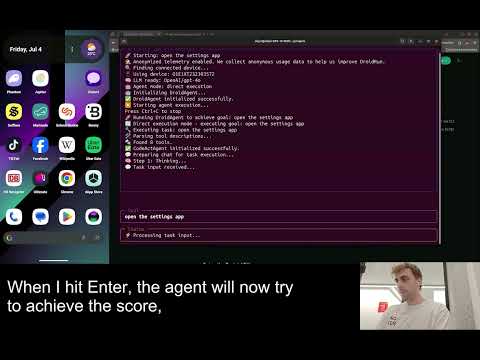
Read the full [framework documentation](https://docs.mobilerun.ai/framework/quickstart).
[](https://www.youtube.com/watch?v=4WT7FXJah2I)
## ⚙️ Features
- **CLI:** Run one-off natural language tasks, inspect devices, replay macros, and debug from the terminal.
- **Python API:** Build custom mobile automation workflows with Python and use custom tools.
- **Android and iOS support:** Control Android through the Portal app or target iOS through the iOS Portal flow.
- **Portal-based control:** Use UI trees, screenshots, text input, gestures, app launching, and device state from the Portal runtime.
- **Vision mode:** Send screenshots to the LLM with `--vision`, or use screenshot-only control with `--vision-only` (useful for the apps that do not have a11y tree information).
- **Reasoning mode:** Use `--reasoning` for manager-executor planning on longer or more complex tasks.
- **Tracing and telemetry:** Debug execution with Arize Phoenix, Langfuse, saved trajectories, and detailed logs.
- **Structured output:** Return structured data from mobile workflows.
- **App cards and custom tools:** Add app-specific guidance to make agent perform better on your use-cases.
- **Docker:** Run Mobilerun in a container for repeatable local environments.
## ☁️ Framework vs Cloud
| | Mobilerun Framework | Mobilerun Cloud |
| --- | --- | --- |
| Best for | Running agents locally on your own machine and devices | Ready-to-go local phone control, hosted real or virtual devices, API workflows, and managed device operations |
| Runtime | Your machine | Mobilerun-managed infrastructure |
| Interface | CLI, Docker, and Python API | Dashboard, REST API, SDKs, and hosted devices |
Use the framework when you want full local control of the agent runtime. Use [Mobilerun Cloud](https://cloud.mobilerun.ai) when you want managed devices, fleet workflows, or cloud APIs without running the agent locally. Learn more in the [framework overview](https://docs.mobilerun.ai/framework/overview) and the [cloud docs](https://docs.mobilerun.ai).
### Which should I choose?
- Choose **Mobilerun Framework** for local agent execution and code-level control.
- Choose **Mobilerun Cloud** for managed phones, APIs, and scale without running agents locally.
### Cloud Device Types
| Device type | What it is | Best for |
| --- | --- | --- |
| Personal | Your own hardware connected to Mobilerun Cloud | Quick automation on devices you own |
| Cloud Phone (Hosted) | Instantly available cloud-hosted phone | Scalable hosted automation |
| Physical Phone (Hosted) | Real hardware with stronger identity characteristics | Workflows that need high device authenticity and trust |
## 🎬 Demo Videos
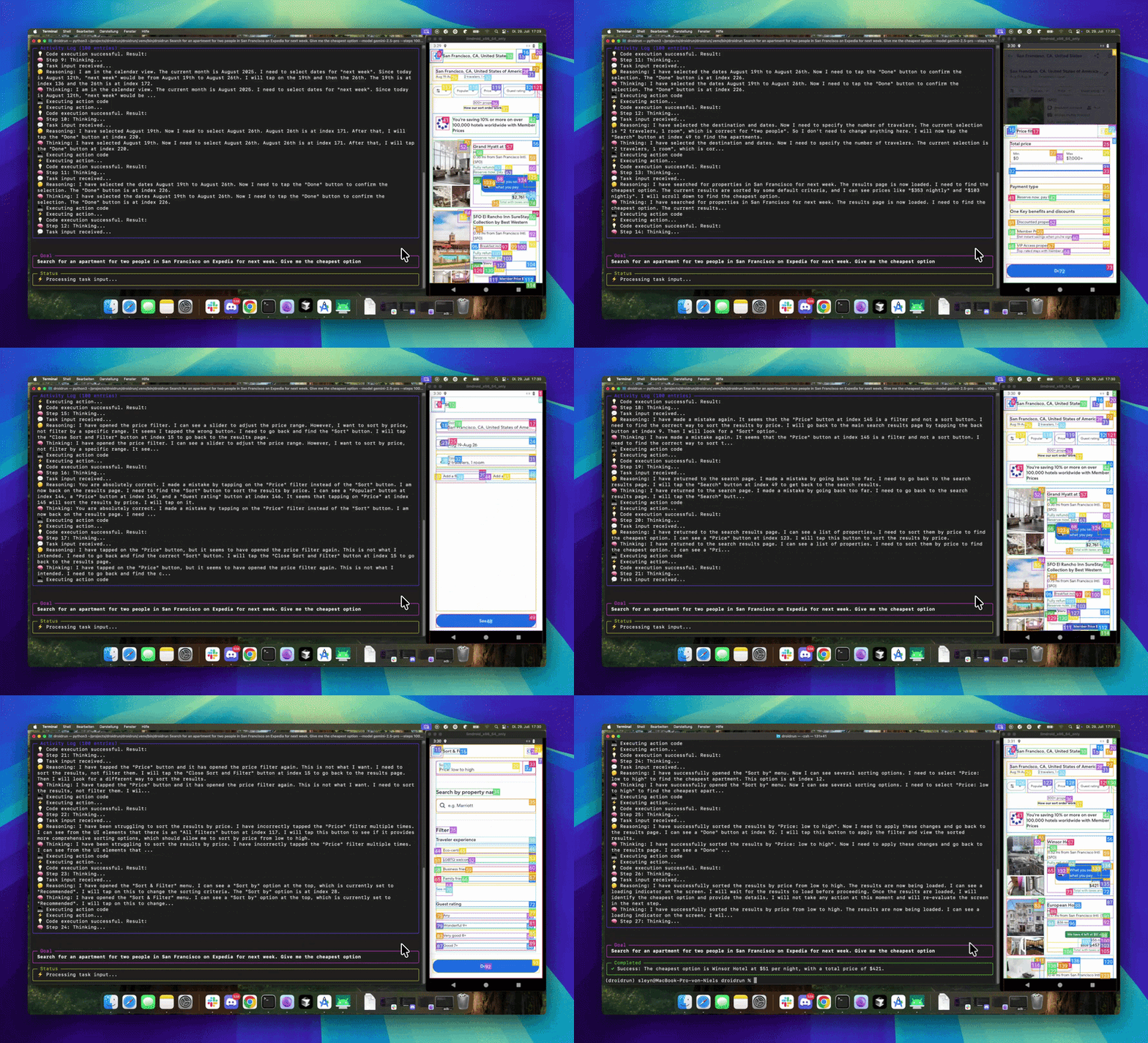
### Book accommodation from a prompt
Shows multi-step navigation, text input, and app-state reasoning while Mobilerun searches for accommodation.
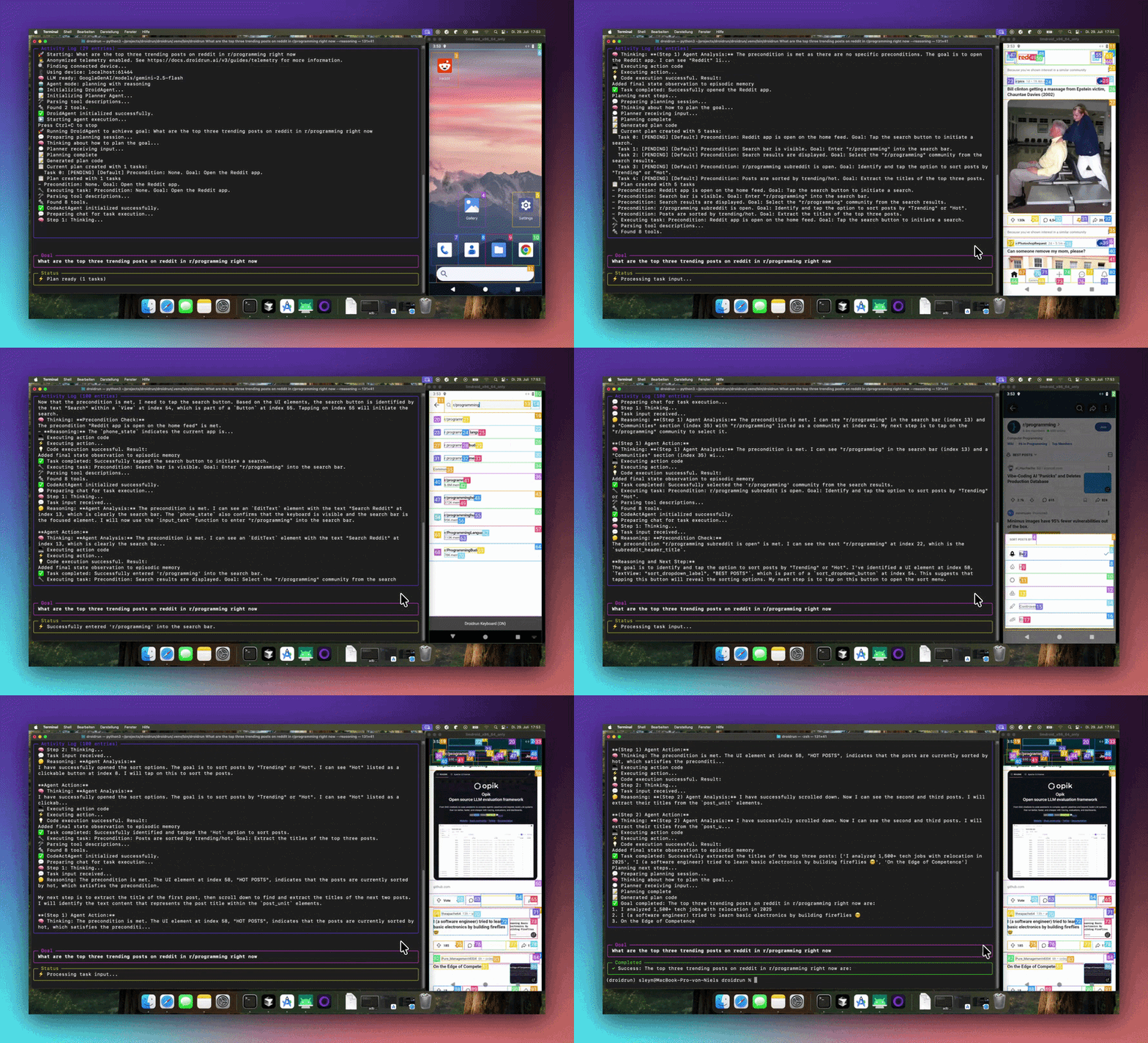
### Find trending content
Shows browsing, app navigation, and result extraction from a natural-language task.
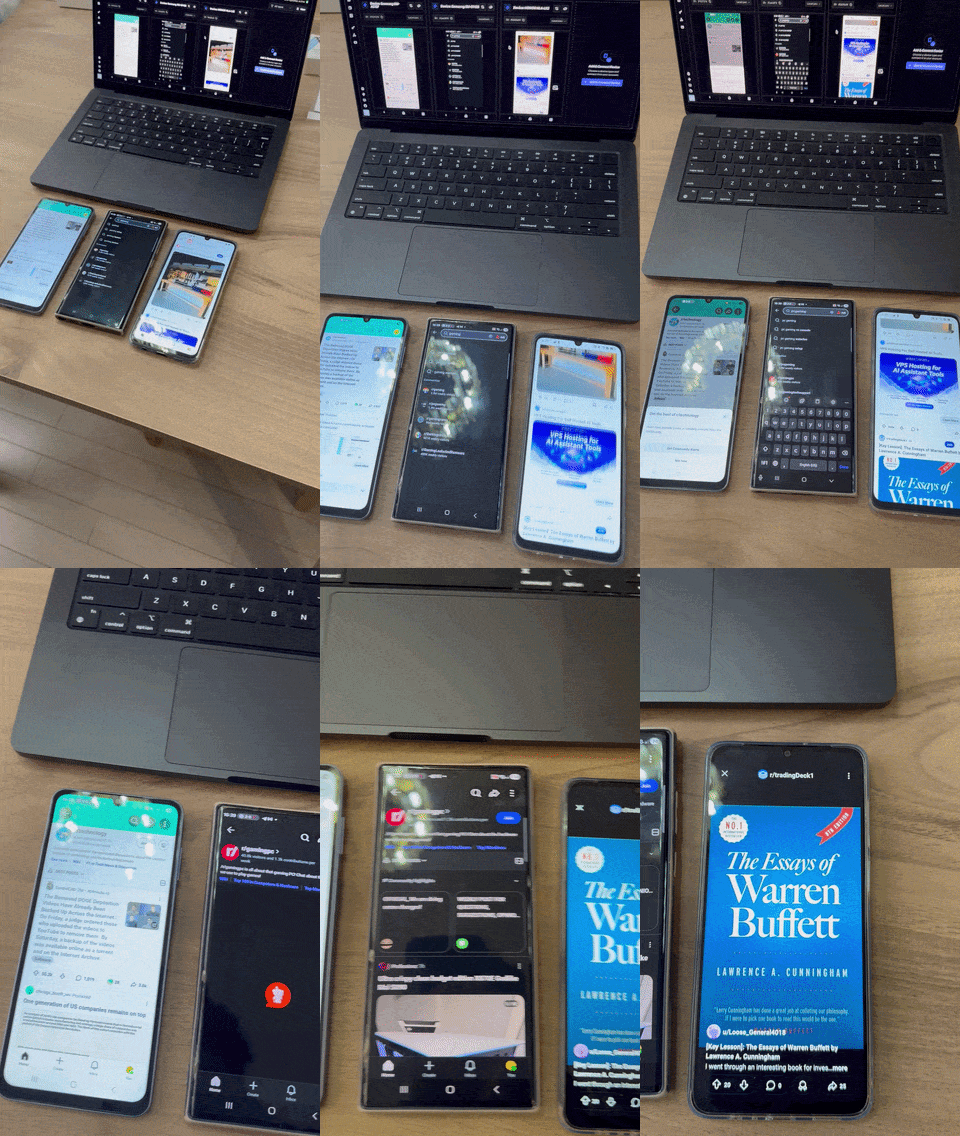
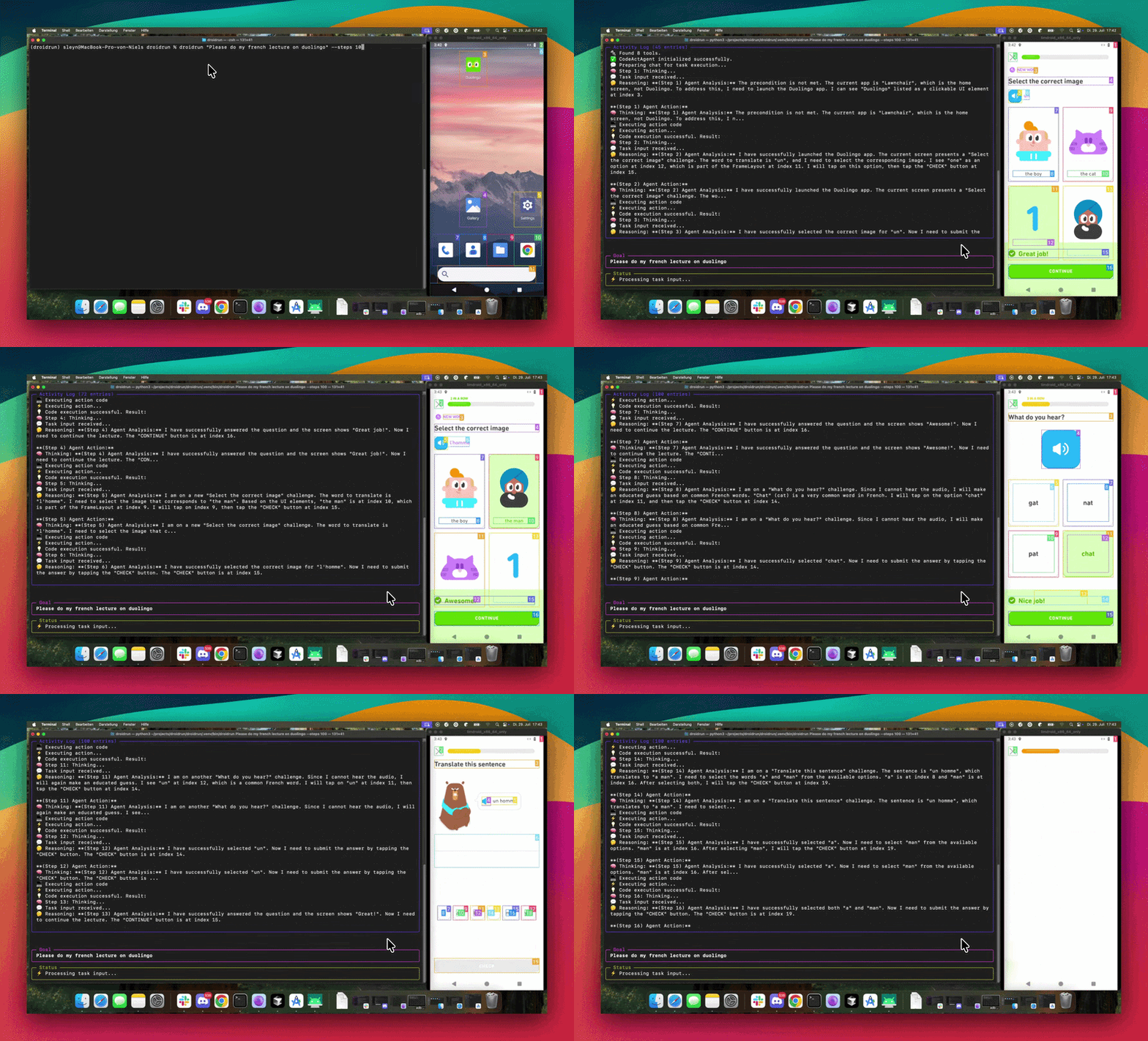
### Maintain an app streak
Shows a short recurring mobile workflow that can be automated from a prompt.
## 💡 Example Use Cases
- Mobile app QA and regression testing
- Guided workflows for non-technical users
- Repetitive task automation on mobile devices
- Event-driven automation from schedules, notifications, or custom triggers
- Data extraction from native mobile apps
- Running automations on multiple devices at once
## 📚 Documentation
- [Framework quickstart](https://docs.mobilerun.ai/framework/quickstart)
- [Mobilerun cloud quickstart](https://docs.mobilerun.ai/quickstart)
- [Device setup](https://docs.mobilerun.ai/framework/guides/device-setup)
- [CLI guide](https://docs.mobilerun.ai/framework/guides/cli)
- [SDK reference](https://docs.mobilerun.ai/framework/sdk/reference)
- [Custom tools](https://docs.mobilerun.ai/framework/features/custom-tools)
- [Agent architecture](https://docs.mobilerun.ai/framework/concepts/architecture)
- [Structured output](https://docs.mobilerun.ai/framework/features/structured-output)
- [Tracing](https://docs.mobilerun.ai/framework/features/tracing)
## 👥 Contributing
Contributions are welcome. Please feel free to submit a pull request or open an issue.
## 📄 License
This project is licensed under the MIT License. See [LICENSE](./LICENSE) for details.
## Security Checks
To help catch security issues before submitting changes, run:
```bash
bandit -r mobilerun
safety scan
```


 ### Find trending content
Shows browsing, app navigation, and result extraction from a natural-language task.
### Find trending content
Shows browsing, app navigation, and result extraction from a natural-language task.
 ### Maintain an app streak
Shows a short recurring mobile workflow that can be automated from a prompt.
### Maintain an app streak
Shows a short recurring mobile workflow that can be automated from a prompt.
 ## 💡 Example Use Cases
- Mobile app QA and regression testing
- Guided workflows for non-technical users
- Repetitive task automation on mobile devices
- Event-driven automation from schedules, notifications, or custom triggers
- Data extraction from native mobile apps
- Running automations on multiple devices at once
## 📚 Documentation
- [Framework quickstart](https://docs.mobilerun.ai/framework/quickstart)
- [Mobilerun cloud quickstart](https://docs.mobilerun.ai/quickstart)
- [Device setup](https://docs.mobilerun.ai/framework/guides/device-setup)
- [CLI guide](https://docs.mobilerun.ai/framework/guides/cli)
- [SDK reference](https://docs.mobilerun.ai/framework/sdk/reference)
- [Custom tools](https://docs.mobilerun.ai/framework/features/custom-tools)
- [Agent architecture](https://docs.mobilerun.ai/framework/concepts/architecture)
- [Structured output](https://docs.mobilerun.ai/framework/features/structured-output)
- [Tracing](https://docs.mobilerun.ai/framework/features/tracing)
## 👥 Contributing
Contributions are welcome. Please feel free to submit a pull request or open an issue.
## 📄 License
This project is licensed under the MIT License. See [LICENSE](./LICENSE) for details.
## Security Checks
To help catch security issues before submitting changes, run:
```bash
bandit -r mobilerun
safety scan
```
## 💡 Example Use Cases
- Mobile app QA and regression testing
- Guided workflows for non-technical users
- Repetitive task automation on mobile devices
- Event-driven automation from schedules, notifications, or custom triggers
- Data extraction from native mobile apps
- Running automations on multiple devices at once
## 📚 Documentation
- [Framework quickstart](https://docs.mobilerun.ai/framework/quickstart)
- [Mobilerun cloud quickstart](https://docs.mobilerun.ai/quickstart)
- [Device setup](https://docs.mobilerun.ai/framework/guides/device-setup)
- [CLI guide](https://docs.mobilerun.ai/framework/guides/cli)
- [SDK reference](https://docs.mobilerun.ai/framework/sdk/reference)
- [Custom tools](https://docs.mobilerun.ai/framework/features/custom-tools)
- [Agent architecture](https://docs.mobilerun.ai/framework/concepts/architecture)
- [Structured output](https://docs.mobilerun.ai/framework/features/structured-output)
- [Tracing](https://docs.mobilerun.ai/framework/features/tracing)
## 👥 Contributing
Contributions are welcome. Please feel free to submit a pull request or open an issue.
## 📄 License
This project is licensed under the MIT License. See [LICENSE](./LICENSE) for details.
## Security Checks
To help catch security issues before submitting changes, run:
```bash
bandit -r mobilerun
safety scan
```