
immich-photo-manager




> **MCP server for intelligent photo management with [Immich](https://immich.app) — your self-hosted library, understood.**
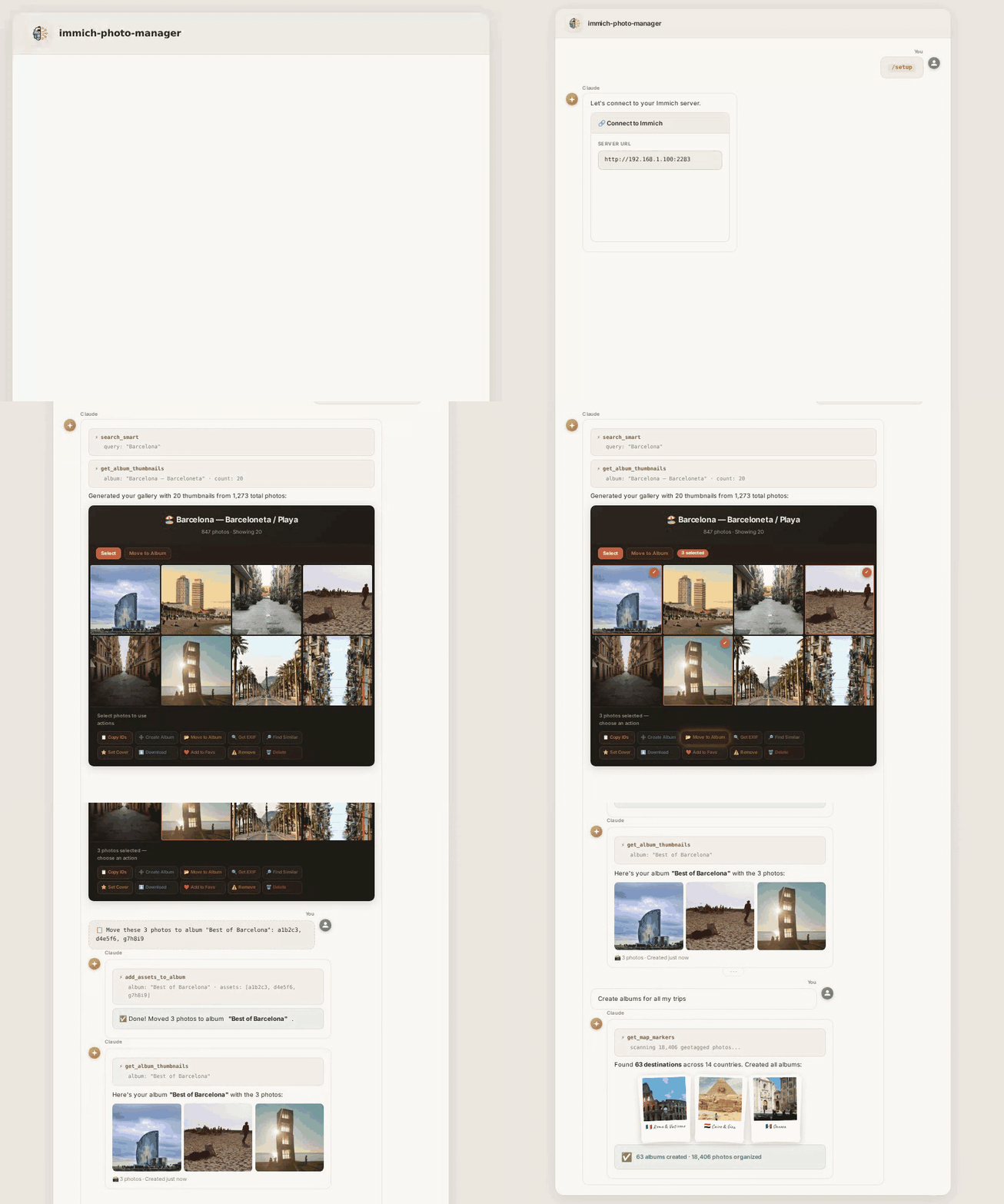
If your [Immich](https://immich.app) library has grown past what you can manage by hand, **immich-photo-manager** gives any AI assistant direct access to your instance — search, organize, deduplicate, and curate albums through natural conversation. Works with Claude, Gemma, or any MCP-compatible client. Runs locally — your photos never leave your server.
---
## What It Does
Say **"create albums for all my trips"** and watch it work:
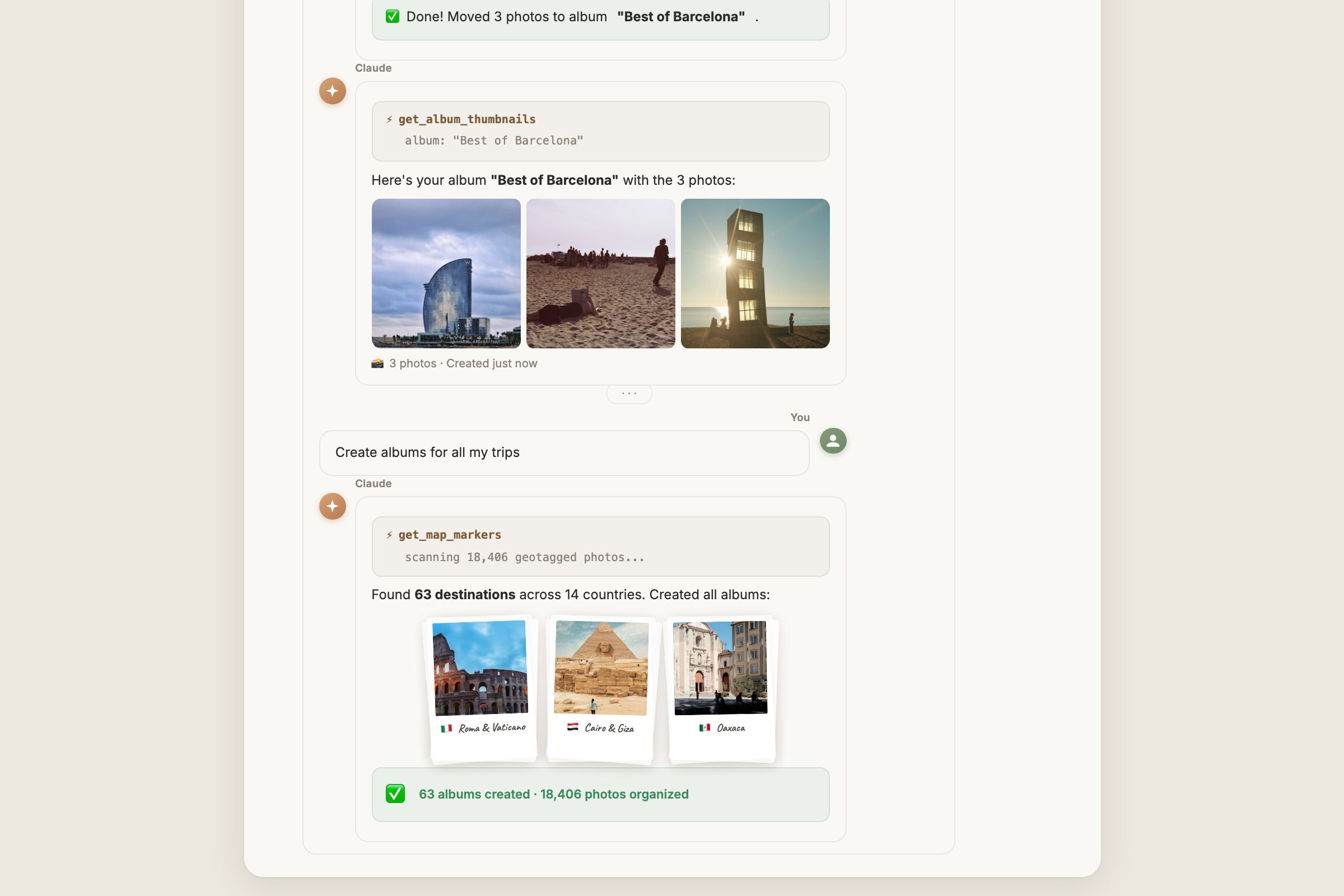
GPS coordinates, CLIP visual search, and temporal matching — combined in one request to create dozens of curated albums. No scripts, no manual sorting.
---
## Quick Start
### Prerequisites
- A running [Immich](https://immich.app) instance (self-hosted, v1.90+)
- An Immich API key ([how to create one](https://immich.app/docs/features/command-line-interface#obtain-the-api-key))
- **Python 3.10+** with `pip` ([download](https://www.python.org/downloads/))
### Install as Claude Plugin (recommended)
```sh
git clone https://github.com/drolosoft/immich-photo-manager.git
cd immich-photo-manager
claude plugin marketplace add .
claude plugin install immich-photo-manager
```
That's it. Ask Claude: **"how healthy is my photo library?"**
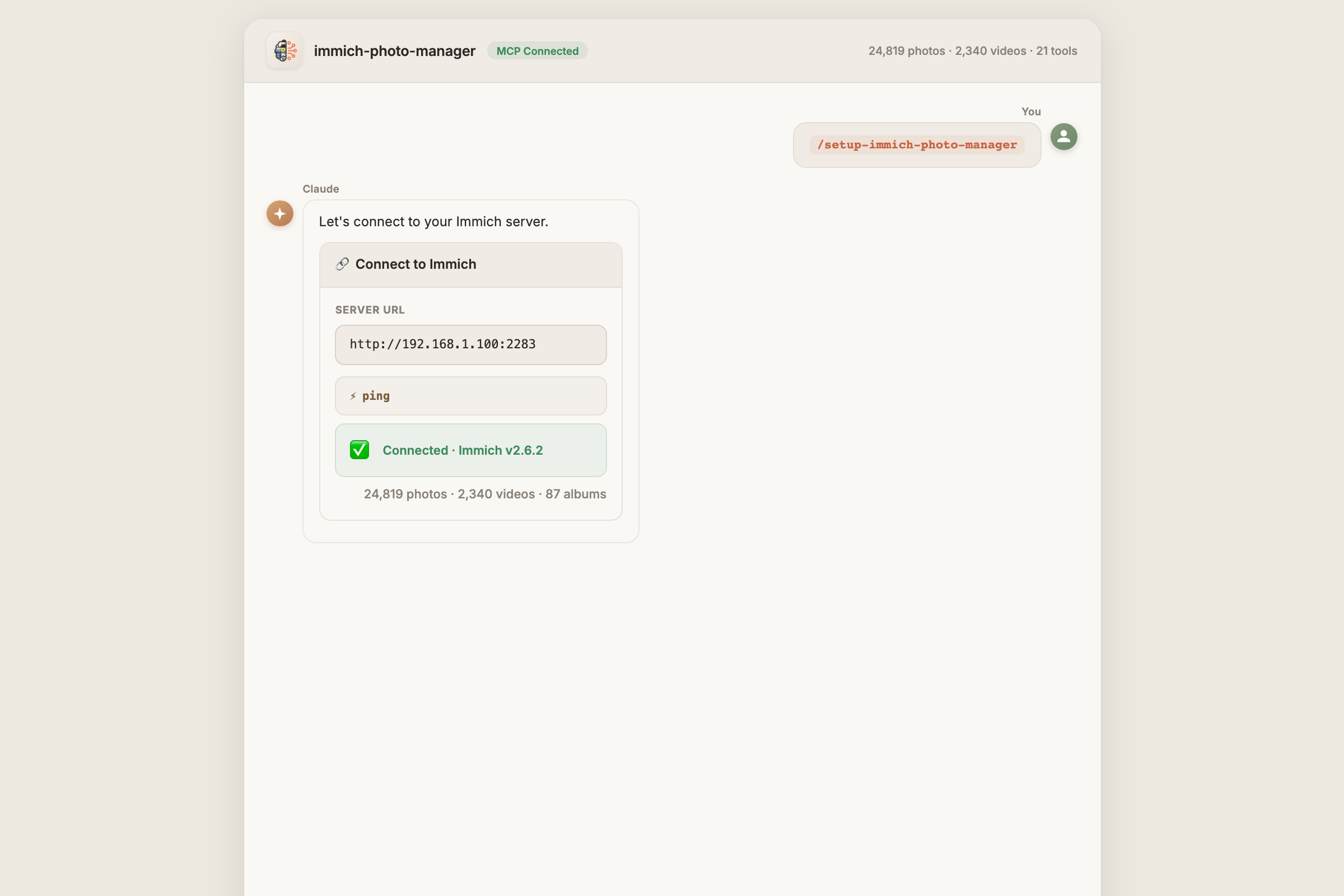
> For manual MCP server setup, see **[Getting Started](doc/GETTING-STARTED.md)**.
### Works in Claude Code
The same plugin runs in **[Claude Code](https://docs.anthropic.com/en/docs/claude-code)** — search your library, curate albums, and generate galleries right from the terminal.
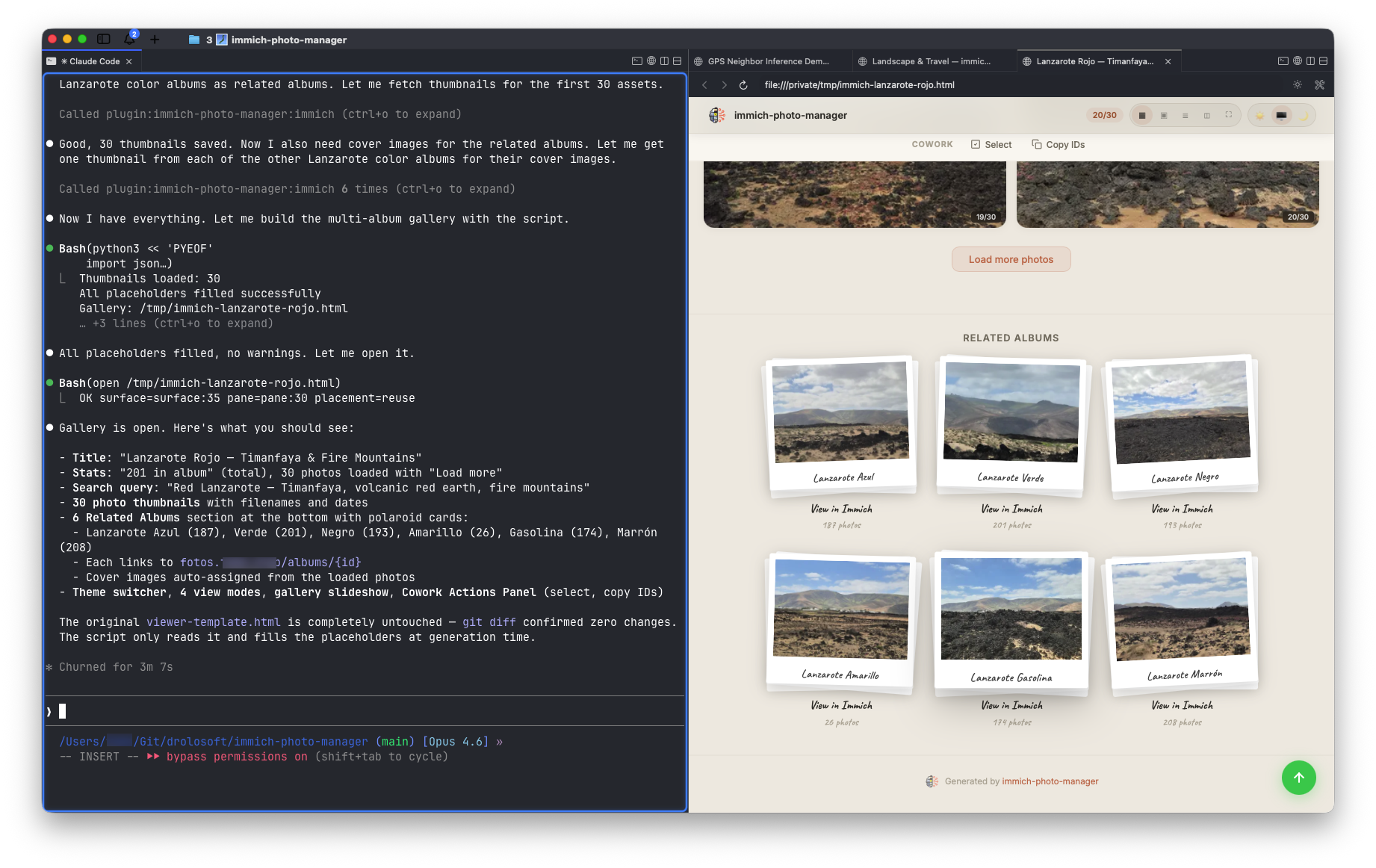
> Full conversation transcript: **[Claude Code demo](doc/demos/cc/claude-code-example-demo.txt)**
### Works with Any MCP Client
immich-photo-manager is an **MCP server** — it works with any AI assistant that speaks the Model Context Protocol, not just Claude.
Use the package entry point directly with `uvx`:
```json
{
"mcpServers": {
"immich": {
"command": "uvx",
"args": ["immich-photo-manager"],
"env": {
"IMMICH_BASE_URL": "https://your-immich-server.com",
"IMMICH_API_KEY": "your-api-key"
}
}
}
}
```
`immich-photo-manager` defaults to MCP stdio transport. Set `MCP_TRANSPORT=http` when you want to run the server as a Streamable HTTP service.
```
============================================================
IMMICH-PHOTO-MANAGER × GEMMA 4 (LM STUDIO)
============================================================
Immich: https://your-immich-server.com
Model: gemma4-26b-it (local, LM Studio)
Query: "Show me my Lanzarote albums"
1. Getting MCP tool schemas...
50 MCP tools available
2. Asking Gemma 4...
Gemma 4 chose: list_albums({})
3. Executing 'list_albums' against Immich...
Found 124 total albums, 14 Lanzarote albums:
- Lanzarote Amarillo (26 photos)
- Lanzarote Rojo (201 photos)
- Lanzarote Azul (187 photos)
- Lanzarote Marrón (208 photos)
- Lanzarote Negro (193 photos)
- Lanzarote Verde (201 photos)
- Lanzarote Gasolina (174 photos)
...
4. Gemma 4 interpreting results...
"I found 14 Lanzarote albums — 7 color-themed with
1,190 photos and 7 location-specific albums."
RESULT: Zero cloud dependency — fully self-hosted stack.
```
| Client | Status |
|--------|--------|
| Claude Code | Tested |
| Claude Desktop | Tested |
| LM Studio (Gemma 4) | Tested |
| Cursor, Windsurf, VS Code, Cline, Zed | Compatible (MCP stdio) |
> Full transcript: **[Gemma 4 demo](doc/demos/cc/lm-studio-gemma4-demo.txt)** · Test script: `test-lmstudio-mcp.py`
---
## Highlights
- **AI-powered search** — natural language photo search via CLIP ("sunset at the beach", "birthday cake")
- **Geographic albums** — create albums organized by place, combining GPS + CLIP + temporal matching
- **Metadata repair** — fix noon/midnight timestamps, infer missing GPS from neighboring photos, correct timezone offsets
- **Library cleanup** — detect screenshots, duplicates, and low-quality images with multi-signal analysis
- **Duplicate detection** — cross-source analysis using perceptual hashing (finds re-encoded copies across Apple Photos, Google Photos, and other imports)
- **Bulk rotation** — rotate entire albums or selections at once (90°/180°/270°); non-destructive, accumulates across calls, one-click revert
- **People & face management** — list, search, merge, and organize recognized people; reassign misidentified faces; view face thumbnails
- **Trash & asset lifecycle** — safely delete assets to trash, permanently remove, restore from trash; complete asset lifecycle management
- **Library health** — one command for asset inventory, metadata quality, storage breakdown, and recommendations
- **Tags & organization** — create, apply, and manage tags across your library; bulk tag and untag assets
- **Interactive galleries** — self-contained HTML pages with embedded thumbnails, 3 themes, 4 view modes, and a Cowork Actions Panel for batch operations
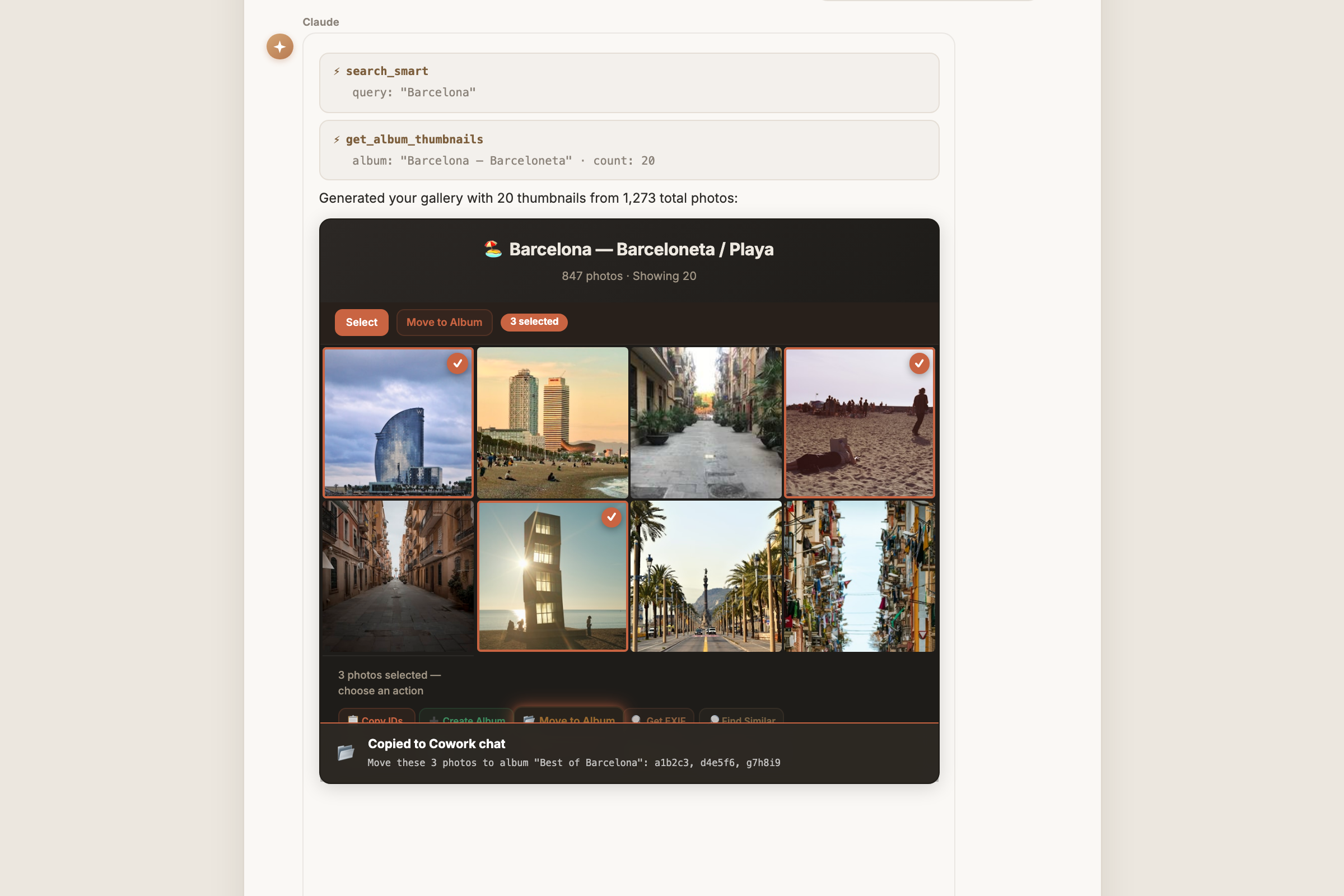
> Select photos in the gallery, click an action, and paste the command into Claude. See **[Skills Reference](doc/SKILLS.md)** for all 12 skills.
---
## Why immich-photo-manager?
Immich is excellent at storing and viewing your photos. But managing a large library — deduplication, metadata repair, album curation, storage analysis — still requires manual effort or custom scripts.
| | Manual / scripts | immich-photo-manager |
|:---:|---|---|
| 🔍 | Write API calls, parse JSON | **Natural language** — "find my sunset photos from Italy" |
| 🗺️ | Export GPS, cluster manually | **Geographic albums** — automatic GPS + CLIP + temporal matching |
| 🧹 | Hash files, diff checksums | **Perceptual hashing** — finds re-encoded duplicates across import sources |
| 🔧 | Edit EXIF one file at a time | **Metadata repair** — batch-fix timestamps, infer GPS, correct timezones |
| 📊 | Query database, build reports | **Library health** — one command for metadata quality, storage, recommendations |
| 🔄 | Rotate one photo at a time | **Bulk rotation** — rotate entire albums at once, non-destructive |
| 🏷️ | No tag management in UI | **Tags** — create, bulk apply/remove across assets |
| 🛡️ | Manual review of every action | **Safety first** — shows findings, asks before acting |
---
## Documentation
| Document | Description |
|----------|-------------|
| **[Getting Started](doc/GETTING-STARTED.md)** | Installation, manual MCP setup, deployment options, and troubleshooting |
| **[Skills Reference](doc/SKILLS.md)** | All 12 skills — workflows, triggers, parameters, output formats |
| **[MCP Tools Reference](doc/MCP-TOOLS.md)** | All 50 MCP tools — parameters, return types, examples |
| **[Architecture](doc/ARCHITECTURE.md)** | How base64-embedded thumbnails solve the Cowork sandbox restriction |
| **[CORS Setup Guide](doc/CORS-SETUP.md)** | Optional — enable direct URL thumbnail loading for browser-viewed galleries |
---
## 🦙 Glama Score

---
## Contributing
Contributions are welcome — bug fixes, new skills, feature ideas. Open an issue or submit a PR.
If immich-photo-manager helps manage your library, consider giving it a star on GitHub — it helps others discover the project.
---
## Support
If immich-photo-manager saved you time or made your photo library easier to manage, consider buying me a coffee — it keeps the next one coming!

---
## License
**MIT License** — free to use, modify, and distribute.
**Forged by [Drolosoft](https://drolosoft.com)** · *Tools we wish existed*