# 🧠 **leenfetch**
[](LICENSE)
[](https://github.com/drunkleen/leenfetch/actions/workflows/ci.yml)
[](https://github.com/drunkleen/leenfetch/actions/workflows/build-check.yml)
[](https://github.com/drunkleen/leenfetch/actions/workflows/release.yml)
[](https://crates.io/crates/leenfetch)
[](https://github.com/drunkleen/leenfetch/releases)
[](https://crates.io/crates/leenfetch)
[](https://deepwiki.com/drunkleen/leenfetch)
A fast, minimal, and customizable system information tool built in Rust — your alternative to Neofetch.
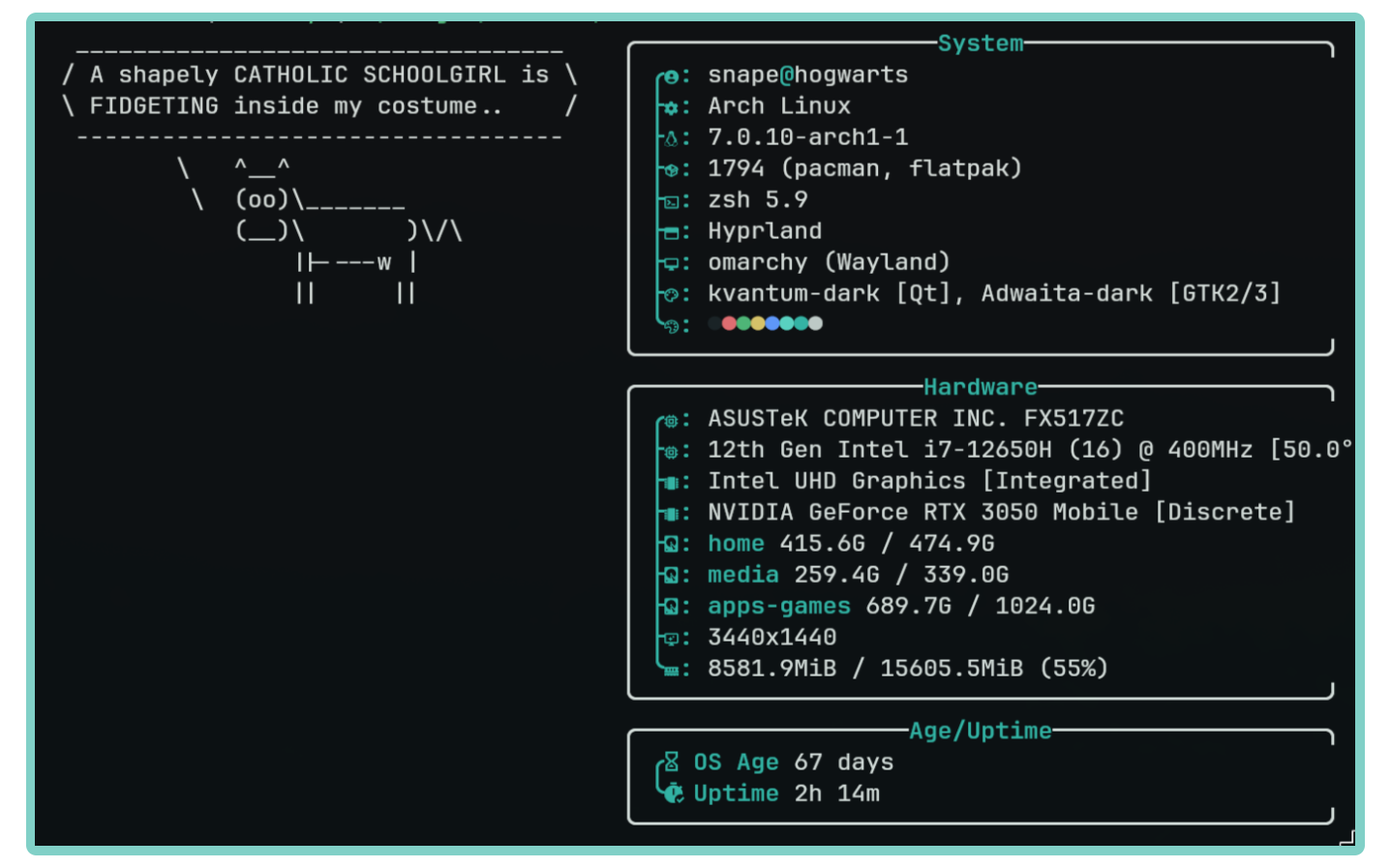
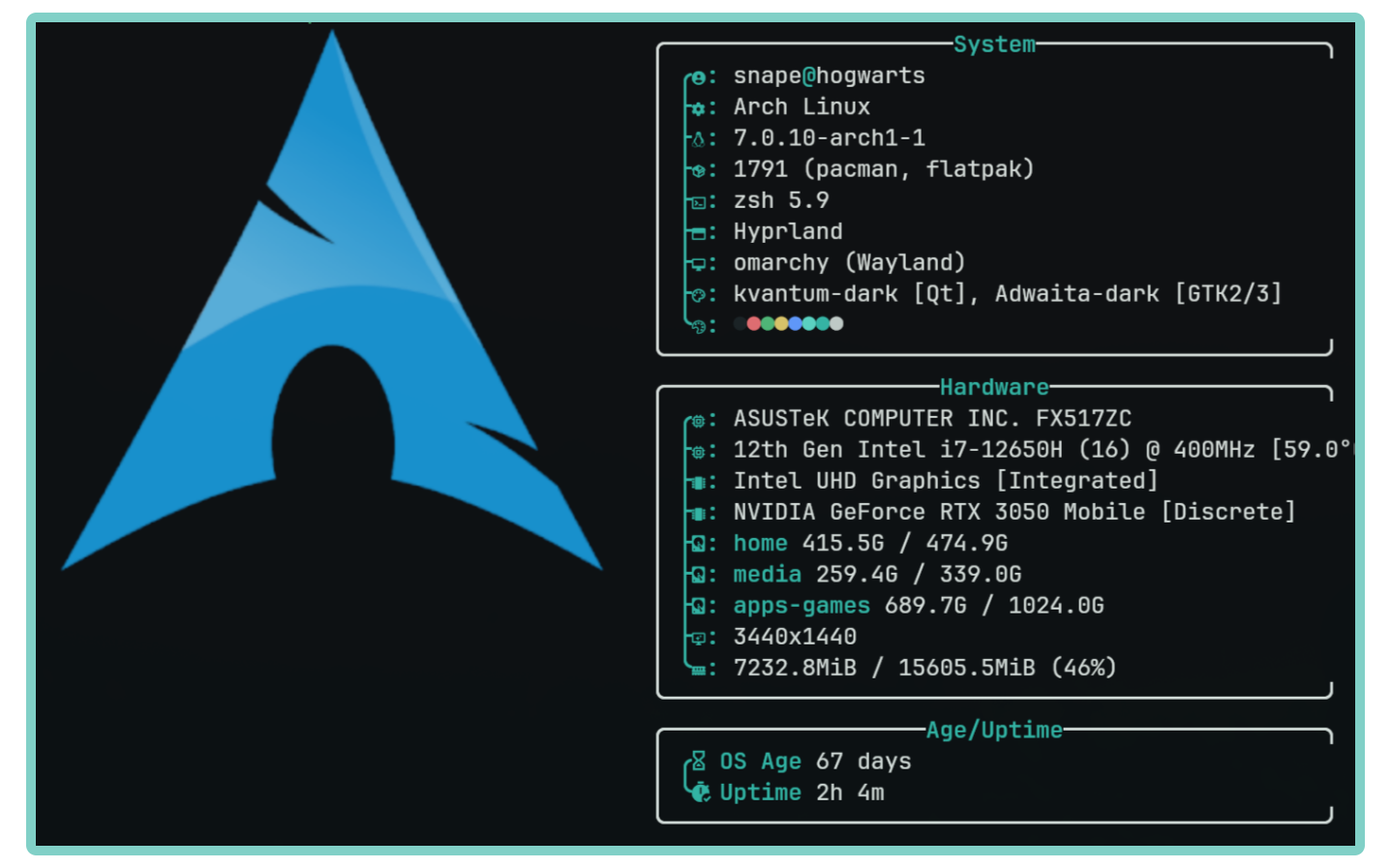
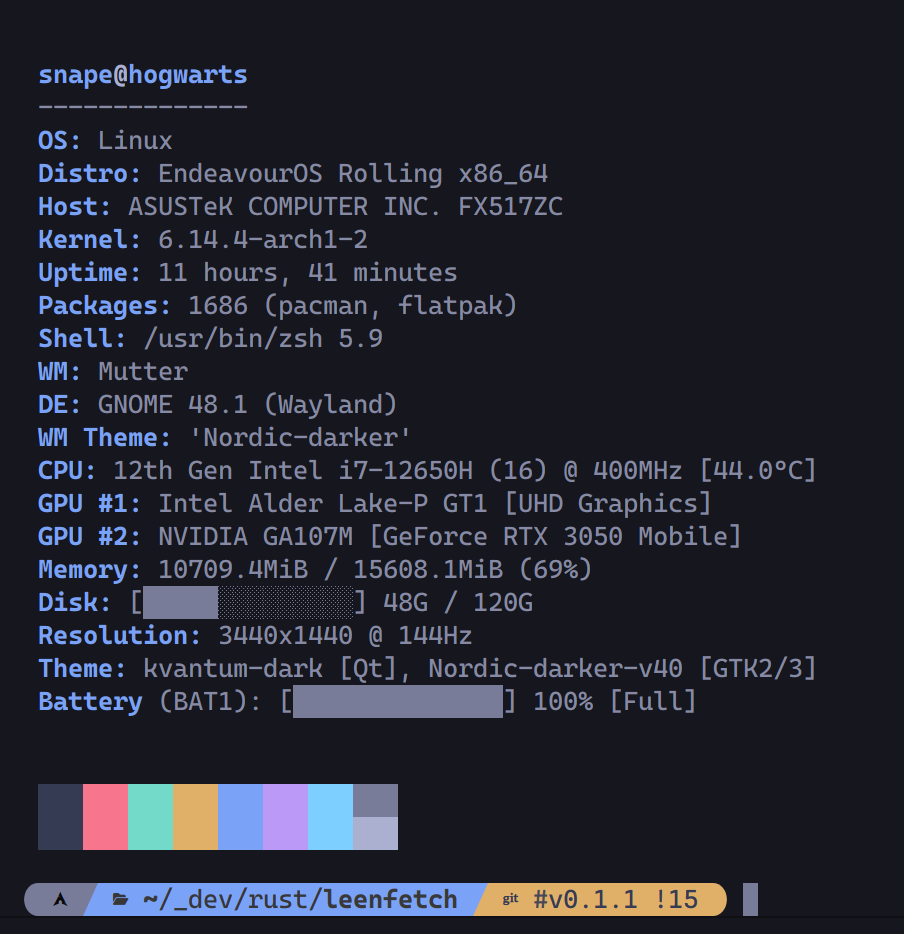
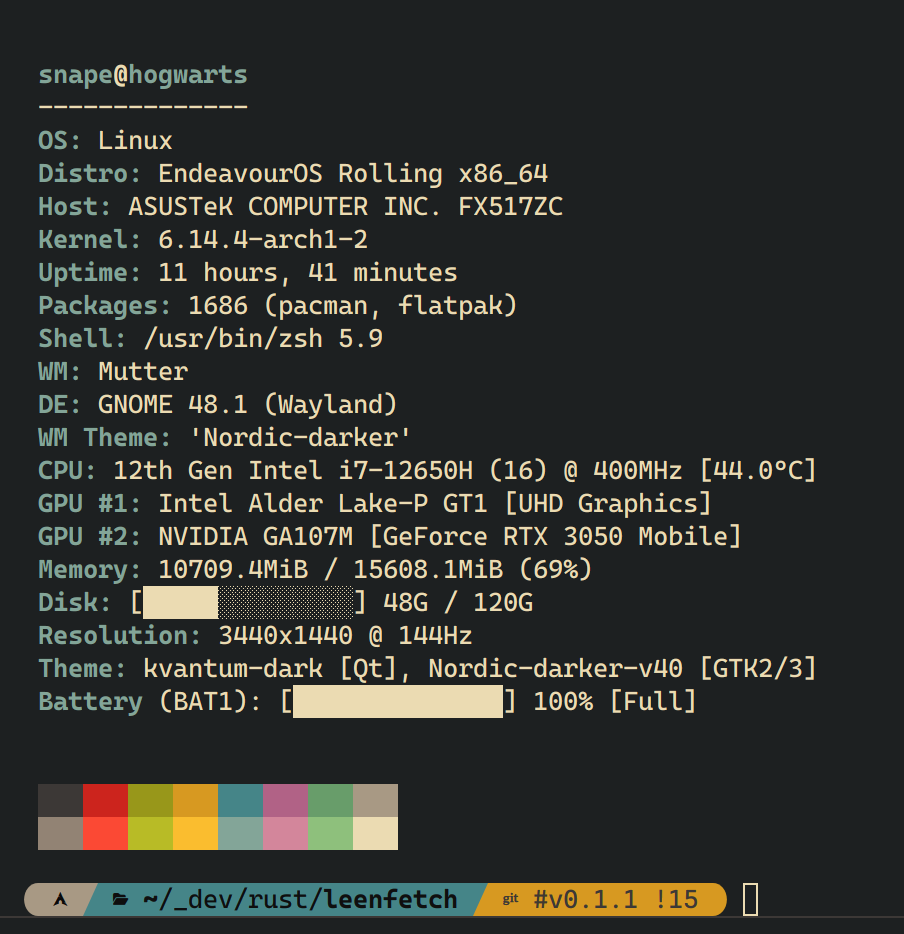
## 📸 Screenshots
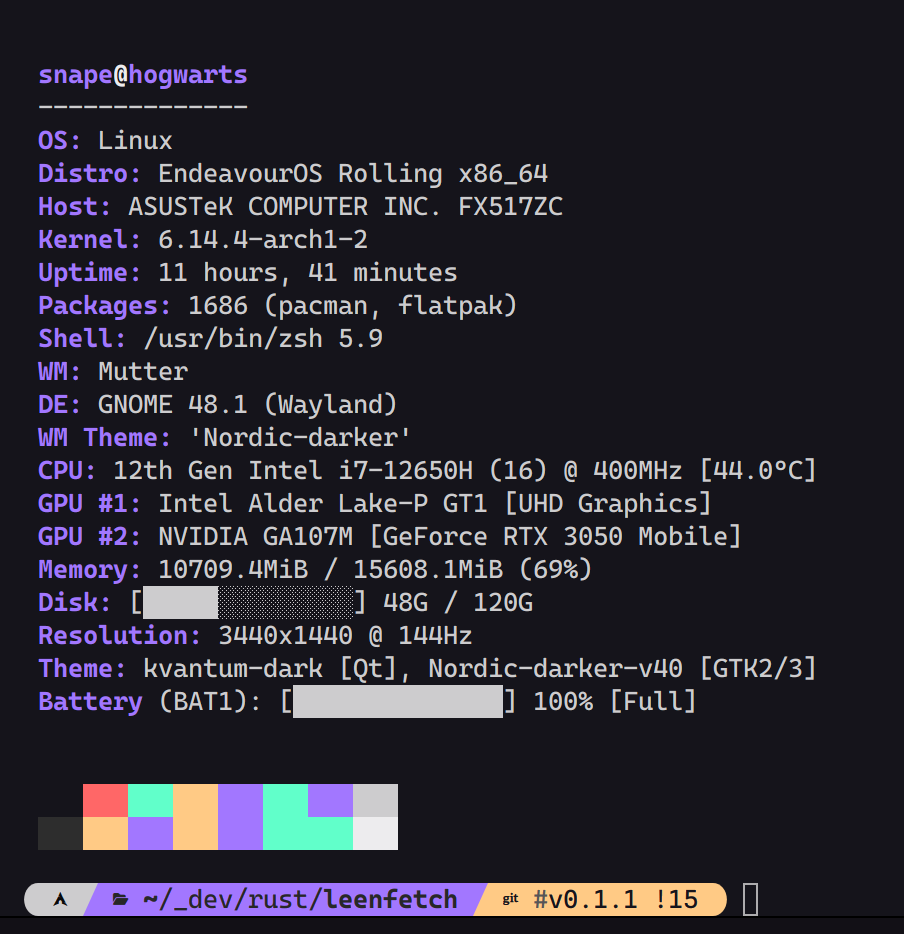 ## 🚀 Quick Install
**Linux:**
```bash
curl -sSfL https://raw.githubusercontent.com/drunkleen/leenfetch/master/install.sh | sudo sh
```
**Windows (PowerShell):**
```powershell
iex (iwr https://raw.githubusercontent.com/drunkleen/leenfetch/master/install.ps1).Content; Install-Leenfetch -Update
```
### Update
**Linux:**
```bash
curl -sSfL https://raw.githubusercontent.com/drunkleen/leenfetch/master/install.sh | sudo sh -s -- --update
```
**Windows (PowerShell):**
```powershell
iex (iwr https://raw.githubusercontent.com/drunkleen/leenfetch/master/install.ps1).Content; Install-Leenfetch -Update
```
> See the [wiki](https://github.com/drunkleen/leenfetch/wiki) for manual installation on Arch/Debian/RPM/Windows/crates.io and build from source.
## ⚡ Features
- Blazing fast startup written in Rust
- Customizable output layout with colorized terminal output
- Modular — enable or disable components via config
- Detects packages, shell, GPU, DE/WM, and more
- Custom ASCII art or image support via `custom_logo_path` and `logo_scale`, with image logos capped to a terminal-friendly width
- Piped ASCII input (`fortune | cowsay | leenfetch`) takes priority over configured logos
- First-run config chooser with a Neofetch-style preset option
- Remote system info over SSH using the remote machine's config/layout
- Machine-readable JSON output
## 📖 Full Documentation
Everything else — configuration, module reference, CLI options, SSH, theming, troubleshooting — is in the **[wiki](https://github.com/drunkleen/leenfetch/wiki)** or [DeepWiki](https://deepwiki.com/drunkleen/leenfetch).
## 🎯 Roadmap
| Feature | Status |
| --------------------------- | ------- |
| Core module system | ✅ Done |
| Linux + Windows support | ✅ Done |
| JSON output + SSH fetching | ✅ Done |
| CLI override options | ✅ Done |
| ASCII art & theming | ✅ Done |
| Plugin/module system | ❓ Maybe |
## 🤝 Contributing
1. Fork the repo
2. Create your branch (`git checkout -b feature/my-feature`)
3. Commit your changes
4. Push and create a Pull Request
## ☕ Support
- **Patreon** — [patreon.com/drunkleen](https://patreon.com/drunkleen)
- **Buy Me a Coffee** — [buymeacoffee.com/drunkleen](https://buymeacoffee.com/drunkleen)
## 📄 License
[MIT](./LICENSE) © [DrunkLeen](https://github.com/drunkleen)
## 🚀 Quick Install
**Linux:**
```bash
curl -sSfL https://raw.githubusercontent.com/drunkleen/leenfetch/master/install.sh | sudo sh
```
**Windows (PowerShell):**
```powershell
iex (iwr https://raw.githubusercontent.com/drunkleen/leenfetch/master/install.ps1).Content; Install-Leenfetch -Update
```
### Update
**Linux:**
```bash
curl -sSfL https://raw.githubusercontent.com/drunkleen/leenfetch/master/install.sh | sudo sh -s -- --update
```
**Windows (PowerShell):**
```powershell
iex (iwr https://raw.githubusercontent.com/drunkleen/leenfetch/master/install.ps1).Content; Install-Leenfetch -Update
```
> See the [wiki](https://github.com/drunkleen/leenfetch/wiki) for manual installation on Arch/Debian/RPM/Windows/crates.io and build from source.
## ⚡ Features
- Blazing fast startup written in Rust
- Customizable output layout with colorized terminal output
- Modular — enable or disable components via config
- Detects packages, shell, GPU, DE/WM, and more
- Custom ASCII art or image support via `custom_logo_path` and `logo_scale`, with image logos capped to a terminal-friendly width
- Piped ASCII input (`fortune | cowsay | leenfetch`) takes priority over configured logos
- First-run config chooser with a Neofetch-style preset option
- Remote system info over SSH using the remote machine's config/layout
- Machine-readable JSON output
## 📖 Full Documentation
Everything else — configuration, module reference, CLI options, SSH, theming, troubleshooting — is in the **[wiki](https://github.com/drunkleen/leenfetch/wiki)** or [DeepWiki](https://deepwiki.com/drunkleen/leenfetch).
## 🎯 Roadmap
| Feature | Status |
| --------------------------- | ------- |
| Core module system | ✅ Done |
| Linux + Windows support | ✅ Done |
| JSON output + SSH fetching | ✅ Done |
| CLI override options | ✅ Done |
| ASCII art & theming | ✅ Done |
| Plugin/module system | ❓ Maybe |
## 🤝 Contributing
1. Fork the repo
2. Create your branch (`git checkout -b feature/my-feature`)
3. Commit your changes
4. Push and create a Pull Request
## ☕ Support
- **Patreon** — [patreon.com/drunkleen](https://patreon.com/drunkleen)
- **Buy Me a Coffee** — [buymeacoffee.com/drunkleen](https://buymeacoffee.com/drunkleen)
## 📄 License
[MIT](./LICENSE) © [DrunkLeen](https://github.com/drunkleen)