DSH Plugin Hub

# DSH Plugin Hub - Download & Install DeepSeek Harness Plugins **The community hub and directory for DeepSeek Harness (DSH) plugins: 20,000+ plugins indexed on the site, including 5,000+ published to npm that install in one click from the Plugin Hub (all hand-verified). Updated daily — browse, search, download and install by category, free and fully sourced.** [![License](https://img.shields.io/badge/license-MIT-blue.svg?style=flat-square)](LICENSE) [![npm](https://img.shields.io/npm/v/dsh-plugin.svg?style=flat-square)](https://www.npmjs.com/package/dsh-plugin) [![CI](https://github.com/dshplugin/dsh-plugin-hub/actions/workflows/ci.yml/badge.svg)](https://github.com/dshplugin/dsh-plugin-hub/actions) [![Listed on DSH Plugin Hub](https://dsh-plugin.org/badges/listed.svg)](https://dsh-plugin.org/plugins/dshplugin/dsh-plugin-hub) [![GitHub stars](https://img.shields.io/github/stars/dshplugin/dsh-plugin-hub.svg?style=flat-square)](https://github.com/dshplugin/dsh-plugin-hub) [![Website](https://img.shields.io/badge/website-dsh--plugin.org-blue.svg?style=flat-square)](https://dsh-plugin.org) [![Topic](https://img.shields.io/badge/topic-dsh--plugin-0e7490.svg?style=flat-square)](https://github.com/topics/dsh-plugin) [Website](https://dsh-plugin.org) · [Issues](https://github.com/dshplugin/dsh-plugin-hub/issues) · [Submit a Plugin](https://dsh-plugin.org/submit) [简体中文](README.md) · **English**
--- ## What is DSH Plugin Hub DSH Plugin Hub is a **community plugin marketplace for DeepSeek Harness**: an open-source plugin built to the official plugin development spec. Installed under **Settings → Plugin Hub**, it lets you browse, search and install community plugins without leaving the app. This is an independent community project, not affiliated with DeepSeek Harness.

DSH Plugin Hub plugin market UI

## Plugin Hub Features **One-click everything · fully visualized** - **One-click install** — click and done: a serial background queue with live progress in the dialog, cancellable anytime; most plugins take effect on page refresh, no restart needed - **One-click upgrade** — new versions are detected automatically; the card turns into "Update" and overwrite-installs in one click - **One-click uninstall** — fully visualized with live progress; changes take effect immediately - **Full trace** — every install / upgrade / uninstall, success or failure, is recorded in the notification center for later review **Notification center** - Live progress and cancel for running tasks, pending restarts, and full success / failure history in one place - Failed installs can be filed as a GitHub Issue in one click; changes take effect on refresh, and a restart is only offered when a refresh genuinely cannot help — a single "Restart now", with closing the dialog meaning "later" **Rich catalog · human-curated** - Indexes **20,000+** community plugins on the site, **5,000+** of which ship an npm package and install in one click from the Plugin Hub; curated daily by [dsh-plugin.org](https://dsh-plugin.org), with every installable entry hand-verified - Covers UI & experience, sessions & messages, memory & context, tooling and more — browse by category or search straight to it - Every plugin shows its verification status (verified), star / fork ratings, version and last-update time — fully sourced **Bilingual · easy to filter** - The UI follows your system language by default and switches manually anytime from the top-right; copy and plugin data switch together - Sort by popularity / newest / earliest indexed, with bilingual descriptions and capability tags at a glance - Filter by installed / not installed and search across names, descriptions and tags **Always in sync · lightweight & private** - Same data source as the website; the catalog updates automatically, no manual upgrade needed - Browser-side only, no host dependencies, no telemetry, no data collection ## Feature Highlights **Installed plugins · Custom install**

Installed plugins Custom install

Manages every installed plugin with search, source filters and sorting, plus update / uninstall and reveal-in-Finder per row · Installs a plugin outside the catalog by npm package name or an npm / pnpm install command; GitHub-source and git installs are no longer offered **Settings · System logs**

Settings System logs

Centralizes update checks, npm mirror, proxy channel, trust toggles, diagnostics and log location · Records install / uninstall / settings / diagnostics trails, filterable by category and level, with a built-in viewer **Confirm install · Confirm uninstall**

Confirm install Confirm uninstall

Shows the plugin, its source repo and the command before anything runs; the install starts only after confirmation · Shows what will be removed and its source; nothing is removed until the user confirms **Confirm update · Notifications**

Confirm update Notifications

Pops up when a newer version is found; confirming overwrite-installs in place to the latest release · Gathers install / remove / update history, live task progress and pending-restart reminders in one place ## Website Overview The hub's catalog is curated and published by [dsh-plugin.org](https://dsh-plugin.org) and stays in sync with the site; on the website you can also see plugin details, ratings and links back to their GitHub sources. **Homepage · Browse by category**

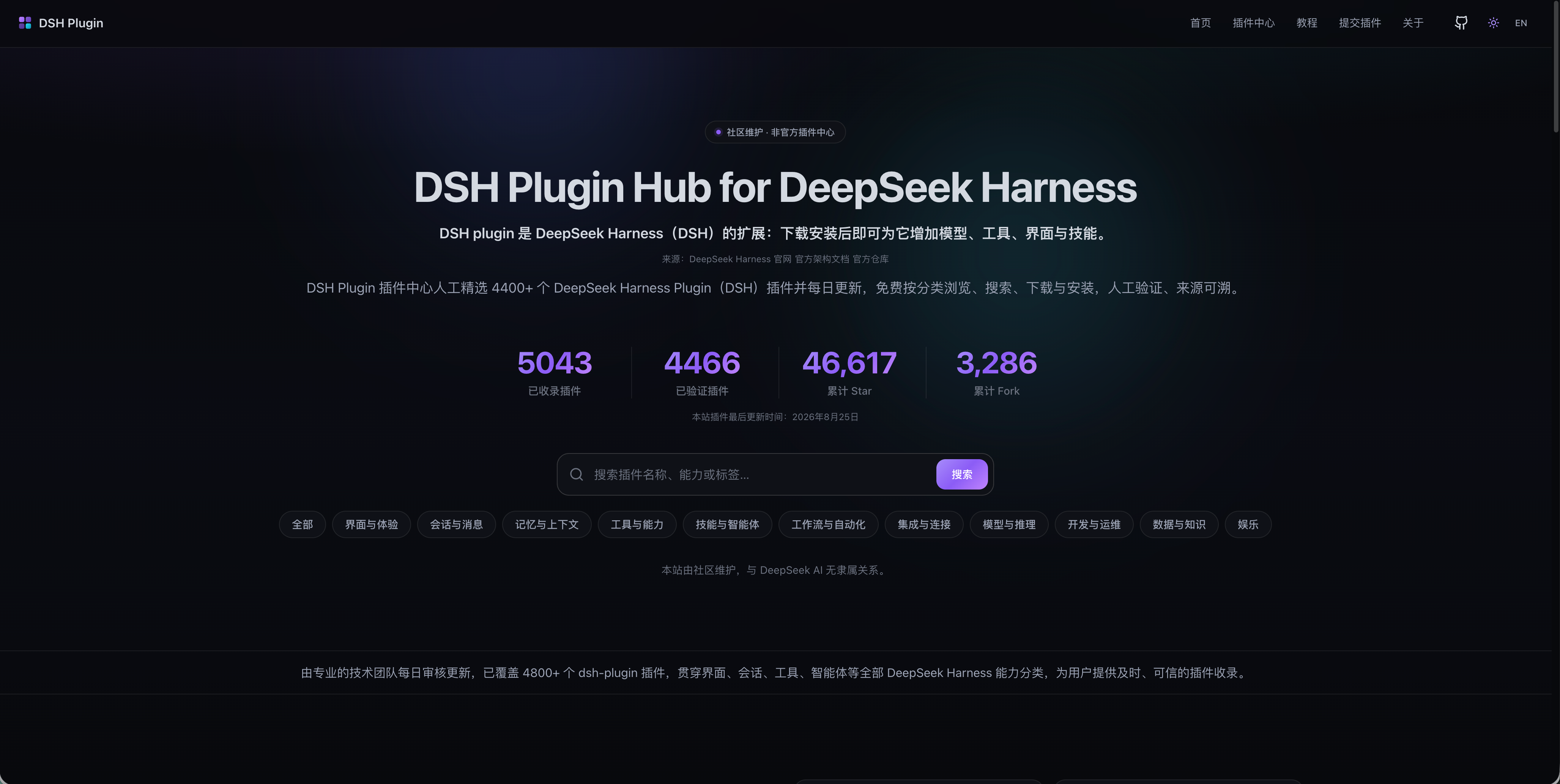
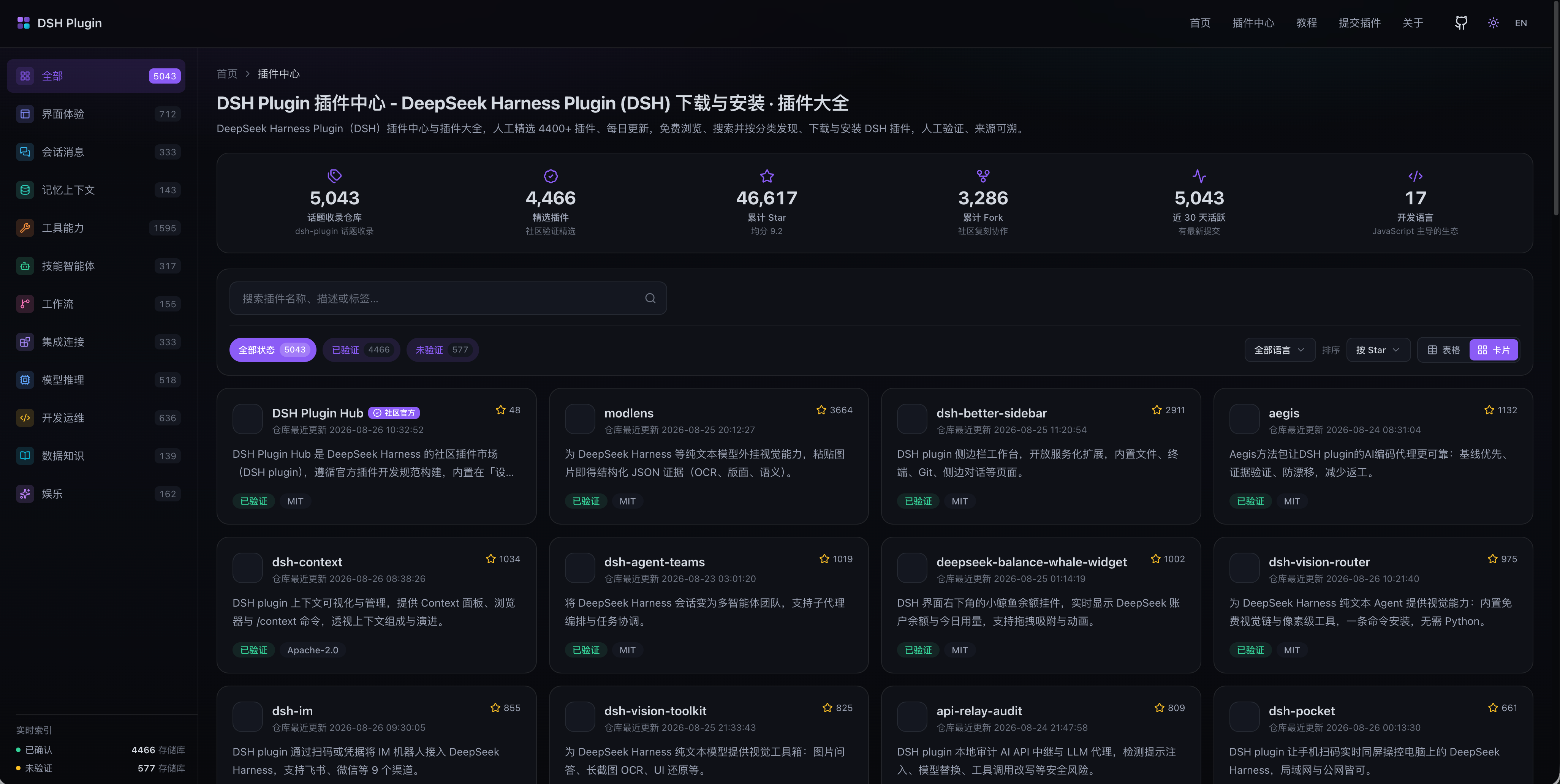
DSH Plugin website homepage DSH Plugin category browsing

Same data source as the hub — human-verified, updated daily · Browse every indexed plugin by category, search straight to it ## Why DSH Plugin Hub The DSH Plugin Hub lists **5,000+** npm-installable DeepSeek Harness plugins (out of **20,000+** indexed on the site), all hand-verified — updated daily, browse, search, download and install for free by category, fully sourced. ### Always Fresh Newly released DSH plugins are indexed as soon as possible; descriptions, categories and compatibility status of existing plugins are refreshed on a regular basis. We keep tracking the DeepSeek Harness ecosystem so you always see the latest information. ### Human-Verified Every DSH plugin is manually checked by a professional team — install commands, compatibility status (verified / unconfirmed) and target DSH version (dshTarget) are verified one by one, with capability categories labeled. Quality is guaranteed. ### Fully Sourced Every DSH plugin links back to its GitHub source repository with stars, forks and last-update time; data is compiled from the DeepSeek Harness official site, official architecture docs and official repos — everything is traceable. ## Install DSH Plugin Hub Install from npm: ```bash dsh plugin --profile web add dsh-plugin ``` The plugin is published to the npm registry as `dsh-plugin` — one command installs and it just works, no build step required. > **npm installs only**: source and git installs depend on each repository's own build scripts, which are written inconsistently and fail often (git packages are routinely rejected by pnpm's build gate), and the resulting behaviour varies — so they are no longer offered. The browser bundle ships with the package, so an npm install needs no build step; restart `dsh web` and open Settings → Plugin Hub. ## Update DSH Plugin Hub The plugin hub notifies you when a new version is available; if an older build's in-panel updater cannot pull the latest release, upgrade from the command line: **Option 1: update in place (recommended)** ```bash dsh plugin --profile web update dsh-plugin ``` **Option 2: force upgrade (when an older build cannot update)** If the old build's updater cannot pull the latest version, force-reinstall the newest release with an explicit version: ```bash dsh plugin --profile web add dsh-plugin@latest ``` **Option 3: reinstall the latest (most reliable)** `add` does not overwrite an already-installed copy, so removing first and re-adding always fetches the newest version: ```bash dsh plugin --profile web remove dsh-plugin dsh plugin --profile web add dsh-plugin ``` > Restart `dsh web` after updating for the changes to take effect. > **Marketplace missing after an update/reinstall?** If you unchecked `dsh-plugin` under Settings → Plugins, the profile's `dsh.profile.bundles` no longer lists it — the dependency stays in `node_modules` but is not composed, so the marketplace will not appear after a restart. Re-check `dsh-plugin` under Settings → Plugins, or add `"dsh-plugin"` back to `dsh.profile.bundles` in `~/.dsh/profiles//package.json`, then restart the host. ## Getting Started: browse & install in DeepSeek Harness Restart `dsh web` after installing, then open **Settings → Plugin Hub** to browse and install plugins. The catalog is same-source and in sync with [dsh-plugin.org](https://dsh-plugin.org). ## Submit your DSH plugin Publish your plugin to GitHub and add the `dsh-plugin` topic — it will be discovered and indexed automatically. Requirements and the submission flow are on the [Submit a Plugin](https://dsh-plugin.org/submit) page. ## Contributing - **Add your plugin**: tag it with the `dsh-plugin` topic to be auto-discovered — start on the [Submit a Plugin](https://dsh-plugin.org/submit) page - **Fix data / suggest features**: open an [Issue](https://github.com/dshplugin/dsh-plugin-hub/issues) - **Contribute code**: fork the repo and send a Pull Request ## Related - [dsh-plugin.org](https://dsh-plugin.org) — the plugin hub website, same data source - [deepseek-ai/deepseek-harness](https://github.com/deepseek-ai/deepseek-harness) — DeepSeek Harness itself ## License [MIT](LICENSE) © DSH Plugin Hub contributors