# DevDocs for macOS
[](https://github.com/dteoh/devdocs-macos/releases)

An unofficial [DevDocs API Documentation][1] viewer for macOS.
## Features
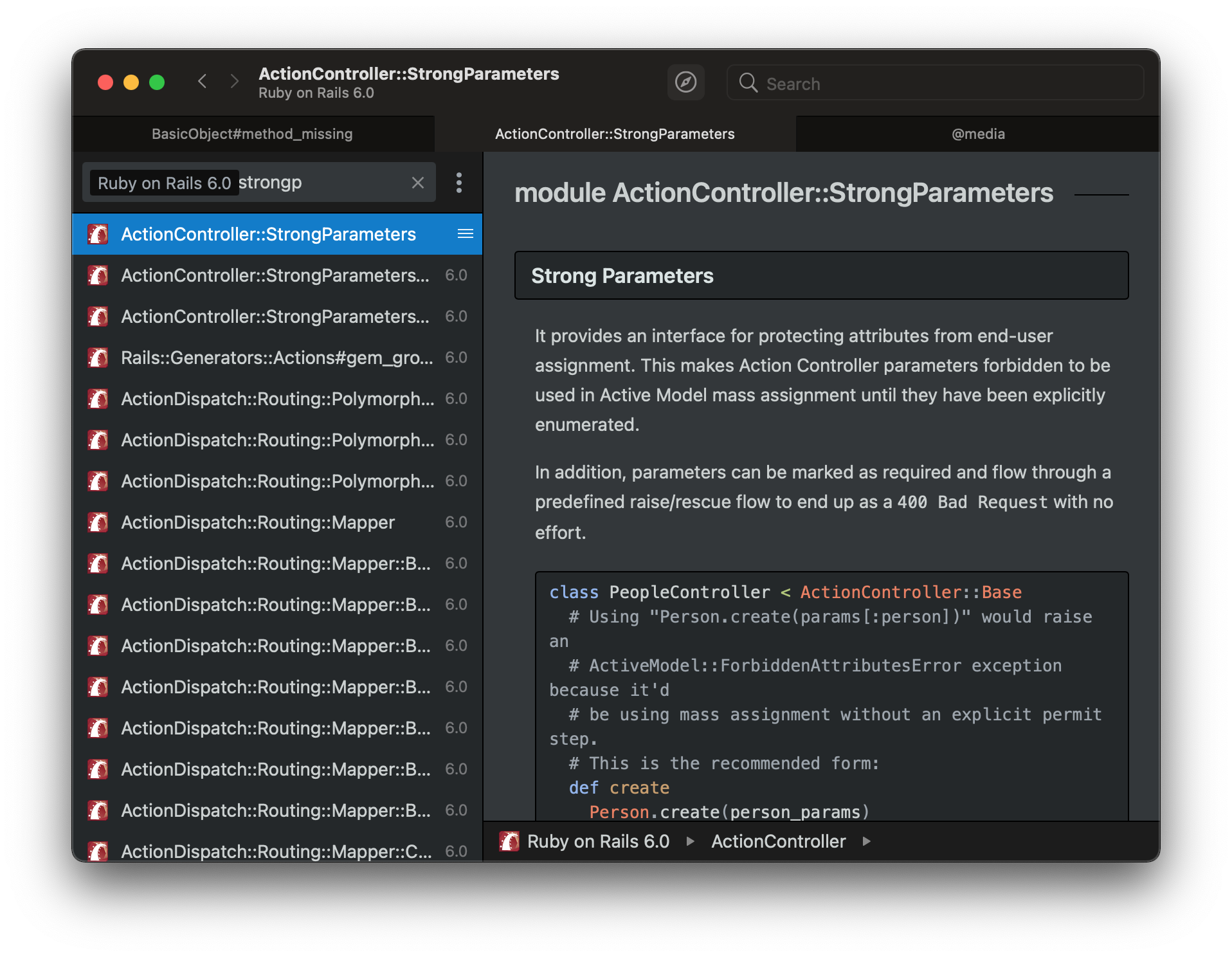
- [x] Tabs
- [x] Global shortcut (Option + Space), customizable
- [x] Automatic dark/light mode UI
- [x] Protocol handler integration (handle `devdocs-macos://`, `http://`, and `https://` URLs)
- [x] Page search (Cmd + F)
### Protocol handler integration
Protocol handler integration allows you to control DevDocs through scripts. For
example:
```
$ osascript -e 'tell application "DevDocs" to open location "devdocs-macos://search?doc=rails&term=stro"'
```
... will tell DevDocs to open a new window and search the Rails documentation for
the term `stro`.
The app supports the following commands. When required parameters are not
supplied, the command is ignored.
#### `devdocs-macos://search`
This is for launching a search query in a new window.
| Query Parameter | Required | Description
| --------------- | -------- | -----------
| term | Yes | The search term, eg. `stro`
| doc | No | Documentation scope, eg. `rails`
#### `devdocs-macos://newWindow`
This opens a new window.
#### `http://` and `https://`
DevDocs will open a new window only for URLs on the `devdocs.io` domain. For
example:
```
$ osascript -e 'tell application "DevDocs" to open location "https://devdocs.io/#q=rails+stro"'
```
Other domains are ignored.
## Download & Install
Pre-built binaries can be downloaded from the [releases page][2].
Unzip, drag the app to Applications, and then run it.
### Homebrew
If you wish to install the application from Homebrew:
```
$ brew install --cask dteoh-devdocs
```
The application will live at `/Applications/DevDocs.app`.
#### Migrating from project tap to the default tap
The application had a tap maintained by the project. To migrate to the default
tap:
```
$ brew cask uninstall devdocs-macos
$ brew untap dteoh/devdocs
$ brew cask install dteoh-devdocs
```
### Compatibility
The app is currently developed on Big Sur and only support for Big Sur
can be provided.
If you are using Mojave (10.14) or Catalina (10.15), please use version 0.5.2.
## License
```
DevDocs for macOS
Copyright (C) 2021 Douglas Teoh
This program is free software: you can redistribute it and/or modify
it under the terms of the GNU General Public License as published by
the Free Software Foundation, either version 3 of the License, or
(at your option) any later version.
This program is distributed in the hope that it will be useful,
but WITHOUT ANY WARRANTY; without even the implied warranty of
MERCHANTABILITY or FITNESS FOR A PARTICULAR PURPOSE. See the
GNU General Public License for more details.
You should have received a copy of the GNU General Public License
along with this program. If not, see .
```
### App Icon
The app icon is a contribution courtesy of [@mickimnet][3] ([#1][4], [#42][5]).
[1]: https://devdocs.io/
[2]: https://github.com/dteoh/devdocs-macos/releases
[3]: https://github.com/mickimnet
[4]: https://github.com/dteoh/devdocs-macos/issues/1
[5]: https://github.com/dteoh/devdocs-macos/pull/42