# midjourney-api
非官方的 MidJourney api 的 Node.js 客户端。
[English](README.md) / 中文文档


## 最近更新
- [换脸](https://github.com/erictik/midjourney-api/blob/main/example/faceswap.ts)
- [支持 niji bot](https://github.com/erictik/midjourney-api/blob/main/example/imagine-niji.ts)
- [custom zoom](https://github.com/erictik/midjourney-api/blob/main/example/customzoom.ts)
- [remix mode](https://github.com/erictik/midjourney-api/blob/main/example/variation-ws.ts)
## 快速开始
运行本项目需要安装 [Node.js](https://nodejs.org/en/),然后在本项目的根目录运行以下命令:
1. 下载项目代码
```bash
git clone https://github.com/erictik/midjourney-api.git
cd midjourney-api
```
2. 安装依赖
```bash
yarn
# or npm
npm install
```
3. 设置环境变量
- 获取 Discord TOKEN
[登录 Discor](https://discord.com/channels/@me) F12 或者 [Ctrl + Shift + I] 或者 [Command + Option + I] 打开开发者工具,然后在 Console 中输入以下代码:
```javascript
window.webpackChunkdiscord_app.push([
[Math.random()],
{},
(req) => {
for (const m of Object.keys(req.c)
.map((x) => req.c[x].exports)
.filter((x) => x)) {
if (m.default && m.default.getToken !== undefined) {
return copy(m.default.getToken());
}
if (m.getToken !== undefined) {
return copy(m.getToken());
}
}
},
]);
console.log("%cWorked!", "font-size: 50px");
console.log(`%您的Token在剪贴板了!`, "font-size: 16px");
```
也可以通过 查看 network [获取 discord token](https://www.androidauthority.com/get-discord-token-3149920/)
- [加入我的 Discord 服务器](https://discord.com/invite/GavuGHQbV4)
```
export SERVER_ID="1082500871478329374"
export CHANNEL_ID="1094892992281718894"
```
- 或者 [创建一个 Discord 服务器](https://discord.com/blog/starting-your-first-discord-server) 并邀请 [Midjourney Bot](https://docs.midjourney.com/docs/invite-the-bot)
```bash
# 在浏览器中复制你的服务器网址
# `https://discord.com/channels/$SERVER_ID/$CHANNEL_ID`
export SERVER_ID="your-server-id"
export CHANNEL_ID="your-channel-id"
```
- 将环境变量写入`.env`文件或者 在控制台中设置
```bash
#example variables, please set up yours
export SERVER_ID="1082500871478329374"
export CHANNEL_ID="1094892992281718894"
export SALAI_TOKEN="your-discord-token"
```
4. 现在可以运行示例了
```bash
npx tsx example/imagine-ws.ts
```
或者
```bash
yarn example:imagine
# or npm
npm run example:imagine
```
5. 更多使用案例
- [more example](./example/)
## 在项目中使用
1. 安装
```bash
npm i midjourney
# or
yarn add midjourney
```
2. 使用 Imagine 、Variation 和 Upscale
```typescript
import { Midjourney } from "midjourney";
const client = new Midjourney({
ServerId: process.env.SERVER_ID,
ChannelId: process.env.CHANNEL_ID,
SalaiToken: process.env.SALAI_TOKEN,
Debug: true,
Ws: true, //enable ws is required for remix mode (and custom zoom)
});
await client.init();
const prompt =
"Christmas dinner with spaghetti with family in a cozy house, we see interior details , simple blue&white illustration";
//imagine
const Imagine = await client.Imagine(
prompt,
(uri: string, progress: string) => {
console.log("loading", uri, "progress", progress);
}
);
console.log(Imagine);
if (!Imagine) {
console.log("no message");
return;
}
// U1 U2 U3 U4 V1 V2 V3 V4 "Vary (Strong)" ...
const V1CustomID = Imagine.options?.find((o) => o.label === "V1")?.custom;
if (!V1CustomID) {
console.log("no V1");
return;
}
// Varition V1
const Varition = await client.Custom({
msgId: Imagine.id,
flags: Imagine.flags,
customId: V1CustomID,
content: prompt, //remix mode require content
loading: (uri: string, progress: string) => {
console.log("loading", uri, "progress", progress);
},
});
console.log(Varition);
const U1CustomID = Imagine.options?.find((o) => o.label === "U1")?.custom;
if (!U1CustomID) {
console.log("no U1");
return;
}
// Upscale U1
const Upscale = await client.Custom({
msgId: Imagine.id,
flags: Imagine.flags,
customId: U1CustomID,
loading: (uri: string, progress: string) => {
console.log("loading", uri, "progress", progress);
},
});
if (!Upscale) {
console.log("no Upscale");
return;
}
console.log(Upscale);
const zoomout = Upscale?.options?.find((o) => o.label === "Custom Zoom");
if (!zoomout) {
console.log("no zoomout");
return;
}
// Custom Zoom
const CustomZoomout = await client.Custom({
msgId: Upscale.id,
flags: Upscale.flags,
content: `${prompt} --zoom 2`, // Custom Zoom require content
customId: zoomout.custom,
loading: (uri: string, progress: string) => {
console.log("loading", uri, "progress", progress);
},
});
console.log(CustomZoomout);
```
## route-map
- [x] `/imagine` `variation` `upscale` `reroll` `blend` `zoomout` `vary`
- [x] `/info`
- [x] `/fast ` and `/relax `
- [x] [`/prefer remix`](https://github.com/erictik/midjourney-api/blob/main/example/prefer-remix.ts)
- [x] [`variation (remix mode)`](https://github.com/erictik/midjourney-api/blob/main/example/variation-ws.ts)
- [x] `/describe`
- [x] [`/shorten`](https://github.com/erictik/midjourney-api/blob/main/example/shorten.ts)
- [x] `/settings` `reset`
- [x] verify human
- [x] [proxy](https://github.com/erictik/midjourney-discord/blob/main/examples/proxy.ts)
- [x] [niji bot](https://github.com/erictik/midjourney-api/blob/main/example/imagine-niji.ts)
- [x] [custom zoom](https://github.com/erictik/midjourney-api/blob/main/example/customzoom.ts)
- [x] autoload command payload
---
## 应用项目
- [midjourney-ui](https://github.com/erictik/midjourney-ui/) next.js + vercel
- [midjourney-discord](https://github.com/erictik/midjourney-discord)-bot
- [phrame](https://github.com/jakowenko/phrame)
- [guapitu](https://www.guapitu.com/zh/draw?code=RRXQNF)
---
## 支持一下我吧
如果您觉得它很有价值,可以通过以下方式支持作者


 ## Star History
[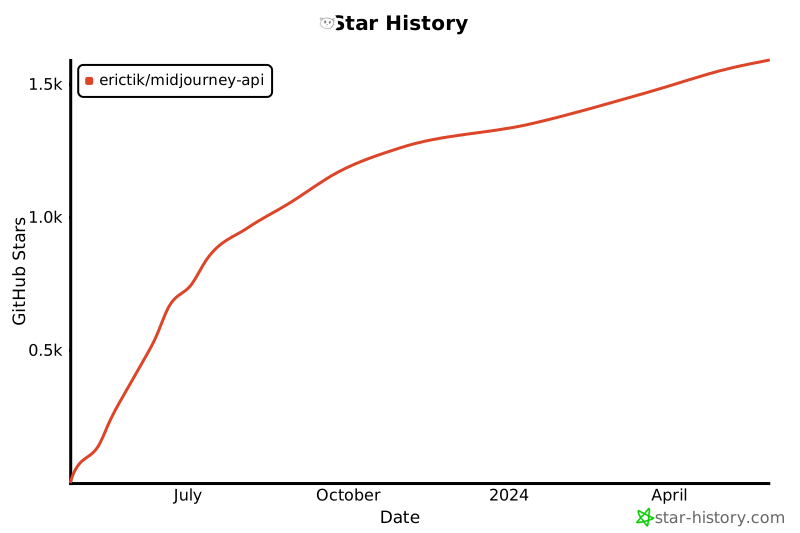](https://star-history.com/#erictik/midjourney-api&Date)
## Star History
[](https://star-history.com/#erictik/midjourney-api&Date)