MakLock
Lock any macOS app with Touch ID, Apple Watch, or password.
Free, open source, and more powerful than paid alternatives.



---
## What is MakLock?
MakLock is a lightweight menu bar app that protects your macOS applications with Touch ID, Apple Watch proximity, or a backup password. When someone tries to open or switch to a protected app, MakLock blocks access with a blur overlay and requires authentication.
Unlike App Store alternatives, MakLock is distributed directly — giving it full overlay and process management capabilities that sandboxed apps simply cannot offer.
## Why MakLock?
| Feature | MakLock | AppLocker ($17.99) | Cisdem AppCrypt ($19.99/yr) |
|---------|:-------:|:------------------:|:---------------------------:|
| **Price** | **Free forever** | 1 app free, paid for more | Trial only |
| **Open source** | **Yes** | No | No |
| **Touch ID** | **Yes** | Paid only | No |
| **Lock on app switch** | **Yes** | No (launch only) | Yes (direct version) |
| **Apple Watch unlock** | **Yes** (wrist detection) | No | No |
| **Full-screen overlay** | **Yes** (blur, all monitors) | Yes (solid, single monitor) | Dialog box |
| **No content flash** | **Yes** (NSPanel) | No (brief flash on launch) | N/A |
| **Auto-close apps** | **Yes** | No (sandbox) | Yes (direct version) |
| **Close apps on sleep** | **Yes** | No | No |
| **Auto-lock on idle** | **Yes** | No | Yes |
| **Auto-lock on sleep** | **Yes** | No | No |
| **Panic key** | **Yes** | No | No |
| **Multi-monitor** | **Yes** | Unknown | No |
| **Bypass resistant** | **Yes** | No (Bundle ID edit) | Unknown |
| **Can't be deleted without auth** | N/A | No (sandbox) | Yes (direct version) |
AppLocker (App Store) is sandboxed — it can only intercept app launches, not activations. If an app is already running, switching back shows content without authentication. Its overlay can also freeze the entire Mac, requiring a hard reboot. MakLock uses a non-activating NSPanel overlay that never steals focus, preventing these issues.
## Features
- [x] Lock apps with Touch ID (single prompt)
- [x] Password fallback for Macs without Touch ID
- [x] Apple Watch proximity unlock with wrist detection
- [x] Full-screen blur overlay on all monitors
- [x] Auto-lock after idle timeout (configurable)
- [x] Auto-lock on sleep/wake
- [x] Auto-close inactive apps (prevents notification snooping)
- [x] Close protected apps on sleep (privacy on shared laptops)
- [x] Menu bar app (no Dock icon, runs silently)
- [x] Panic key emergency exit (`Cmd+Opt+Shift+Ctrl+U`)
- [x] System app blacklist (Terminal, Xcode, etc. can never be locked)
- [x] Multi-monitor support
- [x] First launch onboarding
- [x] Settings with tabbed UI
- [x] Automatic updates via Sparkle 2
- [ ] Trusted Wi-Fi auto-unlock *(coming in v1.1)*
- [ ] Per-window overlay *(coming in v1.2)*
## Screenshots
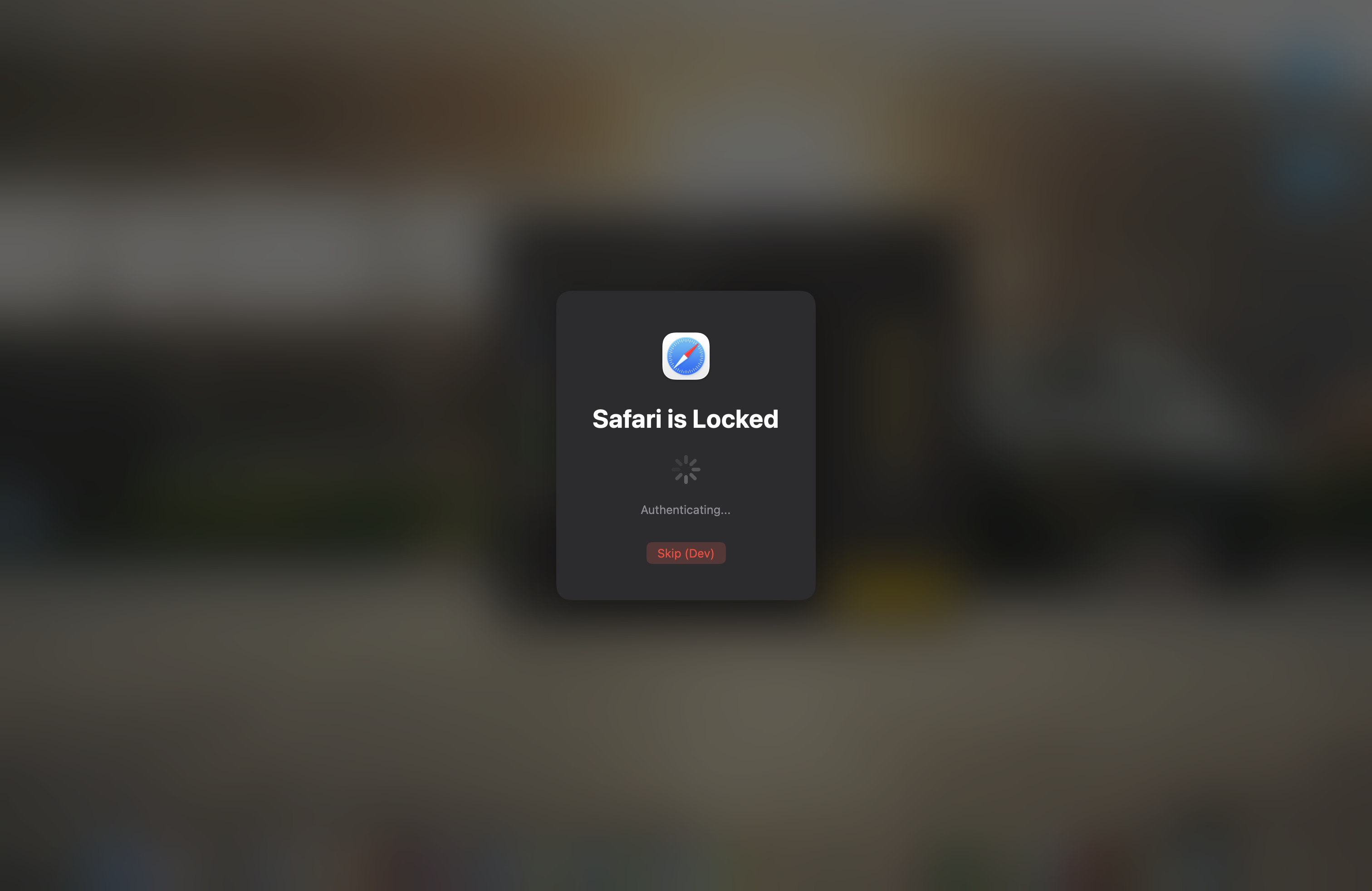
Full-screen blur overlay with Touch ID unlock
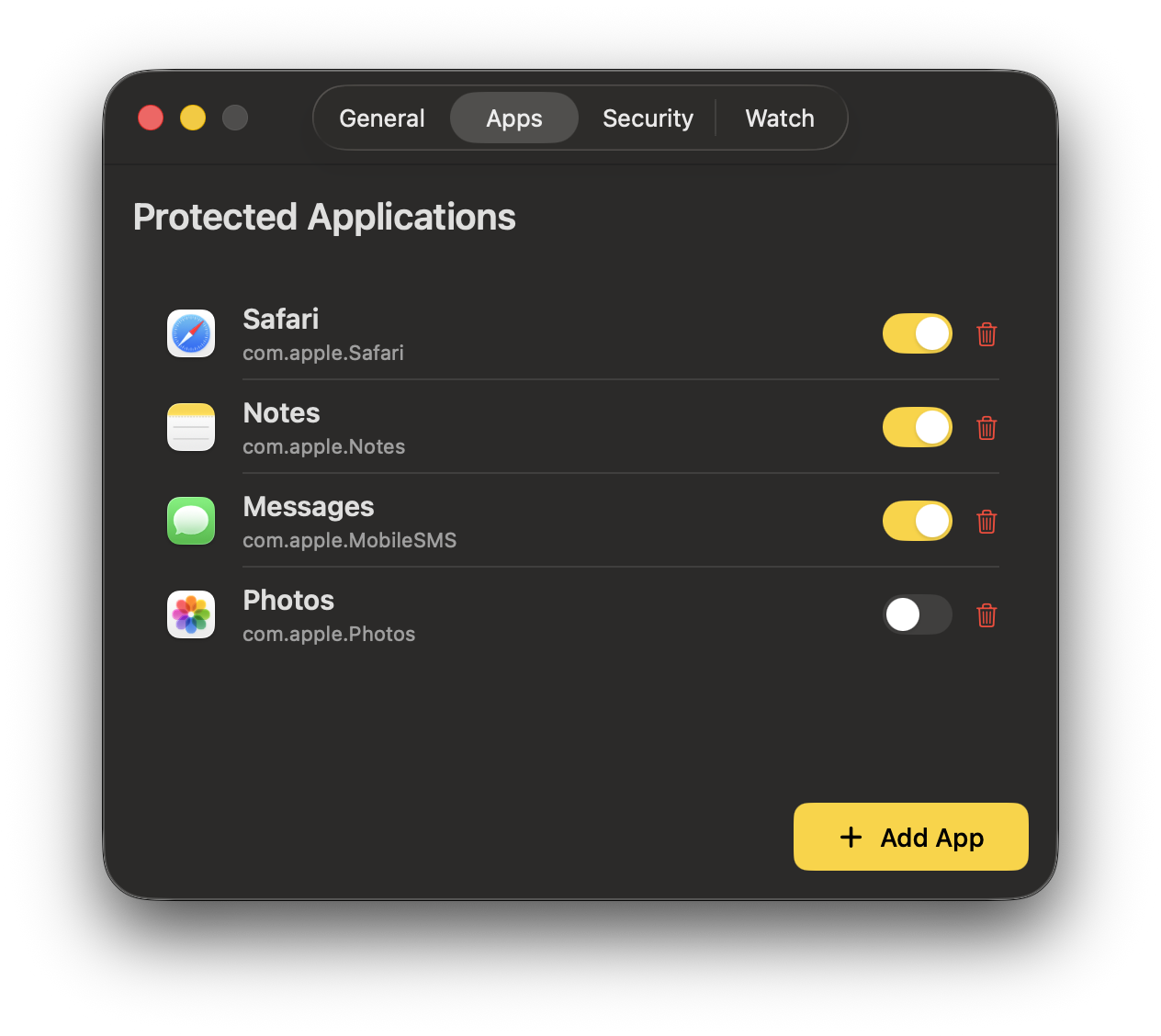
Settings with protected apps management
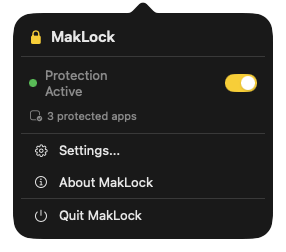
Menu bar with quick toggle and status
## Installation
### Download
**[Download MakLock 1.0.0](https://github.com/dutkiewiczmaciej/MakLock/releases/latest)** — open the DMG and drag to Applications.
> Signed with Developer ID and notarized by Apple. No Gatekeeper warnings — just download and run.
### Homebrew
```bash
brew tap dutkiewiczmaciej/tap
brew install --cask maklock
```
### Build from Source
```bash
git clone https://github.com/dutkiewiczmaciej/MakLock.git
cd MakLock
open MakLock.xcodeproj
```
Build and run with `Cmd+R`. Requires Xcode 15+ and macOS 13+.
## How It Works
1. **App Monitor** — watches for protected app launches and activations via NSWorkspace
2. **Lock Overlay** — instantly shows a full-screen blur overlay on all displays
3. **Authentication** — prompts Touch ID, checks Apple Watch proximity, or asks for password
4. **Re-lock on quit** — Cmd+Q clears authentication, so the next launch requires re-auth (even for apps that stay alive in background like Messages)
5. **Auto-lock** — re-locks on idle timeout, sleep, or when Apple Watch leaves range
6. **Auto-close** — optionally terminates inactive protected apps to prevent notification snooping
## Architecture
MakLock is a native Swift/SwiftUI application distributed outside the App Store for full system access.
```
MakLock/
App/ Entry point, AppDelegate
Core/ Services (AppMonitor, Auth, Watch, Overlay, Idle, Sleep, Inactivity)
UI/ Design system, Components, Settings, Lock Overlay
Models/ Data models (ProtectedApp, AppSettings, LockSession)
Resources/ Assets, Info.plist, Entitlements
```
**Key frameworks:** SwiftUI, AppKit, LocalAuthentication, CoreBluetooth, IOKit, ServiceManagement, HotKey (SPM), Sparkle 2 (SPM)
## Safety
MakLock includes multiple safety mechanisms to ensure you never get locked out:
- **Panic key** — `Cmd+Option+Shift+Control+U` instantly dismisses all overlays
- **System blacklist** — Terminal, Xcode, Activity Monitor, and other critical apps can never be locked
- **Timeout failsafe** — overlays auto-dismiss after 60 seconds without interaction
- **Dev mode** — DEBUG builds include a Skip button and 10-second auto-dismiss
## Requirements
- macOS 13.0 (Ventura) or later
- Apple Silicon or Intel Mac
- Touch ID recommended (password fallback available)
- Apple Watch with watchOS 9+ for proximity unlock (optional)
## Contributing
Contributions are welcome! See [CONTRIBUTING.md](CONTRIBUTING.md) for guidelines.
If you find MakLock useful, consider giving it a [star on GitHub](https://github.com/dutkiewiczmaciej/MakLock) — it helps others discover the project.
## License
[MIT](LICENSE) — Made by [MakMak](https://github.com/dutkiewiczmaciej)