# wavefont [](https://github.com/dy/wavefont/actions/workflows/build.yaml)
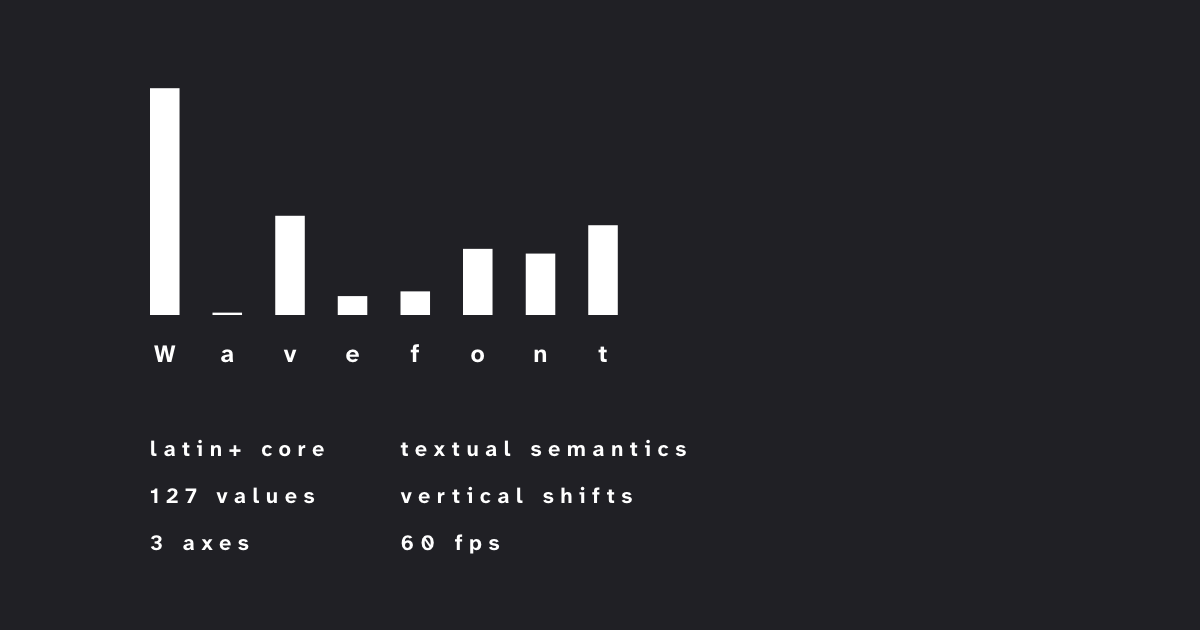
A typeface for rendering vertical bars data: waveforms, spectrums, diagrams, histograms, columns etc.
 [**Site**](https://dy.github.io/wavefont) • [**Google fonts**](https://fonts.google.com/specimen/Wavefont) • [**V-fonts**](https://v-fonts.com/fonts/wavefont) •
[**Wavearea**](https://dy.github.io/wavearea?src=https://cdn.freesound.org/previews/147/147582_1728127-lq.mp3)
## Usage
Place [_Wavefont[ROND,YELA,wght].woff2_](./fonts/variable/Wavefont[ROND,YELA,wght].woff2) into your project directory and use this code:
```html
```
## Ranges
Wavefont bars correspond to values from 0 to 100, assigned to different characters:
* 0-9 chars are for simplified manual input with step 10 (bar height = number).
* a-zA-Z for manual input with step 2, softened at edges a and Z (bar height = number of letter).
* U+0100-017F for 0..127 values with step 1 (`char = String.fromCharCode(0x100 + value)`). U+0180 renders as max bar (off-by-one clamp guard), higher codepoints render blank — clamp values to _127_.
## Variable axes
Tag | Range | Default | Meaning
---|---|---|---
`wght` | _4_-_1000_ | 100 | Bar width, or boldness. Advance width scales with it: _100_ ≙ 0.025em, _400_ ≙ 0.1em, _1000_ ≙ 0.25em.
`ROND` | _0_-_100_ | 100 | Border radius, or roundness (percent).
`YELA` | _-100_-_100_ | -100 | Alignment: bottom (_-100_), center (_0_) or top (_100_).
To adjust axes via CSS:
```css
.wavefont {
font-variation-settings: 'wght' var(--wght, 40), 'ROND' var(--rond, 0), 'YELA' var(--align, 0);
letter-spacing: 1ch; /* 1ch unit === 1 bar width */
}
```
## Features
* Ranges, values and width is compatible with [linefont](https://github.com/dy/linefont), so fonts can be switched preserving visual coherency.
* Visible charcodes fall under _marking characters_ unicode category, ie. recognized as word by regexp and can be selected with Ctrl + → or double click. Eg. waveform segments separated by ` ` or `-` are selectable by double click.
* Characters outside of visible ranges are clipped to _0_, eg. ` `, `\t` etc.
* `-–._*` map to _1_ value, `|` maps to max value, `▁▂▃▄▅▆▇█` map to corresponding bars.
* Accent acute ́ (U+0301) shifts bar 1-step up, circumflex accent ̂ (U+0302) 10-steps up. Eg. `\u0101\u0302\u0302\u0301\u0301\u0301` shifts 23 steps up.
* Accent grave ̀ (U+0300) shifts bar 1-step down, caron ̌ (U+030C) shifts 10 steps down, eg. `\u0101\u030c\u0300\u0300\u0300` shifts 13 steps down.
* Mark order is canonical: 10-step marks first, then up to nine 1-step marks, ±100 steps max. Runs of 11+ same 1-step marks are recognized only up to the 10th — use `shift()` from the JS package to encode correctly.
* Caret span is -30..130 (covers full ink incl. value 127 bars), so line-height = 1.6 is minimal non-overlapping selection.
## JS package
Optional wavefont package exposes a function that calculates string from values for your convenience. Types included.
```js
import wf, { char, shift } from 'wavefont'
// characters for values from 0..127 range (clamped & rounded)
wf(0, 1, 50, 99, 127) // 'ĀāIJţſ'
// arrays or typed arrays of any length
wf(new Float32Array([0, 64, 127])) // 'Āŀſ'
// single value char + canonical shift marks (10-step first, then 1-step)
char(64) + shift(23) // bar 64 shifted 23 steps up
char(64) + shift(-13) // bar 64 shifted 13 steps down
```
## Building
`make build`
* [Tests](https://dy.github.io/wavefont/out/fontbakery/fontbakery-report)
* [Glyphs](https://dy.github.io/wavefont/out/proof/Regular-diffbrowsers_glyphs)
* [Text](https://dy.github.io/wavefont/out/proof/Regular-diffbrowsers_text)
* [Waterfall](https://dy.github.io/wavefont/out/proof/Regular-diffbrowsers_waterfall)
## See also
* [linefont](https://github.com/dy/linefont) − font-face for rendering linear data.
## References
* [Google Fonts guide](https://googlefonts.github.io/gf-guide/variable.html#most-common-axes).
* [Unified font object spec](https://unifiedfontobject.org/versions/ufo3) − unified human-readable format for storing font data.
* [Feature file spec](https://adobe-type-tools.github.io/afdko/OpenTypeFeatureFileSpecification.html#6.h) − defining opentype font features.
* [Adobe-variable-font-prototype](https://github.com/adobe-fonts/adobe-variable-font-prototype) − example variable font.
* [Designspace XML spec](https://github.com/fonttools/fonttools/tree/main/Doc/source/designspaceLib#document-xml-structure) − human-readable format for describing variable fonts.
* [Adobe Blank](https://github.com/adobe-fonts/adobe-blank-vf) − blank characters variable font.
* [Sparks](https://github.com/aftertheflood/sparks) – alternative font with similar purpose.
## Alternatives
- **[Linefont](https://github.com/dy/linefont)** — Closest companion to Wavefont. Uses the same `0–127` character encoding but renders connected line charts instead of bars.
- **[Glyphkit](https://github.com/alextraykov/glyph-kit)** – Progress bars for terminal.
- **[Datatype](https://github.com/franktisellano/datatype)** — Inline bar, line and pie charts with readable syntax such as `{b:30,70}`. Supports up to 20 values.
- **[Sparks](https://github.com/aftertheflood/sparks)** — Compact inline sparklines using normalized `0–100` values. Includes bars, dots and connected-dot styles.
- **[FF Chartwell](https://www.typeface.com/fonts/chartwell)** — Commercial chart-font family for pie, bar, line, area, ring, radar, scatter and other chart types.
- **Unicode block elements** — Characters such as `▁▂▃▄▅▆▇█`. Dependency-free and widely supported, but limited to eight height levels.
🕉