# Getting started
## 1. Sample Project Setup
**Generate your first 30 unit tests using Early’s VSCode Extension**
This document will enable you to generate your first 30 unit tests in less than a minute using Early's VSCode extension via a sample earlyai-todo-app pre-configured TypeScript/Jest project.
**earlyai-todo-app project setup:**
* Make sure you have [VSCode](https://code.visualstudio.com/download) Version 1.88 or later installed
* Clone Early's [earlyai-todo-app](https://github.com/earlyai/earlyai-todo-app)
* Run the following command on the VSCode terminal:
```
npm install
```
> The sample todo-app Setup is completed
## 2. Install the Extension
**Install Early AI VSCode Extension via MSFT Marketplace:**
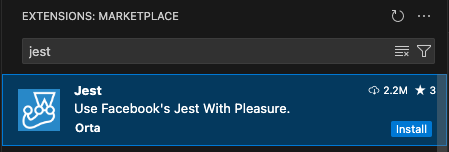
* Search for the **EarlyAI** extension on VSCode marketplace and install it
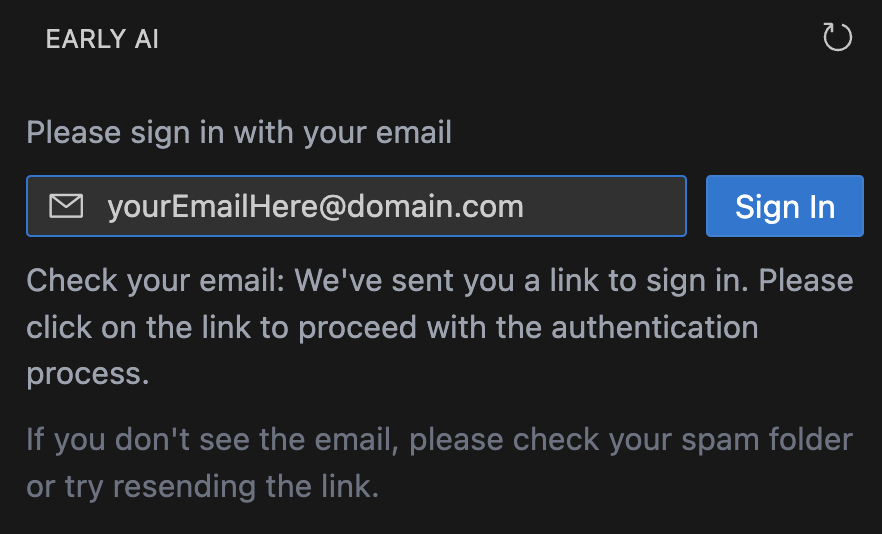
* Open the extension and log in using your email address for verification
* More information about the EarlyAI extension can be found on Microsoft [Marketplace](https://marketplace.visualstudio.com/items?itemName=Early-ai.EarlyAI)
* We highly recommend that you also install the Jest extension, which supports full [jest](https://jestjs.io/ "https://jestjs.io/") features in vscode environment to make testing more intuitive
## 3. Browse the extension
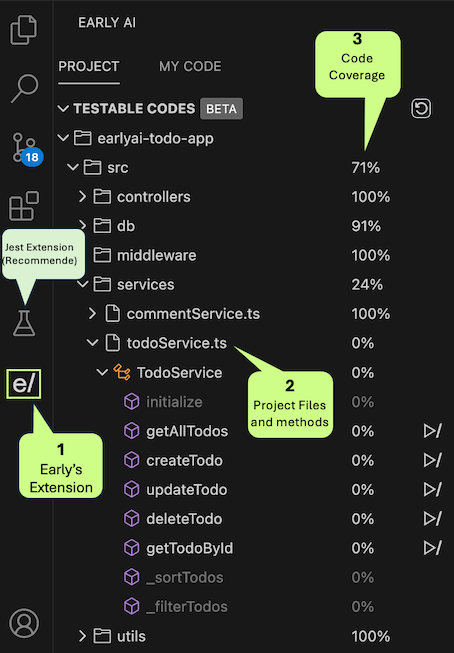
* Click on Early's Extension icon on the left bar
* Make sure your project has node_modules, jest.config, and jest setup correctly
* View the files and method tree on the project tree
## 4. Using the Extension
**Navigate through the extension views**
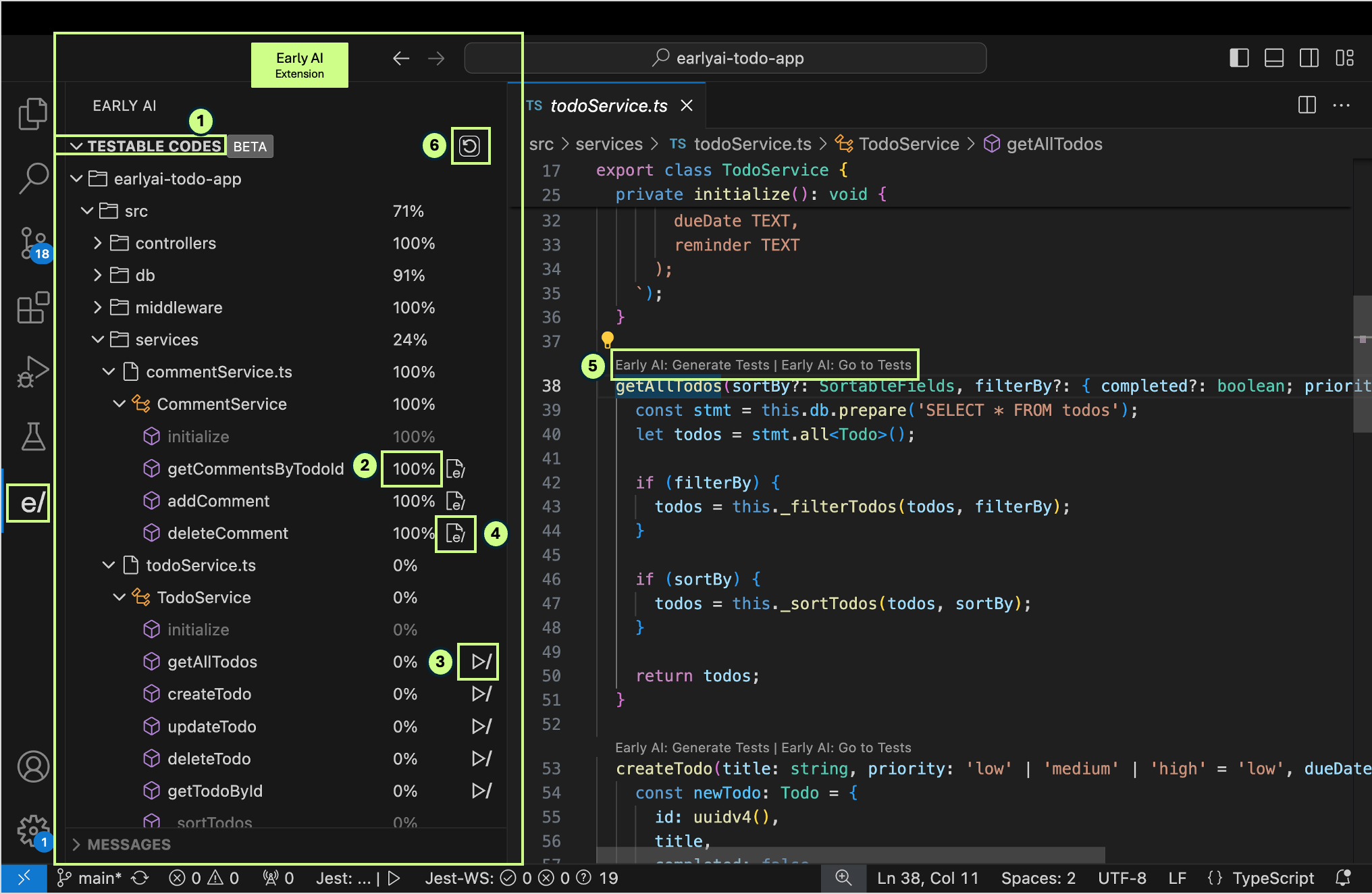
1. A tree of all the testable methods /functions in the project2. The percentage next to each method/function shows the code coverage of that method/function
3. "Play" (generate tests) button next to public method names
4. "Go-to tests" go to the unit tests file that was generated 5. code lens above public method/function names 6. "Refresh" coverage button. note: Coverage refreshes automatically after test generations
## 5. Generating Your First Tests
**Generating unit tests for methods/functions**
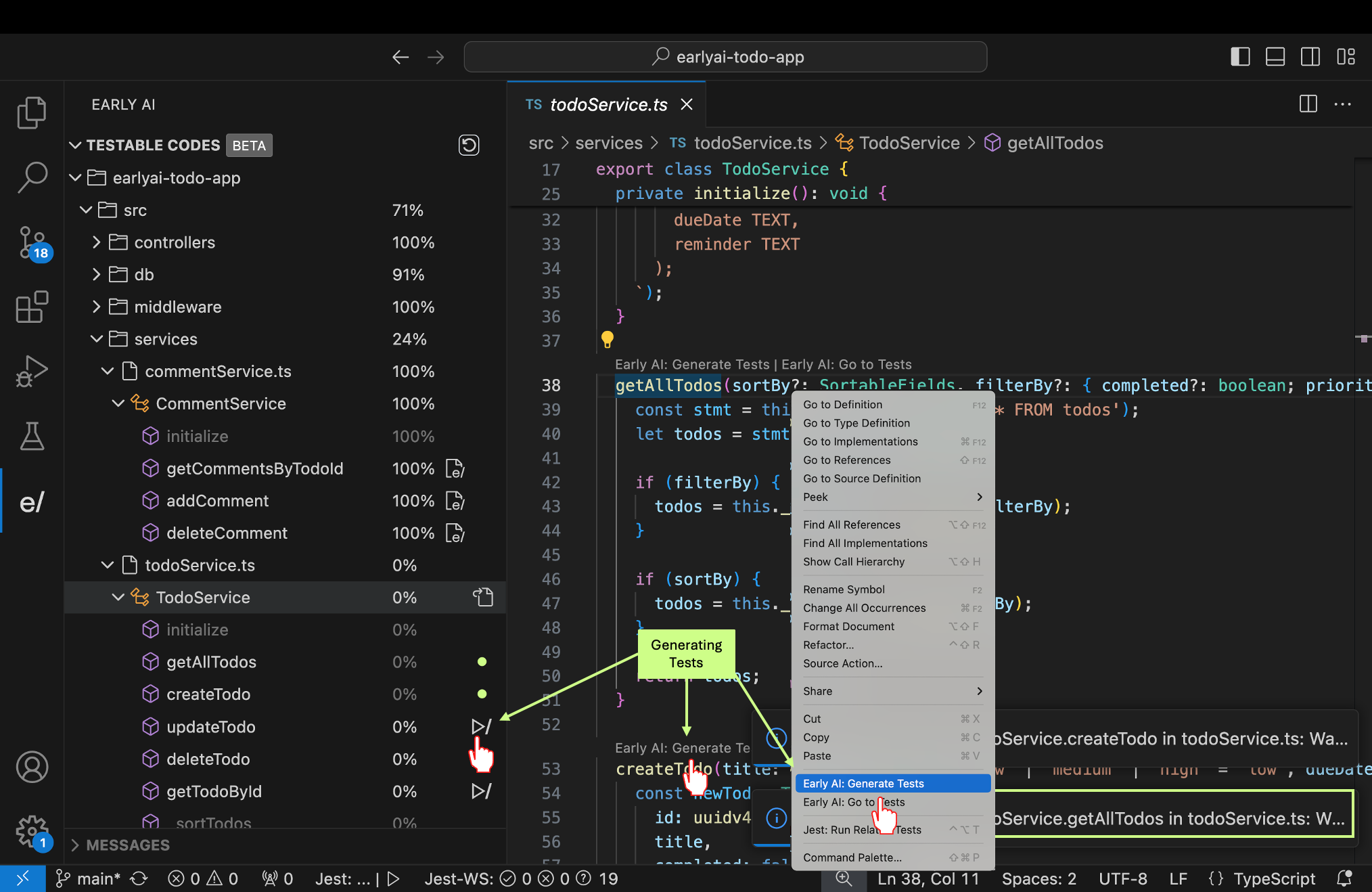
There are three ways to generate unit tests
1. Play button via the code explorer, next to the public method/function name.
2. "Early AI: Generate tests" Code lens above each public method/function name on the code editor.
3. Context menu: right click within a method name or scope
Once you generate a test a VSCode notification bar will pop up on the bottom right corner until the generation is completed. Test generation can take between 15 to 30 seconds depending on the complexity of the code base and API response time.
## 6. Review the Generated Tests
**Now you are ready to view the tests generated and respective coverage**
* After generating the tests the coverage would refresh automatically
* Review the tests and respective coverage on Early's Extension
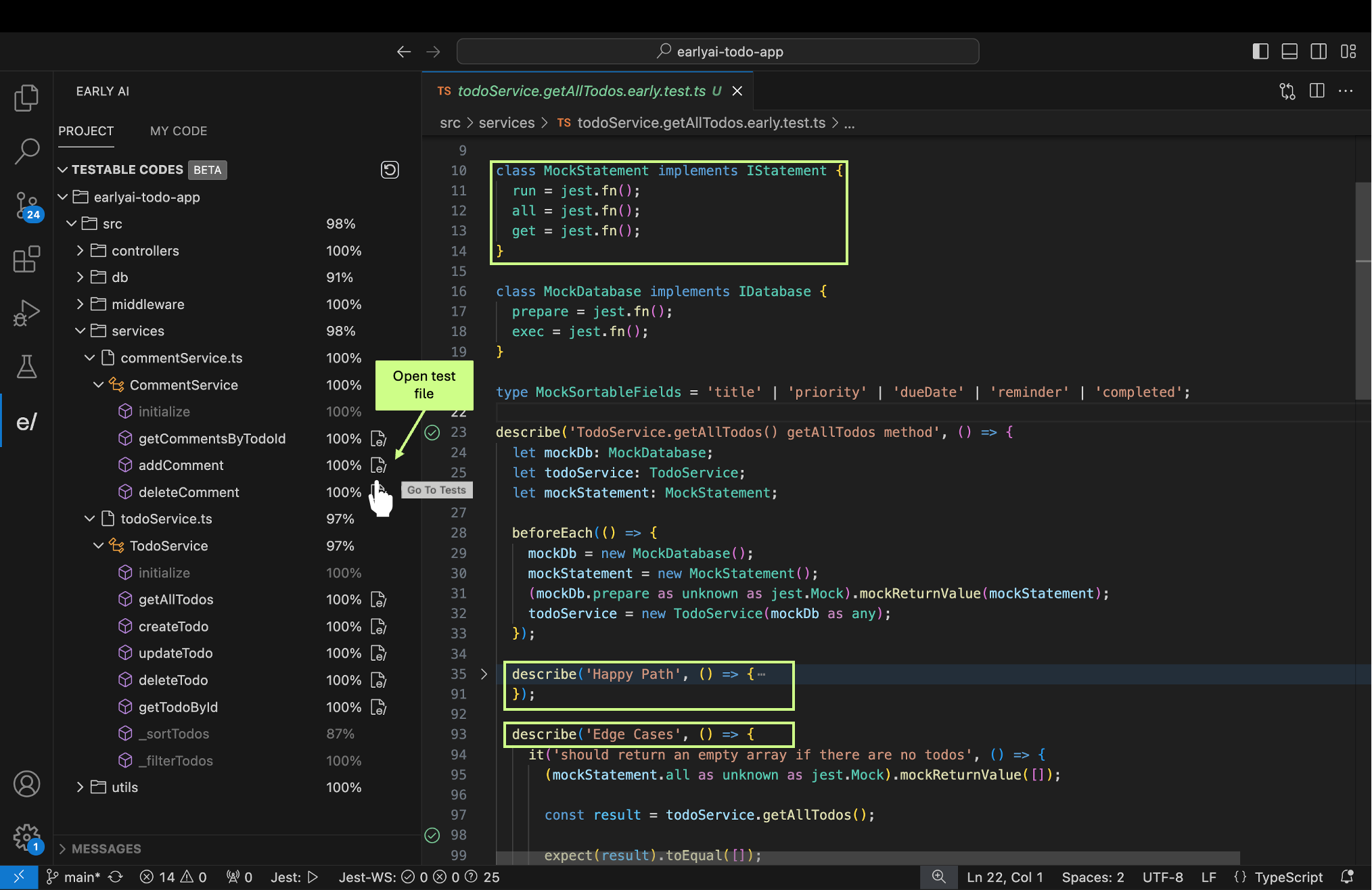
EarlyAI generates complex tests that includes mocks, logic, happy path and edge cases. We also generate “Green” and “Red” unit tests.
* Green are healthy passing unit tests
* Red could be **good** tests that are revealing a bug or erroneous unit tests (bear with us as we improve the product).
You can go-to the generated tests and view them in 3 ways.
1. "Go-to tests" go to tests button next to the method name 2. "Early AI: go to tests" Code lens above each public method/function name on the code editor.
3. context menu: right click within a method name or scope
Run your tests via your preferred jest runner (command line or Jest extension) to view and troubleshoot the various tests.
## Known issues
* While we are striving to 100% coverage (all test generations succeeded) sometimes our model likes to think outside the box, a bit too far outside... we will still show you the results, they could be impressive.
* For more information check our [Github issues](https://github.com/earlyai/earlyai-vscode-release/issues) or the changelog on VSCode [Marketplace](https://marketplace.visualstudio.com/items?itemName=Early-ai.EarlyAI)
## What's Next
Follow the [setup and configuration document](https://www.startearly.ai/docs/setup-and-configuration-guide) to setup your own projects and start generating meaningful unit tests for your code.
 A tree of all the testable methods /functions in the project
2.
A tree of all the testable methods /functions in the project
2.  The percentage next to each method/function shows the code coverage of that method/function
3.
The percentage next to each method/function shows the code coverage of that method/function
3.  "Play" (generate tests) button next to public method names
4.
"Play" (generate tests) button next to public method names
4.  "Go-to tests" go to the unit tests file that was generated
5.
"Go-to tests" go to the unit tests file that was generated
5.  code lens above public method/function names
6.
code lens above public method/function names
6.  "Refresh" coverage button. note: Coverage refreshes automatically after test generations
 "Early AI: Generate tests" Code lens above each public method/function name on the code editor.
3.
"Early AI: Generate tests" Code lens above each public method/function name on the code editor.
3. 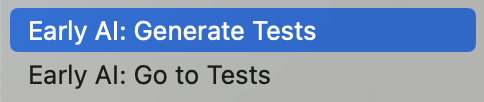 Context menu: right click within a method name or scope
Once you generate a test a VSCode notification bar will pop up on the bottom right corner until the generation is completed. Test generation can take between 15 to 30 seconds depending on the complexity of the code base and API response time.
Context menu: right click within a method name or scope
Once you generate a test a VSCode notification bar will pop up on the bottom right corner until the generation is completed. Test generation can take between 15 to 30 seconds depending on the complexity of the code base and API response time.
 "Early AI: go to tests" Code lens above each public method/function name on the code editor.
3.
"Early AI: go to tests" Code lens above each public method/function name on the code editor.
3. 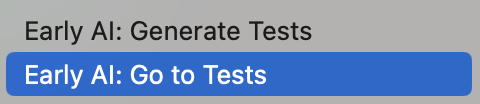 context menu: right click within a method name or scope