# Vue Stripe.js
[](https://github.com/ectoflow/vue-stripe-js/actions)
[](https://www.npmjs.com/package/vue-stripe-js)
[](https://www.npmjs.com/package/vue-stripe-js)
[](https://vshymanskyy.github.io/StandWithUkraine)
Vue 3 components for Stripe. Build advanced payment integrations quickly. Easy
to start, friendly DX, minimal abstractions, and full control. It's a glue
between Stripe.js and Vue component lifecycle. Works with Nuxt 3.
🟢 **[Live demo](https://vue-stripe-js.netlify.app/)**
## Health 💜
Consider supporting efforts to make this project healthy and sustainable. Thank
you!
- **[Donate via PayPal](https://paypal.me/softbeehive)**
## Quickstart ⚡️
### Upgrade
- **[Upgrade guide](docs/UPGRADE_V1_TO_V2.md)**
- **[Docs v1](https://github.com/ectoflow/vue-stripe-js/tree/v1.0.4)**
### 1. Install
```bash
npm i vue-stripe-js @stripe/stripe-js
```
### 2. Load Stripe.js
```vue
```
Alternatively, include a script tag. Make sure Stripe.js is loaded before you
mount Vue components.
```html
```
### 3. Payment Element
Based on –
[deferred payment guide](https://docs.stripe.com/payments/accept-a-payment-deferred?type=payment)
```vue
```
## Examples 🌿
Thanks to the Provider Pattern used in StripeElements, you get minimalist tools
with full access to Stripe.js methods and properties. This results in better
developer experience (DX), simpler code, and fewer bugs.
These examples use Vue Composition API and TypeScript.
- [All](examples/)
- [Payment](examples/PaymentElementDeferred.vue)
- [Card](examples/CardElement.vue)
- [Express Checkout](examples/ExpressCheckoutElement.vue)
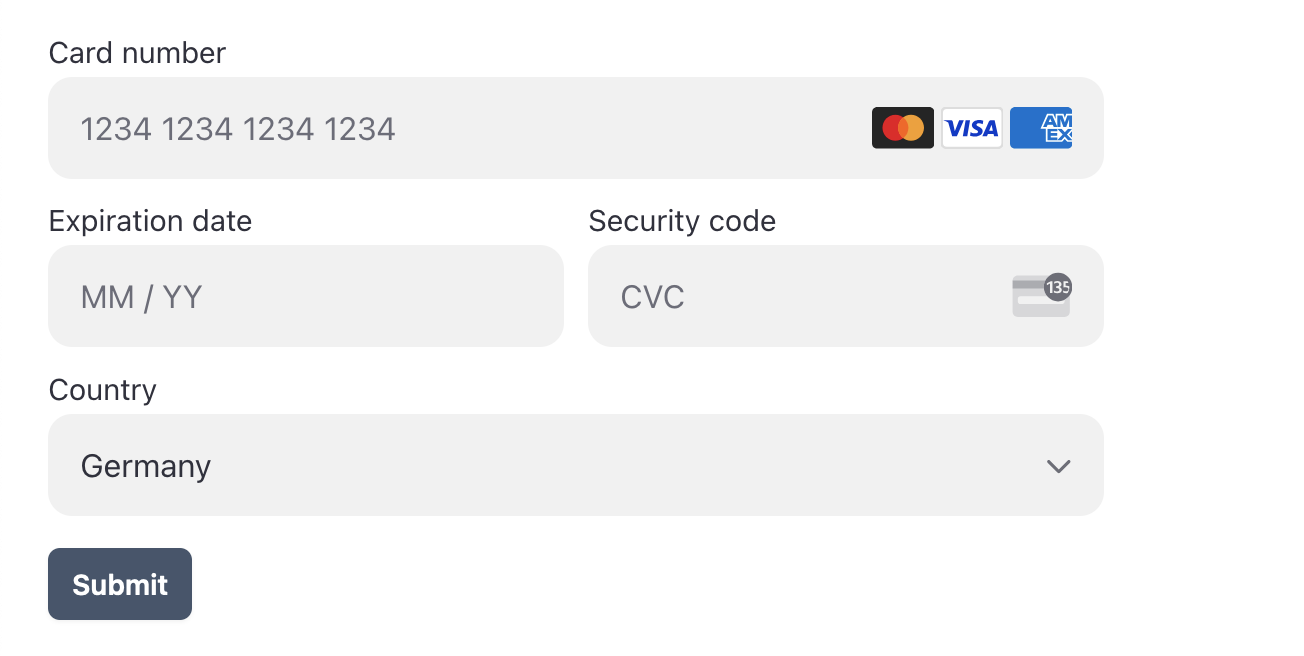
### Screenshot
## Advanced integration 🏗️
All features of Stripe.js are available in two components. The benefits of Vue
solution: element is created and destroyed automatically, options are reactive,
event listeners are attached to StripeElement. Simple and future-proof.
🥇 **Most important property is type** 🥇
```html
```
Available types
```ts
type StripeElementType =
| "address"
| "affirmMessage"
| "afterpayClearpayMessage"
| "auBankAccount"
| "card"
| "cardNumber"
| "cardExpiry"
| "cardCvc"
| "currencySelector"
| "epsBank"
| "expressCheckout"
| "fpxBank"
| "iban"
| "idealBank"
| "p24Bank"
| "payment"
| "paymentMethodMessaging"
| "paymentRequestButton"
| "linkAuthentication"
| "shippingAddress"
| "issuingCardNumberDisplay"
| "issuingCardCvcDisplay"
| "issuingCardExpiryDisplay"
| "issuingCardPinDisplay"
| "issuingCardCopyButton";
// Check actual element types in @stripe/stripe-js
```
## Events
```html
```
Following events are emitted on StripeElement
- change
- ready
- focus
- blur
- click
- escape
- loaderror
- loaderstart
## Styling
Add classes to components
```html
```
Style element via options -
[read documentation](https://stripe.com/docs/js/appendix/style)
```ts
const cardOptions = ref({
style: {
base: {
iconColor: "green",
},
invalid: {
iconColor: "red",
},
},
});
```