
markupR
Record your screen. Say what's wrong. Your AI agent fixes it.




Quick Start ·
Context-Aware Capture ·
Why markupR ·
MCP Server ·
CLI ·
Integrations ·
Contributing
---
Desktop app workflow is the default: record + narrate + stop, then ship context-rich markdown (frames + cursor/window/focus hints when available) directly to your agent.
## The Problem
AI coding agents can't see your screen. When you find a bug, you context-switch into writing mode -- describing the layout issue in text, manually screenshotting, cropping, and dragging images into the right spot. You speak at 150 words per minute but type at 60. The context is lost in translation.
## The Solution
markupR is a desktop capture app first. You hit a hotkey, narrate what you see, and stop. Then it runs a post-session pipeline that aligns transcript timestamps with the recording, extracts the right frames, and outputs structured Markdown your agent can execute against immediately.
- **Record** -- press a hotkey, talk through what you see
- **Process** -- Whisper transcribes, ffmpeg extracts frames at the exact moments you described
- **Enrich** -- capture context is attached to shot markers (cursor position, active window/app, focused element hints when available)
- **Output** -- structured Markdown with screenshots and context your agent can trust
```
Cmd+Shift+F --> talk --> Cmd+Shift+F --> Cmd+V into your agent
```
## Quick Start
### Desktop App (recommended)
Download from [markupr.com](https://markupr.com) or [GitHub Releases](https://github.com/eddiesanjuan/markupr/releases).
> **macOS install note:** Apple notarization is currently rolling out. If macOS warns on first launch, use **Right-click -> Open** once to trust the app. If needed, run: `xattr -dr com.apple.quarantine /Applications/markupR.app`
1. Press `Cmd+Shift+F` (macOS) or `Ctrl+Shift+F` (Windows) to start
2. Narrate what you see and mark shots when needed
3. Press the hotkey again to stop
4. Paste the generated report path into Claude Code, Cursor, Windsurf, or any coding agent
### MCP Server (for AI coding agents)
```bash
npx --package markupr markupr-mcp
```
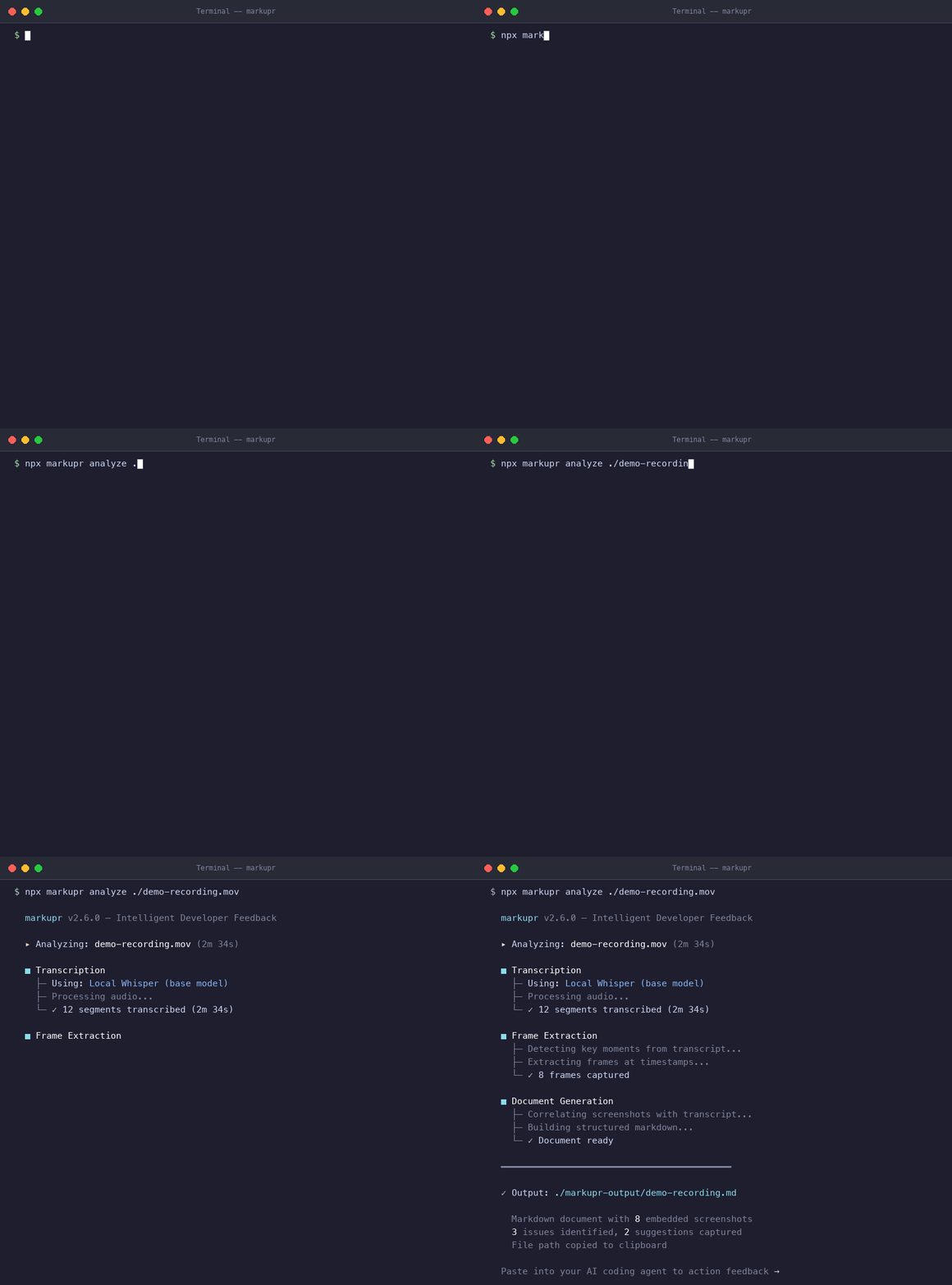
### CLI (for existing recordings / CI / automation)
```bash
npx markupr analyze ./recording.mov
```
Use this when you already have a video file. The desktop app remains the primary capture workflow.
## Context-Aware Capture: What Your Agent Actually Gets
Every important frame can carry extra machine-usable context, not just pixels.
- **Cursor coordinates** at capture time
- **Active app + window title** (best-effort from OS context)
- **Focused element hints** (role/text/title hints when available)
- **Trigger metadata** (`manual`, `pause`, or `voice-command`)
This makes the report a high-signal liaison between you and your agent: what you said, what you saw, and where your attention was.
## Why markupR?
**Local-first.** Whisper runs on your device. Your recordings, transcripts, and screenshots never leave your machine. No cloud dependency, no account required.
**AI-native output.** The Markdown output is structured for LLM consumption -- headings, categories, severity levels, inline screenshots, and capture-context hints. Not a raw transcript with random images.
**Works everywhere.** Desktop app for daily flow. CLI for scripts and CI/CD. MCP server for agent integration. GitHub Action for PR feedback. Same pipeline, four interfaces.
**Open source.** MIT licensed. No telemetry, no tracking, no analytics. Read the source, fork it, ship it.
## What the Output Looks Like
```markdown
# Feedback Session -- Feb 5, 2026
## FB-001: Button sizing issue
The submit button is way too small on mobile. I'm trying to tap it
and keep hitting the cancel link underneath. Needs more vertical
padding, maybe 12px minimum tap target.

## FB-002: Loading state feels janky
After the spinner disappears, the content pops in with no transition.
There's a visible layout shift -- the sidebar jumps left by about
20 pixels.

```
Each screenshot is extracted from the exact video frame matching your narration timestamp, with context hints attached when available. See full examples in [`examples/`](examples/).
## MCP Server
Give your AI coding agent eyes and ears. Add markupR as an MCP server and it can capture screenshots, record your screen with voice, and receive structured reports -- all mid-conversation.
### Setup
**Claude Code** (`~/.claude/settings.json`):
```json
{
"mcpServers": {
"markupR": {
"command": "npx",
"args": ["--yes", "--package", "markupr", "markupr-mcp"]
}
}
}
```
**Cursor / Windsurf** -- same config in your MCP settings.
### Tools
| Tool | Description |
|------|-------------|
| `capture_screenshot` | Grab the current screen and attach context metadata (cursor + active app/window + focus hints when available). |
| `capture_with_voice` | Record screen + mic for a set duration. Returns a structured report. |
| `analyze_video` | Process any existing `.mov` or `.mp4` into Markdown with extracted frames (fallback path for externally captured recordings). |
| `analyze_screenshot` | Run a screenshot through the AI analysis pipeline. |
| `start_recording` | Begin an interactive recording session. |
| `stop_recording` | End the session and run the full pipeline. |
### Example
```
You: "The sidebar is overlapping the main content on mobile. Can you see it?"
Agent: [calls capture_screenshot]
"I can see the issue -- the sidebar has position: fixed but no z-index,
and it's 280px wide with no responsive breakpoint. Let me fix the CSS..."
[fixes the code]
```
No copy-pasting screenshots. No rewriting what you already know. The agent gets structured report context and acts.
Full MCP documentation: [README-MCP.md](README-MCP.md)
## CLI
### Installation
```bash
# Run without installing
npx markupr analyze ./recording.mov
# Or install globally
npm install -g markupr
```
### Commands
**`markupr analyze