
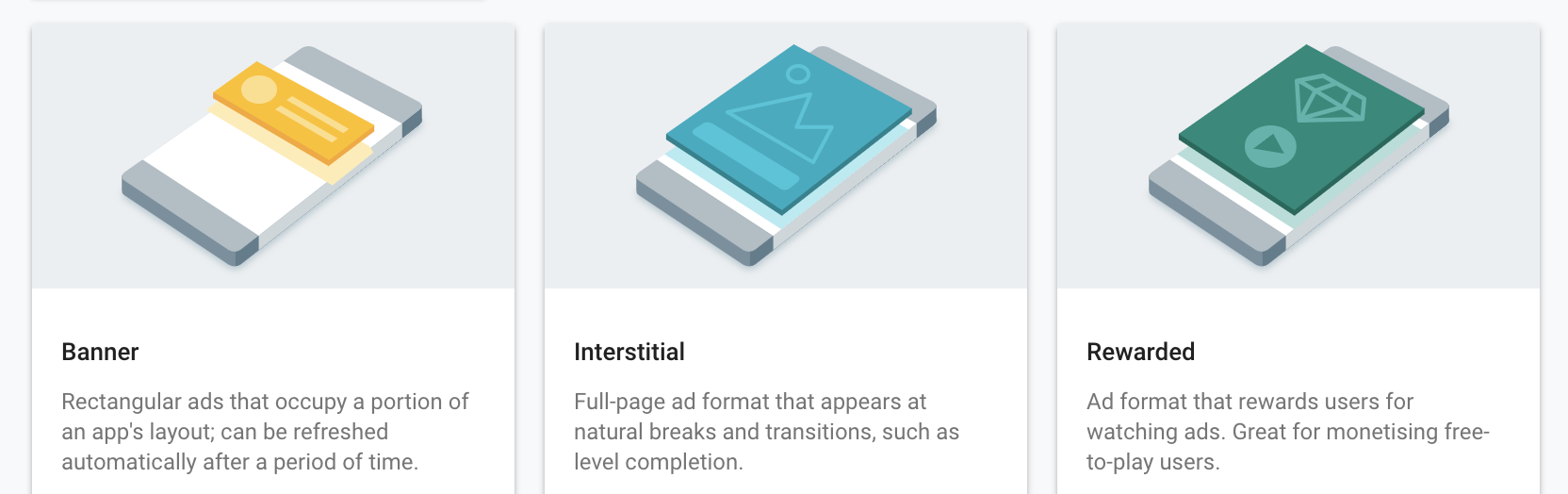
 _AdMob currently supports these three types of Ads, as does this plugin_
## Enabling AdMob
### Android
> ⚠️ Important! Plugin version 7.4.0+ requires you to do this - or your app will crash on start-up! ⚠️
Open your App_Resources/Android/AndroidManifest.xml file and add this `meta-data` line at [the right spot](https://github.com/EddyVerbruggen/nativescript-plugin-firebase/blob/3fe3f6b4b9d1b83b048b10472bec923f64e08c75/demo/app_resources/Android/src/main/AndroidManifest.xml#L28-L30) (and replace the value by the actual App ID of [your app](https://apps.admob.com/)!):
```xml
```
### iOS
> ⚠️ Important! Plugin version 8.2.0+ requires you to do this - or your app will crash on start-up! ⚠️
As can be read [here](https://developers.google.com/admob/ios/quick-start#update_your_infoplist) you should open your
App_Resources/iOS/Info.plist file and add this `GADApplicationIdentifier` key and replace the value by the actual App ID of [your app](https://apps.admob.com/)!:
```xml
GADApplicationIdentifier
ca-app-pub-9517346003011652~2508636525
```
#### App Transport Security
Open `app/App_Resources/iOS/Info.plist` and add this to the bottom:
```xml
NSAppTransportSecurity
NSAllowsArbitraryLoads
NSAllowsArbitraryLoadsForMedia
NSAllowsArbitraryLoadsInWebContent
```
[More info on this subject.](https://firebase.google.com/docs/admob/ios/app-transport-security)
## Functions
> Note that it may take up to 24 hours after adding an Ad to your [AdMob console](https://apps.admob.com) before it's available for your app. Until then you'll see a ⚠️ warning about an unknown Ad ID.
### admob.showBanner
Go [manage your AdMob app](https://apps.admob.com) and grab the banner, then show it in your app:
```js
firebase.admob.showBanner({
size: firebase.admob.AD_SIZE.SMART_BANNER, // see firebase.admob.AD_SIZE for all options
margins: { // optional nr of device independent pixels from the top or bottom (don't set both)
bottom: 10,
top: -1
},
androidBannerId: "ca-app-pub-9517346003011652/7749101329",
iosBannerId: "ca-app-pub-9517346003011652/3985369721",
testing: true, // when not running in production set this to true, Google doesn't like it any other way
iosTestDeviceIds: [ //Android automatically adds the connected device as test device with testing:true, iOS does not
"45d77bf513dfabc2949ba053da83c0c7b7e87715", // Eddy's iPhone 6s
"fee4cf319a242eab4701543e4c16db89c722731f" // Eddy's iPad Pro
],
keywords: ["keyword1", "keyword2"], // add keywords for ad targeting
onOpened: () => console.log("Ad opened"),
onClicked: () => console.log("Ad clicked"),
onLeftApplication: () => console.log("Ad left application")
}).then(
function () {
console.log("AdMob banner showing");
},
function (errorMessage) {
dialogs.alert({
title: "AdMob error",
message: errorMessage,
okButtonText: "Hmmkay"
});
}
);
```
### admob.hideBanner
Easy peasy:
```js
firebase.admob.hideBanner().then(
function () {
console.log("AdMob banner hidden");
},
function (errorMessage) {
dialogs.alert({
title: "AdMob error",
message: errorMessage,
okButtonText: "Hmmkay"
});
}
);
```
### admob.showInterstitial
This is a fullscreen ad, so you can earn extra credit on the eternal ladder of annoyance.
Note that an interstitial is supposed to be hidden by clicking the close button, so there's no function to do it programmatically.
If you want to get notified when an interstitial is closed, provide an `onAdClosed` callback as shown below.
There's two ways how you can use this function:
* **RECOMMENDED**: without arguments, and after the Promise of `preloadInterstitial` resolves. This will show the interstitial immediately.
* **DEPRECATED**: with arguments (same as `preloadInterstitial`). This will preload and *then* show the interstitial, so a delay will be noticable by the user, which is against Google's policies.
```js
firebase.admob.preloadInterstitial({
iosInterstitialId: "ca-app-pub-9517346003011652/6938836122",
androidInterstitialId: "ca-app-pub-9517346003011652/6938836122",
testing: true, // when not running in production set this to true, Google doesn't like it any other way
iosTestDeviceIds: [ // Android automatically adds the connected device as test device with testing:true, iOS does not
"45d77bf513dfabc2949ba053da83c0c7b7e87715", // Eddy's iPhone 6s
"fee4cf319a242eab4701543e4c16db89c722731f" // Eddy's iPad Pro
],
onClosed: () => console.log("Interstitial closed"),
onClicked: () => console.log("Interstitial clicked"),
onOpened: () => console.log("Interstitial opened"),
onLeftApplication: () => console.log("Interstitial left application")
}).then(
function () {
console.log("AdMob interstitial preloaded, you can now call 'showInterstitial' at any time to show it without delay.");
},
function (errorMessage) {
dialogs.alert({
title: "AdMob error",
message: errorMessage,
okButtonText: "Hmmkay"
});
}
);
```
After the preload Promise resolved successfully, you can show the interstitial at any time you want:
```js
firebase.admob.showInterstitial().then(
function () {
console.log("AdMob interstitial showing.");
},
function (errorMessage) {
dialogs.alert({
title: "AdMob error",
message: errorMessage,
okButtonText: "Hmmkay"
});
}
);
```
### preloadRewardedVideoAd
Use this for instance while loading your view, so it's ready for the moment you want to actually show it (by calling `showRewardedVideoAd`).
```js
firebase.admob.preloadRewardedVideoAd({
testing: true,
iosAdPlacementId: "ca-app-pub-XXXXXX/YYYYY2", // add your own
androidAdPlacementId: "ca-app-pub-AAAAAAAA/BBBBBB2", // add your own
keywords: ["keyword1", "keyword2"], // add keywords for ad targeting
}).then(
function() {
console.log("RewardedVideoAd preloaded - you can now call 'showRewardedVideoAd' whenever you're ready to do so");
},
function(error) {
console.log("admob preloadRewardedVideoAd error: " + error);
}
)
```
### showRewardedVideoAd
At any moment after `preloadRewardedVideoAd` successfully resolves, you can call `showRewardedVideoAd`.
Note that when you want to use `showRewardedVideoAd` again, you also have to use `preloadRewardedVideoAd` again because those ads can't be reused.
`onRewarded` is probably the only callback you need to worry about.
```js
firebase.admob.showRewardedVideoAd({
onRewarded: (reward) => {
// the properties 'amount' and 'type' correlate to the values set at https://apps.admob.com
console.log("onRewarded called with amount " + reward.amount);
console.log("onRewarded called with type " + reward.type);
},
onOpened: () => console.log("onOpened"),
onClosed: () => console.log("onClosed"),
onStarted: () => console.log("onStarted"),
onCompleted: () => console.log("onCompleted"),
onLeftApplication: () => console.log("onLeftApplication")
}).then(
function() {
console.log("RewardedVideoAd showing");
},
function(error) {
console.log("showRewardedVideoAd error: " + error);
}
)
```
## What about the nativescript-admob plugin?
There's no functional difference between the AdMob features in the Firebase plugin and
[nativescript-admob](https://github.com/EddyVerbruggen/nativescript-admob).
The main advantage of using the version in the Firebase plugin is to avoid a gradle build conflict
in the Android build you may encounter when including both plugins in your app.