 # PerMark
**AI speeds the work. Your vision steers it.**
A Markdown app to read and review what your AI agents write, and steer the work through its documents.
It opens every Markdown file as a clean page, shows what your agents change while they write, and lets you keep or revert each change. Created and maintained by [Edelmar Schneider](https://github.com/EdelmarSchneider). [](https://github.com/EdelmarSchneider/permark/releases/latest) [](#license) [](https://github.com/EdelmarSchneider/permark/actions/workflows/ci.yml) **Get PerMark:** [Microsoft Store](https://apps.microsoft.com/detail/9NVV5GVZMGGX) (Windows) · [GitHub Releases](https://github.com/EdelmarSchneider/permark/releases/latest) (Windows, macOS, Linux) [Where to start](#where-to-start) · [Try it](#try-it-in-a-minute) · [Install](#install) · [Use with an AI agent](#use-with-an-ai-agent) · [Shortcuts](#keyboard-shortcuts) · [What's new](#whats-new-and-ideas-being-explored) · [Contributing](#contributing)
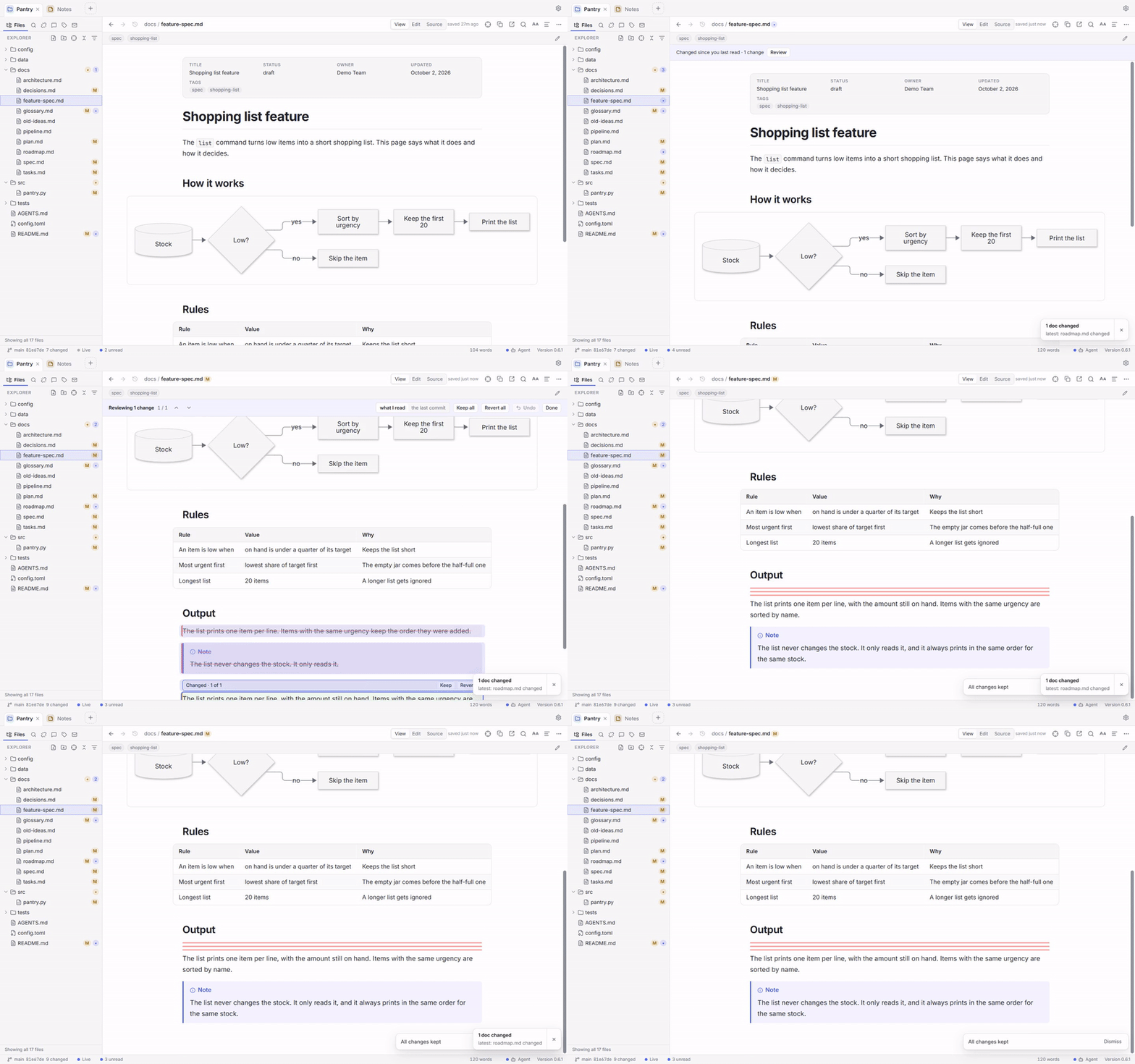 Free and open source (MIT or Apache-2.0) · No account, no telemetry · Windows, macOS and Linux (tested by hand on Windows)


