
A powerful, browser-based AI voice generator that lets you create natural-sounding voices without installing anything.
Use it directly in your browser or self-host it for your own applications with OpenAI API compatibility!
## 🎬 Demo
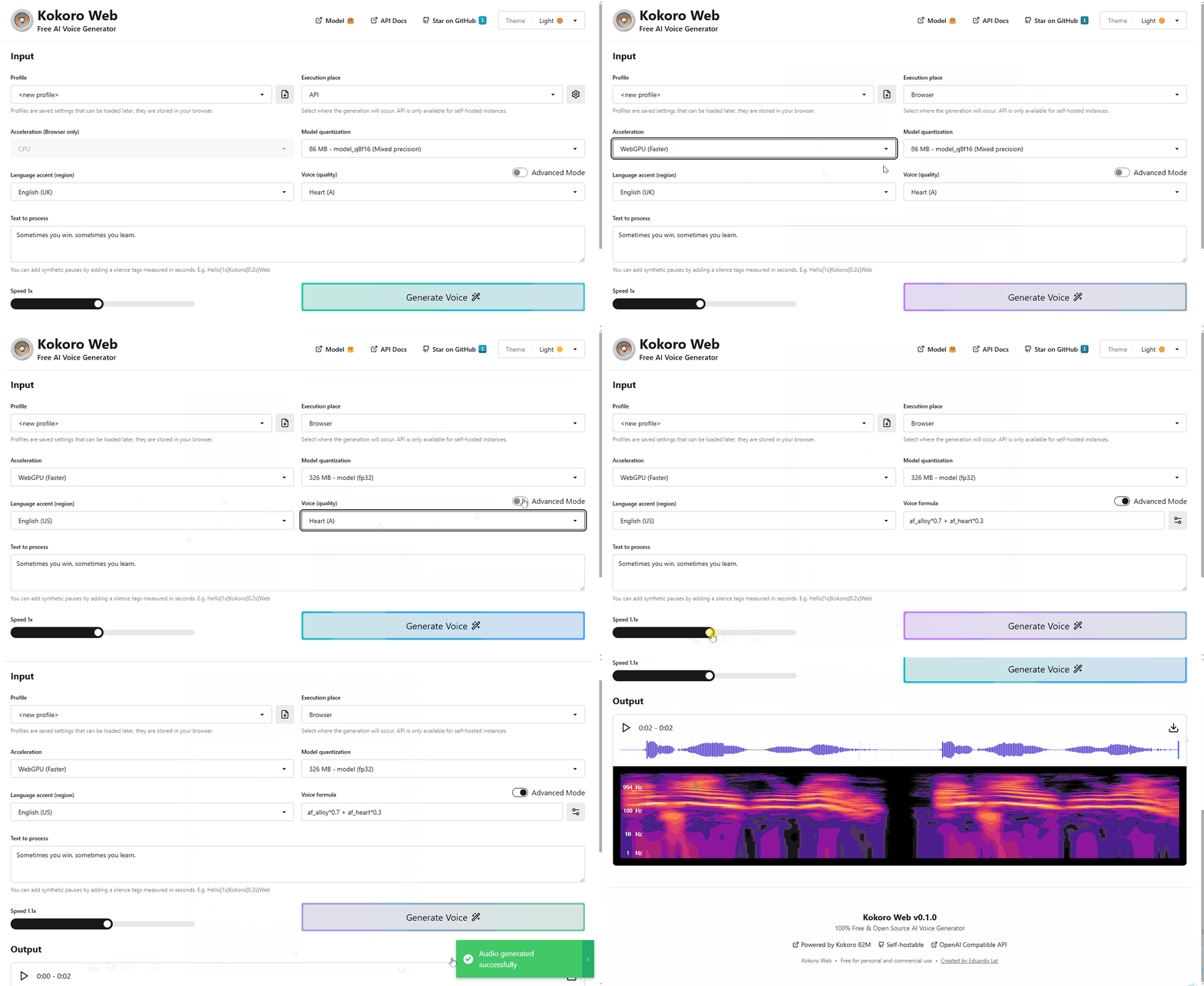
Try it now: https://voice-generator.pages.dev
## ✨ Key Features - **Zero Installation** - Works directly in your browser, no downloads needed - **Self Hostable** - If you need an OpenAI Compatible API - **Free & Open Source** - 100% free for personal and commercial use - **Multiple Languages** - Support for various language accents - **Voice Customization** - Simple and advanced voice configuration options - **WebGPU Acceleration** - Utilize your GPU for faster generation in supported browsers ## 🧠 Model Kokoro Web is powered by [hexgrad/Kokoro-82M](https://huggingface.co/hexgrad/Kokoro-82M), an open-weight 82 million parameter Text-to-Speech model available on Hugging Face. > Despite its lightweight architecture, it delivers comparable quality to larger models while being significantly faster and more cost-efficient. With Apache-licensed weights, Kokoro can be deployed anywhere from production environments to personal projects. This is one of the top-ranked models in [TTS Arena](https://huggingface.co/spaces/TTS-AGI/TTS-Arena), just behind ElevenLabs. Special thanks to the model creators for making this technology accessible. ## 🚀 Usage ### Option 1: Use it online Visit the hosted version at [voice-generator.pages.dev](https://voice-generator.pages.dev) and start generating voices instantly! ### Option 2: Self-host with Docker The self-hosted version includes an OpenAI-compatible API that works as a drop-in replacement for applications using [OpenAI's text-to-speech API](https://platform.openai.com/docs/guides/text-to-speech). ```yaml services: kokoro-web: image: ghcr.io/eduardolat/kokoro-web:latest ports: - "3000:3000" environment: - KW_SECRET_API_KEY=your-api-key volumes: - ./kokoro-cache:/kokoro/cache # Cache downloaded models and voices restart: unless-stopped ``` You can adjust the `compose.yaml` according to your needs or use docker run directly. Then access the web UI at http://localhost:3000 and the API at http://localhost:3000/api/v1/index.html ## ⚙️ Environment variables - **KW_SECRET_API_KEY** - Your API key for authentication. If left blank, authentication will not be activated - **KW_PUBLIC_NO_TRACK** - Opt out of anonymous usage analytics ## 🔌 API Integration Kokoro Web provides an OpenAI-compatible API that works as a drop-in replacement for applications using OpenAI's text-to-speech service: ```javascript import fs from "fs"; import path from "path"; import OpenAI from "openai"; const openai = new OpenAI({ baseURL: 'http://your-kokoro-host/api/v1', apiKey: 'your-kokoro-api-key', }); const speechFile = path.resolve("./speech.mp3"); const mp3 = await openai.audio.speech.create({ model: "model_q8f16", voice: "af_heart", input: "Today is a wonderful day to build something people love!", }); const buffer = Buffer.from(await mp3.arrayBuffer()); await fs.promises.writeFile(speechFile, buffer); ``` ## 📜 License Kokoro Web is [MIT Licensed](LICENSE) ---Made with ❤️ by Eduardo Lat