PG Back Web

🐘 Effortless PostgreSQL backups with a user-friendly web interface! 🌐💾






> [!NOTE]
> **We're growing! New name, bigger future**
>
> PG Back Web is becoming **UFO Backup**! The new name reflects a future where the project expands beyond PostgreSQL, making powerful backups simple and accessible for everyone
>
> Curious about the roadmap or want to shape the project's future? Join the [community](https://ufobackup.uforg.dev/r/community) to discuss ideas and influence decisions, everyone's input is welcome!
## Sponsors
Thank you to the following sponsors for supporting PG Back Web! Your contributions help keep the project running and growing! 🚀
## Why PG Back Web?
PG Back Web isn't just another backup tool. It's your trusted ally in ensuring the security and availability of your PostgreSQL data:
- 🎯 **Designed for everyone**: From individual developers to teams.
- ⏱️ **Save time**: Automate your backups and forget about manual tasks.
- ⚡ **Plug and play**: Don't waste time with complex configurations.
## Features
- 📦 **Intuitive web interface**: Manage your backups with ease, no database expertise required.
- 📅 **Scheduled backups**: Set it and forget it. PG Back Web takes care of the rest.
- 📈 **Backup monitoring**: Visualize the status of your backups with execution logs.
- 📤 **Instant download & restore**: Restore and download your backups when you need them, directly from the web interface.
- 🖥 **Multi-version support**: Compatible with PostgreSQL 13, 14, 15, 16, 17, and 18.
- 📁 **Local & S3 storage**: Store backups locally or add as many S3 buckets as you want for greater flexibility.
- ❤️🩹 **Health checks**: Automatically check the health of your databases and destinations.
- 🔔 **Webhooks**: Get notified when a backup finishes, failed, health check fails, or other events.
- 🔒 **Security first**: PGP encryption to protect your sensitive information.
- 🛡️ **Open-source trust**: Open-source code under AGPL v3 license, backed by the robust pg_dump tool.
- 🌚 **Dark mode**: Because we all love dark mode.
## Installation
PG Back Web is available as a Docker image. You just need to set 3 environment variables and you're good to go!
Here's an example of how you can run PG Back Web with Docker Compose, feel free to adapt it to your needs:
```yaml
services:
pgbackweb:
image: eduardolat/pgbackweb:latest
ports:
- "8085:8085" # Access the web interface at http://localhost:8085
volumes:
- ./backups:/backups # If you only use S3 destinations, you don't need this volume
environment:
# Optional environment variables are ignored, see the configuration section below for more details
PBW_ENCRYPTION_KEY: "my_secret_key" # Change this to a strong key
PBW_POSTGRES_CONN_STRING: "postgresql://postgres:password@postgres:5432/pgbackweb?sslmode=disable"
depends_on:
postgres:
condition: service_healthy
postgres:
image: postgres:18
environment:
POSTGRES_USER: postgres
POSTGRES_DB: pgbackweb
POSTGRES_PASSWORD: password
ports:
- "5432:5432"
volumes:
- ./data:/var/lib/postgresql/data
healthcheck:
test: ["CMD-SHELL", "pg_isready -U postgres"]
interval: 5s
timeout: 5s
retries: 5
```
You can watch [this youtube video](https://www.youtube.com/watch?v=vf7SLrSO8sw) to see how easy it is to set up PG Back Web.
## Configuration
You only need to configure the following environment variables:
- `PBW_ENCRYPTION_KEY`: Your encryption key. Generate a strong random one and store it in a safe place, as PG Back Web uses it to encrypt sensitive data.
- `PBW_POSTGRES_CONN_STRING`: The connection string for the PostgreSQL database that will store PG Back Web data.
- `PBW_LISTEN_HOST`: Optional. Host for the server to listen on, default 0.0.0.0
- `PBW_LISTEN_PORT`: Optional. Port for the server to listen on, default 8085
- `PBW_PATH_PREFIX`: Optional. Path prefix for the application URL. Use this when you want to serve the application under a subpath (e.g., `/pgbackweb`). Must start with `/` and not end with `/`. Default is empty.
- `TZ`: Optional. Your [timezone](https://en.wikipedia.org/wiki/List_of_tz_database_time_zones#List). Default is `UTC`. This impacts logging, backup filenames and default timezone in the web interface.
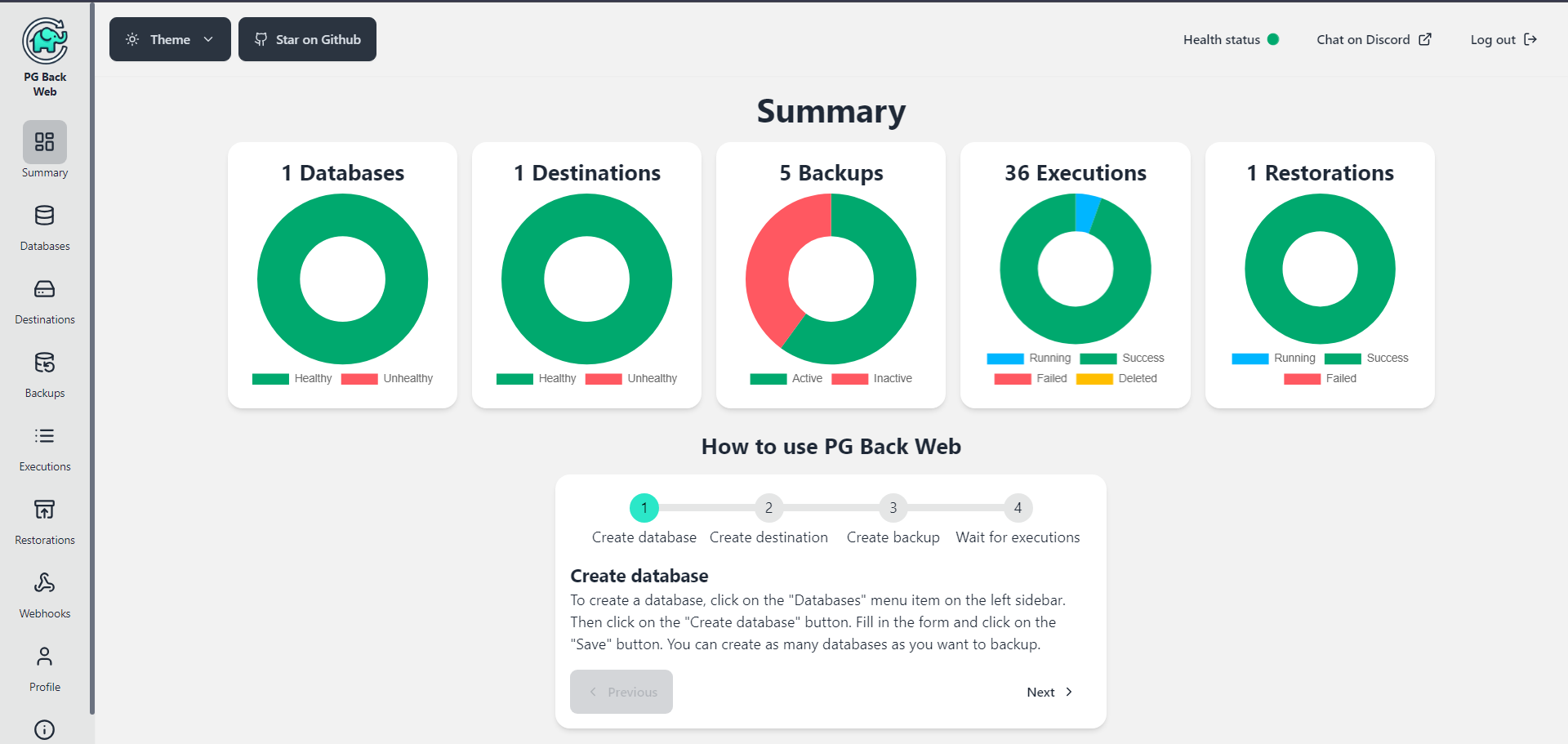
## Screenshot
 ## Reset password
You can reset your PG Back Web password by running the following command in the server where PG Back Web is running:
```bash
docker exec -it sh -c change-password
```
You should replace `` with the name or ID of the PG Back Web container, then just follow the instructions.
## Next steps
In this link you can see a list of features that have been confirmed for future updates:
Next steps ⏭️
## Become a Sponsor
🙏 Thank you to the incredible sponsors for supporting this project! Your contributions help keep PG Back Web running and growing. If you'd like to join and become a sponsor, please visit the [sponsorship page](https://buymeacoffee.com/eduardolat) and be part of something great! 🚀
### 🥇 Gold Sponsors
### 🥈 Silver Sponsors
### 🥉 Bronze Sponsors
## Join the Community
Got ideas to improve PG Back Web? Contribute to the project! Every suggestion and pull request is welcome.
## License
This project is 100% open source and is licensed under the AGPL v3 License - see the [LICENSE](LICENSE) file for details.
---
💖 **Love PG Back Web?** Give us a ⭐ on GitHub and share the project with your colleagues. Together, we can make PostgreSQL backups more accessible to everyone!
## Reset password
You can reset your PG Back Web password by running the following command in the server where PG Back Web is running:
```bash
docker exec -it sh -c change-password
```
You should replace `` with the name or ID of the PG Back Web container, then just follow the instructions.
## Next steps
In this link you can see a list of features that have been confirmed for future updates:
Next steps ⏭️
## Become a Sponsor
🙏 Thank you to the incredible sponsors for supporting this project! Your contributions help keep PG Back Web running and growing. If you'd like to join and become a sponsor, please visit the [sponsorship page](https://buymeacoffee.com/eduardolat) and be part of something great! 🚀
### 🥇 Gold Sponsors
### 🥈 Silver Sponsors
### 🥉 Bronze Sponsors
## Join the Community
Got ideas to improve PG Back Web? Contribute to the project! Every suggestion and pull request is welcome.
## License
This project is 100% open source and is licensed under the AGPL v3 License - see the [LICENSE](LICENSE) file for details.
---
💖 **Love PG Back Web?** Give us a ⭐ on GitHub and share the project with your colleagues. Together, we can make PostgreSQL backups more accessible to everyone!