## Features
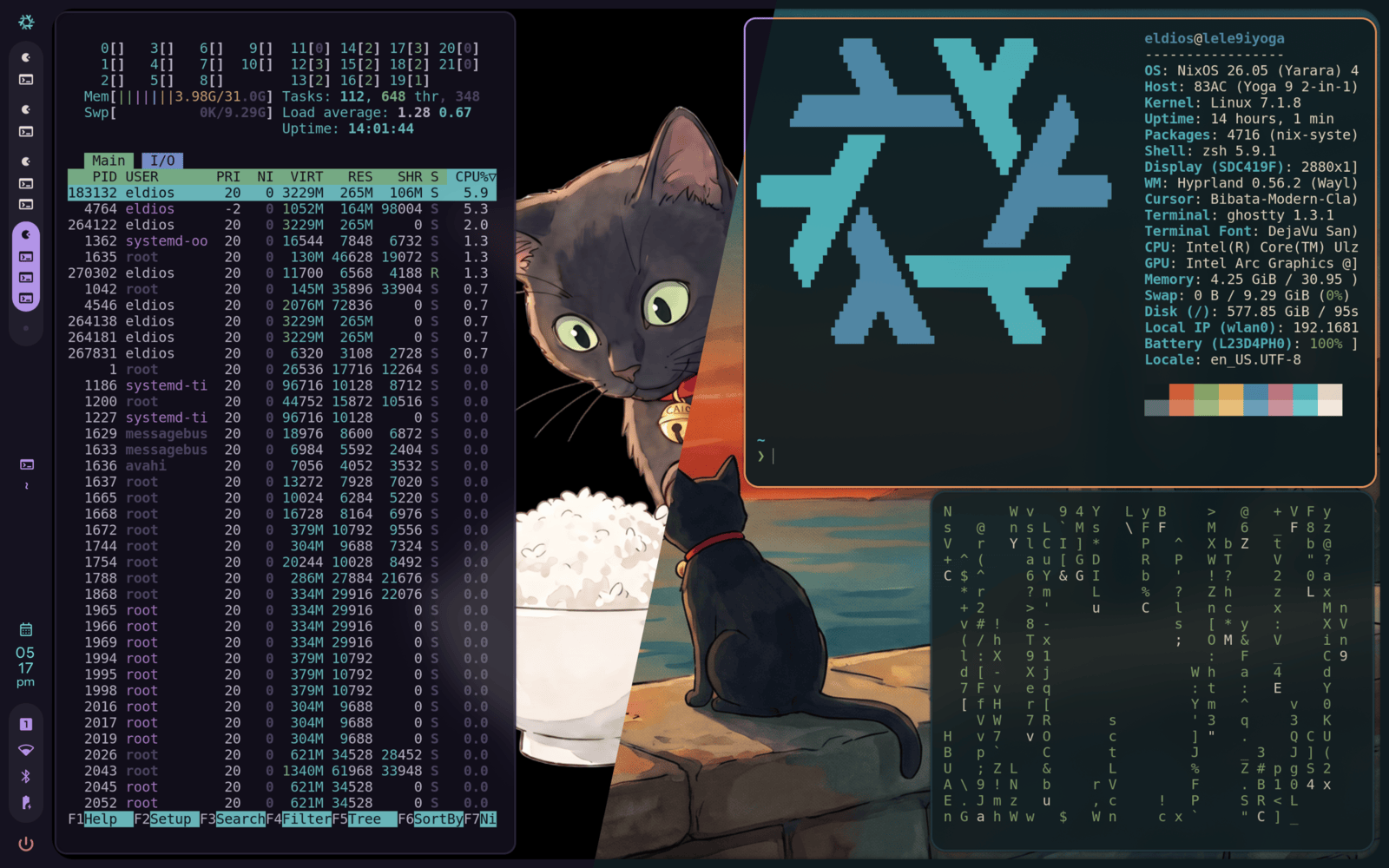
- One palette renders seventeen applications out of the box: terminals,
bars, notifiers, lockers, editors
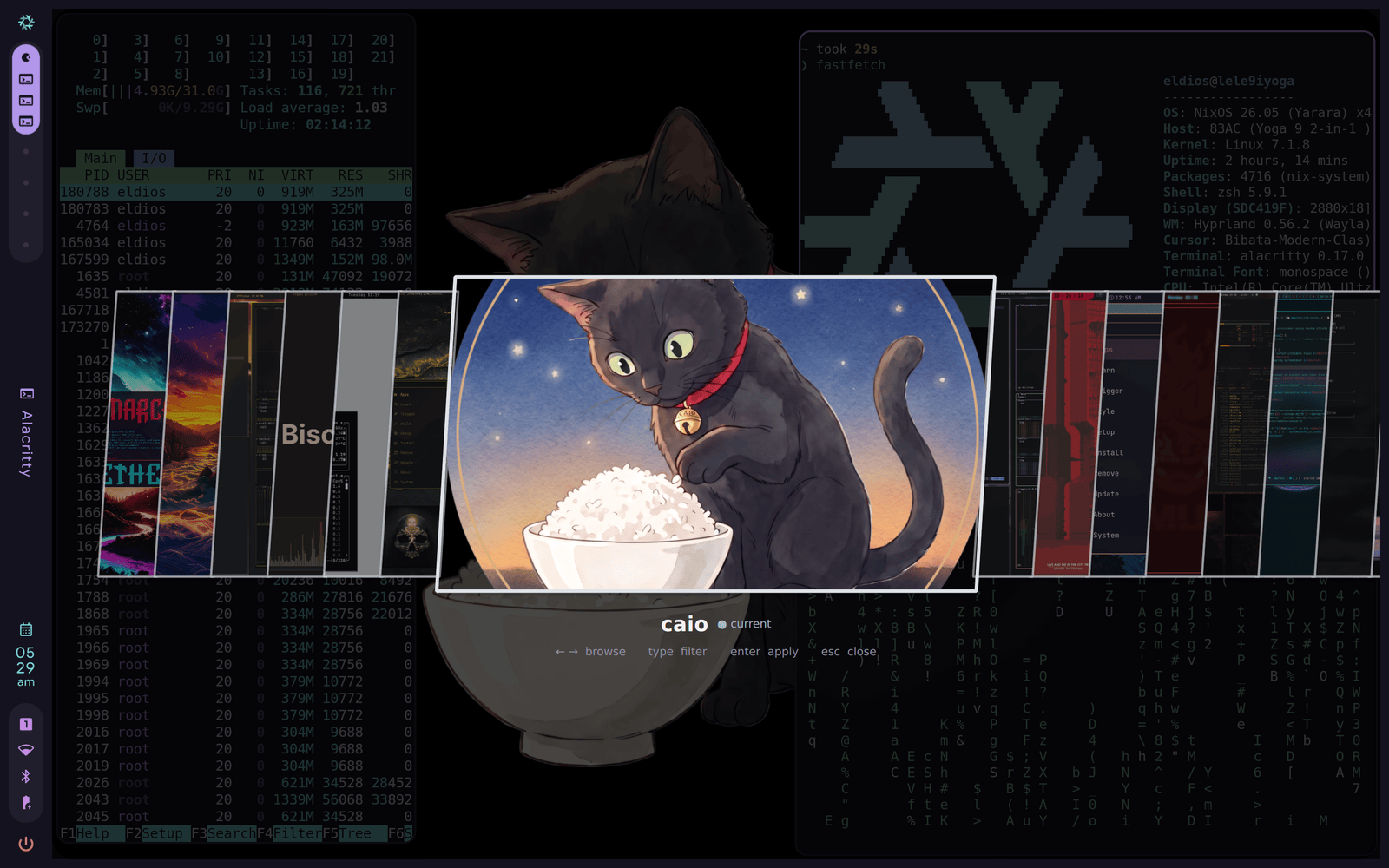
- Full-screen carousel (`--gui`) and terminal picker with image
previews (`--tui`) for themes, wallpapers and the catalog
- Themes are data, never code: executables, run directives, symlinks
and escaping paths are refused at install time
- Your configs stay yours: riso renders fragments your configs include,
and `riso restore` puts back every byte it ever wrote over
- Hyprland, Sway, niri and Omarchy recognized from the session; reads
Omarchy themes byte-for-byte compatibly
- Wallpapers per theme, remembered per theme
- `riso config check` says what a fresh system is missing and the exact
include line each application needs; `riso config apps` says what the
current configuration can theme
- One binary, a manpage, `git` and `curl` for fetching things
## Install
### Prerequisites
- A desktop riso can tell about the change: the Hyprland, Sway or niri
compositors, or Omarchy, where riso is a drop-in. Anywhere else the
files are still written, but nothing reloads and nothing reads them
until you wire it.
- `git` and `curl` on the PATH: themes install and update through them.
- `quickshell`, only for the `--gui` carousel; `--tui` works in any
terminal.
- Each application reads its theme through one include line in its own
config. Run `riso config check` after installing: it lists what is
missing and the exact line each application needs; `riso config wire`
adds those lines for you, one confirmation per file, and
`riso restore` puts every touched file back.
 ### One palette, your whole desktop
A ricing framework for Linux: themes are data, riso renders them into
the files your desktop reads.
[](https://github.com/eldios/riso/actions/workflows/ci.yml)
[](https://github.com/eldios/riso/releases/latest)
[](https://aur.archlinux.org/packages/riso)
[](LICENSE)
### One palette, your whole desktop
A ricing framework for Linux: themes are data, riso renders them into
the files your desktop reads.
[](https://github.com/eldios/riso/actions/workflows/ci.yml)
[](https://github.com/eldios/riso/releases/latest)
[](https://aur.archlinux.org/packages/riso)
[](LICENSE)