
# ackee-tracker
[](https://github.com/electerious/ackee-tracker/actions/workflows/test.yml) [](https://www.paypal.com/cgi-bin/webscr?cmd=_s-xclick&hosted_button_id=CYKBESW577YWE)
A script that interacts with the API of [Ackee](https://github.com/electerious/Ackee). Should be included on your site to track data.
## 🚀 Installation
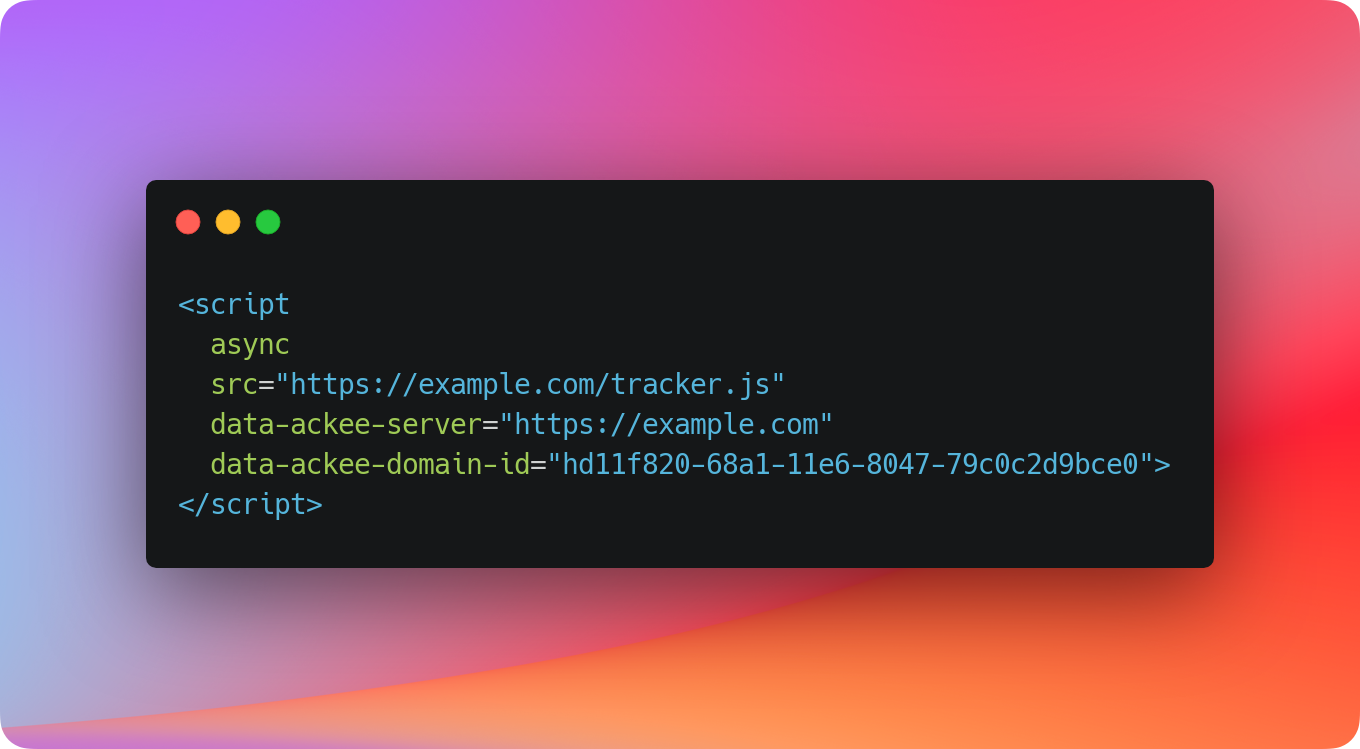
We recommend loading ackee-tracker from your Ackee instance. This ensures that the script is always in sync with your installation. The script is served as `tracker.js` or as [a name of your choice](https://github.com/electerious/Ackee/blob/master/docs/Options.md#tracker).
```html
```
It's also possible to install ackee-tracker as a module via [npm](https://npmjs.com) or [yarn](https://yarnpkg.com).
```sh
npm install ackee-tracker
```
```sh
yarn add ackee-tracker
```
## 🤗 Usage
| Type | Usage | Best for | Records (Views) | Actions (Events) |
| :------------------------------ | :---------------------- | :---------------------------- | :-------------- | :--------------- |
| [Automatically](#automatically) | Via script tag | Simple sites | ✅ | ⛔️ |
| [Manually](#manually) | Via script tag and code | Advanced sites | ✅ | ✅ |
| [Programmatic](#programmatic) | Via module | Modern sites with build tools | ✅ | ✅ |
### Automatically
The easiest way to send data to your Ackee server is by including the script along with the required attributes. Ackee will now track each page visit automatically.
This approach is perfect for static sites. It tracks a visit whenever a user visits the site or navigates to a new page. Websites with client-side routing however should consider to use any of the other approaches as this one would only track the initial page.
```html
```
It's also possible to customize Ackee using the `data-ackee-opts` attribute.
```html
```
### Manually
Include the JS-file at the end of your `body` and start tracking page visits by calling `create` manually.
This approach is perfect for sites without a build system. It gives you more control than the automatic solution, but still allows you to use ackee-tracker without a package manager or JS bundler.
```html
```
### Programmatic
Use ackee-tracker as a module and start tracking page visits by calling `create`.
This approach is perfect if your site uses client-side routing or changes content without reloading the site. It allows you to call Ackee whenever you need.
Example:
```js
const ackeeTracker = require('ackee-tracker')
ackeeTracker.create('https://ackee.example.com').record('hd11f820-68a1-11e6-8047-79c0c2d9bce0')
```
```js
import * as ackeeTracker from 'ackee-tracker'
ackeeTracker.create('https://ackee.example.com').record('hd11f820-68a1-11e6-8047-79c0c2d9bce0')
```
## ⚙️ API
### .detect()
Looks for an element with Ackee attributes, creates an instance and starts tracking.
This function runs automatically in a browser environment and fails silently when it can't find a suitable element. You usually don't need to call this function.
Example:
```html