[](https://www.getinboxzero.com)
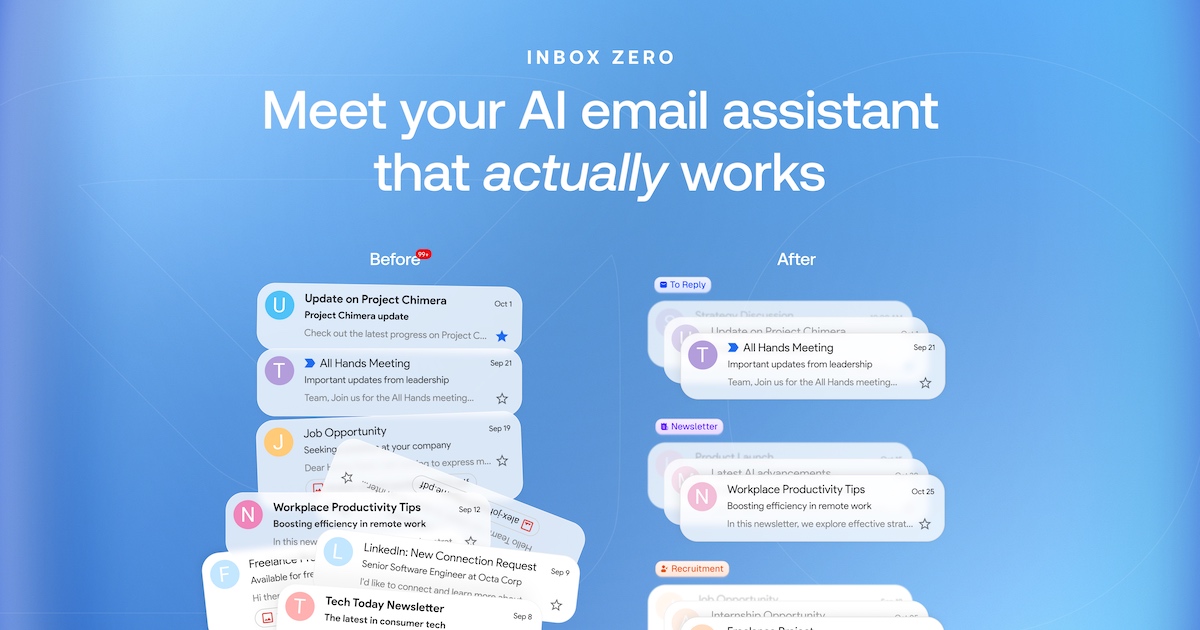
Inbox Zero - your 24/7 AI email assistant
Organizes your inbox, pre-drafts replies, manages your calendar, and organizes attachments. Chat with it from Slack or Telegram to manage your inbox on the go. Open source alternative to Fyxer, but more customizable and secure.
Website
·
Discord
·
Issues



[](https://readme.cash/c/hg3bchcqpo)

[](https://vercel.com/oss)

## Mission
To help you spend less time in your inbox, so you can focus on what matters most.
## Features
- **AI Personal Assistant:** Organizes your inbox and pre-drafts replies in your tone and style.
- **AI Rules for email:** Explain in plain English how your AI should handle your inbox.
- **Reply Zero:** Track emails to reply to and those awaiting responses.
- **Bulk Unsubscriber:** One-click unsubscribe and archive emails you never read.
- **Bulk Archiver:** Clean up your inbox by bulk archiving old emails.
- **Cold Email Blocker:** Auto‑block cold emails.
- **Email Analytics:** Track your activity and trends over time.
- **Meeting Briefs:** Get personalized briefings before every meeting, pulling context from your email and calendar.
- **Smart Filing:** Automatically save email attachments to Google Drive or OneDrive.
- **Slack & Telegram Integration:** Chat with your AI assistant from Slack or Telegram to manage your inbox without leaving the apps you already use.
Learn more in our [docs](https://docs.getinboxzero.com).
## Feature Screenshots
|  |  |
| :------------------------------------------------------: | :-------------------------------------------------------------: |
| _AI Assistant_ | _Reply Zero_ |
|  |  |
| _Gmail client_ | _Bulk Unsubscriber_ |
## Demo Video
[](https://youtu.be/UusnveLKwWM)
## Built with
- [Next.js](https://nextjs.org/)
- [Tailwind CSS](https://tailwindcss.com/)
- [shadcn/ui](https://ui.shadcn.com/)
- [Prisma](https://www.prisma.io/)
- [Upstash](https://upstash.com/)
- [Turborepo](https://turbo.build/)
- [Popsy Illustrations](https://popsy.co/)
## Star History
[](https://www.star-history.com/#elie222/inbox-zero&Date)
## Feature Requests
To request a feature open a [GitHub issue](https://github.com/elie222/inbox-zero/issues), or join our [Discord](https://www.getinboxzero.com/discord).
## Getting Started
We offer a hosted version of Inbox Zero at [getinboxzero.com](https://www.getinboxzero.com).
### Self-Hosting
The fastest way to self-host Inbox Zero is with the CLI:
> **Prerequisites**: [Docker](https://docs.docker.com/engine/install/) and [Node.js](https://nodejs.org/) v24+
```bash
npx @inbox-zero/cli setup # One-time setup wizard
npx @inbox-zero/cli start # Start containers
```
Open http://localhost:3000
For complete self-hosting instructions, production deployment, OAuth setup, and configuration options, see our **[Self-Hosting Docs](https://docs.getinboxzero.com/hosting/quick-start)**.
### Local Development
> **Prerequisites**: [Docker](https://docs.docker.com/engine/install/), [Node.js](https://nodejs.org/) v24+, and [pnpm](https://pnpm.io/) v10+
```bash
git clone https://github.com/elie222/inbox-zero.git
cd inbox-zero
docker compose -f docker-compose.dev.yml up -d # Postgres + Redis
pnpm install
npm run setup # Interactive env setup
cd apps/web && pnpm prisma migrate dev && cd ../..
pnpm dev
```
Open http://localhost:3000
After `pnpm install`, if you want to use the local Google emulator, start it with:
```bash
docker compose -f docker-compose.dev.yml --profile google-emulator up -d
```
Then point `apps/web/.env` at it with:
```bash
GOOGLE_BASE_URL=http://localhost:4002
GOOGLE_CLIENT_ID=emulate-google-client.apps.googleusercontent.com
GOOGLE_CLIENT_SECRET=emulate-google-secret
```
If you want to use the local Microsoft emulator, start it with:
```bash
docker compose -f docker-compose.dev.yml --profile microsoft-emulator up -d
```
Then point `apps/web/.env` at it with:
```bash
MICROSOFT_BASE_URL=http://localhost:4003
MICROSOFT_CLIENT_ID=emulate-microsoft-client-id
MICROSOFT_CLIENT_SECRET=emulate-microsoft-secret
```
See the **[Contributing Guide](https://docs.getinboxzero.com/contributing)** for more details including devcontainer setup.
## Contributing
View open tasks in [GitHub Issues](https://github.com/elie222/inbox-zero/issues) and join our [Discord](https://www.getinboxzero.com/discord) to discuss what's being worked on.
Docker images are automatically built on every push to `main` and tagged with the commit SHA (e.g., `elie222/inbox-zero:abc1234`). The `latest` tag always points to the most recent main build. Formal releases use version tags (e.g., `v2.26.0`).