
Vibeyard



The IDE built for AI coding agents.
Manage multiple agent sessions, run them in parallel, track costs, and never lose context — with Claude Code, Codex CLI, and Gemini CLI.
---
## Why Vibeyard?
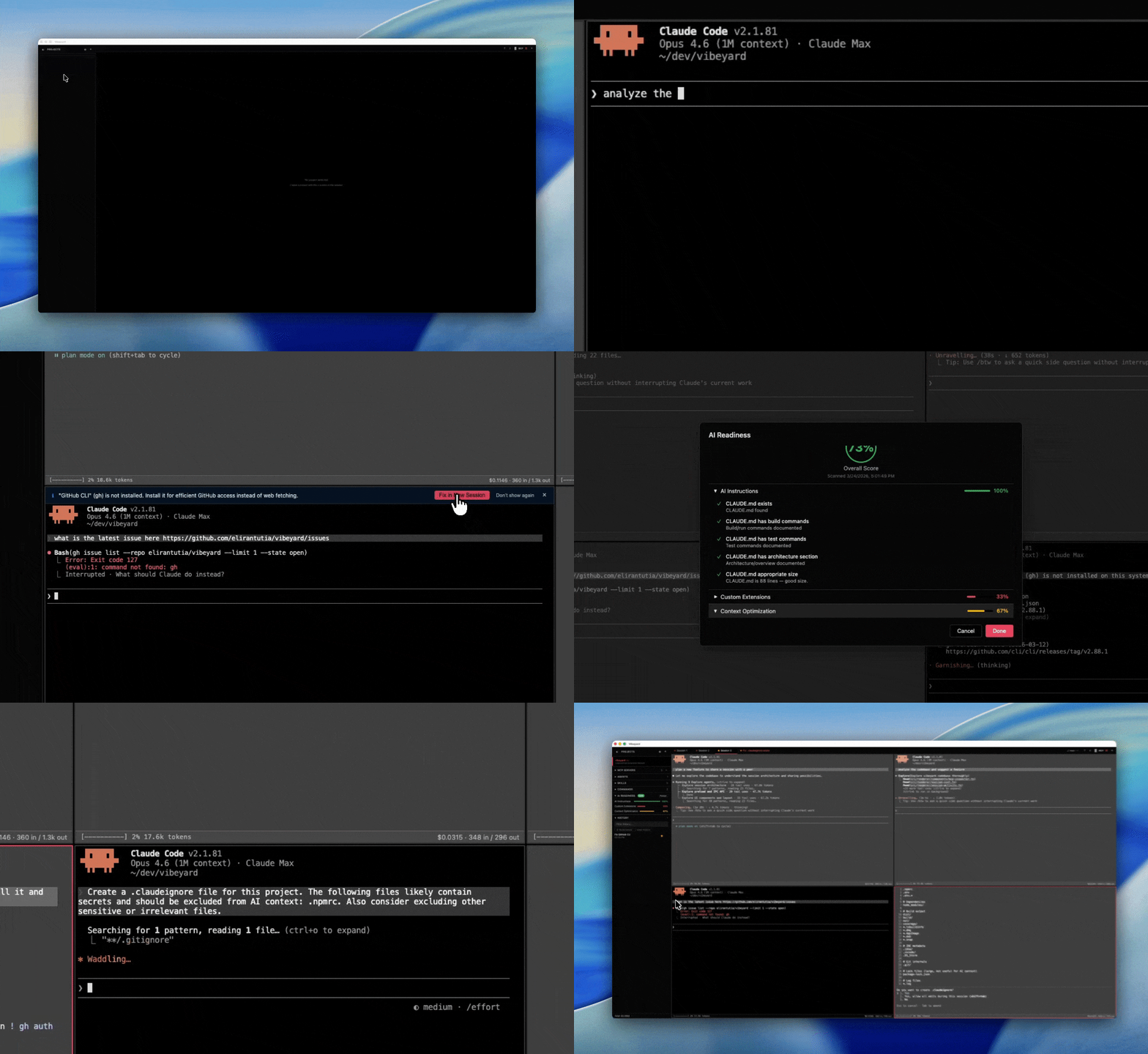
Running AI coding agents in a bare terminal gets messy fast. Vibeyard gives you a proper workspace — a customizable project dashboard, a kanban task board, multi-session management, split panes, swarm mode, cost tracking, and session resume — so you can focus on building, not juggling terminals.
## Highlights
- **Customizable project overview** — drag-and-drop dashboard per project with widgets for AI Readiness, Kanban, Team, Sessions, Provider Tools, and live GitHub PRs/Issues — pick what matters and arrange it your way
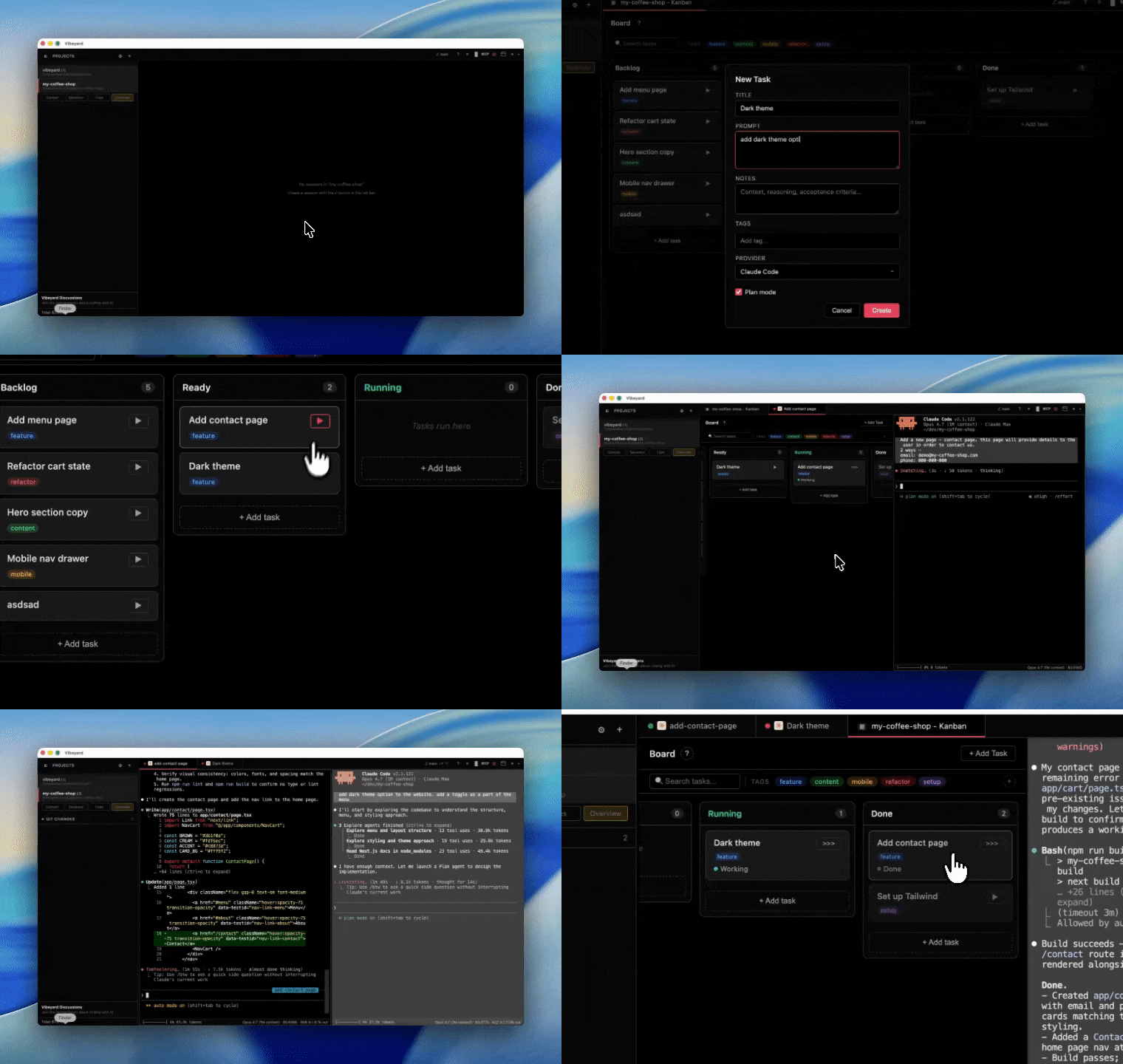
- **Kanban task board** — plan work on a per-project board with drag-and-drop, search, and tag filtering; each card can spawn or resume a CLI session in one click, and tasks auto-move to Done when their session completes
- **P2P session sharing** — share live terminal sessions with teammates over encrypted peer-to-peer connections (WebRTC), with read-only or read-write modes and PIN-based authentication
- **Multi-session management** — run multiple agent sessions per project, each in its own PTY; use swarm mode for a grid view of all sessions at once and spin up new ones with `Cmd+\`
- **Multiple Claude profiles** — run separate Claude Code logins side by side (e.g. work and personal licenses), each session backed by its own isolated config directory so credentials, settings, and history never mix; pick a profile per session or set a per-project / global default
- **Cost & context tracking** — real-time spend, token usage, and context window monitoring per session
- **Session inspector** — real-time session telemetry with timeline, cost breakdown, tool usage stats, and context window monitoring (`Cmd+Shift+I`)
- **AI Readiness Score** — see how well-prepared your project is for AI-assisted coding, with one-click fixes
- **Session resume** — pick up where you left off, even after restarting the app
- **Light and dark themes** — switch the app appearance from Preferences, including live re-theming of open terminals
- **Smart alerts** — detects missing tools, context bloat, and session health issues
- **Session status indicators** — color-coded dots on each tab show real-time session state (working, waiting, input needed, completed), with optional desktop notifications
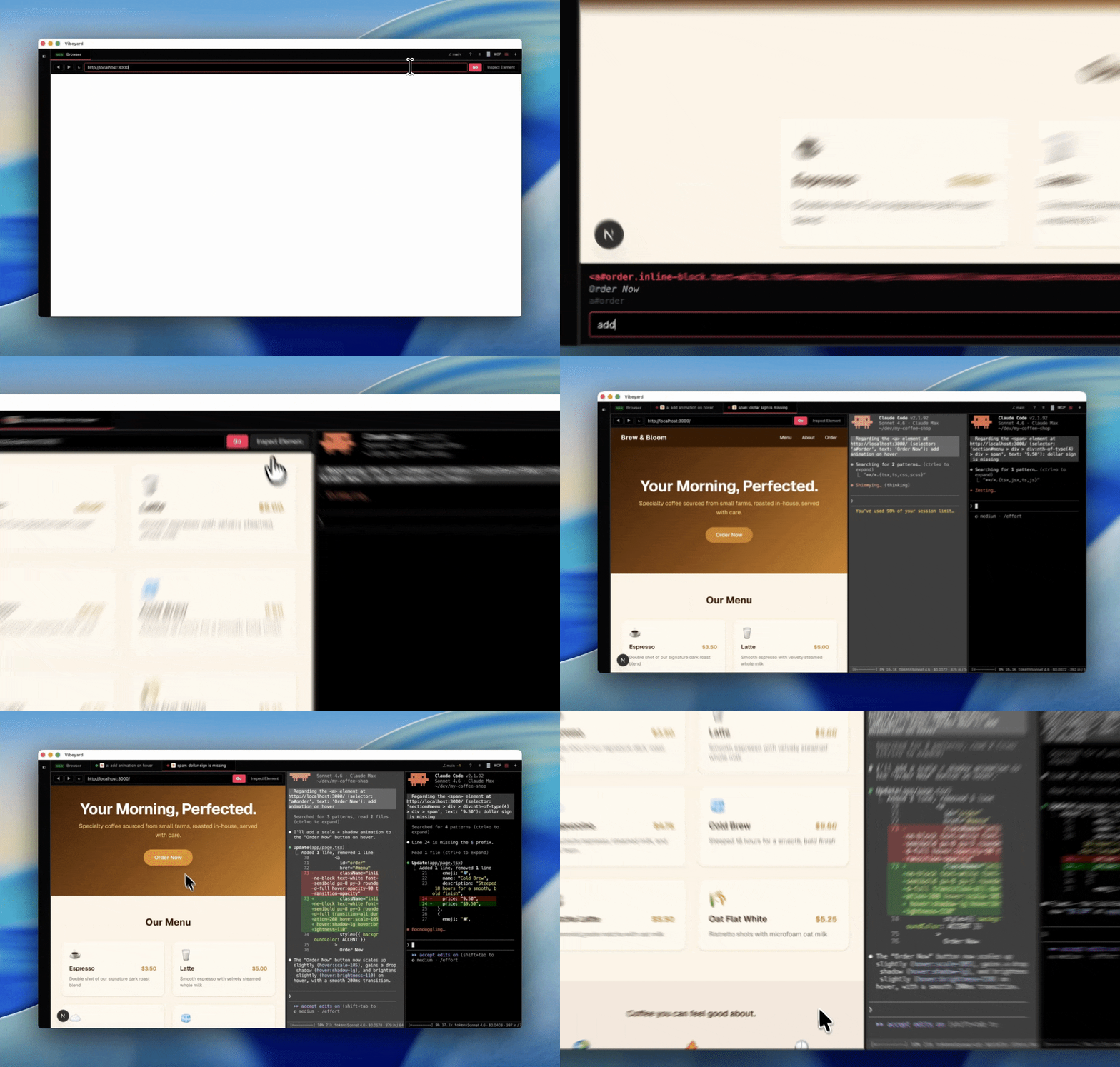
- **Embedded browser tab** — open any URL (e.g. `localhost:3000`) in a session tab, toggle element inspection to click any DOM element, and send AI editing instructions with the exact selector, text content, and page URL as context
- **Keyboard-driven** — full shortcut support, built for speed
> Supports Claude Code, OpenAI Codex CLI, and Gemini CLI. More AI CLI providers coming soon.
## Install
Requires at least one supported CLI installed and authenticated: [Claude Code](https://docs.anthropic.com/en/docs/claude-code), [OpenAI Codex CLI](https://github.com/openai/codex), or [Gemini CLI](https://github.com/google-gemini/gemini-cli).
### macOS
Download the latest `.dmg` from [GitHub Releases](https://github.com/elirantutia/vibeyard/releases), drag to Applications, and launch. Signed and notarized by Apple.
### Linux
Download the latest `.deb` (Debian/Ubuntu) or `.AppImage` (universal) from [GitHub Releases](https://github.com/elirantutia/vibeyard/releases).
```bash
# Debian/Ubuntu
sudo dpkg -i vibeyard_*.deb
# AppImage
chmod +x Vibeyard-*.AppImage
./Vibeyard-*.AppImage
```
### Windows
Download the latest Setup `.exe` (NSIS installer) or portable `.exe` from [GitHub Releases](https://github.com/elirantutia/vibeyard/releases). Run the installer and launch Vibeyard from the Start menu, or run the portable build directly.
### npm (macOS, Linux & Windows)
```bash
npm i -g vibeyard
vibeyard
```
On first run, the app is automatically downloaded and launched. No extra steps needed.
### Build from Source
```bash
git clone https://github.com/elirantutia/vibeyard.git
cd vibeyard
npm install && npm start
```
Requires Node v24+ (see `.nvmrc`).
## Contributing
PRs welcome! See the [Contributing Guide](CONTRIBUTING.md) and [Code of Conduct](CODE_OF_CONDUCT.md).
## License
[MIT](LICENSE)
---

If Vibeyard helps your workflow, a star helps us grow. Thanks for the support!
Vibeyard is an independent project and is not affiliated with or endorsed by Anthropic.