---
title: LSP Mode - Language Server Protocol support for Emacs
description: Language Server Protocol support with multiple languages support for Emacs
root_file: README.md
---
[](https://melpa.org/#/lsp-mode)
[](https://stable.melpa.org/#/lsp-mode)
[](https://discord.gg/swuxy5AAgT)
[](https://github.com/emacs-lsp/lsp-mode/actions/workflows/test.yml)
 Language Server Protocol Support for Emacs
=========================================
Language Server Protocol Support for Emacs
=========================================

homepage •
installation •
languages •
settings •
tutorials •
troubleshooting •
screenshots •
FAQ
## Why?
- :heart: **Community Driven**
- :gem: **Fully featured** - supports **all** features in Language Server Protocol v3.14.
- :rocket: **Fast** - see [performance section](https://emacs-lsp.github.io/lsp-mode/page/performance).
- :star2: **Flexible** - choose between full-blown IDE with flashy UI or minimal distraction free.
- :gear: **Easy to configure** - works out of the box and automatically upgrades if additional packages are present.
## Overview
Client for [Language Server
Protocol](https://github.com/Microsoft/language-server-protocol/)
(v3.14). [lsp-mode](https://emacs-lsp.github.io/lsp-mode) aims to
provide IDE-like experience by providing optional integration with the
most popular Emacs packages like `company`, `flycheck` and `projectile`.
- Non-blocking asynchronous calls
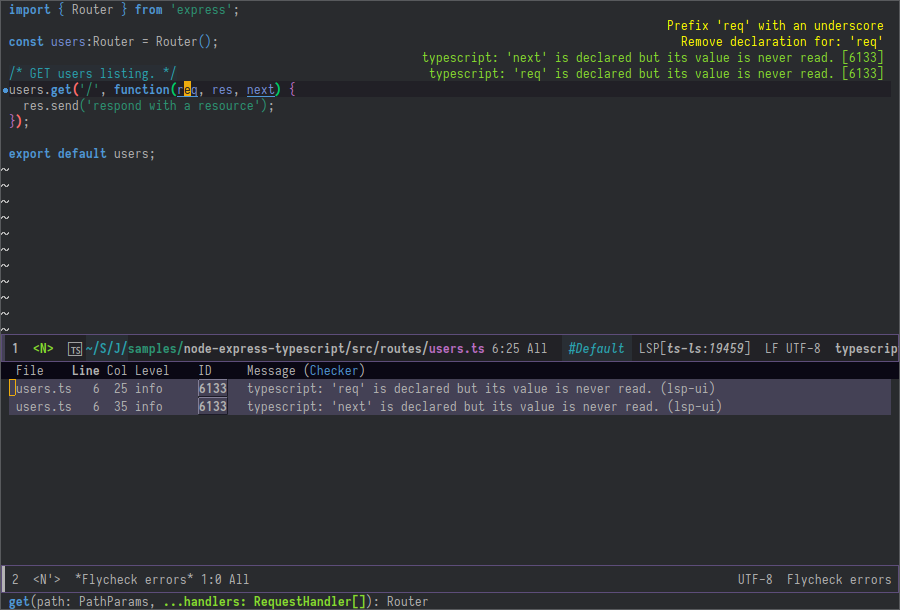
- Real-time Diagnostics/linting via
[flycheck](https://github.com/flycheck/flycheck) (recommended) or
`flymake` when Emacs \> 26 (requires flymake\>=1.0.5)
- Code completion - `company-capf` / `completion-at-point` (note that
[company-lsp](https://github.com/tigersoldier/company-lsp) is no
longer supported).
- Hovers - using [lsp-ui](https://emacs-lsp.github.io/lsp-ui)
- Code actions - via `lsp-execute-code-action`, [modeline](https://emacs-lsp.github.io/lsp-mode/page/main-features/#code-actions-on-modeline) (recommended) or [lsp-ui](https://emacs-lsp.github.io/lsp-ui) sideline.
- Code outline - using builtin
[imenu](https://www.gnu.org/software/emacs/manual/html_node/emacs/Imenu.html)
or `helm-imenu`
- Code navigation - using builtin
[xref](https://www.gnu.org/software/emacs/manual/html_node/emacs/Xref.html),
[lsp-treemacs](https://github.com/emacs-lsp/lsp-treemacs) tree views
or [lsp-ui](https://emacs-lsp.github.io/lsp-ui) peek functions.
- Code lens
- Symbol highlights
- Formatting
- [Project errors](https://emacs-lsp.github.io/lsp-mode/page/main-features/#project-errors-on-modeline) on modeline
- Debugger - [dap-mode](https://emacs-lsp.github.io/dap-mode/)
- [Breadcrumb on headerline](https://emacs-lsp.github.io/lsp-mode/page/main-features/#breadcrumb-on-headerline)
- Helm integration -
[helm-lsp](https://github.com/emacs-lsp/helm-lsp/)
- Ivy integration - [lsp-ivy](https://github.com/emacs-lsp/lsp-ivy/)
- Consult integration - [consult-lsp](https://github.com/gagbo/consult-lsp)
- Treemacs integration -
[lsp-treemacs](https://github.com/emacs-lsp/lsp-treemacs)
- Semantic tokens as defined by LSP 3.17 (compatible language servers include recent development builds of clangd and rust-analyzer)
- [which-key](https://github.com/justbur/emacs-which-key/) integration
for better discovery
- [iedit](https://emacs-lsp.github.io/lsp-mode/page/main-features/#iedit)
- [dired](https://emacs-lsp.github.io/lsp-mode/page/main-features/#dired)
- [ido](https://emacs-lsp.github.io/lsp-mode/page/main-features/#integrations)
## Presentations/demos
- [System Crafters](https://twitter.com/SystemCrafters) channel
[Emacs IDE Videos](https://www.youtube.com/playlist?list=PLEoMzSkcN8oNvsrtk_iZSb94krGRofFjN)
- [skybert](https://github.com/skybert)'s emacsconf
[presentation](https://media.emacsconf.org/2019/19.html) (Java)
- [thatwist](https://github.com/thatwist)'s ScalaUA Conference
[presentation](https://www.youtube.com/watch?v=x7ey0ifcqAg&feature=youtu.be)
(Scala)
## See also
- [lsp-docker](https://github.com/emacs-lsp/lsp-docker/) - provide
docker image with preconfigured language servers with corresponding
emacs configuration.
- [company-box](https://github.com/sebastiencs/company-box/) -
`company` frontend with icons.
- [dap-mode](https://github.com/emacs-lsp/dap-mode) - Debugger
integration for `lsp-mode`.
- [eglot](https://www.gnu.org/software/emacs/manual/html_node/eglot/) -
A minimal LSP implementation built in to Emacs.
- [which-key](https://github.com/justbur/emacs-which-key/) - Emacs
package that displays available keybindings in popup
- [projectile](https://github.com/bbatsov/projectile/) - Project
Interaction Library for Emacs
- [emacs-tree-sitter](https://github.com/ubolonton/emacs-tree-sitter) - Faster, fine-grained code highlighting via [tree-sitter](https://github.com/tree-sitter/tree-sitter).
- [gccemacs](https://akrl.sdf.org/gccemacs.html) - modified Emacs capable of compiling and running Emacs Lisp as native code.
## Contributions
Contributions are very much welcome!
**NOTE**
Documentation for clients is generated from doc comments in the clients
themselves (see
[lsp-doc.el](https://github.com/emacs-lsp/lsp-mode/blob/master/docs/lsp-doc.el))
and some metadata (see
[lsp-clients.json](https://github.com/emacs-lsp/lsp-mode/blob/master/docs/lsp-clients.json))
so please submit corrections accordingly.
## Support the project
The `emacs-lsp` organization has more than **20,000 lines of code**, to keep all of this working,
we need to implement new features and help the community on a lot of issues.
You can help us keep going and improving it by **[supporting the project](https://github.com/sponsors/emacs-lsp)**
 ### Members
Here is a list of the current `lsp-mode` members and what they are
primarily working on/responsible for.
### Members
Here is a list of the current `lsp-mode` members and what they are
primarily working on/responsible for.