

[](https://codebeat.co/projects/github-com-eonist-hybridcamera-master)
[](https://houndci.com)
[](https://github.com/eonist/HybridCamera/actions/workflows/swift.yml)
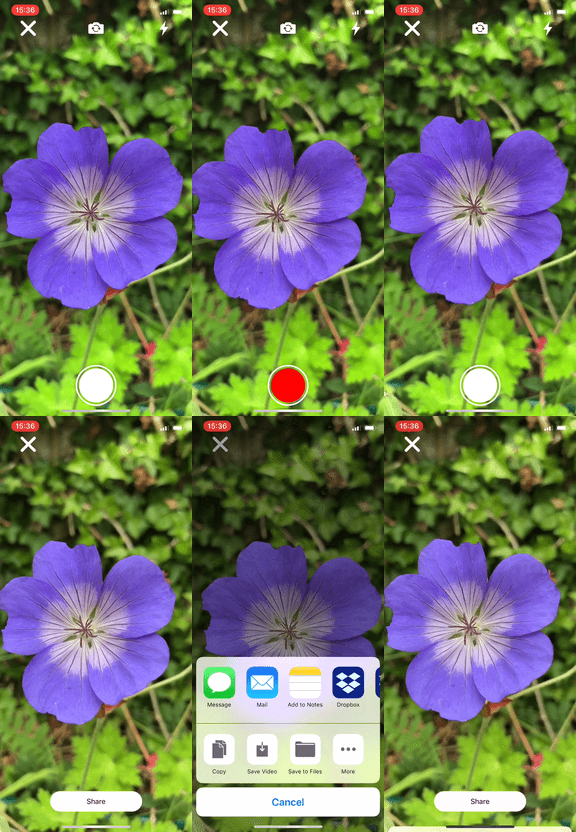 ### Features:
| Description | |
| ------------- | ------------- |
| Records video | 🎥 |
| takes photos | 📷 |
| Flash on/off | ⚡ |
| Front / Back camera | ↕️ |
| Hold to record video | ✊ |
| Tap to take photo | 👇 |
| Tap to focus / set exposure | 🔎 |
| Pinch to zoom | 👌 |
| Looping video/photo preview | 🔁 |
| Share button | 🔗 |
| Programatic UI | 🤖 |
| Doesn't stop Spotify | 🎶 |
| Stores files in temporary | 💾 |
| Throw oriented code | 💣 |
| Persistent app authorisation | 🚫 |
| Animated record button | 🔴 |
| [Callback based](https://medium.cobeisfresh.com/why-you-shouldn-t-use-delegates-in-swift-7ef808a7f16b) | 📞 |
### Why use this camera framework
- High [codebeat GPA](https://codebeat.co/projects/github-com-eonist-hybridcamera-master)
- Low class scoped variable count (In order to better handle overall state)
- Setup errors can be handled from the POV of the initiator
- Operation errors is handled in the onCapture completion block
- Callback based (as oppose to delegate based) [More info](https://medium.cobeisfresh.com/why-you-shouldn-t-use-delegates-in-swift-7ef808a7f16b)
- Easily styleable (The camera view is separate from the UI view)
- No third-party libraries or Sugar
- Entirely programatic (No storyboard)
- Thoroughly documented (Artifacts and sideEffects etc)
- Uses [Sindre-lint style guide](https://github.com/sindresorhus/swiftlint-sindre)
- Small footprint, only ~750 LOC (Lines of code)
### Notes:
- In order to keep things simple, The UI is CGRect based. Use your own Autolayout distro like SnapKit etc when adding additional UI
### Install:
- SPM: `.package(url: "https://github.com/eonist/HybridCamera.git", .branch("master"))`
- Manual: Open `HybridCamera.xcodeproj`
**IMPORTANT:** Make sure info.plist has these variables
```
Privacy - Microphone Usage Description
Privacy - Camera Usage Description
Privacy - Photo Library Additions Usage Description
```
### Example:
### Features:
| Description | |
| ------------- | ------------- |
| Records video | 🎥 |
| takes photos | 📷 |
| Flash on/off | ⚡ |
| Front / Back camera | ↕️ |
| Hold to record video | ✊ |
| Tap to take photo | 👇 |
| Tap to focus / set exposure | 🔎 |
| Pinch to zoom | 👌 |
| Looping video/photo preview | 🔁 |
| Share button | 🔗 |
| Programatic UI | 🤖 |
| Doesn't stop Spotify | 🎶 |
| Stores files in temporary | 💾 |
| Throw oriented code | 💣 |
| Persistent app authorisation | 🚫 |
| Animated record button | 🔴 |
| [Callback based](https://medium.cobeisfresh.com/why-you-shouldn-t-use-delegates-in-swift-7ef808a7f16b) | 📞 |
### Why use this camera framework
- High [codebeat GPA](https://codebeat.co/projects/github-com-eonist-hybridcamera-master)
- Low class scoped variable count (In order to better handle overall state)
- Setup errors can be handled from the POV of the initiator
- Operation errors is handled in the onCapture completion block
- Callback based (as oppose to delegate based) [More info](https://medium.cobeisfresh.com/why-you-shouldn-t-use-delegates-in-swift-7ef808a7f16b)
- Easily styleable (The camera view is separate from the UI view)
- No third-party libraries or Sugar
- Entirely programatic (No storyboard)
- Thoroughly documented (Artifacts and sideEffects etc)
- Uses [Sindre-lint style guide](https://github.com/sindresorhus/swiftlint-sindre)
- Small footprint, only ~750 LOC (Lines of code)
### Notes:
- In order to keep things simple, The UI is CGRect based. Use your own Autolayout distro like SnapKit etc when adding additional UI
### Install:
- SPM: `.package(url: "https://github.com/eonist/HybridCamera.git", .branch("master"))`
- Manual: Open `HybridCamera.xcodeproj`
**IMPORTANT:** Make sure info.plist has these variables
```
Privacy - Microphone Usage Description
Privacy - Camera Usage Description
Privacy - Photo Library Additions Usage Description
```
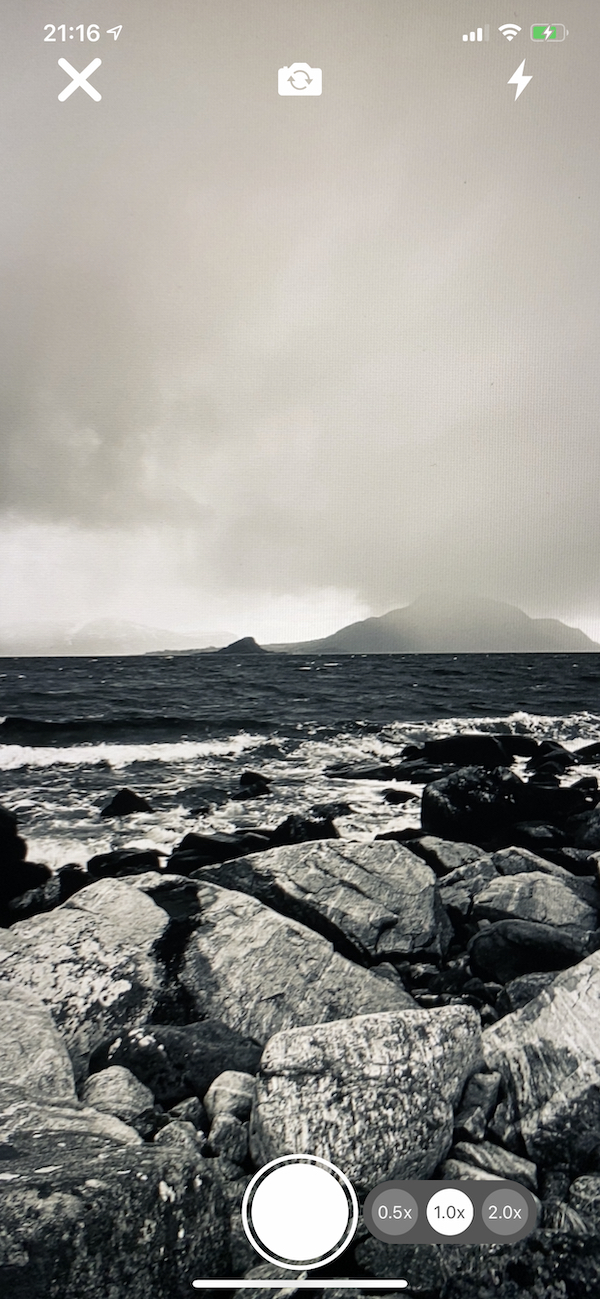
### Example:
 ### Example code:
```swift
self.view = HybridCamView()
view.camView.onPhotoCaptureComplete = { (image: UIImage?, url: URL?, error: Error?) in
Swift.print("On photo capture complete \(url)")
}
hybridCamView.camView.onVideoCaptureComplete = { (url: URL?, error: Error?) in
Swift.print("On Video capture complete \(url)")
}
```
### Todo:
- Add support for more orientation modes (Currently only supports portrait)
- Add support for error resolution from the POV of initiating the camera
- Make UI with AutoLayout 👈
- Make lib carthage support ✅
- Fix AudioBug ✅
- Fix FontCamera bug w/ IphoneX ✅
- Add Spatial, Chaplin as an option to HybridCam 👈
- Add CI-Travis 👈
### Contributors:
- [eonist](https://gitHub.com/eonist)
- [blurtime](https://gitHub.com/blurtime)
### Example code:
```swift
self.view = HybridCamView()
view.camView.onPhotoCaptureComplete = { (image: UIImage?, url: URL?, error: Error?) in
Swift.print("On photo capture complete \(url)")
}
hybridCamView.camView.onVideoCaptureComplete = { (url: URL?, error: Error?) in
Swift.print("On Video capture complete \(url)")
}
```
### Todo:
- Add support for more orientation modes (Currently only supports portrait)
- Add support for error resolution from the POV of initiating the camera
- Make UI with AutoLayout 👈
- Make lib carthage support ✅
- Fix AudioBug ✅
- Fix FontCamera bug w/ IphoneX ✅
- Add Spatial, Chaplin as an option to HybridCam 👈
- Add CI-Travis 👈
### Contributors:
- [eonist](https://gitHub.com/eonist)
- [blurtime](https://gitHub.com/blurtime)