# Diagram
[](https://pkg.go.dev/github.com/esimov/diagram)
[](https://github.com/esimov/diagram/actions/workflows/build.yml)
[](https://goreportcard.com/report/github.com/esimov/diagram)
[](https://github.com/esimov/diagram/releases/tag/v1.1.0)
[](https://formulae.brew.sh/formula/diagram)
[](./LICENSE)
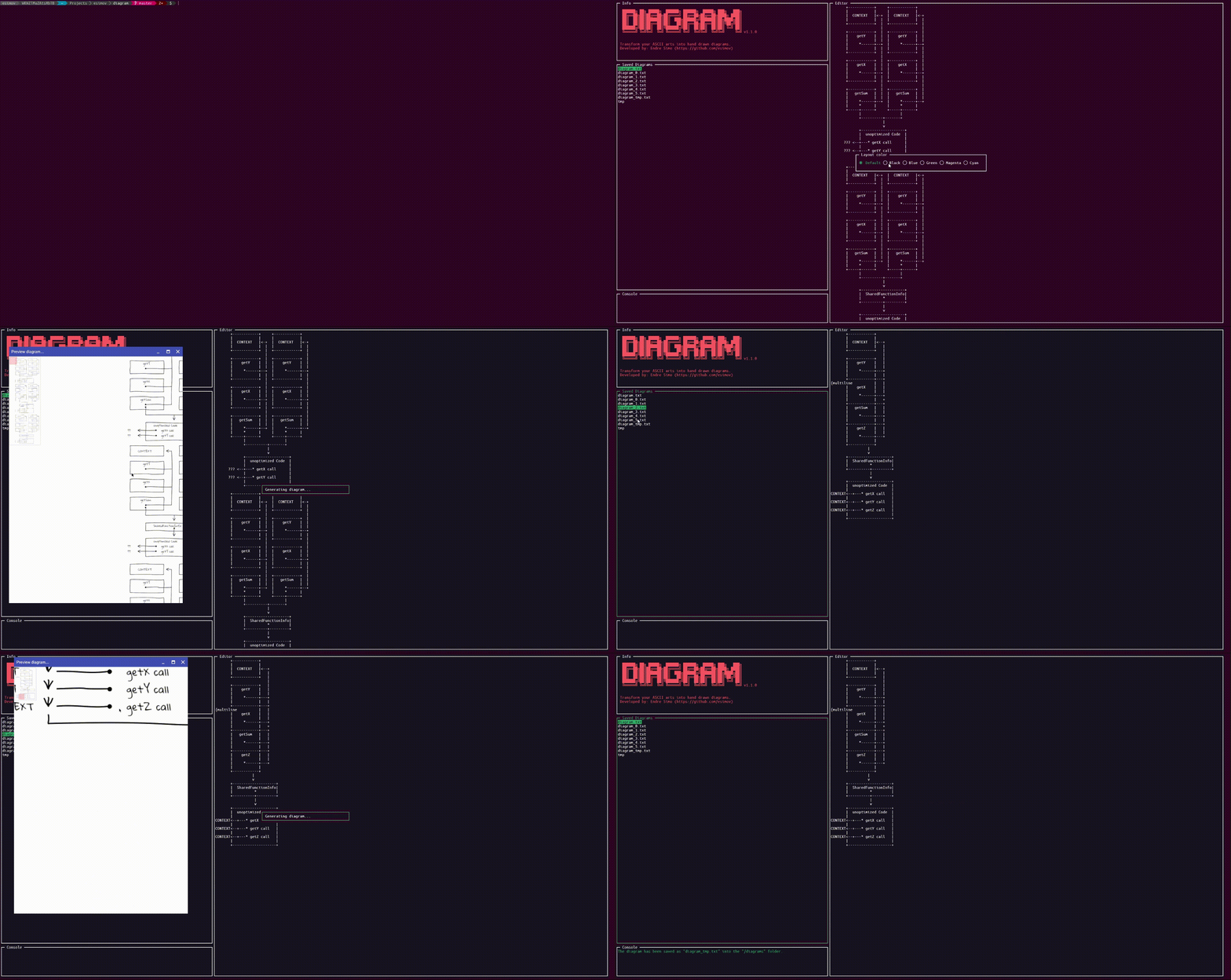
Diagram is a full fledged CLI application to generate hand drawn diagrams from ASCII art.
### Main features
- [x] Full fledged content editor
- [x] Integrated GUI for image view
- [x] Zooming/panning support for image inspection
- [x] Integrated file management system
- [x] Layout customization
## Installation
In order to run the application please make sure that Go is installed on your local machine and check if `$GOPATH/bin` is included into the `PATH` directory.
Run the following commands to download the project and build the executable.
```bash
$ git clone https://github.com/esimov/diagram
$ cd diagram
$ go build
# Start the application
$ diagram
```
If you've installed [Homebrew](https://brew.sh), you can install the application by running `brew install diagram`.
#### Build
A shell script is bundled into the library to mitigate the generation of binary files for the most common operating systems, but take care: different dependencies are needed for different operating systems (see the [Dependencies](#dependencies)) section. To build the executable file run:
`$ make all`
## Usage
Once you are inside the terminal application you can create, edit or delete the ASCII diagrams. By pressing `CTRL+g` you can convert the ASCII art into a handwritten diagram. The generated `PNG` file will be saved into the `output` folder relative to the current path.
### Command Line support
The application also supports the generation of hand drawn diagrams directly from command line without to enter into the CLI application.
`$ diagram --help` will show the currently supported options:
```bash
┌┬┐┬┌─┐┌─┐┬─┐┌─┐┌┬┐
│││├─┤│ ┬├┬┘├─┤│││
─┴┘┴┴ ┴└─┘┴└─┴ ┴┴ ┴
Version: 1.1.0
CLI app to convert ASCII arts into hand drawn diagrams.
-font string
Path to the font file (default "/Users/esimov/Projects/Go/src/github.com/esimov/diagram/font/gloriahallelujah.ttf")
-in string
Source
-out string
Destination
-preview
Show the preview window (default true)
```
#### CLI Examples
Read input from `sample.txt` and write image to `sample.png` showing a preview window with the hand drawn diagram:
```bash
diagram -in sample.txt -out sample.png
```
Read input from `sample.txt` and write image to `sample.png`, and exit immediately without showing a preview window:
```bash
diagram -in sample.txt -out sample.png -preview=false
```
Generate diagram as above but use a font at a different location:
```bash
diagram -in sample.txt -out sample.png -preview=false -font /path/to/my/font/MyHandwriting.ttf
```
### Key bindings
Key | Action
----------------------------------------|---------------------------------------
F1 | Show/hide help panel
Tab | Jump to the next panel
Shift+Tab | Jump to the previous panel
Ctrl+l | Change layout color
Ctrl+s | Open the Save diagram modal
Ctrl+s | Save diagram
Ctrl+g | Preview the generated ASCII diagram (zooming/panning)
PageDown | Scroll down the editor content
PageUp | Scroll up the editor content
Ctrl+x | Clear the editor content
Ctrl+z | Restore the editor content
Home | Jump to the line start
End | Jump to the line end
Delete/Backspace | Delete diagram
Ctrl+q | Quit
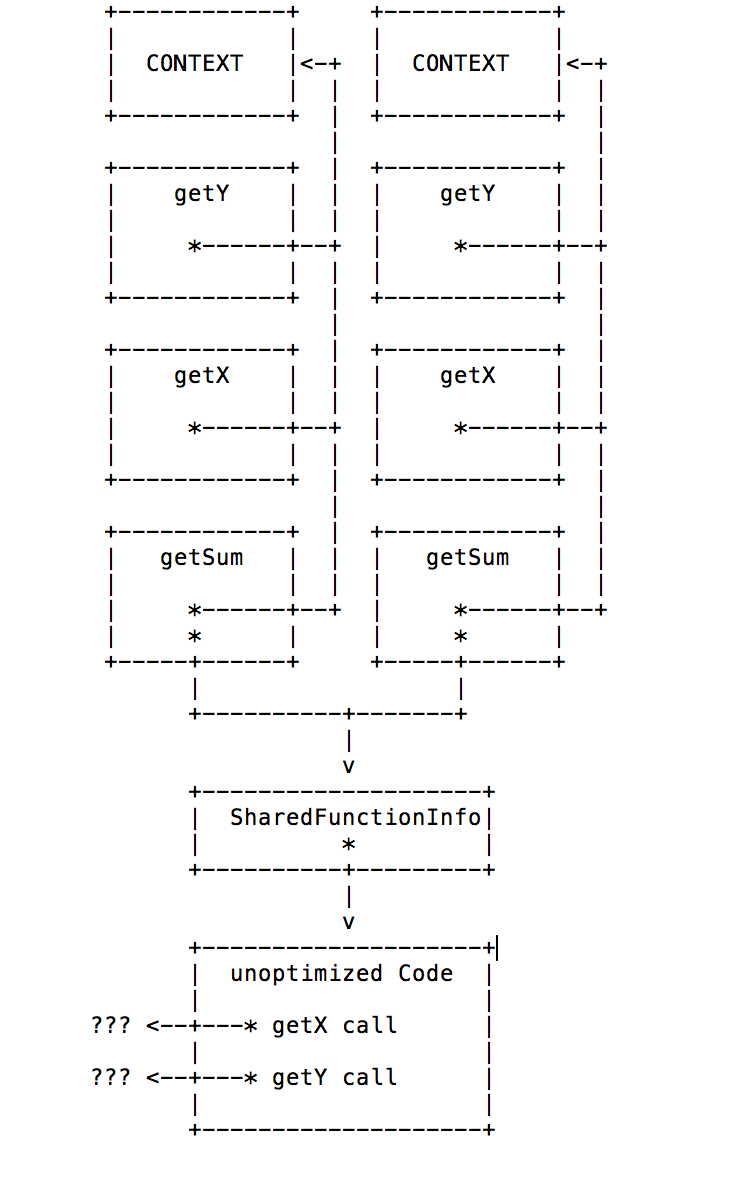
### Example
| Input | Output |
|:--:|:--:|
|  |
|  |
The application was tested on **Ubuntu**, **MacOS** and **Windows**.
### Acknowledgements
The ASCII to PNG conversion was ported from [shaky.dart](https://github.com/mraleph/moe-js/blob/master/talks/jsconfeu2012/tools/shaky/web/shaky.dart).
## Dependencies
- https://github.com/jroimartin/gocui
- https://github.com/fogleman/gg
- https://gioui.org/
## Author
* Endre Simo ([@simo_endre](https://twitter.com/simo_endre))
## License
Copyright © 2017 Endre Simo
This project is under the MIT License. See the [LICENSE](https://github.com/esimov/diagram/blob/master/LICENSE) file for the full license text.
|
The application was tested on **Ubuntu**, **MacOS** and **Windows**.
### Acknowledgements
The ASCII to PNG conversion was ported from [shaky.dart](https://github.com/mraleph/moe-js/blob/master/talks/jsconfeu2012/tools/shaky/web/shaky.dart).
## Dependencies
- https://github.com/jroimartin/gocui
- https://github.com/fogleman/gg
- https://gioui.org/
## Author
* Endre Simo ([@simo_endre](https://twitter.com/simo_endre))
## License
Copyright © 2017 Endre Simo
This project is under the MIT License. See the [LICENSE](https://github.com/esimov/diagram/blob/master/LICENSE) file for the full license text.