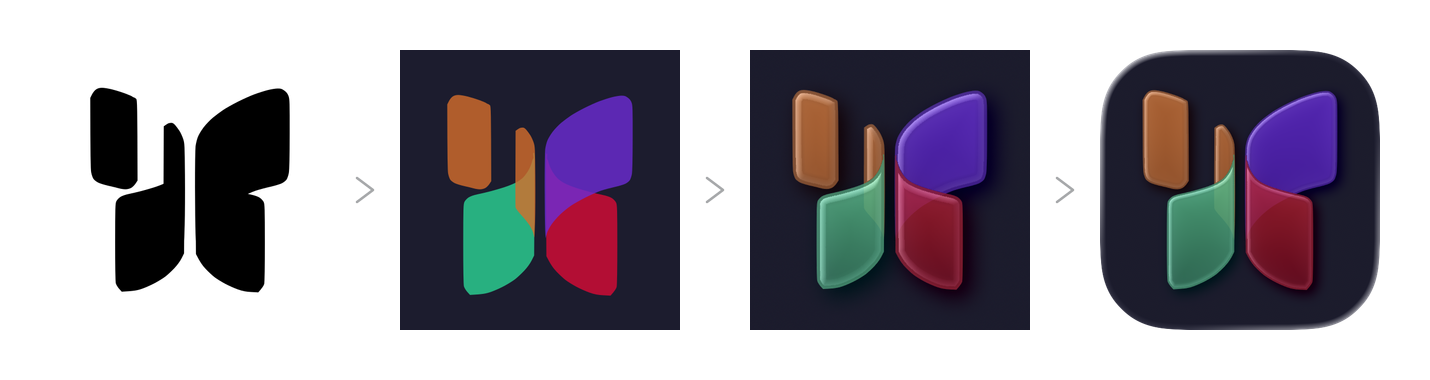
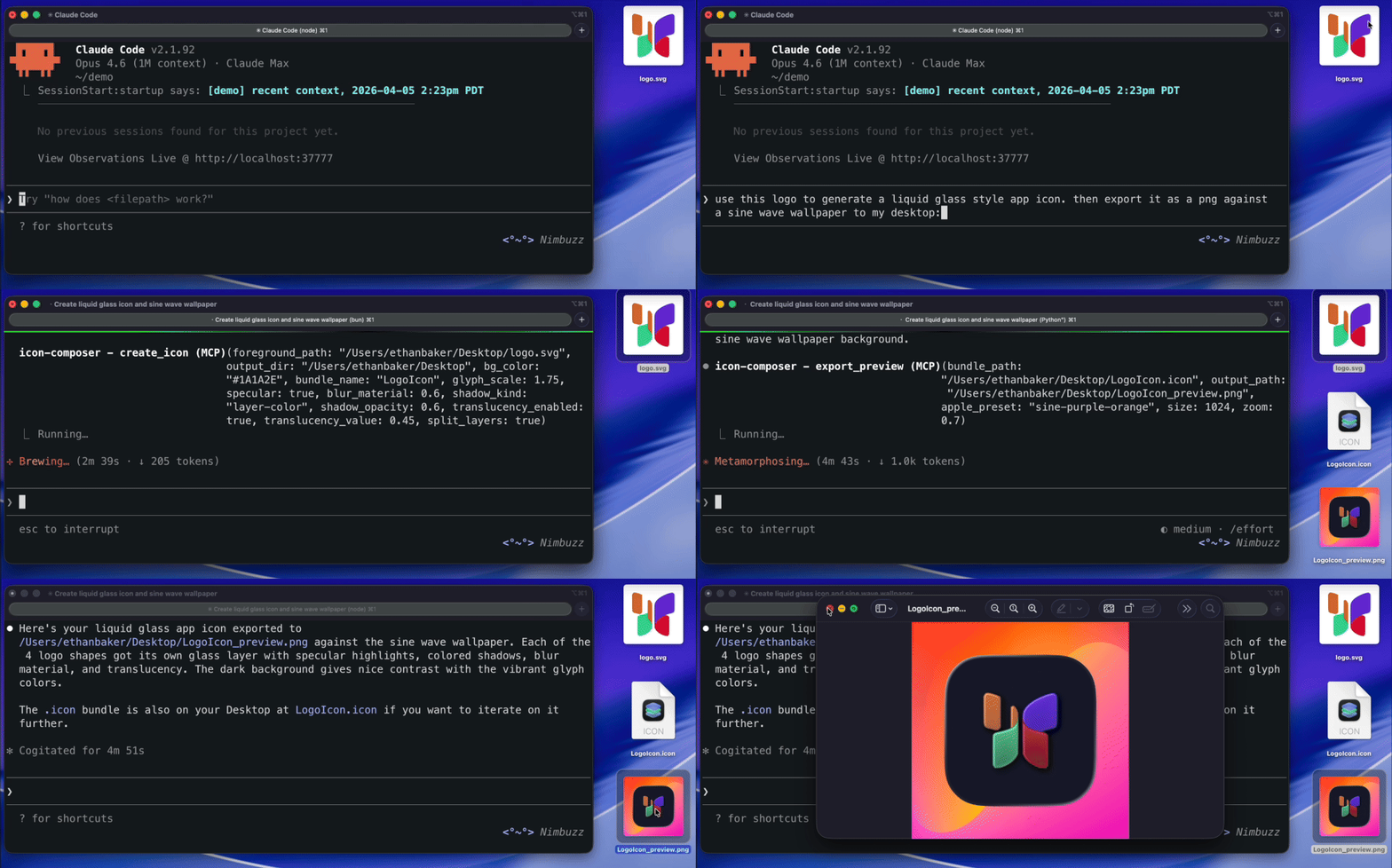
CLI and MCP server for creating images, icons, and logos with Liquid Glass effects (iOS 26+). Not affiliated with Apple .
---
## Demo
## Key Features
- **Create `.icon` bundles** programmatically from PNG or SVG glyphs
- **Full Liquid Glass** support: specular highlights, blur material, shadows, translucency
- **Dark mode + appearance variants** with per-appearance fill specializations
- **AI-agent ready**: 12 MCP tools + 3 workflow prompts with built-in instructions
## Installation
Claude Code
```bash
claude mcp add icon-composer -- npx -y icon-composer-mcp
```
Claude Desktop
Add to `~/Library/Application Support/Claude/claude_desktop_config.json`:
```json
{
"mcpServers": {
"icon-composer": {
"command": "npx",
"args": ["-y", "icon-composer-mcp"]
}
}
}
```
Cursor
Add to `.cursor/mcp.json` in your project root (or `~/.cursor/mcp.json` for global):
```json
{
"mcpServers": {
"icon-composer": {
"command": "npx",
"args": ["-y", "icon-composer-mcp"]
}
}
}
```
The server will appear in **Cursor Settings > MCP Servers**. No restart required.
VS Code
Add to `.vscode/mcp.json` in your project root (or open **Command Palette > MCP: Open User Configuration** for global):
> **Note:** VS Code uses `"servers"` (not `"mcpServers"`) and requires a `"type"` field.
```json
{
"servers": {
"icon-composer": {
"type": "stdio",
"command": "npx",
"args": ["-y", "icon-composer-mcp"]
}
}
}
```
You'll see Start/Stop/Restart buttons inline in the editor. First launch will prompt a trust confirmation.
Windsurf
First, enable MCP in **Windsurf Settings > Cascade > Model Context Protocol (MCP)**.
Then add to `~/.codeium/windsurf/mcp_config.json`:
```json
{
"mcpServers": {
"icon-composer": {
"command": "npx",
"args": ["-y", "icon-composer-mcp"]
}
}
}
```
Press the **refresh button** in Windsurf settings to load the server.
Other MCP clients
The server uses stdio transport. Most MCP clients use this config format:
```json
{
"mcpServers": {
"icon-composer": {
"command": "npx",
"args": ["-y", "icon-composer-mcp"]
}
}
}
```
Or run the server directly:
```bash
npx -y icon-composer-mcp
```
CLI only (no MCP)
```bash
npm install -g icon-composer-mcp
icon-composer --help
```
## How It Works
1. **Provide a glyph** — any PNG or SVG logo/image
2. **Create a `.icon` bundle** — sets background fill, layer scale, and glass effects
3. **Apple's ictool renders Liquid Glass** — specular highlights, shadows, depth, and translucency
4. **Export** — preview PNGs, App Store marketing icon, or the `.icon` bundle for Xcode
## Requirements
- **Node.js 18+**
- **macOS** with [Icon Composer](https://developer.apple.com/icon-composer/) for Liquid Glass rendering
```bash
brew install --cask icon-composer
```
- Flat previews, bundle creation/editing, and marketing export work on **any platform** without Icon Composer
Run `icon-composer doctor` to check your setup.
## CLI Commands
| Command | Description |
|---------|-------------|
| `create` | Create a new `.icon` bundle from a foreground image |
| `add-layer` | Add a layer to an existing bundle |
| `remove` | Remove a layer or group |
| `inspect` | Read and display bundle contents |
| `glass` | Configure Liquid Glass effects on a group |
| `appearance` | Set dark/tinted mode overrides |
| `fill` | Set background fill (solid, gradient, automatic, none) |
| `position` | Set layer/group scale and offset |
| `fx` | Toggle all glass effects on/off |
| `preview` | Export a preview PNG (Liquid Glass or flat) |
| `render` | Render pixel-perfect Liquid Glass via ictool |
| `export-marketing` | Export flat 1024x1024 PNG for App Store Connect (no alpha) |
| `doctor` | Check system setup and dependencies |
### Details
create — Create a new .icon bundle
```bash
icon-composer create --bg-color [options]
```
| Option | Default | Description |
|--------|---------|-------------|
| `--bg-color ` | *required* | Background color (e.g. `"#0A66C2"`) |
| `--bundle-name ` | `AppIcon` | Bundle name (without `.icon` extension) |
| `--dark-bg-color ` | — | Dark mode background color |
| `--glyph-scale ` | `1.0` | Glyph scale (1.0 = standard ~65% of icon area) |
| `--specular / --no-specular` | `true` | Specular highlight |
| `--shadow-kind ` | `layer-color` | Shadow type: `neutral`, `layer-color`, `none` |
| `--shadow-opacity ` | `0.5` | Shadow opacity (0–1) |
| `--blur-material ` | — | Blur material value (0–1) |
| `--translucency-enabled` | `false` | Enable translucency gradient |
| `--translucency-value ` | `0.4` | Translucency amount (0–1) |
**Output:** Creates `/.icon/` containing `icon.json` manifest and `Assets/` directory.
add-layer — Add a layer to an existing bundle
```bash
icon-composer add-layer --name [options]
```
| Option | Default | Description |
|--------|---------|-------------|
| `--name ` | *required* | Layer name |
| `--group-index ` | `0` | Target group index |
| `--create-group` | `false` | Create a new group for this layer |
| `--opacity ` | `1.0` | Layer opacity (0–1) |
| `--scale ` | `1.0` | Layer scale |
| `--offset-x ` | `0` | X offset in points |
| `--offset-y ` | `0` | Y offset in points |
| `--blend-mode ` | `normal` | Blend mode (e.g. `multiply`, `screen`, `overlay`) |
| `--glass / --no-glass` | `true` | Participate in Liquid Glass effects |
**Supported formats:** `.png`, `.jpg`, `.jpeg`, `.svg`, `.webp`, `.heic`, `.heif`
remove — Remove a layer or group
```bash
icon-composer remove --target --group-index [--layer-index ]
```
inspect — Read and display bundle contents
```bash
icon-composer inspect
```
**Output:** Prints the full manifest JSON and lists all assets with sizes.
glass — Configure Liquid Glass effects
```bash
icon-composer glass [options]
```
| Option | Description |
|--------|-------------|
| `--group-index ` | Target group (default: `0`) |
| `--specular / --no-specular` | Specular highlight |
| `--blur-material ` | Blur amount (0–1) |
| `--shadow-kind ` | `neutral`, `layer-color`, or `none` |
| `--shadow-opacity ` | Shadow opacity (0–1) |
| `--translucency-enabled / --no-translucency-enabled` | Translucency toggle |
| `--translucency-value ` | Translucency amount (0–1) |
| `--opacity ` | Group opacity (0–1) |
| `--blend-mode ` | Group blend mode |
| `--lighting ` | `combined` or `individual` |
appearance — Set dark/tinted mode overrides
```bash
icon-composer appearance --target --appearance [options]
```
| Option | Description |
|--------|-------------|
| `--target ` | `fill` (background color), `group` (glass effects), or `layer` (individual layer) |
| `--appearance ` | `dark` or `tinted` |
| `--group-index ` | Group index (for `target=group` or `target=layer`) |
| `--layer-index ` | Layer index within the group (required when `target=layer`) |
| `--bg-color ` | Background color for this appearance |
| `--specular / --no-specular` | Specular for this appearance |
| `--shadow-kind ` | Shadow type for this appearance |
| `--shadow-opacity ` | Shadow opacity for this appearance |
| `--opacity ` | Opacity for this appearance |
| `--blur-material ` | Blur material value (0–1) for this appearance |
| `--translucency-enabled / --no-translucency-enabled` | Translucency toggle for this appearance |
| `--translucency-value ` | Translucency amount (0–1) for this appearance |
| `--hidden / --no-hidden` | Hidden state for this appearance |
| `--blend-mode ` | Blend mode for this appearance (target=layer) |
| `--fill-color ` | Fill color for this appearance (target=layer) |
| `--position-scale ` | Position scale for this appearance |
| `--position-offset-x ` | Position X offset for this appearance |
| `--position-offset-y ` | Position Y offset for this appearance |
fill — Set background fill
```bash
icon-composer fill --type [options]
```
| Option | Description |
|--------|-------------|
| `--type ` | `solid`, `gradient`, `automatic`, or `none` |
| `--color ` | Primary color (for solid or gradient bottom) |
| `--color2 ` | Secondary color (gradient top) |
| `--gradient-angle ` | Gradient angle in degrees (default: `0`) |
position — Set layer/group scale and offset
```bash
icon-composer position [options]
```
| Option | Default | Description |
|--------|---------|-------------|
| `--target ` | `layer` | `layer` or `group` |
| `--group-index ` | `0` | Group index |
| `--layer-index ` | — | Layer index (required for `--target layer`) |
| `--scale ` | — | Scale factor (0.05–3.0) |
| `--offset-x ` | — | X offset in points |
| `--offset-y ` | — | Y offset in points |
fx — Toggle all glass effects
```bash
icon-composer fx --enable|--disable
```
Enables or disables specular, shadow, blur, and translucency on every group at once.
preview — Export a preview PNG
```bash
icon-composer preview [options]
```
| Option | Default | Description |
|--------|---------|-------------|
| `--size ` | `1024` | Output size in pixels |
| `--appearance ` | — | `dark` or `tinted` |
| `--flat` | `false` | Force flat rendering (skip Liquid Glass) |
| `--canvas-bg ` | — | `light`, `dark`, `checkerboard`, `homescreen-light`, `homescreen-dark` |
| `--apple-preset ` | — | Apple wallpaper: `sine-purple-orange`, `sine-gasflame`, `sine-magenta`, `sine-green-yellow`, `sine-purple-orange-black`, `sine-gray` |
| `--canvas-bg-color ` | — | Custom background color |
| `--canvas-bg-image ` | — | Custom background image |
| `--zoom ` | `1.0` | Zoom level (icon size relative to canvas) |
**Output:** PNG file. Uses Liquid Glass rendering by default (falls back to flat if Icon Composer is not installed).
render — Render Liquid Glass via ictool
```bash
icon-composer render [options]
```
| Option | Default | Description |
|--------|---------|-------------|
| `--platform ` | `iOS` | `iOS`, `macOS`, or `watchOS` |
| `--rendition ` | `Default` | `Default`, `Dark`, `TintedLight`, `TintedDark`, `ClearLight`, `ClearDark` |
| `--width ` | `1024` | Output width |
| `--height ` | `1024` | Output height |
| `--scale ` | `1` | Scale factor (1x, 2x, 3x) |
| `--light-angle ` | — | Light angle (0–360) |
| `--tint-color ` | — | Tint hue (0–1) |
| `--tint-strength ` | — | Tint strength (0–1) |
| Canvas options | — | Same as `preview` |
**Requires:** Icon Composer.app installed. Returns an error with install instructions if missing.
export-marketing — Export for App Store Connect
```bash
icon-composer export-marketing [--size ]
```
**Output:** Flat PNG with no alpha channel (avoids ITMS-90717 rejection). Default 1024x1024.
doctor — Check system setup
```bash
icon-composer doctor
```
**Output:** Reports Node version, platform, ictool path and version. Prints install instructions if Icon Composer is missing.
---
## MCP Tools
| Tool | Description |
|------|-------------|
| `create_icon` | Create a `.icon` bundle from a foreground image and background color |
| `add_layer_to_icon` | Add a new layer to an existing bundle |
| `remove_layer` | Remove a layer or group, optionally clean up assets |
| `read_icon` | Inspect bundle manifest and assets |
| `set_glass_effects` | Configure specular, blur, shadow, translucency |
| `set_appearances` | Set dark/tinted mode overrides |
| `set_fill` | Set background fill |
| `set_layer_position` | Adjust layer scale and offset |
| `toggle_fx` | Enable/disable all glass effects at once |
| `export_preview` | Render a preview PNG |
| `render_liquid_glass` | Render via Apple's ictool (requires Icon Composer) |
| `export_marketing` | Export flat opaque PNG for App Store Connect |
All tools return `{ content: [{ type: "text", text: "..." }], isError?: true }`.
### Details
create_icon
Create a `.icon` bundle from a foreground image.
| Parameter | Type | Required | Default | Description |
|-----------|------|----------|---------|-------------|
| `foreground_path` | string | yes | — | Absolute path to PNG or SVG |
| `output_dir` | string | yes | — | Output directory |
| `bundle_name` | string | no | `AppIcon` | Bundle name |
| `bg_color` | string | yes | — | Background hex color |
| `dark_bg_color` | string | no | — | Dark mode background color |
| `glyph_scale` | number | no | `1.0` | Glyph scale (0.1–2.0) |
| `specular` | boolean | no | `true` | Specular highlight |
| `shadow_kind` | enum | no | `layer-color` | `neutral`, `layer-color`, `none` |
| `shadow_opacity` | number | no | `0.5` | Shadow opacity (0–1) |
| `blur_material` | number | no | — | Blur amount (0–1) |
| `translucency_enabled` | boolean | no | `false` | Enable translucency |
| `translucency_value` | number | no | `0.4` | Translucency amount (0–1) |
add_layer_to_icon
### `add_layer_to_icon`
Add a layer to an existing bundle.
| Parameter | Type | Required | Default | Description |
|-----------|------|----------|---------|-------------|
| `bundle_path` | string | yes | — | Path to `.icon` bundle |
| `image_path` | string | yes | — | Path to image file |
| `layer_name` | string | yes | — | Layer name |
| `group_index` | number | no | `0` | Target group |
| `create_group` | boolean | no | `false` | Create new group |
| `opacity` | number | no | `1.0` | Layer opacity (0–1) |
| `scale` | number | no | `1.0` | Layer scale (0.1–2.0) |
| `offset_x` | number | no | `0` | X offset |
| `offset_y` | number | no | `0` | Y offset |
| `blend_mode` | enum | no | `normal` | Blend mode |
| `glass` | boolean | no | `true` | Glass participation |
remove_layer
### `remove_layer`
Remove a layer or group. `layer_index` required when `target=layer`.
| Parameter | Type | Required | Default |
|-----------|------|----------|---------|
| `bundle_path` | string | yes | — |
| `target` | enum | yes | — | `layer` or `group` |
| `group_index` | number | yes | — |
| `layer_index` | number | no | — |
| `cleanup_assets` | boolean | no | `true` |
read_icon
### `read_icon`
Inspect a bundle. Returns full manifest JSON and asset list with sizes.
| Parameter | Type | Required |
|-----------|------|----------|
| `bundle_path` | string | yes |
set_glass_effects
### `set_glass_effects`
Configure Liquid Glass on a group. All effect parameters are optional — only provided values are changed.
| Parameter | Type | Default | Description |
|-----------|------|---------|-------------|
| `bundle_path` | string | — | Path to bundle |
| `group_index` | number | `0` | Target group |
| `specular` | boolean | — | Specular toggle |
| `blur_material` | number\|null | — | Blur (0–1, null to disable) |
| `shadow_kind` | enum | — | `neutral`, `layer-color`, `none` |
| `shadow_opacity` | number | — | Shadow opacity (0–1) |
| `translucency_enabled` | boolean | — | Translucency toggle |
| `translucency_value` | number | — | Translucency amount (0–1) |
| `opacity` | number | — | Group opacity (0–1) |
| `blend_mode` | enum | — | Blend mode |
| `lighting` | enum | — | `combined` or `individual` |
set_appearances
### `set_appearances`
Set dark/tinted overrides for background fill, group effects, or individual layer properties.
| Parameter | Type | Required | Description |
|-----------|------|----------|-------------|
| `bundle_path` | string | yes | Path to bundle |
| `target` | enum | yes | `fill`, `group`, or `layer` |
| `appearance` | enum | yes | `dark` or `tinted` |
| `group_index` | number | no | Group index (for `target=group` or `target=layer`) |
| `layer_index` | number | no | Layer index within the group (required when `target=layer`) |
| `bg_color` | string | no | Background color for this appearance (target=fill) |
| `specular` | boolean | no | Specular for this appearance (target=group) |
| `shadow_kind` | enum | no | Shadow type (target=group) |
| `shadow_opacity` | number | no | Shadow opacity (target=group) |
| `opacity` | number | no | Opacity for this appearance (target=group or target=layer) |
| `blur_material` | number\|null | no | Blur material for this appearance (target=group) |
| `translucency_enabled` | boolean | no | Enable translucency for this appearance (target=group) |
| `translucency_value` | number | no | Translucency amount for this appearance (target=group) |
| `hidden` | boolean | no | Hidden state for this appearance (target=group or target=layer) |
| `blend_mode` | enum | no | Blend mode for this appearance (target=layer) |
| `fill_color` | string | no | Fill color hex for this appearance (target=layer) |
| `position_scale` | number | no | Position scale for this appearance (0.05–3.0) |
| `position_offset_x` | number | no | Position X offset for this appearance |
| `position_offset_y` | number | no | Position Y offset for this appearance |
set_fill
### `set_fill`
Set background fill.
| Parameter | Type | Required | Description |
|-----------|------|----------|-------------|
| `bundle_path` | string | yes | Path to bundle |
| `fill_type` | enum | yes | `solid`, `gradient`, `automatic`, `none` |
| `color` | string | no | Hex color (solid or gradient bottom) |
| `color2` | string | no | Gradient top color |
| `gradient_angle` | number | no | Angle in degrees (default: `0`) |
set_layer_position
### `set_layer_position`
Adjust layer or group scale and offset.
| Parameter | Type | Default | Description |
|-----------|------|---------|-------------|
| `bundle_path` | string | — | Path to bundle |
| `target` | enum | `layer` | `layer` or `group` |
| `group_index` | number | `0` | Group index |
| `layer_index` | number | — | Layer index (for `target=layer`) |
| `scale` | number | — | Scale (0.05–3.0) |
| `offset_x` | number | — | X offset |
| `offset_y` | number | — | Y offset |
toggle_fx
### `toggle_fx`
Enable or disable all glass effects on every group.
| Parameter | Type | Required |
|-----------|------|----------|
| `bundle_path` | string | yes |
| `enabled` | boolean | yes |
export_preview
### `export_preview`
Render a preview PNG. Uses Liquid Glass by default, falls back to flat.
| Parameter | Type | Default | Description |
|-----------|------|---------|-------------|
| `bundle_path` | string | — | Path to bundle |
| `output_path` | string | — | Output PNG path |
| `size` | number | `1024` | Output size (16–2048) |
| `appearance` | enum | — | `dark` or `tinted` |
| `flat` | boolean | `false` | Force flat rendering |
| `canvas_bg` | enum | — | Preset background |
| `apple_preset` | enum | — | Apple wallpaper preset |
| `canvas_bg_color` | string | — | Custom background hex |
| `canvas_bg_image` | string | — | Background image path |
| `zoom` | number | `1.0` | Zoom level (0.1–3.0) |
| `return_image` | boolean | `true` | Return rendered image inline as base64 |
render_liquid_glass
### `render_liquid_glass`
Pixel-perfect Liquid Glass via Apple's ictool. Requires Icon Composer.app.
| Parameter | Type | Default | Description |
|-----------|------|---------|-------------|
| `bundle_path` | string | — | Path to bundle |
| `output_path` | string | — | Output PNG path |
| `platform` | enum | `iOS` | `iOS`, `macOS`, `watchOS` |
| `rendition` | enum | `Default` | `Default`, `Dark`, `TintedLight`, `TintedDark`, `ClearLight`, `ClearDark` |
| `width` | number | `1024` | Output width (16–2048) |
| `height` | number | `1024` | Output height (16–2048) |
| `scale` | number | `1` | Scale factor (1–3) |
| `light_angle` | number | — | Light angle (0–360) |
| `tint_color` | number | — | Tint hue (0–1) |
| `tint_strength` | number | — | Tint strength (0–1) |
| Canvas options | — | — | Same as `export_preview` |
| `return_image` | boolean | `true` | Return rendered image inline as base64 |
export_marketing
### `export_marketing`
Flat marketing PNG for App Store Connect. No glass effects, no alpha channel.
| Parameter | Type | Default | Description |
|-----------|------|---------|-------------|
| `bundle_path` | string | — | Path to bundle |
| `output_path` | string | — | Output PNG path |
| `size` | number | `1024` | Output size (16–2048) |
| `return_image` | boolean | `true` | Return rendered image inline as base64 |
---
### MCP Prompts
| Prompt | Parameters | Description |
|--------|------------|-------------|
| `create-app-icon` | `image_path`, `output_dir`, `brand_color`, `dark_color?` | Guided workflow: create icon from a logo, preview, iterate, export |
| `add-dark-mode` | `bundle_path`, `dark_color` | Add dark mode to an existing icon with before/after preview |
| `export-for-app-store` | `bundle_path`, `output_dir` | Export marketing PNG + preview for App Store submission |
## Example Workflows
### Create a branded icon
```bash
# Create with brand color
icon-composer create logo.svg ./out --bg-color "#0A66C2"
# Add dark mode
icon-composer appearance ./out/AppIcon.icon --target fill --appearance dark --bg-color "#0D1B2A"
# Configure glass effects
icon-composer glass ./out/AppIcon.icon --specular --shadow-kind layer-color --blur-material 0.3
# Preview
icon-composer preview ./out/AppIcon.icon preview.png
```
### Export for App Store
```bash
# Marketing icon (flat, no alpha, 1024x1024)
icon-composer export-marketing ./out/AppIcon.icon marketing.png
# The .icon bundle goes into your Xcode project's asset catalog
```
### Multi-layer icon with glass
```bash
# Create base icon
icon-composer create background.svg ./out --bg-color "#1C1C2E"
# Add foreground layers
icon-composer add-layer ./out/AppIcon.icon glyph.svg --name glyph --opacity 0.8
icon-composer add-layer ./out/AppIcon.icon badge.svg --name badge --create-group
# Configure glass per group
icon-composer glass ./out/AppIcon.icon --group-index 0 --specular --blur-material 0.3
icon-composer glass ./out/AppIcon.icon --group-index 1 --specular --shadow-kind neutral
# Render Liquid Glass
icon-composer render ./out/AppIcon.icon glass-preview.png
```
## Limitations
- **Liquid Glass rendering requires macOS** with Apple's Icon Composer.app installed. Flat rendering works everywhere.
- **ClearLight/ClearDark renditions** render against gray. Apple's glass transparency requires Metal GPU, not available via CLI.
## Architecture
```
src/lib/ Pure library (bundle, manifest, render, ictool)
src/lib/ops-*.ts Operations layer (MCP result format)
src/cli.ts CLI (Commander.js, 14 commands)
src/server.ts MCP server (thin wrapper, 12 tools + 3 prompts)
```
## Contributing
```bash
# Install dependencies
bun install
# Run tests
bun test # 175 unit tests
npm run test:mcp # 16 MCP integration tests
# Build
bun run build
# Visual test gallery
bun src/cli.ts visual-test --out ./gallery
```






 Claude Code
 Claude Desktop
 VS Code