[](./LICENSE.md)
[](https://modelcontextprotocol.io)
[](#whats-inside)
[](../../issues?q=is%3Aopen+label%3A%22good+first+issue%22)
[](./CONTRIBUTING.md)
**An open-source [MCP](https://modelcontextprotocol.io) server that lets your AI agent draw SAP BTP solution diagrams on a live [draw.io](https://www.drawio.com) canvas, with the official SAP icons and the SAP diagram rules built in.**
[Quick start](#-quick-start) · [Try a prompt](#-try-these-prompts) · [**Help build it**](#-help-build-this) · [Roadmap](#-roadmap)
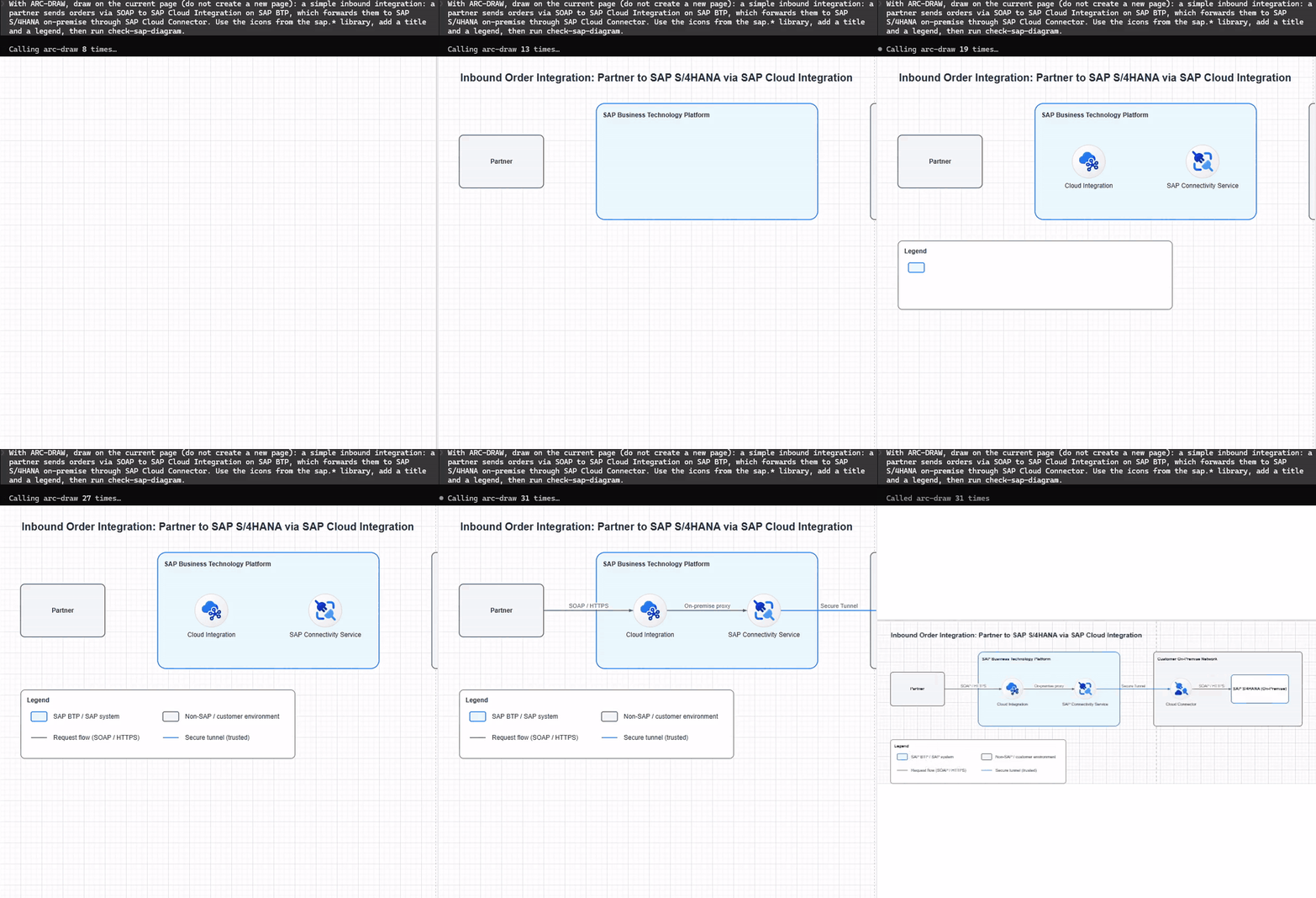 One prompt to Claude Code, a diagram built live on the draw.io canvas (sped up ~3.5×). The agent finishes by checking its own work with
 check-sap-diagram.
---
## Why this exists
Every SAP architect knows the routine. A whiteboard sketch turns into forty minutes of hunting for the right BTP icon, fixing colours and re-routing connectors, just so the diagram looks like something SAP would publish.
Generic AI diagram tools don't fix that. They draw boxes, not SAP products. They use black arrows and random colours, and they put your on-premise S/4HANA inside the BTP boundary.
**ARC-DRAW gives your agent the two things it is missing.**
| | What it is | Why it matters |
|---|---|---|
| 🎨 **Vocabulary** | 111 SAP BTP icons as native `sap.*` shapes, plus draw.io's own SAP palette (`mxgraph.sap.*`) when your draw.io ships it | The agent places `sap.cloud_integration`, not "a blue box labelled CPI". Icons live in the plugin, so they never eat your model's context. |
| 📐 **Grammar** | The SAP BTP Solution Diagram guideline distilled into a drawing *constitution*, sent to your MCP client the moment it connects | Colours, connector semantics (solid = sync, dashed = async), area nesting and compose order become rules the agent follows, not suggestions. |
On top of that, two tools the agent can call by itself: `get-sap-examples` (canonical patterns with ground-truth styles) and `get-sap-guideline` (specific rules by topic: areas, connectors, icons, numbering…).
```mermaid
flowchart LR
A["You