
Open-source veterinary software. Your practice. Your data.
Live Demo · Website · Guides · Features · Quick Start · API Docs · Roadmap · Contributing


Veterinary software should belong to the people who use it.
OpenVPM brings appointments, patient records, clinical notes, and billing into one workspace. Explore the demo, run it on your own infrastructure, or build on the API.
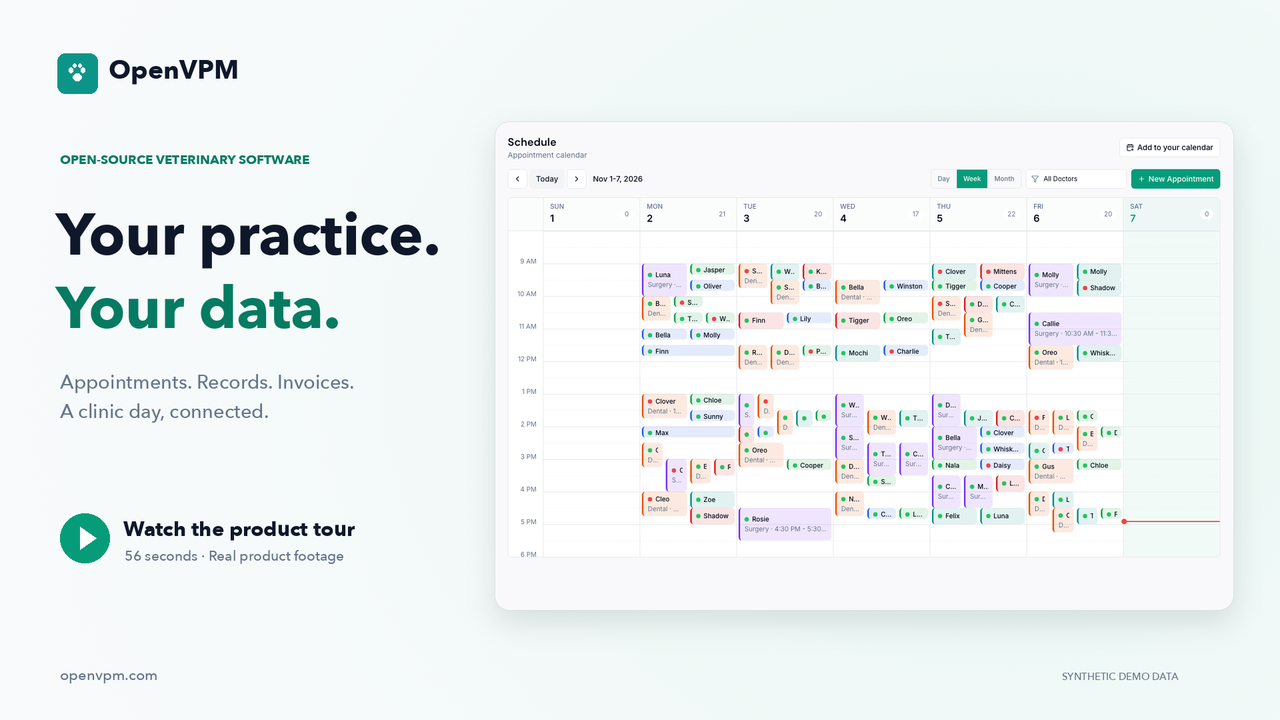
Watch the 56-second product tour · Try the live demo · Build with the API
Real product footage with fictional demo data. The API segment illustrates documented interfaces. English captions · Clinic pilot readiness guide.
If you want veterinary software to be open, star OpenVPM to help clinics and builders find it.
--- ## What is OpenVPM? OpenVPM is a modern, cloud-native veterinary practice information management system that is: - **Beautiful and intuitive** — Practice managers and front desk staff should be productive within a single shift, not a multi-week training program - **API-first** — Dashboard workflows use typed tRPC procedures, while external integrations use scoped `/api/v1` REST endpoints and signed webhooks for supported read/write workflows - **Cloud-native but self-hostable** — Run it on our cloud or deploy it on your own infrastructure - **Free and open source** — AGPLv3, forever. No per-provider pricing. No vendor lock-in. Your data is yours. > _"I was intrigued and excited to find that there is a viable open-source practice management offering out there."_ > — Veterinarian and veterinary software builder ## Screenshots
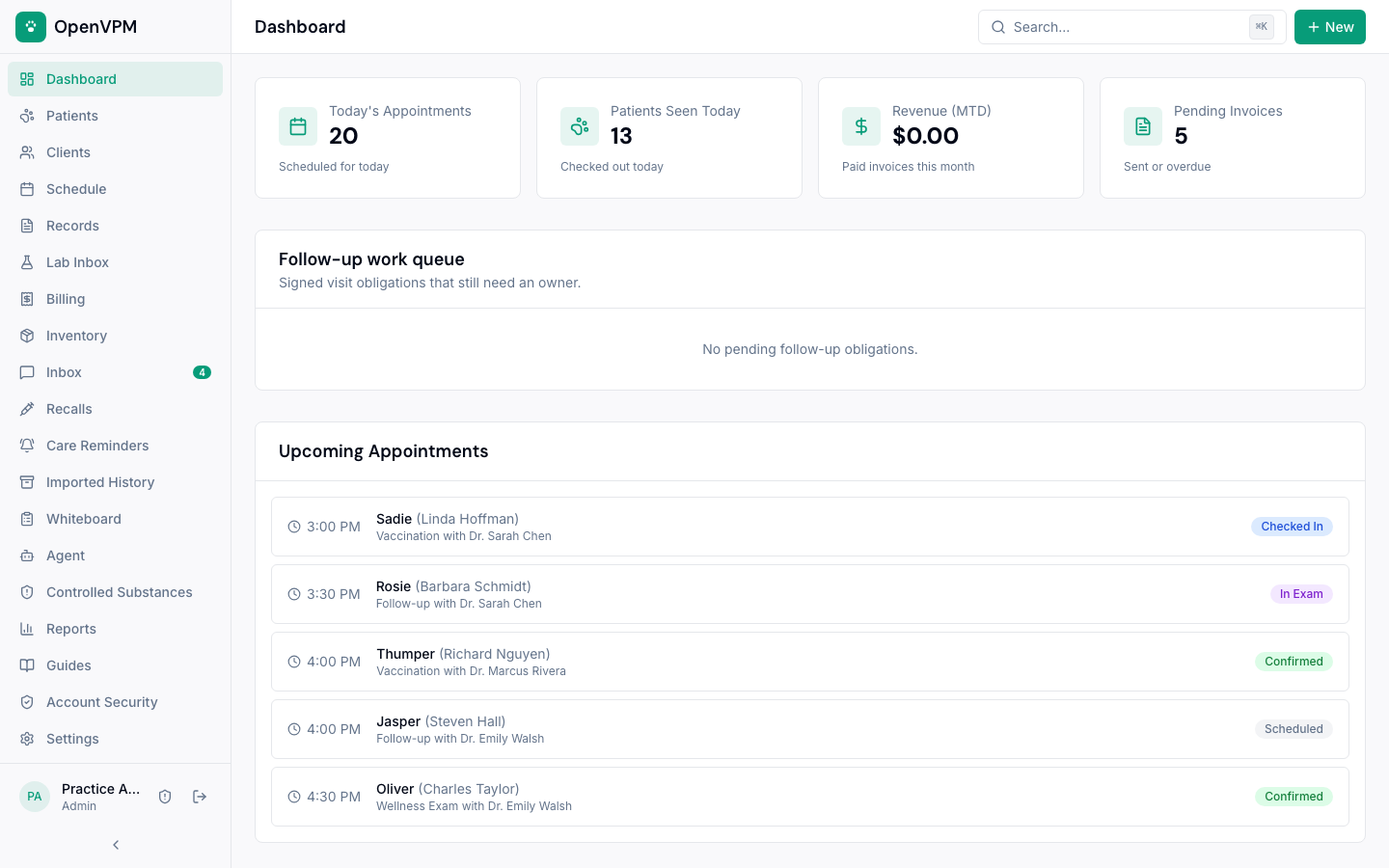
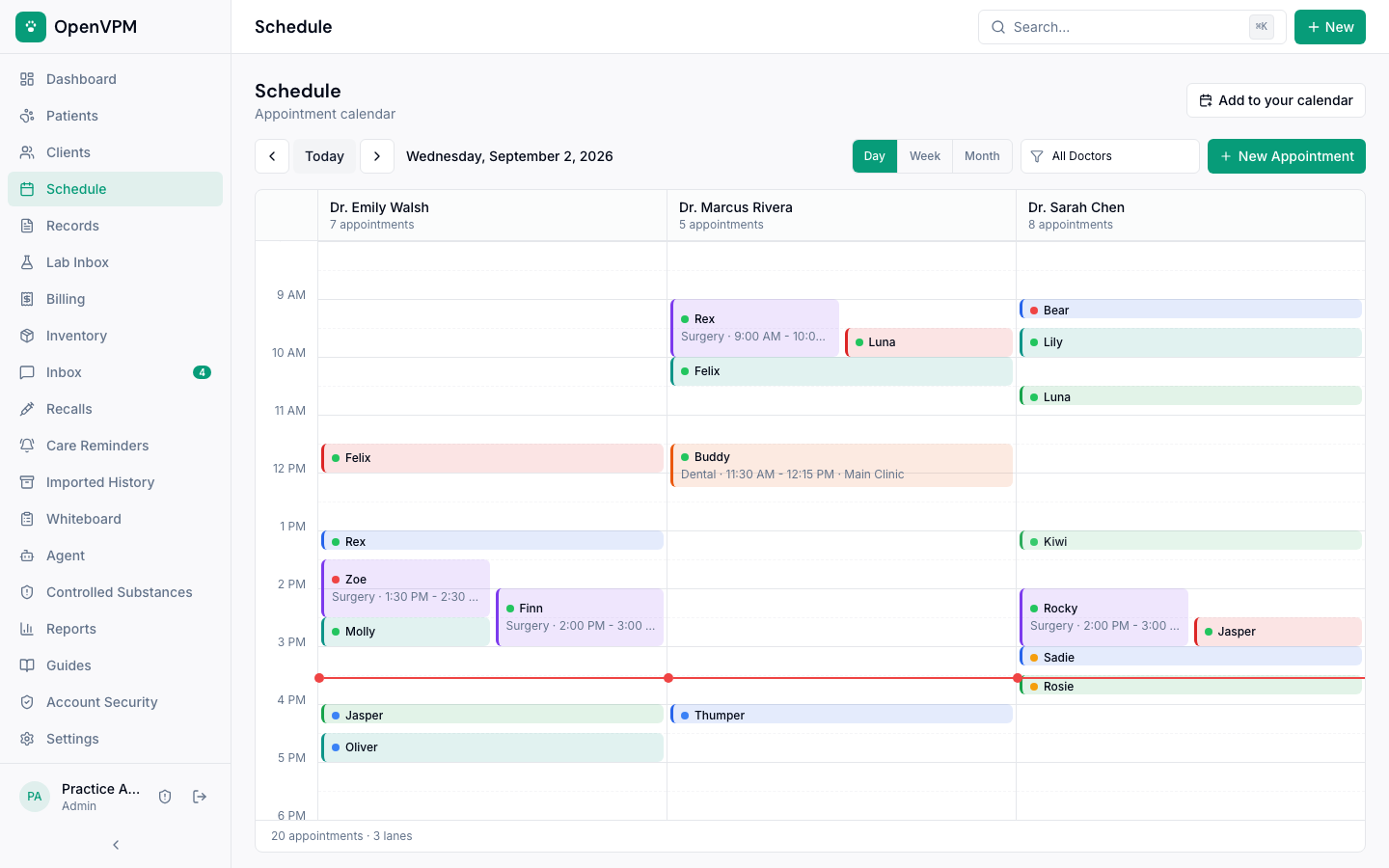
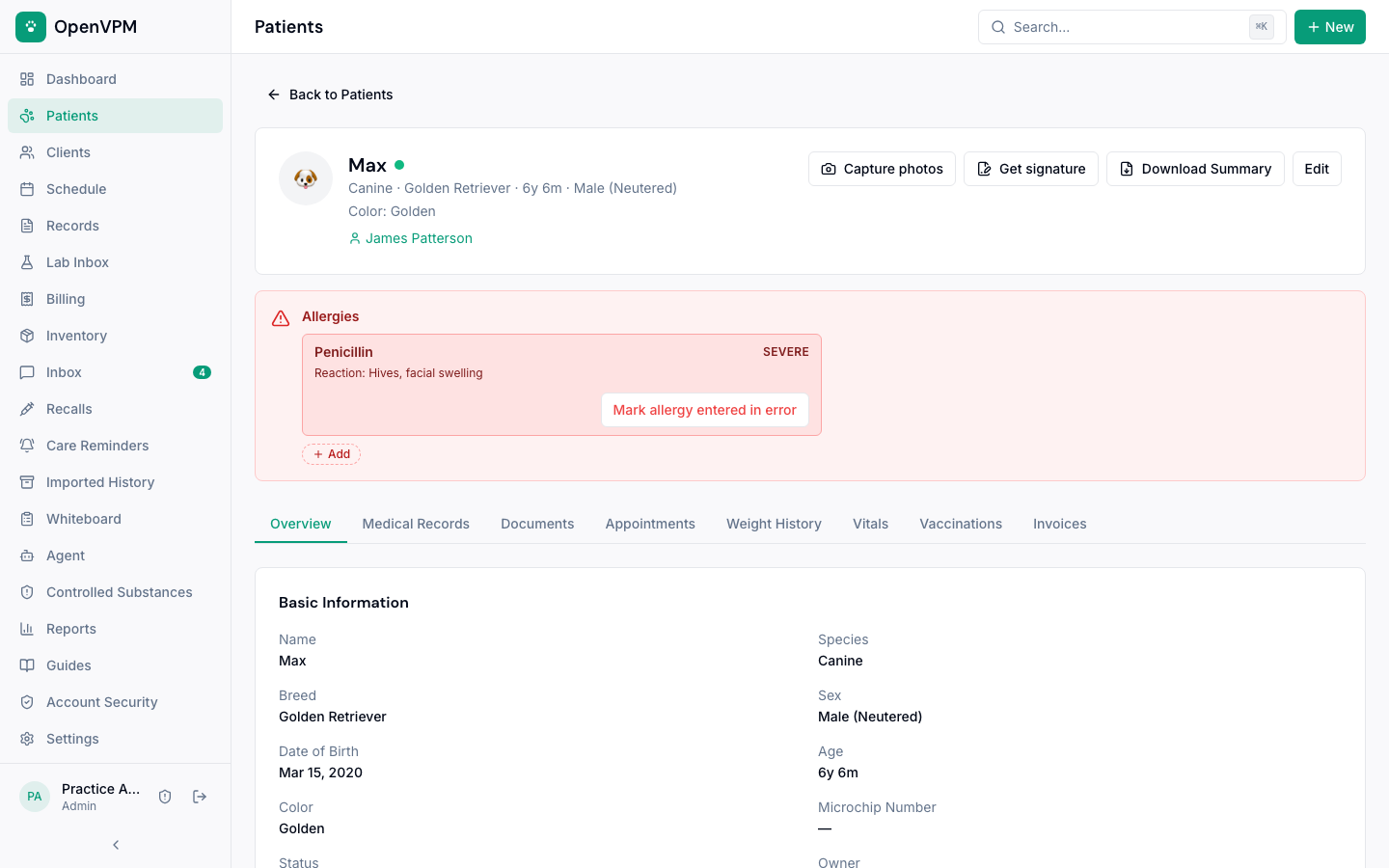
Current application UI rendered from the repository's seeded demo practice. The reproducible capture flow lives in e2e/demo-screenshots.spec.ts.
## Help & Guides [OpenVPM Help](https://docs.openvpm.com) has step-by-step guides with real screens for the front desk, clinical team, and practice managers, a tour of every screen, and a training path for each role. The site lives in [apps/docs](apps/docs), and its screenshots are captured from the seeded demo clinic ([how](apps/docs/capture/README.md)). Self-hosting setup guides stay in [docs/help](docs/help/README.md). Before evaluating OpenVPM for live clinic use, read the [Clinic Pilot Readiness Guide](docs/clinic-pilot-readiness.md) for the current supported, configuration-dependent, and not-yet-supported boundaries. Switching from another PIMS? Start with [Migrating to OpenVPM](docs/migrating-to-openvpm.md). ## Features ### Phase 1 — Foundation (Implemented) **Patient & Client Management** Complete patient records with species, breed, weight history with trend charts, microchip tracking, photo uploads, and allergy/reaction alerts. Multi-pet households linked to single clients. Instant fuzzy search across all records via Cmd+K. **Appointment Scheduling** Visual calendar with day/week views and column-per-doctor layout. Configurable appointment types with durations and colors. Doctor-specific vs. any-doctor scheduling, with doctor and room conflict detection. Full status flow: Scheduled > Checked In > In Exam > Checked Out. Recurring appointments and block scheduling. **Electronic Medical Records (EMR)** SOAP notes with rich text editing. Problem lists (active/resolved/chronic). Vaccination records with reminders and certificate generation. Lab results viewer with reference ranges and trend graphs. Prescription management with dosing calculator and refill tracking. Document and image attachments. **Billing & Invoicing** Structured visit closeout keeps the clinical handoff, follow-up plan, invoice or no-charge disposition, and checkout connected. Treatment templates can populate draft invoices, with itemized manual service/product line items, tax calculation, estimates that convert to invoices, payment tracking, account balances, and revenue reporting. **Inventory Management** Product catalog with stock levels, reorder point alerts, lot/batch tracking, and expiration dates. Auto-deduction when products are dispensed from invoices or EMR prescriptions. Supplier contact management for reorder workflows. **Controlled Substance Tracking** Controlled-substance logging with patient and lot linkage, running balances, waste-witness fields, and full audit trails. Practices should validate the configured workflow against their federal, state, and local procedures. ### Phase 2 — Communication & Intelligence (Core implemented; delivery services require configuration) **Client Communication Hub** Communication history across calls, texts, emails, and inbound portal requests. Appointment and vaccination reminder workflows are administrator-controlled, and email delivery requires a configured provider. Hosted SMS and two-way texting are a controlled, one-location clinic pilot that requires carrier activation and recorded client consent. General-purpose bulk marketing campaigns are not included. **Practice Whiteboard** Shared, auto-refreshing patient status board showing patient name, doctor, room, status, time in, procedure, and notes across clinic workflows. **Reporting & Analytics** Dashboard with KPI cards, revenue trends, appointment utilization, species distribution, and production by doctor. Exportable to CSV/PDF. **Client Portal** Pet owners can view health records, request appointments, download vaccination certificates, view invoices, pay online when Stripe checkout is configured, and see active prescriptions. ### Phase 3 — API & AI (Implemented; AI requires a configured model provider) **Open API** Versioned `/api/v1` REST API for external integrations, with API reference documentation. Webhook system for real-time events (appointment created, patient checked in, invoice paid). API key management with scopes and rate limiting. Audit logging. **AI-Ready Architecture** Structured data models queryable by AI agents. Signed webhook events for agent subscriptions. Integration points for SOAP note generation, appointment booking, checked-in appointment events, and hosted agent runs. ## Tech Stack | Layer | Technology | | ---------------- | ------------------------------------------------------------------ | | **Frontend** | Next.js 15 (App Router), TypeScript, React 19 | | **UI** | shadcn/ui + Radix UI + Tailwind CSS | | **API** | tRPC dashboard API + versioned `/api/v1` REST | | **Database** | PostgreSQL 16 + Drizzle ORM | | **Auth** | NextAuth.js, role-based access, optional TOTP MFA, recovery codes | | **Events** | Signed webhook delivery for integrations | | **Email/SMS** | Resend + Telnyx SMS (Twilio fallback) | | **Payments** | Stripe | | **File Storage** | S3-compatible or Vercel Blob (PGSTY Silo for self-hosted) | | **Monorepo** | Turborepo + pnpm workspaces | | **Testing** | Vitest + Playwright | | **Deployment** | Docker Compose (self-host) or Vercel (cloud) | ## Architecture ``` openvpm/ ├── apps/ │ ├── web/ # Next.js frontend + API │ │ ├── app/ # App Router pages │ │ │ ├── (auth)/ # Login, register │ │ │ ├── (dashboard)/ # Main clinic workflows │ │ │ └── portal/ # Client-facing portal │ │ ├── components/ # UI component library │ │ ├── lib/ # Utilities and integrations │ │ └── server/ # tRPC routers and server services │ └── docs/ # Searchable Next.js staff-guide site ├── docs/ # Help, API, deployment, and safety guides ├── packages/ │ ├── db/ # Modular schema, migrations, RLS, seed data │ ├── api/ # Shared Zod validators │ ├── config/ # TypeScript, Tailwind config │ ├── docs-content/ # Shared guide content and metadata │ └── email/ # Email templates ├── docker/ # Docker Compose (PostgreSQL + MinIO) └── e2e/ # Playwright E2E tests ``` ### Database Design Modular schemas cover core clinical, scheduling, billing, inventory, communication, consent, migration, and operational records. Clinic-owned rows use explicit practice relationships and are protected by tenant-scoped application access plus database row-level security policies. Structured relational records are used for the primary clinic entities; JSON fields are reserved for bounded settings, event payloads, and immutable snapshots where their shape is explicitly managed. ### API Coverage Dashboard tRPC routers cover the product's clinic workflows, including patients, clients, appointments, encounters, records, billing, inventory, communications, reporting, portal access, settings, and administration. Dashboard procedures include Zod validation and role-based access control through tRPC. External integrations use the smaller, scoped, API-key authenticated `/api/v1` REST surface documented below; dashboard router coverage does not imply equivalent public REST coverage. ### Security - **Multi-tenancy:** Tenant-scoped application queries plus database row-level security for clinic-owned data - **RBAC:** Admin, Veterinarian, Technician, Front Desk, and read-only Viewer roles enforced at the API layer - **Auth:** NextAuth.js with bcrypt password hashing, database sessions, optional TOTP MFA, recovery codes, and privileged-action confirmation - **Headers:** CSP, HSTS, Permissions-Policy, X-Content-Type-Options, X-Frame-Options, X-XSS-Protection, Referrer-Policy - **Audit:** Audit records for security-sensitive and high-risk clinical and financial workflows; coverage is expanded as workflows mature ## Quick Start ### Prerequisites - Node.js 24.22.1 or a newer Node.js 24 patch (`nvm use`) - pnpm 9+ - Docker (for PostgreSQL and MinIO) ### Setup ```bash # Clone the repository git clone https://github.com/evangauer/openvpm.git cd openvpm # Copy environment config cp .env.example .env # Replace the placeholder NEXTAUTH_SECRET in .env with a generated one # (or paste the output of `openssl rand -base64 32` into .env yourself) sed -i.bak "s|^NEXTAUTH_SECRET=.*|NEXTAUTH_SECRET=\"$(openssl rand -base64 32)\"|" .env && rm .env.bak # Start the local PostgreSQL and S3-compatible storage dependencies docker compose --env-file .env -f docker/docker-compose.yml up -d postgres minio minio-bootstrap # Install dependencies pnpm install --frozen-lockfile # Verify this clone contains only public release material pnpm verify:oss-release # Apply the committed database migrations pnpm db:migrate # Apply and verify row-level security policies OPENPIMS_APP_DB_PASSWORD='local-openpims-app' pnpm db:rls OPENPIMS_APP_DB_PASSWORD='local-openpims-app' pnpm db:rls:test # Seed with realistic demo data pnpm db:seed # Start the development server pnpm dev ``` Keep `.env` at the repository root beside `.env.example`. `pnpm dev` loads it for the web server in `apps/web`; you do not need a second env file there. Existing shell exports and app env values take precedence. If `DATABASE_URL` is missing, the dev server stops with setup instructions. Restart `pnpm dev` after changing the root env file. Production continues to use its deployment environment. Open [http://localhost:3000](http://localhost:3000) and sign in with the demo credentials: | Role | Email | Password | | ------------ | ----------------------------------------- | ----------- | | Admin | admin@neighborhoodvet.example.com | password123 | | Veterinarian | sarah.chen@neighborhoodvet.example.com | password123 | | Technician | jamie.torres@neighborhoodvet.example.com | password123 | | Front Desk | morgan.bailey@neighborhoodvet.example.com | password123 | The seed data creates a complete demo practice — "Neighborhood Veterinary" — with 8 staff, 25 clients, 40 patients, 2 weeks of appointments, SOAP notes, vaccination records, invoices, and 50 inventory products. The Docker Compose stack uses [PGSTY Silo](https://github.com/pgsty/silo), a maintained MinIO-compatible server, pinned to a release and image digest for both AMD64 and ARM64 hosts. Its bundled `mcli` client creates the `openpims` bucket used by `S3_BUCKET`; the bootstrap exits with an error if storage cannot be reached after 60 attempts. When using an external S3-compatible store, create that bucket yourself and grant the app credentials read/write/delete/head access before uploads, backups, or file previews run. The Compose service name `minio`, volume name `minio_data`, S3 endpoint, and `MINIO_*` settings remain compatible with existing configuration. Before upgrading an existing MinIO installation, keep an independent backup and follow the [Silo migration guide](https://silo.pgsty.com/compatibility/migration/). Do not delete the existing storage volume to upgrade. Before using a self-hosted installation with real clinic data, complete the [open-source release checklist](docs/open-source-release-checklist.md) and the [clinic pilot readiness guide](docs/clinic-pilot-readiness.md). A successful local build is not, by itself, a production-readiness assessment. ### Deploy with Docker Allocate at least 4 GiB of memory to the Docker builder. The image build gives Node a 3 GiB heap for compilation and type checking; the running application keeps Node's default memory settings. On a larger builder, the heap can be adjusted with `--build-arg BUILD_NODE_OPTIONS=--max-old-space-size=4096`. ```bash # One time: create .env with a unique session secret cp .env.example .env sed -i.bak "s|^NEXTAUTH_SECRET=.*|NEXTAUTH_SECRET=\"$(openssl rand -base64 32)\"|" .env && rm .env.bak docker compose --env-file .env -f docker/docker-compose.yml up -d ``` `NEXTAUTH_SECRET` signs every staff session, so it must be unique to your installation. Compose refuses to start the app without it, and a production build refuses to sign anyone in while it is a placeholder published in this repository or shorter than 32 characters: every page shows a setup notice, API routes return `503`, and `/api/health` reports the `authSecret` check as failing. PostgreSQL and MinIO are published on `127.0.0.1` only; their default credentials are for this single-host setup and must not be exposed to a network. > **Upgrading an existing Docker install:** earlier versions of > `docker/docker-compose.yml` shipped a fixed `NEXTAUTH_SECRET`. Anyone who knows > that public value can forge a staff session on an install still using it. > Generate a new secret as above, put it in `.env`, and restart with > `docker compose --env-file .env -f docker/docker-compose.yml up -d`. Changing > the secret signs everyone out once; staff sign in again with their usual > password. Invoice payment links signed with the old secret also stop working > and should be re-sent. Patient-portal sign-in links are not affected. > > The same upgrade binds PostgreSQL (`5432`) and the MinIO API and console > (`9000`, `9001`) to `127.0.0.1` on the Docker host, so they are no longer > reachable from other machines. If you administered them remotely, use an SSH > tunnel instead, for example > `ssh -N -L 5432:127.0.0.1:5432 -L 9001:127.0.0.1:9001 you@your-server`, then > connect to `localhost:5432` or open `http://localhost:9001`. The Docker setup includes PostgreSQL 16 with health checks, PGSTY Silo for S3-compatible file storage, automatic bucket bootstrap, and a multi-stage production build of the web application. For production, run `pnpm db:migrate`, then `OPENPIMS_APP_DB_PASSWORD='' pnpm db:rls`, verify with `OPENPIMS_APP_DB_PASSWORD='Built for the veterinary community, by people who believe great software should be accessible to every practice.