# Dodo, a message bar for iOS / Swift
[](https://github.com/Carthage/Carthage)
[](http://cocoadocs.org/docsets/Dodo)
[](https://github.com/apple/swift-package-manager)
[](LICENSE)
[](http://cocoadocs.org/docsets/Dodo)
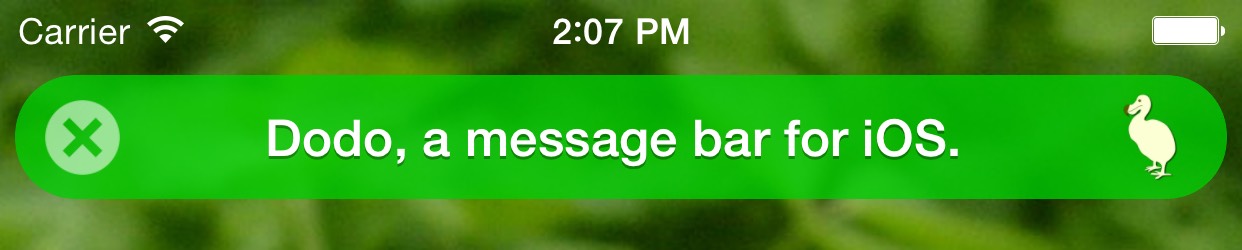 This is a UI widget for showing text messages in iOS apps. It is useful for showing short messages to the user, something like: "Message sent", "Note saved", "No Internet connection".
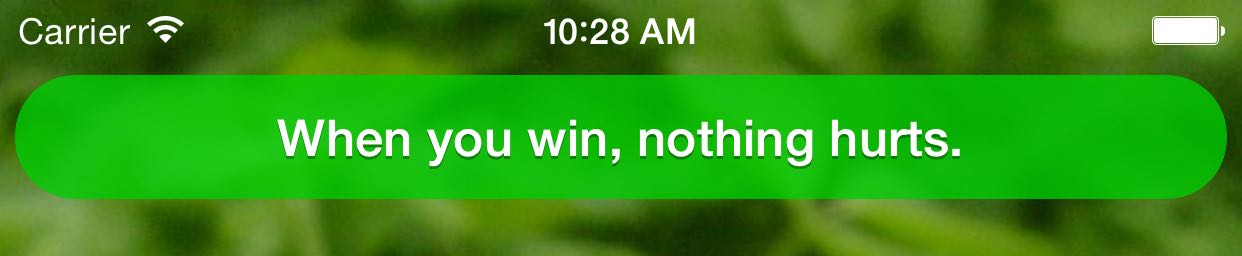
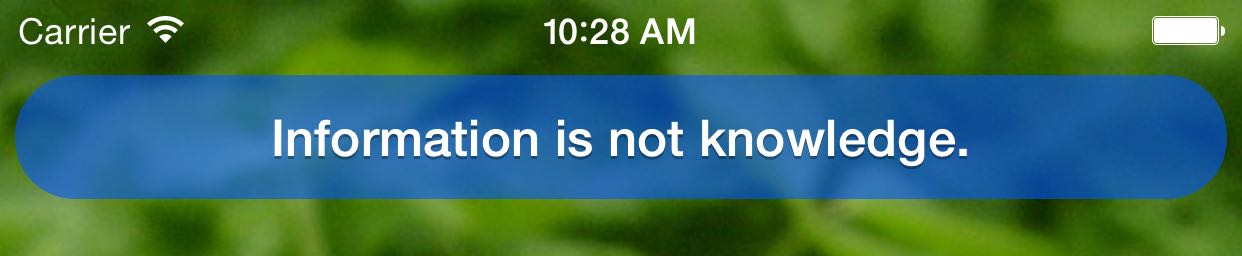
* Dodo includes styles for success, info, warning and error type messages.
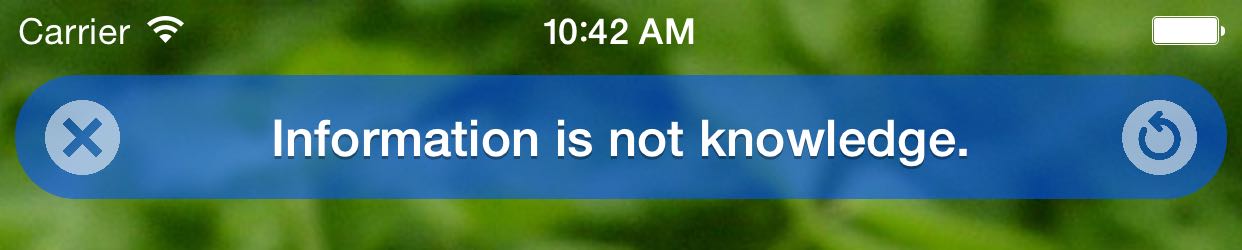
* The bar can have buttons with custom tap handlers.
* Bar styles can be customized.
* You can provide custom animations for showing and hiding the bar or use one of the default animation presets.
* Supports iOS 9+.
This is a UI widget for showing text messages in iOS apps. It is useful for showing short messages to the user, something like: "Message sent", "Note saved", "No Internet connection".
* Dodo includes styles for success, info, warning and error type messages.
* The bar can have buttons with custom tap handlers.
* Bar styles can be customized.
* You can provide custom animations for showing and hiding the bar or use one of the default animation presets.
* Supports iOS 9+.
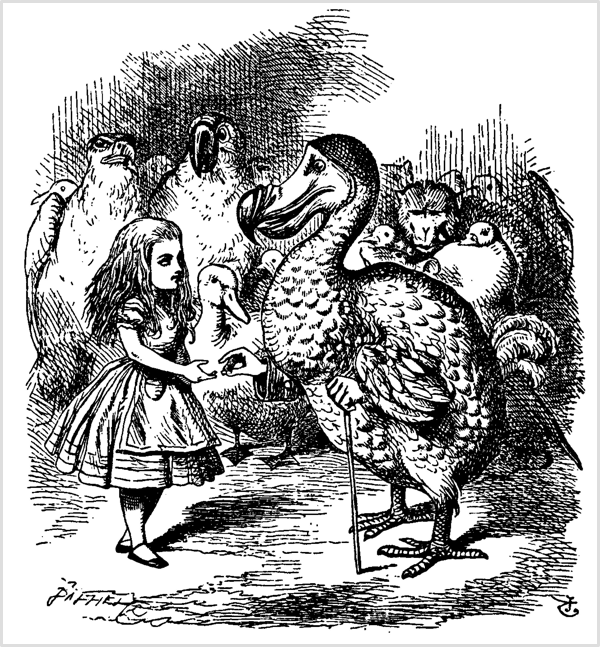 > At last the Dodo said, `EVERYBODY has won, and all must have prizes.'
*From Alice's Adventures in Wonderland. Original illustration by John Tenniel, 1865. Source: [Wikimedia Commons](https://commons.wikimedia.org/wiki/File:Alice_par_John_Tenniel_09.png).*
## Setup
There are multiple ways you can add Dodo to your project.
**Add source**
Simply add [DodoDistrib.swift](https://github.com/evgenyneu/Dodo/blob/master/Distrib/DodoDistrib.swift) file into your Xcode project.
**Setup with Carthage**
Add `github "evgenyneu/Dodo" ~> 13.0` to your Cartfile and run `carthage update`.
**Setup with CocoaPods**
If you are using CocoaPods add this text to your Podfile and run `pod install`.
use_frameworks!
target 'Your target name'
pod 'Dodo', '~> 13.0'
#### Setup with Swift Package Manager
* In Xcode 11+ select *File > Packages > Add Package Dependency...*.
* Enter this project's URL: https://github.com/evgenyneu/Dodo.git
#### Legacy Swift versions
Setup a [previous version](https://github.com/evgenyneu/Dodo/wiki/Legacy-Swift-versions) of the library if you use an older version of Swift.
## Usage
Add `import Dodo` to your source code (unless you used the file setup method).
Dodo is an extension of UIView class. You can reach it by using using the `dodo` property in any instance of UIView or its subclass. It can be, for example, the `view` property of your view controller.
### Show and hide message bar
```Swift
view.dodo.success("Everybody has won and all must have prizes.")
view.dodo.info("Extinction is the rule. Survival is the exception.")
view.dodo.warning("This world is but a canvas to our imagination.")
view.dodo.error("The perception of beauty is a moral test.")
view.dodo.hide()
```
If you are showing the bar in the root view you may need to provide top or bottom anchors. This will prevent the message bar from overlapping with the status or the tab bar.
```Swift
view.dodo.topAnchor = view.safeAreaLayoutGuide.topAnchor
view.dodo.bottomAnchor = view.safeAreaLayoutGuide.bottomAnchor
view.dodo.success("I solemnly swear to avoid the notch.")
```
Alternatively, you can specify the anchors from the layout guides:
```Swift
view.dodo.topAnchor = topLayoutGuide.bottomAnchor
view.dodo.bottomAnchor = bottomLayoutGuide.topAnchor
view.dodo.success("I solemnly swear to avoid the notch.")
```
> At last the Dodo said, `EVERYBODY has won, and all must have prizes.'
*From Alice's Adventures in Wonderland. Original illustration by John Tenniel, 1865. Source: [Wikimedia Commons](https://commons.wikimedia.org/wiki/File:Alice_par_John_Tenniel_09.png).*
## Setup
There are multiple ways you can add Dodo to your project.
**Add source**
Simply add [DodoDistrib.swift](https://github.com/evgenyneu/Dodo/blob/master/Distrib/DodoDistrib.swift) file into your Xcode project.
**Setup with Carthage**
Add `github "evgenyneu/Dodo" ~> 13.0` to your Cartfile and run `carthage update`.
**Setup with CocoaPods**
If you are using CocoaPods add this text to your Podfile and run `pod install`.
use_frameworks!
target 'Your target name'
pod 'Dodo', '~> 13.0'
#### Setup with Swift Package Manager
* In Xcode 11+ select *File > Packages > Add Package Dependency...*.
* Enter this project's URL: https://github.com/evgenyneu/Dodo.git
#### Legacy Swift versions
Setup a [previous version](https://github.com/evgenyneu/Dodo/wiki/Legacy-Swift-versions) of the library if you use an older version of Swift.
## Usage
Add `import Dodo` to your source code (unless you used the file setup method).
Dodo is an extension of UIView class. You can reach it by using using the `dodo` property in any instance of UIView or its subclass. It can be, for example, the `view` property of your view controller.
### Show and hide message bar
```Swift
view.dodo.success("Everybody has won and all must have prizes.")
view.dodo.info("Extinction is the rule. Survival is the exception.")
view.dodo.warning("This world is but a canvas to our imagination.")
view.dodo.error("The perception of beauty is a moral test.")
view.dodo.hide()
```
If you are showing the bar in the root view you may need to provide top or bottom anchors. This will prevent the message bar from overlapping with the status or the tab bar.
```Swift
view.dodo.topAnchor = view.safeAreaLayoutGuide.topAnchor
view.dodo.bottomAnchor = view.safeAreaLayoutGuide.bottomAnchor
view.dodo.success("I solemnly swear to avoid the notch.")
```
Alternatively, you can specify the anchors from the layout guides:
```Swift
view.dodo.topAnchor = topLayoutGuide.bottomAnchor
view.dodo.bottomAnchor = bottomLayoutGuide.topAnchor
view.dodo.success("I solemnly swear to avoid the notch.")
```
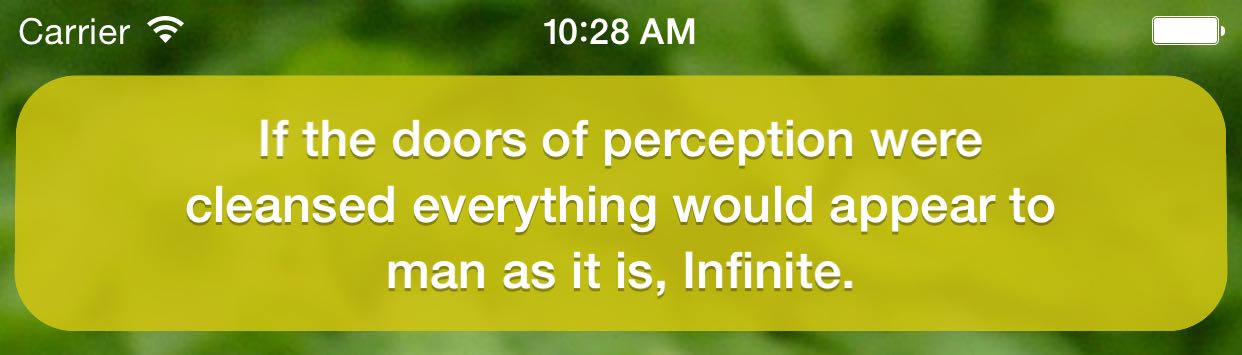
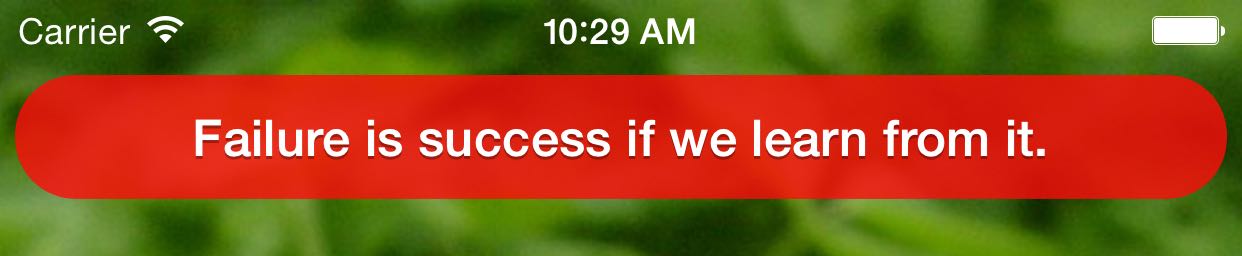 ### Styling
Set `dodo.style` property to style the message bar **before** it is shown. See the [styling manual](https://github.com/evgenyneu/Dodo/wiki/Styling) for the complete list of configuration options.
```Swift
// Set the text color
view.dodo.style.label.color = UIColor.white
// Set background color
view.dodo.style.bar.backgroundColor = DodoColor.fromHexString("#00000090")
// Close the bar after 3 seconds
view.dodo.style.bar.hideAfterDelaySeconds = 3
// Close the bar when it is tapped
view.dodo.style.bar.hideOnTap = true
// Show the bar at the bottom of the screen
view.dodo.style.bar.locationTop = false
// Do something on tap
view.dodo.style.bar.onTap = { /* Tapped on the bar */ }
```
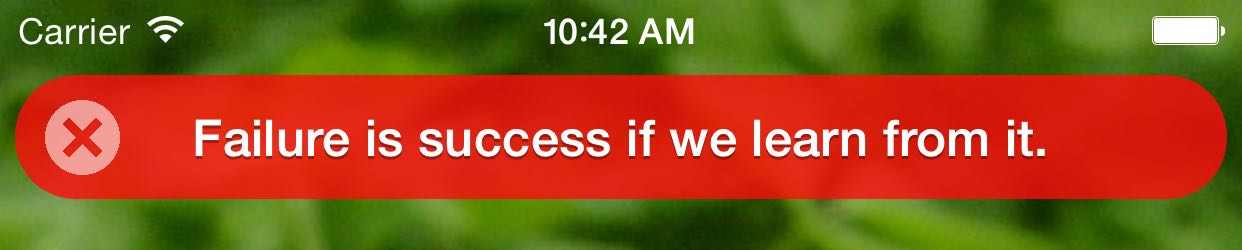
### Add buttons or icons
Set `style.leftButton` and `style.rightButton` properties to show buttons or icons. As with other style properties please style the buttons **before** the message is shown.
```Swift
// Use a built-in icon
view.dodo.style.leftButton.icon = .close
// Supply your image
view.dodo.style.leftButton.image = UIImage(named: "CloseIcon")
// Change button's image color
view.dodo.style.leftButton.tintColor = DodoColor.fromHexString("#FFFFFF90")
// Do something on tap
view.dodo.style.leftButton.onTap = { /* Button tapped */ }
// Close the bar when the button is tapped
view.dodo.style.leftButton.hideOnTap = true
```
### Styling
Set `dodo.style` property to style the message bar **before** it is shown. See the [styling manual](https://github.com/evgenyneu/Dodo/wiki/Styling) for the complete list of configuration options.
```Swift
// Set the text color
view.dodo.style.label.color = UIColor.white
// Set background color
view.dodo.style.bar.backgroundColor = DodoColor.fromHexString("#00000090")
// Close the bar after 3 seconds
view.dodo.style.bar.hideAfterDelaySeconds = 3
// Close the bar when it is tapped
view.dodo.style.bar.hideOnTap = true
// Show the bar at the bottom of the screen
view.dodo.style.bar.locationTop = false
// Do something on tap
view.dodo.style.bar.onTap = { /* Tapped on the bar */ }
```
### Add buttons or icons
Set `style.leftButton` and `style.rightButton` properties to show buttons or icons. As with other style properties please style the buttons **before** the message is shown.
```Swift
// Use a built-in icon
view.dodo.style.leftButton.icon = .close
// Supply your image
view.dodo.style.leftButton.image = UIImage(named: "CloseIcon")
// Change button's image color
view.dodo.style.leftButton.tintColor = DodoColor.fromHexString("#FFFFFF90")
// Do something on tap
view.dodo.style.leftButton.onTap = { /* Button tapped */ }
// Close the bar when the button is tapped
view.dodo.style.leftButton.hideOnTap = true
```
 ### Customize animation
Configure the animation effect of the bar before it is shown. See the [animation wiki page](https://github.com/evgenyneu/Dodo/wiki/Animating) for more information.
```Swift
// Use existing animations
view.dodo.style.bar.animationShow = DodoAnimations.rotate.show
view.dodo.style.bar.animationHide = DodoAnimations.slideRight.hide
// Turn off animation
view.dodo.style.bar.animationShow = DodoAnimations.noAnimation.show
```
### Unit testing
Sometimes it is useful to verify which messages were shown by your app in unit tests. It can be done
by setting an instance of `DodoMock` class to `view.dodo` property.
See the [unit testing manual](https://github.com/evgenyneu/Dodo/wiki/Unit-testing) for more details.
## Known limitations
* Dodo messages [can not be shown](https://github.com/evgenyneu/Dodo/issues/2) in a `UITableViewController`.
### Using Dodo from Objective-C
[This manual](https://github.com/evgenyneu/Dodo/wiki/Using-Dodo-in-Objective-C-project) describes how to show Dodo messages in Objective-C apps.
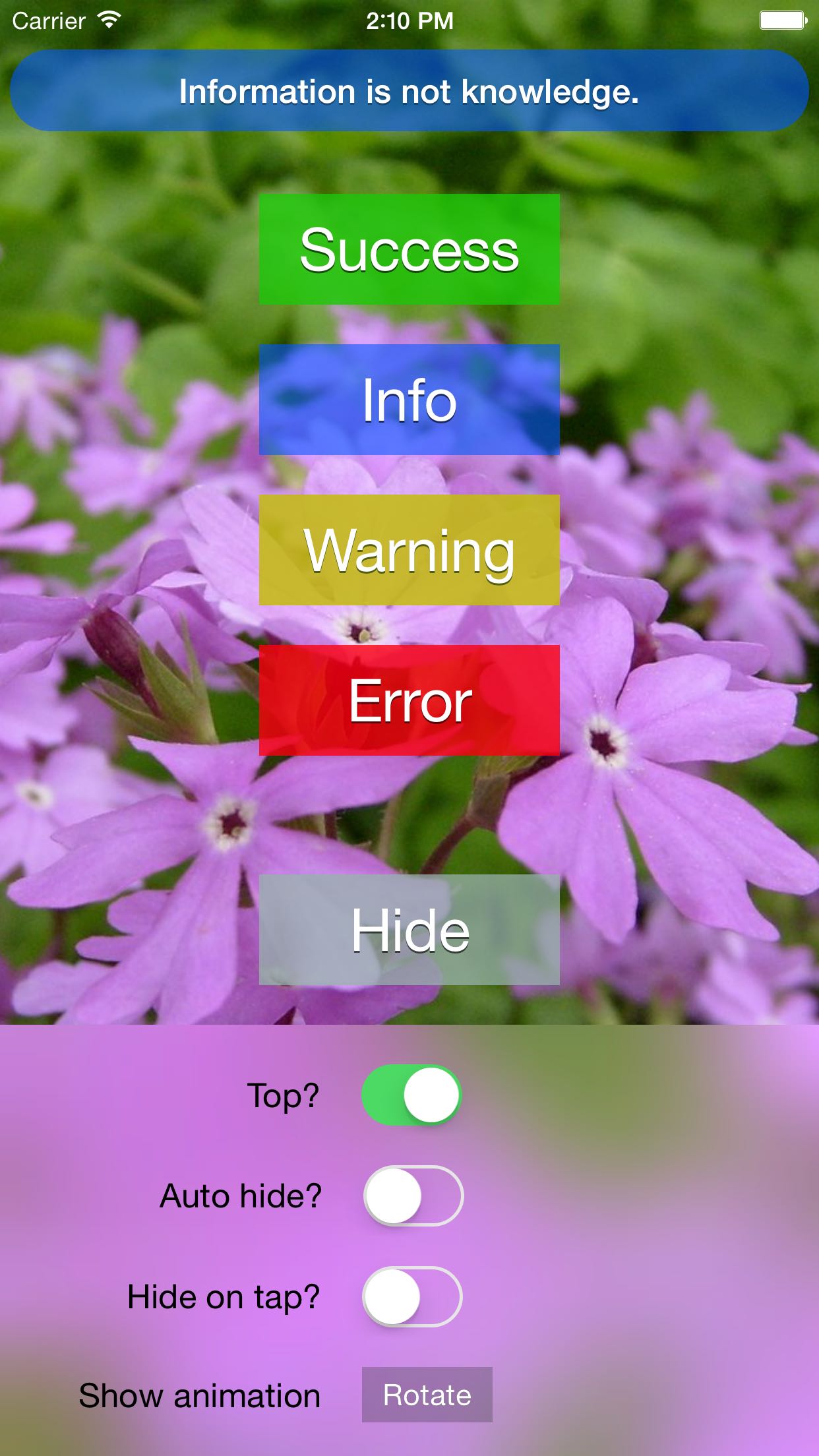
## Demo iOS app
This project includes a demo app.
### Customize animation
Configure the animation effect of the bar before it is shown. See the [animation wiki page](https://github.com/evgenyneu/Dodo/wiki/Animating) for more information.
```Swift
// Use existing animations
view.dodo.style.bar.animationShow = DodoAnimations.rotate.show
view.dodo.style.bar.animationHide = DodoAnimations.slideRight.hide
// Turn off animation
view.dodo.style.bar.animationShow = DodoAnimations.noAnimation.show
```
### Unit testing
Sometimes it is useful to verify which messages were shown by your app in unit tests. It can be done
by setting an instance of `DodoMock` class to `view.dodo` property.
See the [unit testing manual](https://github.com/evgenyneu/Dodo/wiki/Unit-testing) for more details.
## Known limitations
* Dodo messages [can not be shown](https://github.com/evgenyneu/Dodo/issues/2) in a `UITableViewController`.
### Using Dodo from Objective-C
[This manual](https://github.com/evgenyneu/Dodo/wiki/Using-Dodo-in-Objective-C-project) describes how to show Dodo messages in Objective-C apps.
## Demo iOS app
This project includes a demo app.
 ## Thanks 👍
* [sai-prasanna](https://github.com/sai-prasanna) for Swift 2.2 update.
## Quotes credits
#### Albert Einstein
> Information is not knowledge.
#### Carl Sagan
> Extinction is the rule. Survival is the exception.
#### George S. Patton
> Success is how high you bounce when you hit bottom.
#### Henry David Thoreau
> This world is but a canvas to our imagination.
> The perception of beauty is a moral test.
#### Joe Namath
> When you win, nothing hurts.
#### Lewis Carroll
> Everybody has won and all must have prizes.
#### Malcolm Forbes
> Failure is success if we learn from it.
#### William Blake
> If the doors of perception were cleansed everything would appear to man as it is, Infinite.
## Alternative solutions
Here are some other message bar libraries for iOS:
* [cezarywojcik/CWStatusBarNotification](https://github.com/cezarywojcik/CWStatusBarNotification)
* [frankdilo/FDStatusBarNotifierView](https://github.com/frankdilo/FDStatusBarNotifierView)
* [jaydee3/JDStatusBarNotification](https://github.com/jaydee3/JDStatusBarNotification)
* [KrauseFx/TSMessages](https://github.com/KrauseFx/TSMessages)
* [peterprokop/SwiftOverlays](https://github.com/peterprokop/SwiftOverlays)
* [terryworona/TWMessageBarManager](https://github.com/terryworona/TWMessageBarManager)
## License
Dodo is released under the [MIT License](LICENSE).
## •ᴥ•
This project is dedicated to [the dodo](https://en.wikipedia.org/wiki/Dodo), species of flightless birds that lived on the island of Mauritius and became extinct in the 17th century.
## Thanks 👍
* [sai-prasanna](https://github.com/sai-prasanna) for Swift 2.2 update.
## Quotes credits
#### Albert Einstein
> Information is not knowledge.
#### Carl Sagan
> Extinction is the rule. Survival is the exception.
#### George S. Patton
> Success is how high you bounce when you hit bottom.
#### Henry David Thoreau
> This world is but a canvas to our imagination.
> The perception of beauty is a moral test.
#### Joe Namath
> When you win, nothing hurts.
#### Lewis Carroll
> Everybody has won and all must have prizes.
#### Malcolm Forbes
> Failure is success if we learn from it.
#### William Blake
> If the doors of perception were cleansed everything would appear to man as it is, Infinite.
## Alternative solutions
Here are some other message bar libraries for iOS:
* [cezarywojcik/CWStatusBarNotification](https://github.com/cezarywojcik/CWStatusBarNotification)
* [frankdilo/FDStatusBarNotifierView](https://github.com/frankdilo/FDStatusBarNotifierView)
* [jaydee3/JDStatusBarNotification](https://github.com/jaydee3/JDStatusBarNotification)
* [KrauseFx/TSMessages](https://github.com/KrauseFx/TSMessages)
* [peterprokop/SwiftOverlays](https://github.com/peterprokop/SwiftOverlays)
* [terryworona/TWMessageBarManager](https://github.com/terryworona/TWMessageBarManager)
## License
Dodo is released under the [MIT License](LICENSE).
## •ᴥ•
This project is dedicated to [the dodo](https://en.wikipedia.org/wiki/Dodo), species of flightless birds that lived on the island of Mauritius and became extinct in the 17th century.