 # A badge control for iOS and tvOS written in Swift
[](https://github.com/Carthage/Carthage)
[](http://cocoadocs.org/docsets/BadgeSwift)
[](/LICENSE)
[](http://cocoadocs.org/docsets/BadgeSwift)
* The badge is a subclass of UILabel view.
* It can be created and customized from the Storyboard or from the code.
## Setup
There are various ways you can add BadgeSwift to your Xcode project.
**Add source (iOS 7+)**
Simply add [BadgeSwift.swift](https://github.com/evgenyneu/swift-badge/blob/master/BadgeSwift/BadgeSwift.swift) file to your project.
#### Setup with Carthage (iOS 8+)
Alternatively, add `github "evgenyneu/swift-badge" ~> 8.0` to your Cartfile and run `carthage update`.
#### Setup with CocoaPods (iOS 8+)
If you are using CocoaPods add this text to your Podfile and run `pod install`.
use_frameworks!
target 'Your target name'
pod 'BadgeSwift', '~> 8.0'
#### Setup with Swift Package Manager
* In Xcode 11+ select *File > Packages > Add Package Dependency...*.
* Enter this project's URL: https://github.com/evgenyneu/swift-badge.git
### Legacy Swift versions
Setup a [previous version](https://github.com/evgenyneu/swift-badge/wiki/Legacy-Swift-versions) of the library if you use an older version of Swift.
## Usage
### Creating a badge in the Storyboard
* Drag a **Label** to your view.
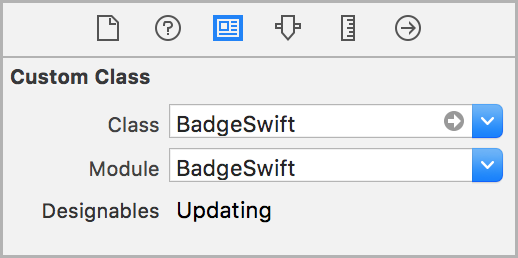
* Set its `class` to `BadgeSwift` in identity inspector.
* Set the `module` property to `BadgeSwift` (unless you used the file setup method).
# A badge control for iOS and tvOS written in Swift
[](https://github.com/Carthage/Carthage)
[](http://cocoadocs.org/docsets/BadgeSwift)
[](/LICENSE)
[](http://cocoadocs.org/docsets/BadgeSwift)
* The badge is a subclass of UILabel view.
* It can be created and customized from the Storyboard or from the code.
## Setup
There are various ways you can add BadgeSwift to your Xcode project.
**Add source (iOS 7+)**
Simply add [BadgeSwift.swift](https://github.com/evgenyneu/swift-badge/blob/master/BadgeSwift/BadgeSwift.swift) file to your project.
#### Setup with Carthage (iOS 8+)
Alternatively, add `github "evgenyneu/swift-badge" ~> 8.0` to your Cartfile and run `carthage update`.
#### Setup with CocoaPods (iOS 8+)
If you are using CocoaPods add this text to your Podfile and run `pod install`.
use_frameworks!
target 'Your target name'
pod 'BadgeSwift', '~> 8.0'
#### Setup with Swift Package Manager
* In Xcode 11+ select *File > Packages > Add Package Dependency...*.
* Enter this project's URL: https://github.com/evgenyneu/swift-badge.git
### Legacy Swift versions
Setup a [previous version](https://github.com/evgenyneu/swift-badge/wiki/Legacy-Swift-versions) of the library if you use an older version of Swift.
## Usage
### Creating a badge in the Storyboard
* Drag a **Label** to your view.
* Set its `class` to `BadgeSwift` in identity inspector.
* Set the `module` property to `BadgeSwift` (unless you used the file setup method).
 * Customize the badge properties in the attributes inspector (text, color and other).
* If storyboard does not show the badge correctly click **Refresh All Views** from the **Editor** menu.
* Customize the badge properties in the attributes inspector (text, color and other).
* If storyboard does not show the badge correctly click **Refresh All Views** from the **Editor** menu.
 *Note*: Carthage setup method does not allow to customize Cosmos view from the storyboard, please do it from code instead.
### Creating a badge from the code
Add `import BadgeSwift` to your source code unless you used the file setup method.
```Swift
let badge = BadgeSwift()
view.addSubview(badge)
// Position the badge ...
```
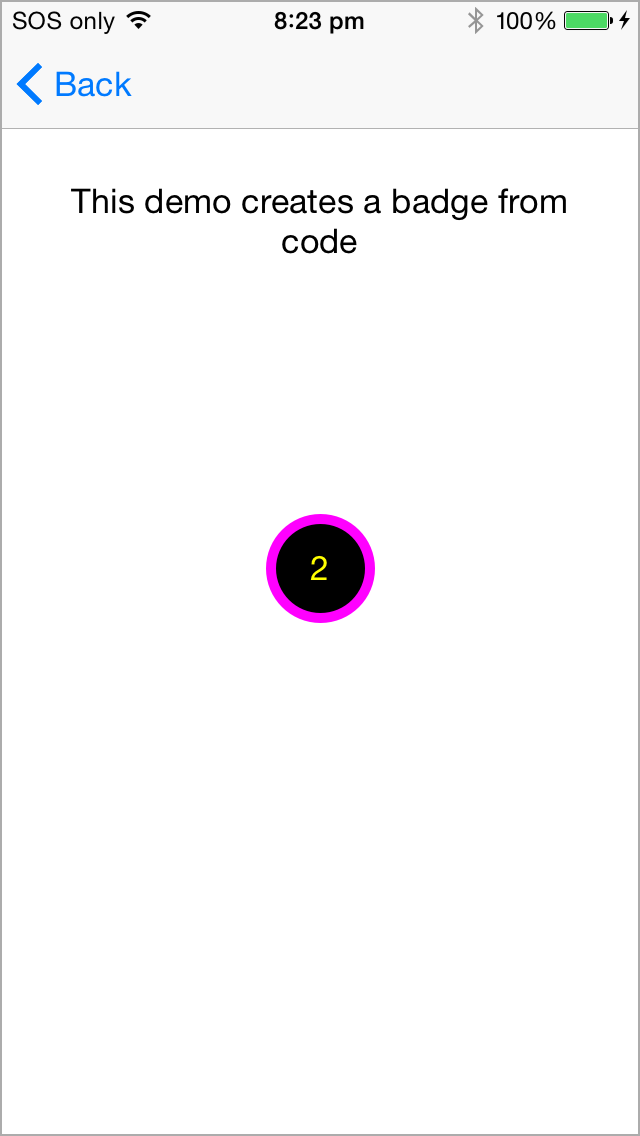
[See example](https://github.com/evgenyneu/swift-badge/blob/master/Demo-iOS/ViewControllers/CreateBadgeFromCodeViewController.swift) of how to create and position the badge from code in the demo app.
#### Customization
```Swift
// Text
badge.text = "2"
// Insets
badge.insets = CGSize(width: 12, height: 12)
// Font
badge.font = UIFont.preferredFont(forTextStyle: UIFontTextStyle.body)
// Text color
badge.textColor = UIColor.yellow
// Badge color
badge.badgeColor = UIColor.black
// Shadow
badge.shadowOpacityBadge = 0.5
badge.shadowOffsetBadge = CGSize(width: 0, height: 0)
badge.shadowRadiusBadge = 1.0
badge.shadowColorBadge = UIColor.black
// No shadow
badge.shadowOpacityBadge = 0
// Border width and color
badge.borderWidth = 5.0
badge.borderColor = UIColor.magenta
// Customize the badge corner radius.
// -1 if unspecified. When unspecified, the corner is fully rounded. Default: -1.
badge.cornerRadius = 10
```
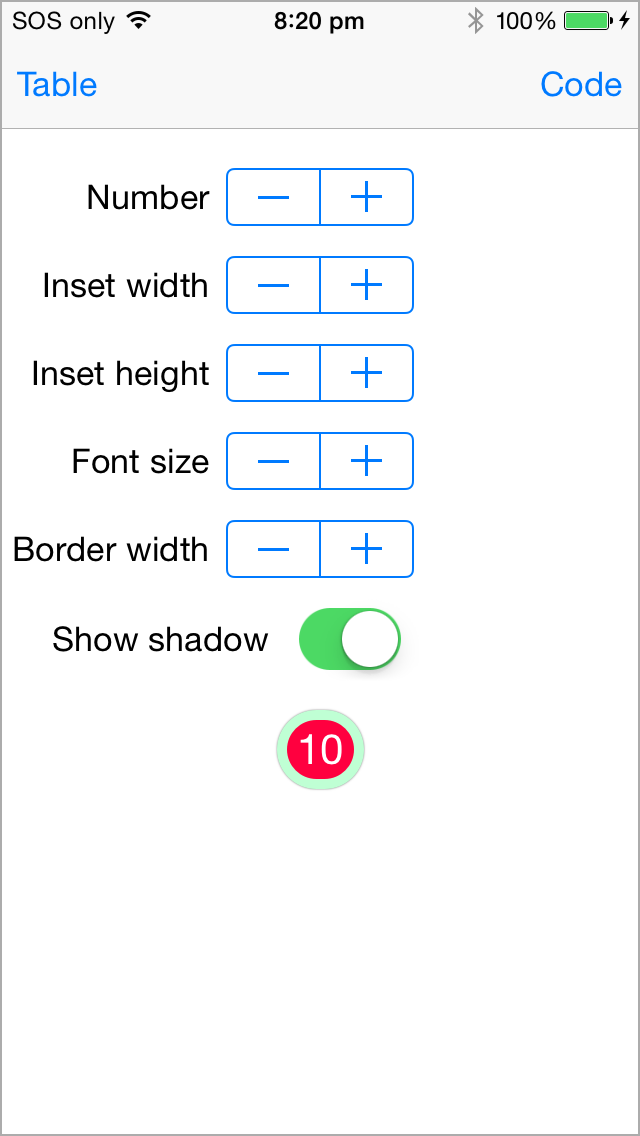
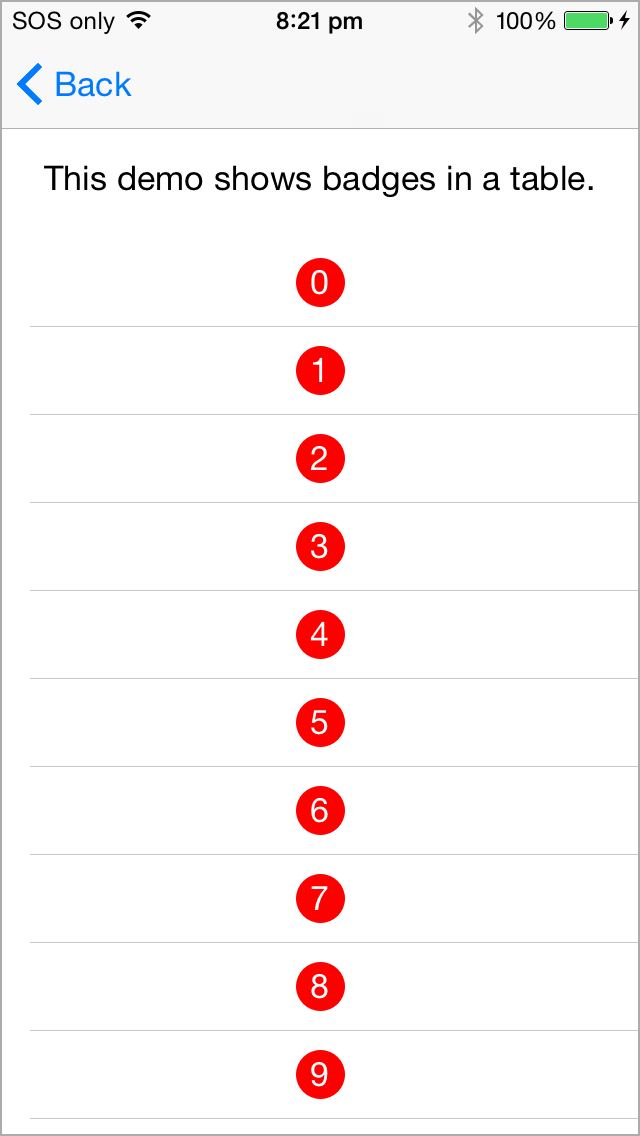
## Demo app
This project includes a demo app.
*Note*: Carthage setup method does not allow to customize Cosmos view from the storyboard, please do it from code instead.
### Creating a badge from the code
Add `import BadgeSwift` to your source code unless you used the file setup method.
```Swift
let badge = BadgeSwift()
view.addSubview(badge)
// Position the badge ...
```
[See example](https://github.com/evgenyneu/swift-badge/blob/master/Demo-iOS/ViewControllers/CreateBadgeFromCodeViewController.swift) of how to create and position the badge from code in the demo app.
#### Customization
```Swift
// Text
badge.text = "2"
// Insets
badge.insets = CGSize(width: 12, height: 12)
// Font
badge.font = UIFont.preferredFont(forTextStyle: UIFontTextStyle.body)
// Text color
badge.textColor = UIColor.yellow
// Badge color
badge.badgeColor = UIColor.black
// Shadow
badge.shadowOpacityBadge = 0.5
badge.shadowOffsetBadge = CGSize(width: 0, height: 0)
badge.shadowRadiusBadge = 1.0
badge.shadowColorBadge = UIColor.black
// No shadow
badge.shadowOpacityBadge = 0
// Border width and color
badge.borderWidth = 5.0
badge.borderColor = UIColor.magenta
// Customize the badge corner radius.
// -1 if unspecified. When unspecified, the corner is fully rounded. Default: -1.
badge.cornerRadius = 10
```
## Demo app
This project includes a demo app.
 ## Alternative solutions
Here are some alternative badges for iOS.
* [ckteebe/CustomBadge](https://github.com/ckteebe/CustomBadge)
* [JaviSoto/JSBadgeView](https://github.com/JaviSoto/JSBadgeView)
* [mikeMTOL/UIBarButtonItem-Badge](https://github.com/mikeMTOL/UIBarButtonItem-Badge)
* [mustafaibrahim989/MIBadgeButton-Swift](https://github.com/mustafaibrahim989/MIBadgeButton-Swift)
* [soffes/SAMBadgeView](https://github.com/soffes/SAMBadgeView)
* [tmdvs/TDBadgedCell](https://github.com/tmdvs/TDBadgedCell)
* [EddyBorja/MLPAccessoryBadge](https://github.com/EddyBorja/MLPAccessoryBadge)
## Thanks to 👍
* [amg1976](https://github.com/amg1976) for adding a border and redesigning the drawing.
* [gperdomor](https://github.com/gperdomor) for adding ability to customize corner radius.
* [acecilia](https://github.com/acecilia) for removing a warning when the badge is used in an extension.
## License
BadgeSwift is released under the [MIT License](LICENSE).
## Feedback is welcome
If you found a bug or want to improve the badge feel free to create an issue.
## Alternative solutions
Here are some alternative badges for iOS.
* [ckteebe/CustomBadge](https://github.com/ckteebe/CustomBadge)
* [JaviSoto/JSBadgeView](https://github.com/JaviSoto/JSBadgeView)
* [mikeMTOL/UIBarButtonItem-Badge](https://github.com/mikeMTOL/UIBarButtonItem-Badge)
* [mustafaibrahim989/MIBadgeButton-Swift](https://github.com/mustafaibrahim989/MIBadgeButton-Swift)
* [soffes/SAMBadgeView](https://github.com/soffes/SAMBadgeView)
* [tmdvs/TDBadgedCell](https://github.com/tmdvs/TDBadgedCell)
* [EddyBorja/MLPAccessoryBadge](https://github.com/EddyBorja/MLPAccessoryBadge)
## Thanks to 👍
* [amg1976](https://github.com/amg1976) for adding a border and redesigning the drawing.
* [gperdomor](https://github.com/gperdomor) for adding ability to customize corner radius.
* [acecilia](https://github.com/acecilia) for removing a warning when the badge is used in an extension.
## License
BadgeSwift is released under the [MIT License](LICENSE).
## Feedback is welcome
If you found a bug or want to improve the badge feel free to create an issue.