Forge
**Forge** is an independent, upstream-friendly extension of
[Grok Build](https://github.com/xai-org/grok-build), the terminal coding agent.
It keeps the native Grok workflow while adding provider choice, a focused
interface, and first-class orchestration across native and external coding
harnesses.
[Install](#install-forge) ·
[Configure](#authentication-and-models) ·
[Features](#extended-features) ·
[Build](#requirements-and-source-builds) ·
[Develop](#maintainer-workflow)
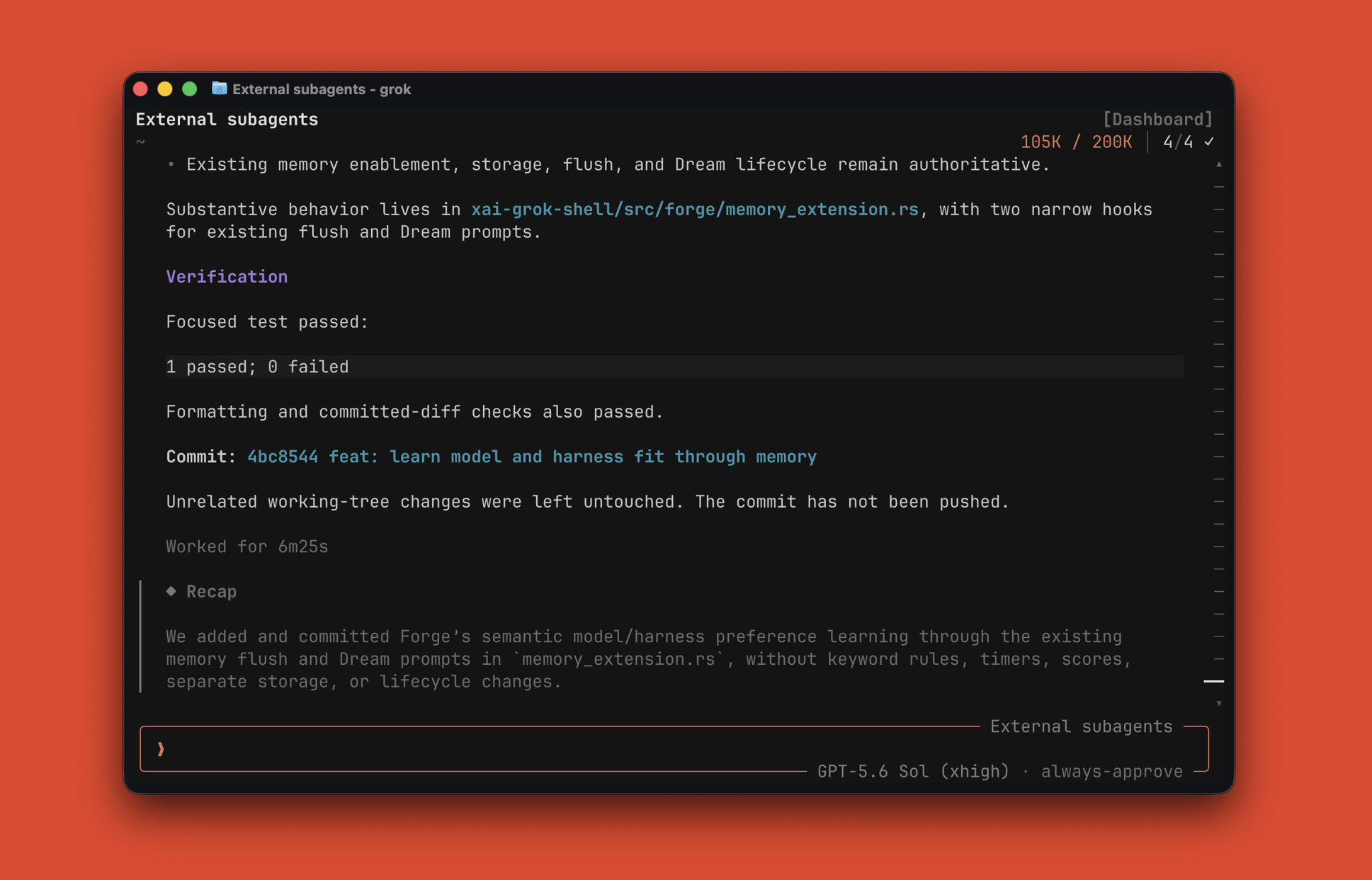
**Multi-model and multi-harness orchestration in the native Grok terminal workflow.**
Forge is not an official SpaceXAI distribution. The `main` branch is the stable,
installable Forge channel; development is integrated on `dev` and periodically
synchronized with upstream Grok Build.
---
## Install
Install the latest release:
```sh
curl -fsSL https://raw.githubusercontent.com/exaforge/forge/main/scripts/install | sh
```
On Windows, run PowerShell as your normal user:
```powershell
irm https://raw.githubusercontent.com/exaforge/forge/main/scripts/install.ps1 | iex
```
Then launch Forge:
```sh
forge
```
Update an installed release:
```sh
forge update
```
This downloads the latest checksummed Forge release and replaces the canonical
binary while preserving configuration, authentication, sessions, and memory.
Release updates do not require Rust, Cargo, Git, DotSlash, or `protoc`.
`grok` remains available as a compatibility alias, including `grok update`, so
existing Forge installations and scripts continue to work.
Forge stores its configuration, authentication, sessions, and memory under
`~/.grok/`. The installer supports macOS Apple Silicon, Linux ARM64, and
Windows x86_64.
## Extended features
| Feature | What Forge adds |
|---|---|
| **Models and providers** | Use SpaceXAI, ChatGPT Codex, and upstream-compatible third-party providers in one model picker. Provider capabilities, credentials, and request policy remain isolated. |
| **Fast Mode and usage** | Toggle session-scoped Codex Fast Mode with `/fast` on models that advertise support. `/usage` follows the active provider's supported accounting path. |
| **Multi-model subagents** | Delegate independent implementation, research, planning, and verification work to native roles with explicit model and reasoning-effort choices. |
| **External harnesses** | Run Claude Code and Codex CLI as subagent harnesses through their own installations, authentication, model defaults, and tools. |
| **Unified sessions** | Browse Forge, Claude Code, and Codex sessions together in `/sessions`. Importing an external row creates a new Forge session with its context. |
| **Private phone remote** | Open the current Forge session on a phone with `/rc`. Use the bundled browser client or a locally built iOS app over Tailscale Serve. `/rc stop` revokes that session's pairing. |
| **Adaptive memory** | When enabled, the existing memory lifecycle tracks explicitly stated current work plus durable preferences and corrections, while excluding execution noise. Current instructions always win. |
| **Inference evaluation** | Opt-in request and phase observations, fresh coding workspaces with independent checks, and controlled context-preparation and local-tool-scope experiments. See [measurement boundaries](docs/inference-evaluation.md) and the [evaluation runner](eval/README.md). |
### Local evaluation snapshot
Five small Python coding tasks, three repetitions each, GPT-5.6 Sol with medium
reasoning, on an Apple M4 Pro (2026-09-20). Both Forge configurations used the same
release binary. Totals include every attempt, including the failed task; input
tokens include the cached subset and are not dollar-cost estimates.
| Configuration | Verified passes | Total task wall time | Reported input tokens |
|---|---:|---:|---:|
| Forge baseline | 15/15 | 1,116.7 s | 1,282,787 |
| Forge local-coding profile + context fast path | 14/15 | 673.4 s | 324,661 |
| Codex CLI | 15/15 | 639.8 s | 1,238,452 |
The scoped Forge configuration used 39.7% less total wall time and 74.7% fewer
reported input tokens than baseline, but failed one verification. It remains
opt-in. These results do not establish an overall advantage over Codex or faster
server-side decoding. Claude Code was not tested. See the
[per-task results, native TTFT/output rates, limitations and retained evidence](eval/evidence/2026-09-20/README.md).
A subsequent [ten-attempt check of four additional opt-in optimizations](eval/evidence/2026-09-20/coding-v2.md)
passed all five tasks under both profiles. Tool descriptions were 23.7% smaller,
but the combined profile used more total tokens and took longer overall in that
small sample. It is experimental; no additional task-speed improvement is claimed.
The [Harbor integration](eval/harbor/README.md) also passed a Linux ARM64 smoke
test and one paired Terminal-Bench `cancel-async-tasks` pilot. Both profiles passed;
Forge invocation time was 62.7 s for the previous profile and 44.7 s for the
four-switch profile. That single pair does not establish a general improvement
or a Terminal-Bench score. See the [retained Harbor evidence and timing boundaries](eval/evidence/2026-09-20/harbor/README.md).
A [45-attempt compact-description comparison](eval/evidence/2026-09-20/compact-ablation.md)
then isolated that switch and reran Codex with the same declared model/effort.
| Configuration | Verified passes | Total task wall time | Input tokens including cache |
|---|---:|---:|---:|
| Existing Forge local-coding profile | 14/15 | 668.5 s | 346,219 |
| Forge with compact descriptions only | 15/15 | 713.4 s | 346,965 |
| Codex CLI | 15/15 | 599.5 s | 1,154,422 |
Compact descriptions reduced first-request input by 8.5%, but used 6.7% more total
wall time and essentially unchanged total input. They remain opt-in. Codex was
faster overall and had a much larger cached-input share; these token totals do
not establish cost savings. The Forge failure exposed an ambiguous exception
contract in one fixture; the report retains its original score and explains
the limitation. [Claude compatibility findings](eval/claude-compatibility.md)
explain why no same-model Claude Code run is included.
## Authentication and models
The exact model roster depends on the providers configured and authenticated for
the current installation. Forge uses the stock SpaceXAI login flow, the Codex
CLI's OAuth file for ChatGPT subscription models, and upstream Grok Build's
generic model-provider configuration for other endpoints.
### SpaceXAI
Start Forge and use `/login`, or run:
```sh
forge login
```
This remains the stock first-party authentication path.
### ChatGPT Codex
Install and authenticate the official Codex CLI separately:
```sh
codex login
```
Forge can read the resulting `~/.codex/auth.json` only for an explicitly
configured Codex provider at the canonical ChatGPT Codex HTTPS endpoint. A
minimal provider block looks like this:
```toml
# ~/.grok/config.toml
[model_providers.codex]
base_url = "https://chatgpt.com/backend-api/codex"
api_backend = "responses"
env_key = "CODEX_ACCESS_TOKEN"
[model_providers.codex.extra_headers]
OpenAI-Beta = "responses=experimental"
originator = "codex_cli_rs"
[model."gpt-5.6-sol"]
model_provider = "codex"
model = "gpt-5.6-sol"
name = "GPT-5.6 Sol"
context_window = 200000
supports_reasoning_effort = true
supports_fast_mode = true
```
Select the model from the picker or set it as the default:
```toml
[models]
default = "gpt-5.6-sol"
default_reasoning_effort = "high"
```
`/fast` is session-scoped and sends priority service-tier metadata only when the
active model declares `supports_fast_mode = true`. `/usage` uses the ChatGPT
account usage endpoint for this provider. Missing or expired Codex credentials
are repaired with `codex login`, not Forge's `/login` flow.
## Private phone remote
Forge Remote opens the current live session in the bundled browser client or
the optional Forge iOS app. It does not start another agent session and does
not require T3 Code or a T3 account.
1. Install Tailscale and sign in to the same tailnet on the laptop and phone.
MagicDNS and Tailscale HTTPS must be available for the laptop.
2. In the active Forge session, run `/rc`. Forge checks Tailscale, creates a
short-lived local pairing gateway, and enables one tailnet-private HTTPS
route. `/rc enable` is a compatibility alias; no second command is needed.
Forge never uses Funnel or public sharing.
3. Scan the QR code or open the displayed URL on the phone. The page offers the
pairing to the Forge iOS app, if installed, and retains a browser option.
Either client attaches to that session and shows its transcript and current
interactions. Available controls include prompts, stop, `/btw`, model and
reasoning changes, usage refresh, and interaction responses when the active
session advertises those capabilities.
4. Use the laptop and phone together. Inputs from either are sent to the same
live session and updates appear on both. Run `/rc stop` in that session to
revoke only its URL and remove only its Forge route.
The QR/link contains a fresh 256-bit pairing secret and expires after eight
hours. Forge then revokes the pairing and removes its own route. Running `/rc`
in other live sessions creates independent links, and `/rc status` reports the
pairing for the current terminal session.
Each pairing has one active phone surface. The visible browser or visible iOS
app owns the phone connection, and opening one transfers ownership from the
other. The terminal remains connected and usable. Both clients keep a local
list of scanned pairings so you can switch between remote sessions.
The composer has one trailing action. It sends while idle, changes in place to
Stop while the current turn can be cancelled, and recognizes `/btw `
as a side question without exposing a separate BTW mode or button.
The browser source is under `crates/codegen/xai-grok-shell/remote-ui`. The
native client under [`clients/forge-mobile`](clients/forge-mobile/README.md)
uses the pinned MIT-licensed T3 Code React Native presentation source with a
Forge protocol controller. The iOS client is a local source build. There is no
public App Store build, universal IPA, or free TestFlight link; its README has
the Xcode installation command and exact license provenance.
### Other OpenAI-compatible providers
Forge retains upstream `[model_providers.*]` and `[model.*]` configuration. For
example:
```toml
# ~/.grok/config.toml
[model_providers.example]
base_url = "https://api.example.com/v1"
api_backend = "chat_completions"
env_key = "EXAMPLE_API_KEY"
[model.example-model]
model_provider = "example"
model = "provider/model-id"
name = "Example Model"
context_window = 200000
```
Prefer `env_key` over writing a static `api_key` to disk. Forge does not maintain
a separate third-party key store or provider-login UI. Generic endpoint,
credential, header, and model inheritance behavior comes from upstream Grok
Build. Forge enables xAI session credentials only for trusted xAI HTTPS
endpoints and strips xAI-private headers at the final request boundary for
unknown, cleartext, custom-proxy, and third-party endpoints.
For the complete schema, including query parameters, environment-backed headers,
and model overrides, see the
[custom-model guide](crates/codegen/xai-grok-pager/docs/user-guide/11-custom-models.md).
## External harnesses and sessions
External subagents require the corresponding official CLI to be installed and
authenticated separately:
```sh
claude --version
codex --version
```
Forge discovers available harnesses at runtime. Neither CLI is required for
normal Forge use, and installing only one enables only that adapter. External
harnesses use provider-native tools rather than Forge-hosted tools; omitting an
explicit model uses the harness's native default.
External sessions are hidden from `/sessions` by default. Enable local discovery
in `~/.grok/config.toml`:
```toml
[sessions]
show_external = true
```
Rows are labeled `Claude Code` or `Codex`. Selecting one creates a fresh Forge
session and invokes the existing `/resume-claude` or `/resume-codex` context
import; it does not reopen the external harness UI or treat a foreign session ID
as a native Forge session.
## Privacy and credential boundaries
- Forge configuration, sessions, and memory are stored under `~/.grok/`.
- Codex OAuth data remains owned by the Codex CLI in `~/.codex/auth.json`.
- External session stores are read only when external-session discovery is
enabled, and imports create a new Forge session.
- Forge does not create an OpenRouter- or third-party-specific credential store.
Environment-backed API keys are preferred for generic providers.
- Requests and prompts go to the provider selected for that session. Provider
switches remove opaque provider reasoning and flatten nonportable backend tool
history before the next request.
- xAI session credentials are resolved only for trusted xAI HTTPS endpoints;
xAI-private headers are also stripped from untrusted requests at the final
sampler boundary.
- Forge's adaptive preference behavior uses the existing memory lifecycle; it
adds no separate analytics service or credential-bearing record format.
The shared Grok telemetry controls and data categories are documented in the
[monitoring and usage guide](crates/codegen/xai-grok-pager/docs/user-guide/24-monitoring-usage.md).
## Requirements and source builds
The release installer requires `curl`, `tar`, and either `shasum` or
`sha256sum`. Ordinary users do not need Rust, Cargo, Git, DotSlash, or `protoc`.
Building from source requires Git, [Rust](https://rustup.rs/), Cargo, and either
[`dotslash`](https://dotslash-cli.com/) or `protoc` on `PATH`. The repository's
[`rust-toolchain.toml`](rust-toolchain.toml) pins Rust **1.94.0**.
Clone the stable branch and build manually:
```sh
git clone --branch main https://github.com/exaforge/forge.git
cd forge
cargo build --locked -p xai-grok-pager-bin --release
mkdir -p ~/.grok/bin
install -m 755 target/release/forge ~/.grok/bin/forge
```
On macOS, ad-hoc sign a manually installed binary:
```sh
codesign --force --sign - ~/.grok/bin/forge
codesign --verify ~/.grok/bin/forge
```
The installer also supports a source mode. It checks prerequisites but does not
install system packages or alter shell configuration:
```sh
FORGE_INSTALL_MODE=source FORGE_BRANCH=main \
curl -fsSL https://raw.githubusercontent.com/exaforge/forge/main/scripts/install | sh
```
## License
First-party source is licensed under the [Apache License 2.0](LICENSE).
Third-party and vendored source remains under its original licenses; see
[`THIRD-PARTY-NOTICES`](THIRD-PARTY-NOTICES) and
[`third_party/NOTICE`](third_party/NOTICE).