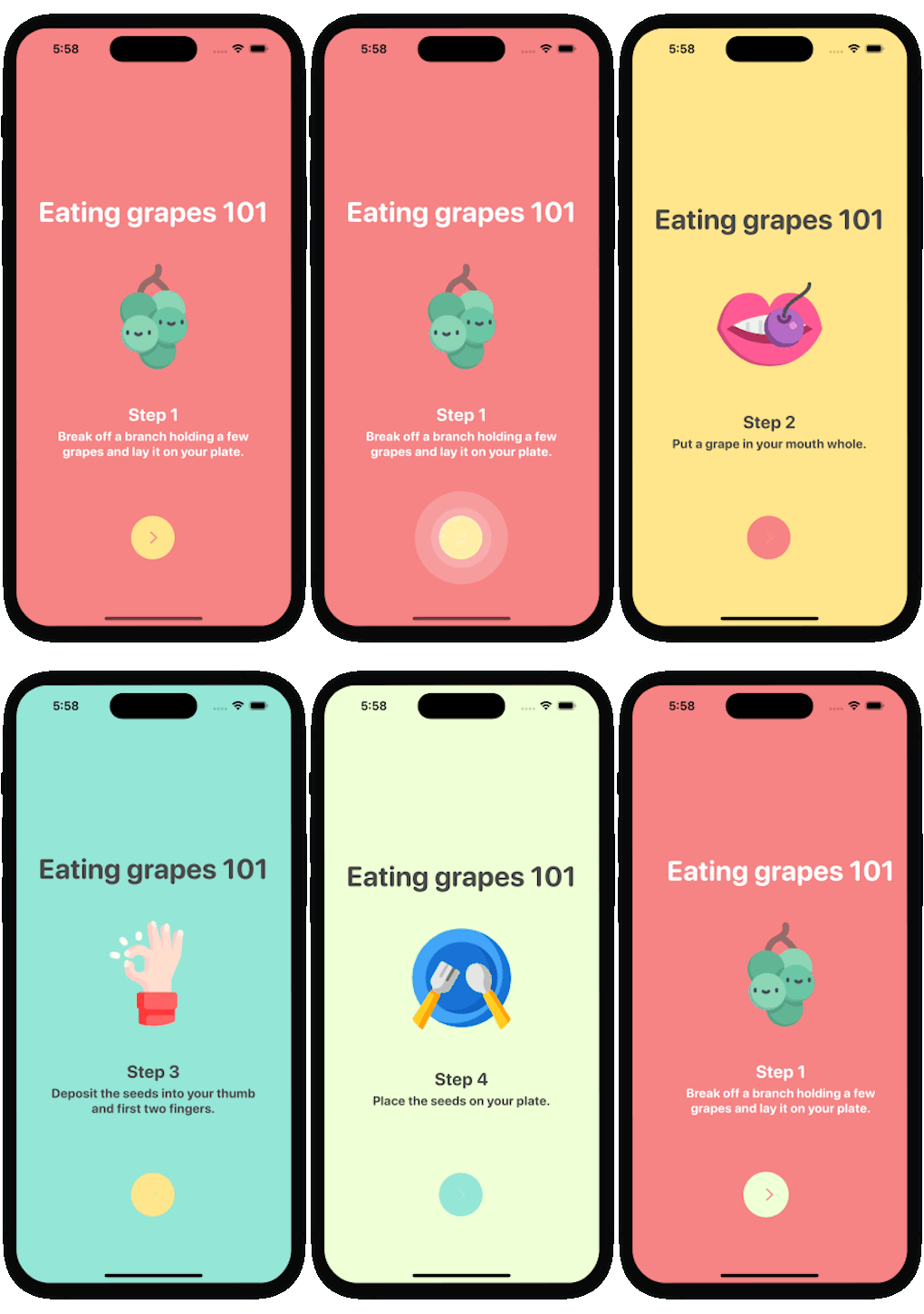
iOS library for a walkthrough or onboarding flow with tap actions written with SwiftUI

[](https://swiftpackageindex.com/exyte/ConcentricOnboarding)
[](https://swiftpackageindex.com/exyte/ConcentricOnboarding)
[](https://swiftpackageindex.com/exyte/ConcentricOnboarding)
[](https://cocoapods.org/pods/ConcentricOnboarding)
[](https://opensource.org/licenses/MIT)
# Usage
1. Create `View`'s descendant class for your pages.
2. Create at least two pages and fill them with content.
3. Create an array of tuple - (page, background color).
4. Create ConcentricOnboardingView and place it in your view hierarchy.
```swift
struct ContentView: View {
var body: some View {
return ConcentricOnboardingView(pageContents: [, ])
}
}
```
5. Pass duration as an argument if you want animation to be faster/slower
```swift
ConcentricOnboardingView(pageContents: [, ])
.(duration: 2.0)
```
6. Pass icon name as an argument if you want to change default icon on the button
```swift
ConcentricOnboardingView(pageContents: [, ])
.(nextIcon: "chevron.forward")
```
### Public interface
`goToNextPage(animated: Bool = true)` - call this method manually if you need to
`goToPreviousPage(animated: Bool = true)` - call this method manually if you need to
### Assignable closures
`.animationWillBegin` - called before animation starts
`.animationDidEnd` - called after animation ends
`.didGoToLastPage` - called after animation leading to last page ends
`.didChangeCurrentPage` - called after page changes
`.insteadOfCyclingToFirstPage` - replaces default navigation to first page after pressing next on last page
`.insteadOfCyclingToLastPage` - replaces default navigation to last page after pressing prev on first page while navigating backwards
`.didPressNextButton` - replaces default button action with user's custom closure
## Examples
To try the ConcentricOnboarding examples:
- Clone the repo `https://github.com/exyte/ConcentricOnboarding.git`
- Open `ConcentricOnboardingExample.xcodeproj` in the Xcode
- Try it!
## Installation
### [Swift Package Manager](https://swift.org/package-manager/)
```swift
dependencies: [
.package(url: "https://github.com/exyte/ConcentricOnboarding.git")
]
```
## Requirements
* iOS 14+
* Xcode 12+
## Acknowledgements
Many thanks to [Cuberto team](https://dribbble.com/shots/6654320-Animated-Onboarding-Screens) for the design idea and inspiration.
## Our other open source SwiftUI libraries
[PopupView](https://github.com/exyte/PopupView) - Toasts and popups library
[AnchoredPopup](https://github.com/exyte/AnchoredPopup) - Anchored Popup grows "out" of a trigger view (similar to Hero animation)
[Grid](https://github.com/exyte/Grid) - The most powerful Grid container
[ScalingHeaderScrollView](https://github.com/exyte/ScalingHeaderScrollView) - A scroll view with a sticky header which shrinks as you scroll
[AnimatedTabBar](https://github.com/exyte/AnimatedTabBar) - A tabbar with a number of preset animations
[MediaPicker](https://github.com/exyte/mediapicker) - Customizable media picker
[Chat](https://github.com/exyte/chat) - Chat UI framework with fully customizable message cells, input view, and a built-in media picker
[CalendarView](https://github.com/exyte/CalendarView) - Calendar view with fully customizable month/day cells
[OpenAI](https://github.com/exyte/OpenAI) Wrapper lib for [OpenAI REST API](https://platform.openai.com/docs/api-reference/introduction)
[AnimatedGradient](https://github.com/exyte/AnimatedGradient) - Animated linear gradient
[FloatingButton](https://github.com/exyte/FloatingButton) - Floating button menu
[ActivityIndicatorView](https://github.com/exyte/ActivityIndicatorView) - A number of animated loading indicators
[ProgressIndicatorView](https://github.com/exyte/ProgressIndicatorView) - A number of animated progress indicators
[FlagAndCountryCode](https://github.com/exyte/FlagAndCountryCode) - Phone codes and flags for every country
[SVGView](https://github.com/exyte/SVGView) - SVG parser
[LiquidSwipe](https://github.com/exyte/LiquidSwipe) - Liquid navigation animation