

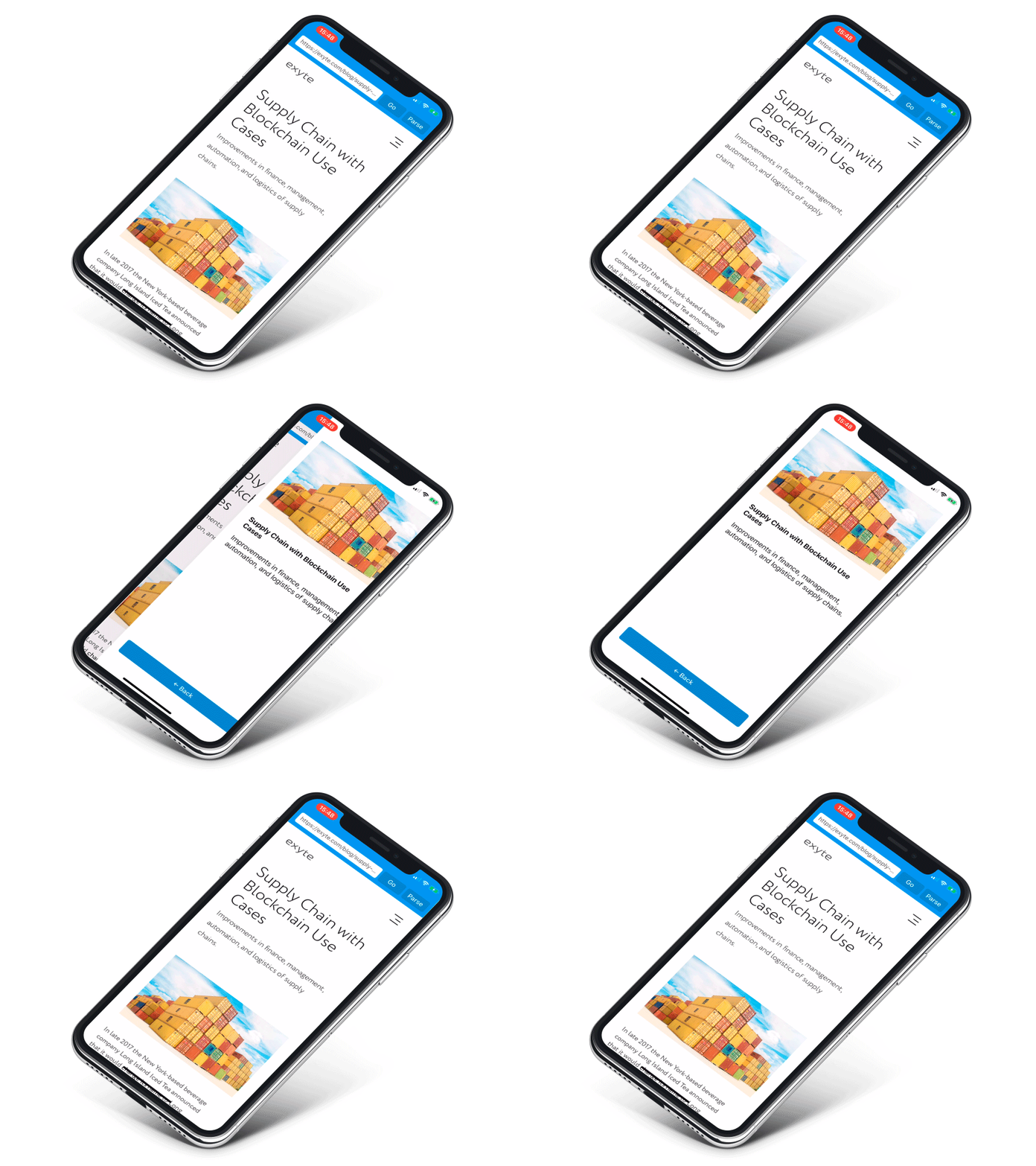
We are a development agency building phenomenal apps.
 
[](https://opensource.org/licenses/MIT)
[](https://cocoapods.org/pods/ExyteAnimatedTabBar)
[](https://github.com/Carthage/Carthage)
# !Project is now archived!
No further maintenance will be performed
## Features
Extracts:
- [x] Title
- [x] Description
- [x] Top image
- [x] Top video
- [x] Keywords
- [x] Date
## Usage
```swift
let articleUrl = URL(string: "https://someurl.com/")!
Readability.parse(url: articleUrl, completion: { data in
let title = data?.title
let description = data?.description
let keywords = data?.keywords
let imageUrl = data?.topImage
let videoUrl = data?.topVideo
let datePublished = data?.datePublished
})
```
To run the example project, clone the repo, and run `pod install` from the Example directory first.
## Installation
### [CocoaPods](http://cocoapods.org)
```ruby
pod 'ReadabilityKit'
```
### [Carthage](http://github.com/Carthage/Carthage)
```ogdl
github "exyte/ReadabilityKit"
```
### Manually
1. Install [Ji XML parser](https://github.com/honghaoz/Ji#manually).
2. Download and drop all files from Sources folder in your project.
## Development Environment Setup
1. Install [Carthage](https://github.com/Carthage/Carthage#installing-carthage).
2. Check out and build the project's dependencies:
```bash
carthage bootstrap --platform

[](https://opensource.org/licenses/MIT)
[](https://cocoapods.org/pods/ExyteAnimatedTabBar)
[](https://github.com/Carthage/Carthage)
# !Project is now archived!
No further maintenance will be performed
## Features
Extracts:
- [x] Title
- [x] Description
- [x] Top image
- [x] Top video
- [x] Keywords
- [x] Date
## Usage
```swift
let articleUrl = URL(string: "https://someurl.com/")!
Readability.parse(url: articleUrl, completion: { data in
let title = data?.title
let description = data?.description
let keywords = data?.keywords
let imageUrl = data?.topImage
let videoUrl = data?.topVideo
let datePublished = data?.datePublished
})
```
To run the example project, clone the repo, and run `pod install` from the Example directory first.
## Installation
### [CocoaPods](http://cocoapods.org)
```ruby
pod 'ReadabilityKit'
```
### [Carthage](http://github.com/Carthage/Carthage)
```ogdl
github "exyte/ReadabilityKit"
```
### Manually
1. Install [Ji XML parser](https://github.com/honghaoz/Ji#manually).
2. Download and drop all files from Sources folder in your project.
## Development Environment Setup
1. Install [Carthage](https://github.com/Carthage/Carthage#installing-carthage).
2. Check out and build the project's dependencies:
```bash
carthage bootstrap --platform