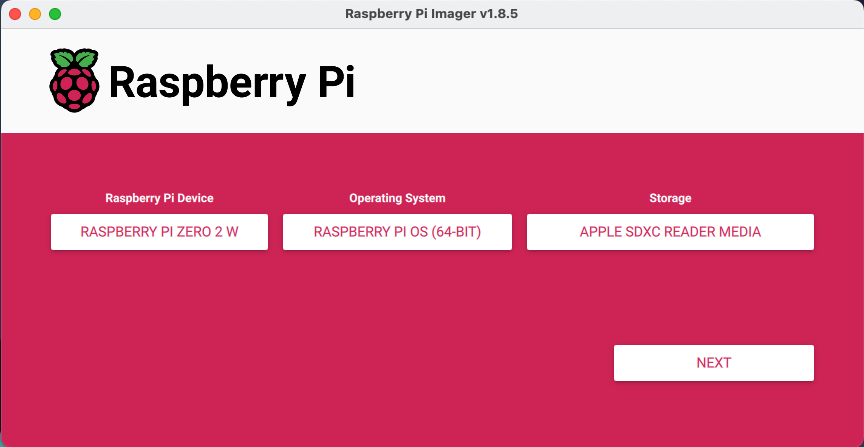
 3. Click Next and choose Edit Settings on the Use OS customization? screen
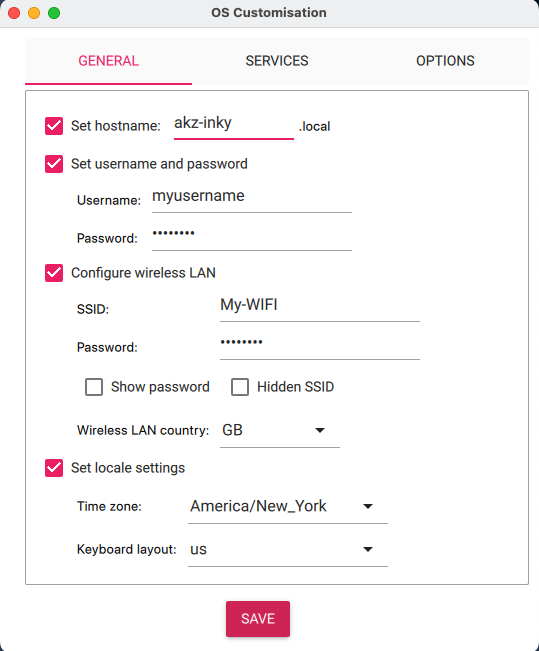
- General:
- Set hostname: enter your desired hostname
- This will be used to ssh into the device & access the InkyPi UI on your network.
- Set username & password
- Do not use the default username and password on a Raspberry PI as this poses a security risk
- Configure wireless LAN to your network
- The InkyPi web server will only be accessible to devices on this network
- Set local settings to your Time zone
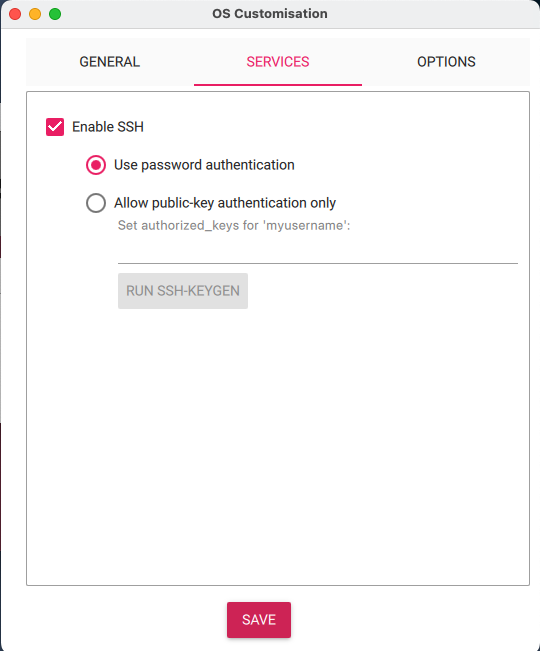
- Service:
- Enable SSH:
- Use password authentication
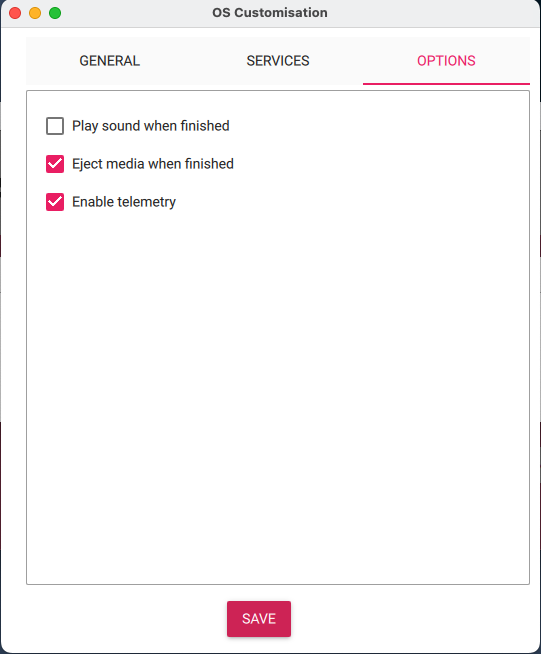
- Options: leave default values
3. Click Next and choose Edit Settings on the Use OS customization? screen
- General:
- Set hostname: enter your desired hostname
- This will be used to ssh into the device & access the InkyPi UI on your network.
- Set username & password
- Do not use the default username and password on a Raspberry PI as this poses a security risk
- Configure wireless LAN to your network
- The InkyPi web server will only be accessible to devices on this network
- Set local settings to your Time zone
- Service:
- Enable SSH:
- Use password authentication
- Options: leave default values