


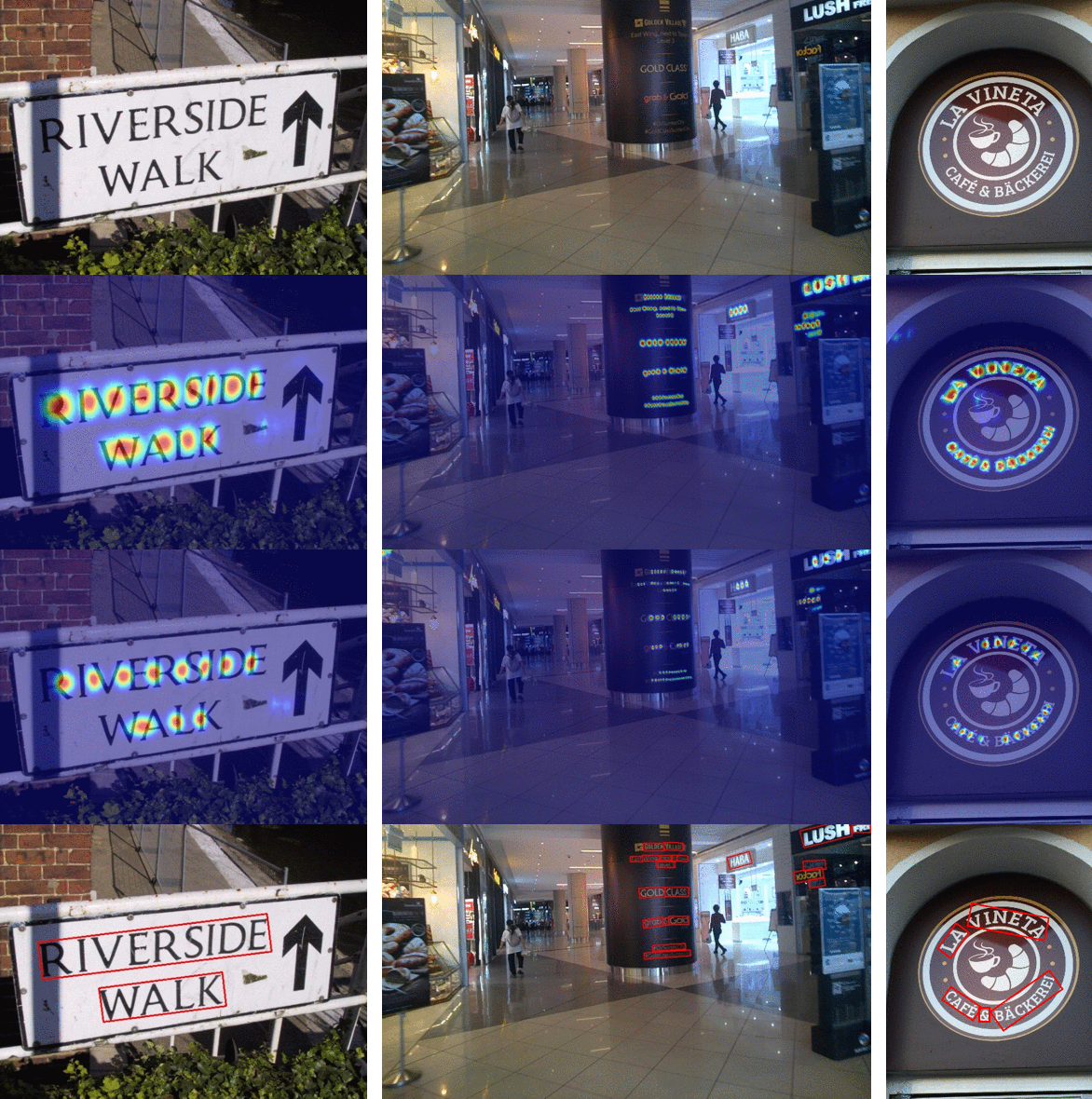
 ## Getting started
### Installation
- Install using pip:
```console
pip install craft-text-detector
```
### Basic Usage
```python
# import Craft class
from craft_text_detector import Craft
# set image path and export folder directory
image = 'figures/idcard.png' # can be filepath, PIL image or numpy array
output_dir = 'outputs/'
# create a craft instance
craft = Craft(output_dir=output_dir, crop_type="poly", cuda=False)
# apply craft text detection and export detected regions to output directory
prediction_result = craft.detect_text(image)
# unload models from ram/gpu
craft.unload_craftnet_model()
craft.unload_refinenet_model()
```
### Advanced Usage
```python
# import craft functions
from craft_text_detector import (
read_image,
load_craftnet_model,
load_refinenet_model,
get_prediction,
export_detected_regions,
export_extra_results,
empty_cuda_cache
)
# set image path and export folder directory
image = 'figures/idcard.png' # can be filepath, PIL image or numpy array
output_dir = 'outputs/'
# read image
image = read_image(image)
# load models
refine_net = load_refinenet_model(cuda=True)
craft_net = load_craftnet_model(cuda=True)
# perform prediction
prediction_result = get_prediction(
image=image,
craft_net=craft_net,
refine_net=refine_net,
text_threshold=0.7,
link_threshold=0.4,
low_text=0.4,
cuda=True,
long_size=1280
)
# export detected text regions
exported_file_paths = export_detected_regions(
image=image,
regions=prediction_result["boxes"],
output_dir=output_dir,
rectify=True
)
# export heatmap, detection points, box visualization
export_extra_results(
image=image,
regions=prediction_result["boxes"],
heatmaps=prediction_result["heatmaps"],
output_dir=output_dir
)
# unload models from gpu
empty_cuda_cache()
```