---
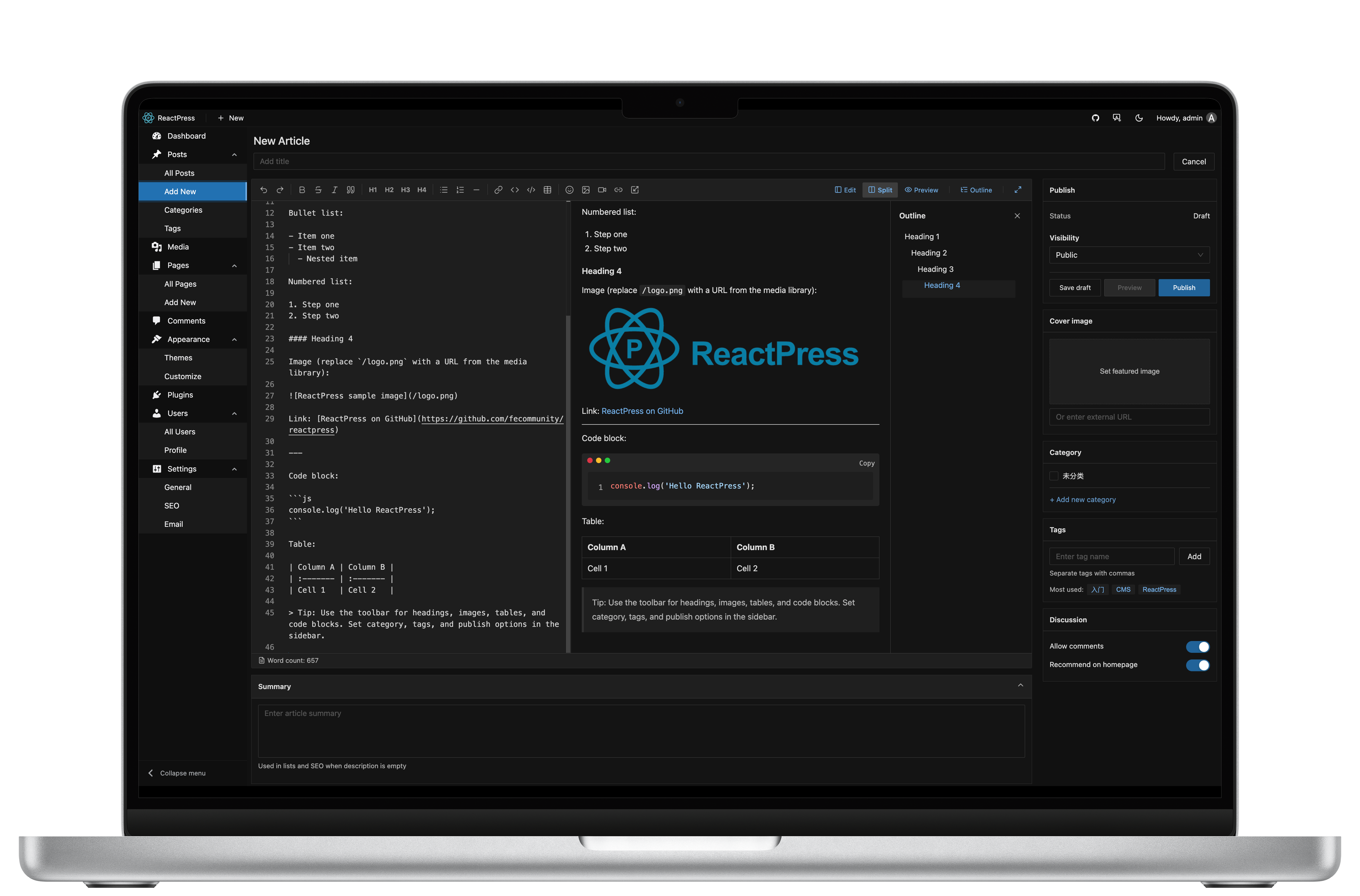
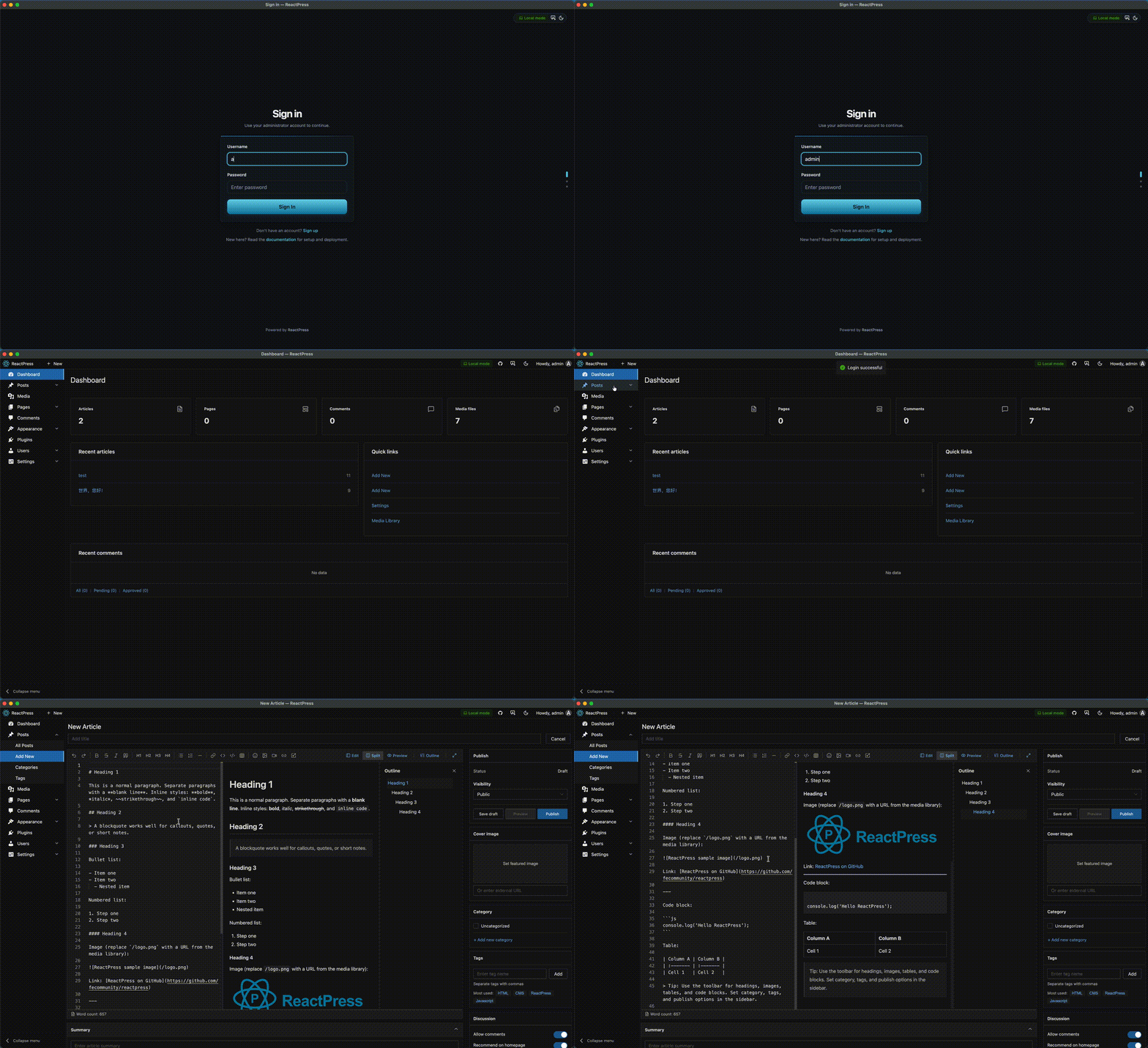
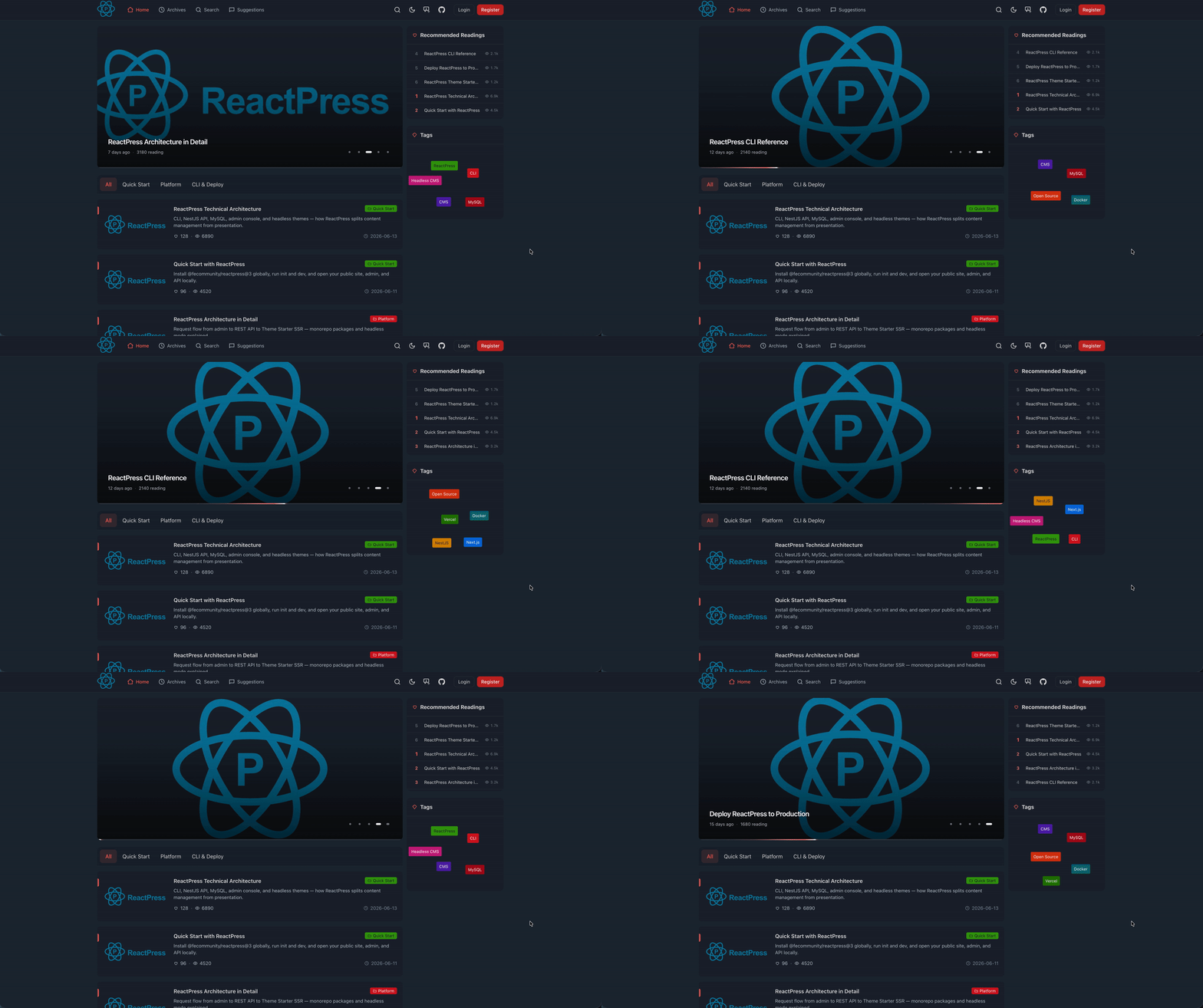
## 效果预览
---
## 30 秒快速开始
```bash
npm i -g @fecommunity/reactpress@beta
mkdir my-site && cd my-site
reactpress init
```
**环境要求:** [Node.js 20+](https://nodejs.org/) · 无需 Docker 或外部数据库
> 4.x 发布在 npm **`@beta`** 标签(`@latest` 仍为 3.x)。
| 入口 | 地址 |
| :----------- | :------------------------------------------------ |
| **访客站** | http://localhost:3001 |
| **管理后台** | http://localhost:3001/admin/(`admin` / `admin`) |
| **API** | http://localhost:3002/api/health |
启动异常时运行 `reactpress doctor` 诊断环境问题。
约 60 秒
init → 全栈就绪 |
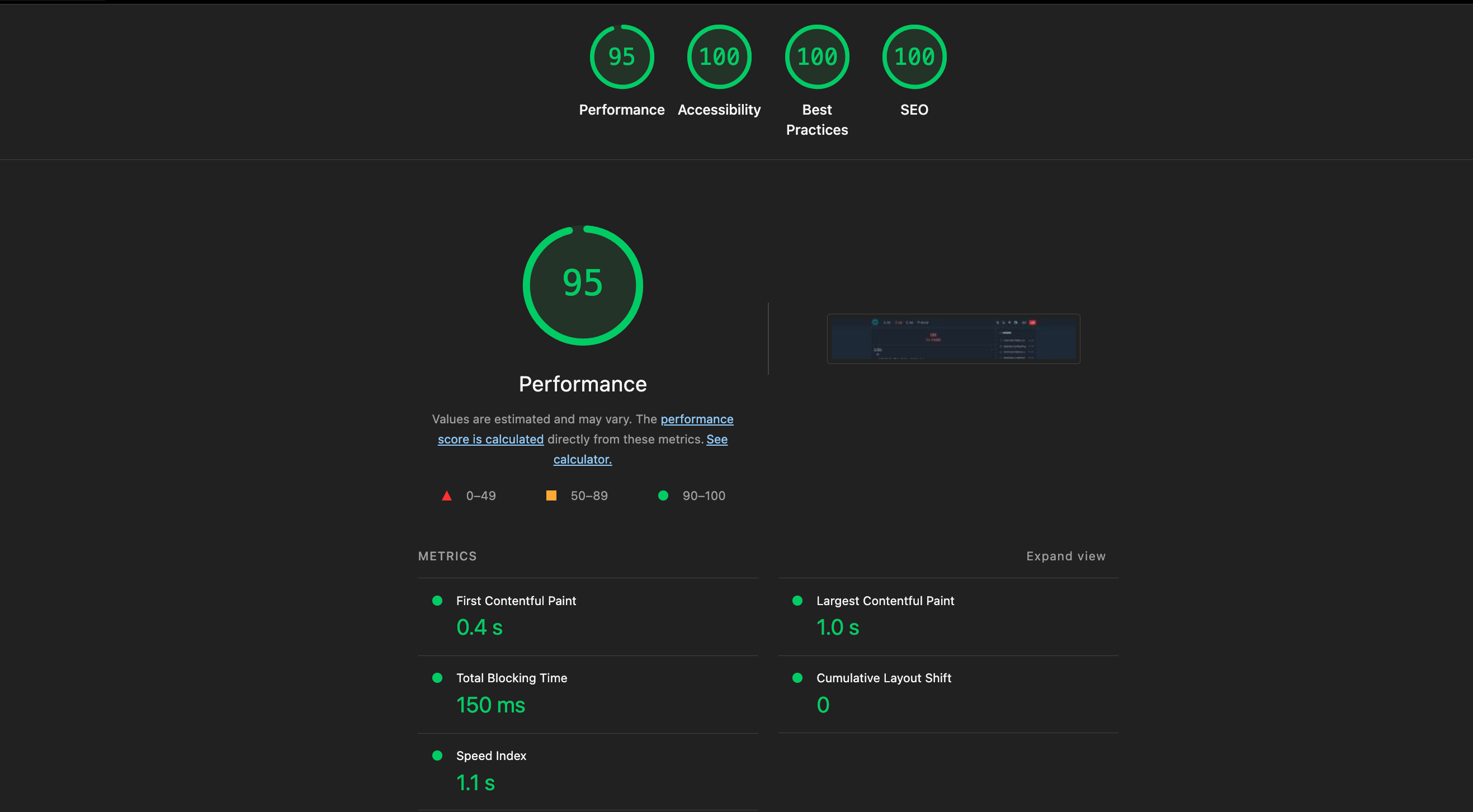
95 / 100
Lighthouse 性能 |
MIT
可自托管 |
1 条 CLI
完整平台 |
**跑通了?** [Star 本仓库](https://github.com/fecommunity/reactpress/stargazers) · [提交 Issue](https://github.com/fecommunity/reactpress/issues) · [阅读文档](https://docs.gaoredu.com/)
---
## 目录
- [效果预览](#效果预览)
- [30 秒快速开始](#30-秒快速开始)
- [目录](#目录)
- [痛点](#痛点)
- [ReactPress 是什么?](#reactpress-是什么)
- [能做什么](#能做什么)
- [架构](#架构)
- [主题](#主题)
- [插件](#插件)
- [桌面优先写作](#桌面优先写作)
- [为什么选 ReactPress?](#为什么选-reactpress)
- [4.0 新特性](#40-新特性)
- [开发者](#开发者)
- [部署](#部署)
- [路线图(4.x)](#路线图4x)
- [FAQ](#faq)
- [贡献](#贡献)
---
## 痛点
现代内容系统往往逼你在几难全之间做取舍:
| 路径 | 代价 |
| :---------------------------------- | :-------------------------------------- |
| **WordPress 式 CMS** | 编辑体验好 — 主题慢、PHP 栈耦合 |
| **静态站点生成器** | 极快 — 非开发者没有像样的 CMS |
| **Headless CMS**(Strapi、Payload) | API 灵活 — 后台、前台、部署仍要自行拼装 |
> **前端团队值得拥有一个发布平台 — 而不是五个仓库硬接在一起。**
```
以前 用 ReactPress
──── ─────────────
选 CMS 后端 → reactpress init
写作与管理内容 → 后台 /admin/
访客访问主题 → http://localhost:3001
遇到问题 → reactpress doctor
```
---
## ReactPress 是什么?
ReactPress 是 **面向 React 开发者的发布系统** — 用 React 构建博客、文档、企业官网与内容驱动型应用。一条 CLI,不是又一个需要你自己接线的 Headless 后端。
一条 CLI,全部包含:
| 层级 | 你得到什么 |
| :---------- | :---------------------------------------- |
| **CMS** | WordPress 式编辑 — 文章、页面、媒体、分类 |
| **API** | Headless REST — React 优先、Swagger 文档 |
| **Admin** | Web 写作界面 — 无需另建后台 |
| **Themes** | 可 npm 安装的 Next.js 前台 — 可替换 |
| **Plugins** | 基于 Hook 的扩展 — SEO、摘要、图片优化 |
| **Desktop** | 本地优先写作 — SQLite、离线、可同步线上 |
> 内容归系统管,前台归开发者管。**它不是 CMS — 它是发布平台。**
---
## 能做什么
| 场景 | 为什么适合 |
| :----------------- | :------------------------------------ |
| 个人博客 | 后台写作 + Lighthouse 级 Next.js 主题 |
| 开发者文档与知识库 | 官方主题 + API 内置 |
| SaaS 营销站 | Headless API + 自定义 Next.js 前台 |
| 多编辑团队 | Web 后台给作者,主题仓库给工程师 |
| 离线优先工作流 | 桌面端 SQLite,就绪后同步 |
---
## 架构
```mermaid
flowchart LR
subgraph Authoring
Admin["Admin"]
Desktop["Desktop"]
end
subgraph Core
API["CMS API"]
Plugins["Plugins"]
end
subgraph Delivery
Theme["Theme"]
end
Admin --> API
Desktop --> API
Plugins --> API
API --> Theme
```
```
CMS Core → 内容、媒体、设置 (NestJS)
Admin UI → 写作体验 (React + Vite)
API Layer → Headless 访问 (REST + Swagger)
Theme System → 访客前台 (Next.js, npm)
Plugin System→ 扩展能力 (hooks + Admin 插槽)
Desktop App → 离线写作 (Electron + SQLite)
```
---
## 主题
主题是完全可替换的 Next.js 前台 — 不绑定核心。在 **管理后台 → 外观 → 主题** 中安装并启用。
无需后端即可预览:
```bash
npx create-next-app@latest my-blog --example "https://github.com/fecommunity/reactpress-theme-starter" --use-pnpm
cd my-blog && pnpm dev:mock
```
**在线演示:** [reactpress-theme-starter.vercel.app](https://reactpress-theme-starter.vercel.app) · [](https://vercel.com/new/clone?repository-url=https://github.com/fecommunity/reactpress-theme-starter)
---
## 插件
扩展核心,无需改源码。在 **管理后台 → 插件** 中安装并启用。
| 插件 | 能力 |
| :---------------- | :----------------------------------------- |
| `seo` | Slug、关键词、meta 描述 + Admin 编辑器插槽 |
| `hello-world` | 自动生成文章摘要 |
| `image-optimizer` | 媒体库批量 WebP 优化 |
开发指南:[plugins/README.md](./plugins/README.md) · 脚手架模板:[reactpress-plugin-starter](https://github.com/fecommunity/reactpress-plugin-starter)
---
## 桌面优先写作
离线写作,就绪后同步。无需 Docker。
**[下载桌面客户端](https://docs.gaoredu.com/docs/tutorial-extras/desktop-client)**(macOS / Windows / Linux)· 或从源码打包:
```bash
pnpm dev:desktop # monorepo 根目录
pnpm build:desktop # 打包安装程序
```
SQLite 本地存储 · 离线编辑 · 远程 API 模式 · 同步到生产 · [desktop/README.md](./desktop/README.md)
---
## 为什么选 ReactPress?
| | ReactPress | WordPress | 静态站 | Headless CMS |
| :-----------------: | :--------- | :-------- | :------- | :----------- |
| **编辑体验** | 有 | 有 | 无 | 部分 |
| **前台自由度** | 有 | 无 | 仅构建时 | 有 |
| **开箱完整系统** | 有 | 靠插件 | 无 | 无 |
| **上手时间** | 约 1 分钟 | 数小时 | 单站快 | 搭建 + 拼装 |
| **本地 / 离线写作** | 桌面端 | 无 | 无 | 无 |
| **Lighthouse 性能** | 95² | 看主题 | 优秀 | 看前台 |
**对比 WordPress** — 同样的后台工作流,现代化 Next.js 交付,无 PHP 主题臃肿。
**对比静态生成器** — 保留速度,补上真正的 CMS。
**对比 Strapi / Payload** — 它们只 ship 后端;ReactPress ship **完整发布平台**。
² [官方主题演示](https://reactpress-theme-starter.vercel.app)
---
## 4.0 新特性
代号 **Extend** — 插件、桌面端、npm 主题。仍是 **一条 CLI、一套 Admin**。
```bash
npm i -g @fecommunity/reactpress@beta
```
[4.0 指南](./docs/tutorial/tutorial-extras/reactpress-4-0.md) · [从 3.x 迁移](./docs/tutorial/tutorial-extras/migration-3-to-4.md)
---
## 开发者
默认 Headless,任意前台通过 REST 接入。
```bash
curl -H "X-API-Key: YOUR_KEY" \
"http://localhost:3002/api/article/headless/list?status=publish&page=1&pageSize=10"
```
| 资源 | 链接 |
| :----------- | :------------------------------------------------------------------------------------ |
| Swagger | http://localhost:3002/api |
| 主题开发 | [themes/README.md](./themes/README.md) |
| 插件开发 | [plugins/README.md](./plugins/README.md) |
| 主题 Starter | [reactpress-theme-starter](https://github.com/fecommunity/reactpress-theme-starter) |
| 插件 Starter | [reactpress-plugin-starter](https://github.com/fecommunity/reactpress-plugin-starter) |
CLI 命令与端口(本地 init)
| 命令 | 作用 |
| :------------------------------- | :---------------------------------- |
| `reactpress` / `reactpress init` | 初始化并启动(SQLite + API + 主题) |
| `reactpress init --force` | 重新初始化已有项目 |
| `reactpress doctor` | 诊断环境与访问地址 |
| `reactpress logs` | 查看 API 日志 |
| `reactpress stop` | 停止 API 与访客站服务 |
| 服务 | 地址 / 端口 |
| :------- | :--------------------------- |
| 访客站 | http://localhost:3001 |
| 管理后台 | http://localhost:3001/admin/ |
| API | http://localhost:3002/api |
Monorepo 贡献者请参阅 [CONTRIBUTING.md](./CONTRIBUTING.md) 及各子包 README(`server/`、`web/`、`themes/`)。
---
## 部署
`reactpress init` 会启动本地生产形态的全栈(SQLite API + 内嵌后台的主题)。VPS、Docker、PM2 与备份见[部署文档](https://docs.gaoredu.com/)。
仅部署访客站:部署 [reactpress-theme-starter](https://github.com/fecommunity/reactpress-theme-starter) 并指向你的 API。
---
## 路线图(4.x)
- 插件 npm 目录
- 桌面端自动更新、托盘、快捷键
- 主题与插件市场
---
## FAQ
需要 Docker 吗?
默认 CLI 流程不需要 — `reactpress init` 使用内置 SQLite。仅在 `.reactpress/config.json` 配置 `embedded-docker`(MySQL)时才需要 Docker。桌面端同样使用 SQLite,无需 Docker。
能用自己的前台吗?
可以 — Headless REST API + API Key。Fork [官方 starter](https://github.com/fecommunity/reactpress-theme-starter) 或对接 `/api/article`、`/api/page` 等接口。
和 WordPress 有什么不同?
同样是后台驱动的工作流,但默认主题更快、Headless 路径更干净,现代 React/Next.js 前台无需插件堆叠。
4.0 能用于生产吗?
4.0 处于 beta 阶段(撰写时为 `4.0.0-beta.18`)。已发布的 CLI 支持 `init`、`doctor`、`logs`、`stop`。生产环境升级前请阅读[迁移指南](./docs/tutorial/tutorial-extras/migration-3-to-4.md)。
WordPress 替代?Headless CMS?Next.js 博客?
都可以 — ReactPress 同时覆盖:自托管 WordPress 式编辑、供自定义前台的 Headless REST,以及 Lighthouse 95 的官方 Next.js 主题。
---
## 贡献
[贡献指南](./CONTRIBUTING.md) · [行为准则](./CODE_OF_CONDUCT.md) · [安全策略](./SECURITY.md)
[Issues](https://github.com/fecommunity/reactpress/issues) · [Pull requests](https://github.com/fecommunity/reactpress/pulls)
---
**MIT License** · © ReactPress / FECommunity

面向 React 开发者的发布系统。
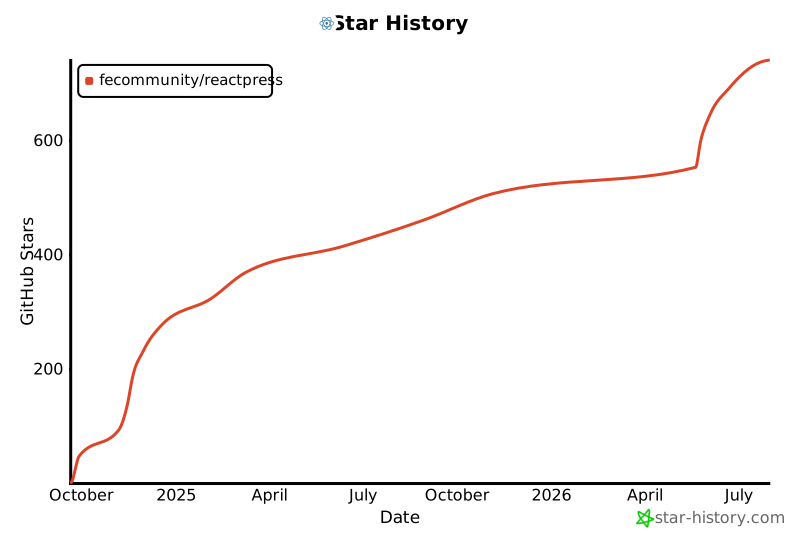
帮助更多开发者发现它 — 欢迎在 GitHub 上 ⭐。