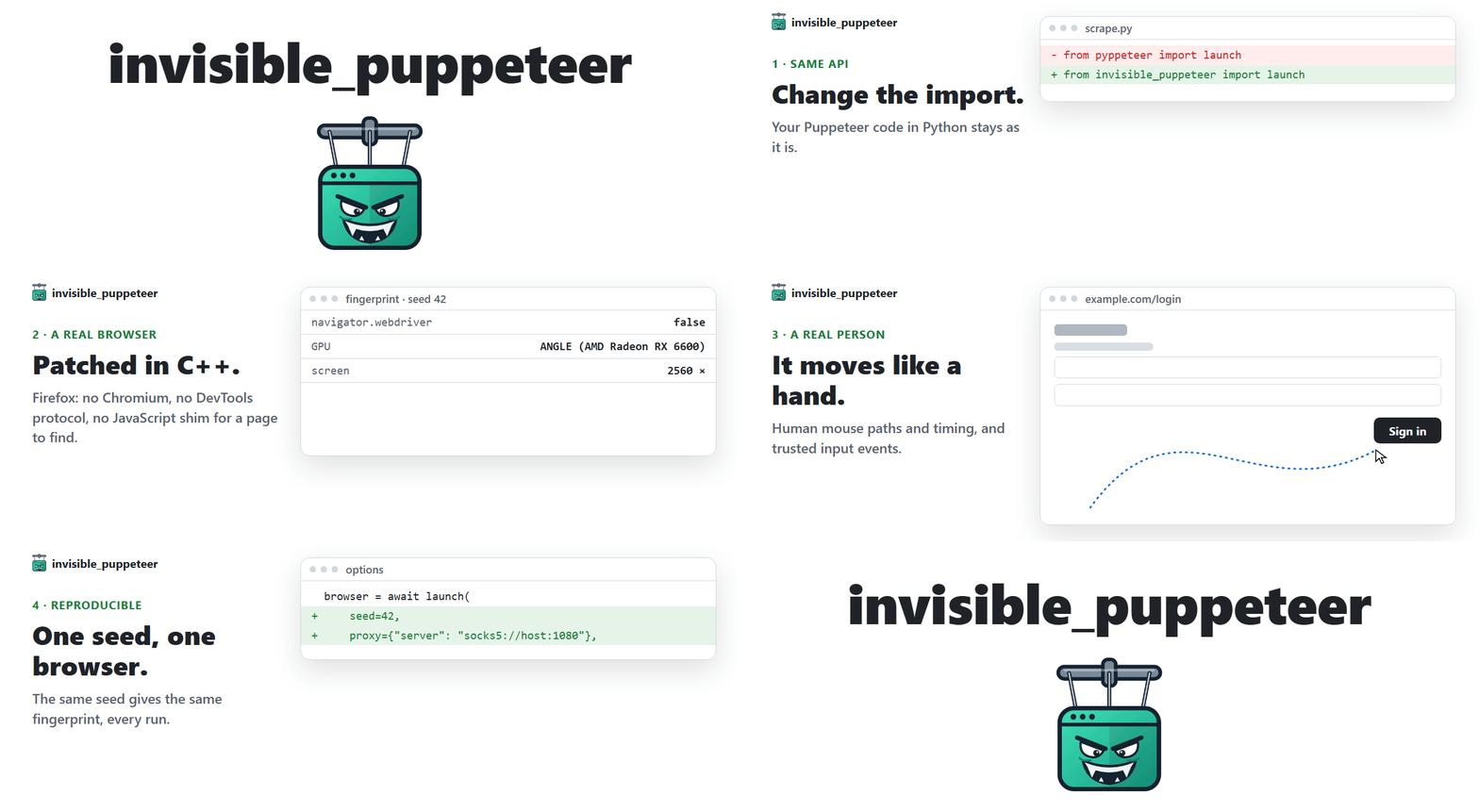
Puppeteer gets caught by anti-bots and captchas.
This one runs on an anti-detect Firefox with an undetected fingerprint, compatible with your existing Puppeteer code in Python.
## How it works
Anti-bots ask two questions, and reCAPTCHA, hCaptcha and Cloudflare Turnstile score the answers. invisible_puppeteer answers yes to both.
**1. Is this a real browser?** Yes. It is Firefox, patched at the C++ source level.
- The browser fingerprint is set inside the engine, not injected into the page: navigator, screen, GPU/WebGL, canvas, fonts, audio, WebRTC, timezone, network. Headless or headed, the same values either way.
- No Chromium, no DevTools protocol and no JavaScript shim for a page to find.
**2. Is a real person using it?** Yes. The actions are humanized in the driver.
- Every click, hover and drag follows a natural mouse path with human timing, no teleporting cursor.
- Input goes through the browser's real input path, so the page sees trusted events.
---
## Install
Windows, in PowerShell:
```powershell
powershell -ExecutionPolicy ByPass -c "irm https://astral.sh/uv/install.ps1 | iex"
$env:Path = "$env:USERPROFILE\.local\bin;$env:Path"
uv init --python ">=3.11" my-project
cd my-project
uv add invisible-puppeteer
uv run invisible-puppeteer fetch
```
Linux:
```bash
curl -LsSf https://astral.sh/uv/install.sh | sh
source $HOME/.local/bin/env
uv init --python ">=3.11" my-project
cd my-project
uv add invisible-puppeteer
uv run invisible-puppeteer fetch
```
Supported platforms: **Windows x86_64 / ARM64** (the x86_64 engine, under Windows' own emulation), **Linux x86_64 / arm64**.
Then save one of the examples below as `main.py` in `my-project` and run it with `uv run main.py`.
---
## Usage
**Puppeteer's API in Python, with no code changes.** The same `launch`, `Browser`, `Page` and `ElementHandle` as pyppeteer, Puppeteer's Python port. If you already use it, switching is the import:
```diff
- from pyppeteer import launch
+ from invisible_puppeteer import launch
```
```python
import asyncio
from invisible_puppeteer import launch
async def main():
browser = await launch()
page = await browser.newPage()
await page.goto("https://example.com")
await page.click("a") # the mouse arcs to the link
print("seed =", browser.seed) # log it to replay the run
await browser.close()
asyncio.run(main())
```
Every session gets a distinct fingerprint (GPU, audio, fonts, screen, ~200 fields). Do not install pyppeteer alongside it: this package already implements its API.
### Options
```python
browser = await launch(
seed=42, # same seed, same fingerprint, every run
proxy={"server": "socks5://host:1080", "username": "u", "password": "p"},
timezone="America/New_York", # default: derived from the proxy's exit IP
pin={"screen.width": 2560, "screen.height": 1440}, # force fields, the rest stays seed-derived
headless=True, # the default: hidden desktop, real rendering, same fingerprint as headed
userDataDir="./profile", # cookies and storage survive the run
)
```
Proxies can be `socks5`, `socks4`, `http` or `https`, and DNS goes through them too. The viewport defaults to the fingerprint's screen size instead of Puppeteer's 800x600. The fields you can pin are the same as in invisible_playwright: **[pinning](https://github.com/feder-cr/invisible_playwright/blob/main/docs/pinning.md)**.
## CLI
```bash
invisible-puppeteer fetch # download the engine if missing, check every cached one, print the path
invisible-puppeteer version # wrapper, core and engine versions
```
---
## Related projects
- **[invisible_playwright](https://github.com/feder-cr/invisible_playwright)**: the same engine with Playwright's API, and **[the guides](https://github.com/feder-cr/invisible_playwright/blob/main/docs/guides.md)** on how detection works.
- **[invisible_selenium](https://github.com/feder-cr/invisible_selenium)**: the same engine with Selenium's API.
- **[invisible_playwright_mcp](https://github.com/feder-cr/invisible_playwright_mcp)**: the same engine for AI agents, over MCP.
- **[invisible_core](https://github.com/feder-cr/invisible_core)**: turns a seed into a fingerprint and the fingerprint into Firefox preferences. This package depends on an exact version of it.
- **[firefox_antidetect_patch](https://github.com/feder-cr/firefox_antidetect_patch)**: the C++ patches that build the browser.
**Switching from another tool?**
- **[pyppeteer](https://github.com/pyppeteer/pyppeteer)**: its own README says it is no longer maintained. [What that means](https://github.com/feder-cr/invisible_playwright/blob/main/docs/pyppeteer-unmaintained-playwright.md).
- **[puppeteer-extra-plugin-stealth](https://github.com/berstend/puppeteer-extra)**: it patches the page from JavaScript, and its last substantive commit is from mid-2024. [What that means](https://github.com/feder-cr/invisible_playwright/blob/main/docs/puppeteer-extra-stealth-unmaintained.md).
## Development
The setup and the test commands are in [CONTRIBUTING.md](CONTRIBUTING.md#development-setup).
## License
MIT, see [LICENSE](LICENSE). The Juggler client it drives the browser with lives in [invisible-core](https://github.com/feder-cr/invisible_core), which carries two files taken from Playwright's driver under Apache-2.0. The patched Firefox binary is MPL-2.0, built from [feder-cr/firefox_antidetect_patch](https://github.com/feder-cr/firefox_antidetect_patch).
## Disclaimer
This project is for educational purposes only. It is provided as-is, with no warranties. I take no responsibility for how it is used. Use it at your own risk and in compliance with the laws of your jurisdiction.
---