# @bull-board
Dashboard UI for [Bull](https://github.com/OptimalBits/bull) and [BullMQ](https://github.com/taskforcesh/bullmq) job queues. Plug it into your server, see your queues.
Light and dark ship together, and this picks whichever you are reading in.
[Documentation](#documentation) · [What you get](#what-you-get) · [Install](#install) · [Minimal Express example](#minimal-express-example) · [Historical metrics](#historical-metrics) · [Packages](#packages) · [Contributing](#contributing)
## Try it
If you already have a Redis with queues in it, one command gets you the dashboard:
```sh
npx @bull-board/cli -r redis://localhost:6379
```
Or as a container, no Node needed ([docs](https://felixmosh.github.io/bull-board/guide/docker)):
```sh
docker run --rm -p 127.0.0.1:3000:3000 ghcr.io/felixmosh/bull-board --redis redis://host.docker.internal:6379
```
No install and no code. To embed it in your own app instead, read on.
## Documentation
The [docs](https://felixmosh.github.io/bull-board/) have guides, recipes, the UIConfig reference, and per-adapter setup. There's also a [live demo](https://felixmosh.github.io/bull-board/demo/) covering every view below.
## What you get
| | |
|---|---|
| [](https://felixmosh.github.io/bull-board/guide/exploring-the-dashboard) Every repeatable job across every queue, with its pattern or interval, when it next fires and when it last ran. Edit or remove one in place. | [](https://felixmosh.github.io/bull-board/recipes/historical-metrics) Opt-in throughput and latency history over 90 days, per queue and board-wide. The storage panel tells you what keeping it costs. |
| [](https://felixmosh.github.io/bull-board/recipes/job-logs-and-flows) Parent and child jobs as one pannable graph, even when the children live in other queues, each with its own state and progress. Click a node to inspect it without leaving the page. Per-job logs alongside. | [](https://felixmosh.github.io/bull-board/recipes/whitelabel-theming) Design tokens named after the shadcn contract. Set `primary` and the focus ring, the sidebar and the selection states all follow it. |
## Install
Pick the adapter for your framework:
```sh
npm install @bull-board/api @bull-board/express
# or @bull-board/fastify, @bull-board/koa, @bull-board/hapi,
# @bull-board/nestjs, @bull-board/hono, @bull-board/h3,
# @bull-board/elysia, @bull-board/bun
```
Just want to look at a queue without wiring anything into your app? See the [CLI guide](https://felixmosh.github.io/bull-board/guide/cli).
## Minimal Express example
```js
const express = require('express');
const { Queue } = require('bullmq');
const { createBullBoard } = require('@bull-board/api');
const { BullMQAdapter } = require('@bull-board/api/bullMQAdapter');
const { ExpressAdapter } = require('@bull-board/express');
const emailQueue = new Queue('emails', { connection: { host: 'localhost', port: 6379 } });
const serverAdapter = new ExpressAdapter();
serverAdapter.setBasePath('/admin/queues');
createBullBoard({
queues: [new BullMQAdapter(emailQueue)],
serverAdapter,
});
const app = express();
app.use('/admin/queues', serverAdapter.getRouter());
// other configurations of your server
app.listen(3000, () => {
console.log('Running on 3000...');
console.log('For the UI, open http://localhost:3000/admin/queues');
console.log('Make sure Redis is running on port 6379 by default');
});
```
That's it! Now you can access the `/admin/queues` route, and you will be able to monitor everything that is happening in your queues 😁
See the [docs](https://felixmosh.github.io/bull-board/) for queue adapter options (read-only, retries, formatters, visibility guard), BullMQ Pro setup, board UI config, and more.
BullMQ `>= 5.56.0` and all of v6 are supported, including [v6 queues stored in PostgreSQL](https://felixmosh.github.io/bull-board/recipes/postgres-backend). The adapter detects which it has, so there is nothing to configure. See [supported versions](https://felixmosh.github.io/bull-board/queue-adapters/bullmq#supported-versions) for what CI tests and when the floor moves.
## Historical metrics
BullMQ keeps only a short ring buffer of per-minute metrics, so the throughput chart can't look back further than an hour or so. The optional `@bull-board/metrics` package (beta) snapshots those metrics into long-retention Redis buckets and feeds them back to the board, which adds a Metrics history page and 7/30/90 day ranges on every queue chart. It is entirely opt-in: without it the core stays stateless and writes nothing.
```sh
npm install @bull-board/metrics
```
The CLI and the Docker image carry the package already, so `--history` turns the same thing on with nothing to install:
```sh
npx @bull-board/cli -r redis://localhost:6379 --history
```
See the [historical metrics recipe](https://felixmosh.github.io/bull-board/recipes/historical-metrics) for the recorder setup and storage sizing, or try it on the [live demo](https://felixmosh.github.io/bull-board/demo/).
## Packages
| Name | Version | Downloads |
| ------------------------------------------------------------------------ | -------------------------------------------------------- | --------------------------------------------------------------------------------- |
| [@bull-board/api](https://www.npmjs.com/package/@bull-board/api) |  | |
| [@bull-board/ui](https://www.npmjs.com/package/@bull-board/ui) |  | |
| [@bull-board/metrics](https://www.npmjs.com/package/@bull-board/metrics) |  | |
| [@bull-board/cli](https://www.npmjs.com/package/@bull-board/cli) |  | |
| [@bull-board/express](https://www.npmjs.com/package/@bull-board/express) |  | |
| [@bull-board/fastify](https://www.npmjs.com/package/@bull-board/fastify) |  | |
| [@bull-board/koa](https://www.npmjs.com/package/@bull-board/koa) |  | |
| [@bull-board/hapi](https://www.npmjs.com/package/@bull-board/hapi) |  | |
| [@bull-board/nestjs](https://www.npmjs.com/package/@bull-board/nestjs) |  | |
| [@bull-board/hono](https://www.npmjs.com/package/@bull-board/hono) |  | |
| [@bull-board/h3](https://www.npmjs.com/package/@bull-board/h3) |  | |
| [@bull-board/elysia](https://www.npmjs.com/package/@bull-board/elysia) |  | |
| [@bull-board/bun](https://www.npmjs.com/package/@bull-board/bun) |  | |
## Contributing
Issues and PRs welcome. Check the [issues page](https://github.com/felixmosh/bull-board/issues) before opening a new one. When reporting a bug, include versions (Node, Redis, Bull/BullMQ, bull-board) and a minimal reproduction.
To develop locally:
```sh
git clone git@github.com:felixmosh/bull-board.git
cd bull-board
yarn && yarn dev:docker && yarn build && yarn dev
```
This starts Redis, builds the packages, and opens the dev server at `http://localhost:3000/ui`. See [CONTRIBUTING.md](./CONTRIBUTING.md) for the monorepo layout, running tests and examples, and adding a new server adapter.
## Acknowledgements
- [Juan](https://github.com/joaomilho) for building the first version of this library.
## License
[MIT](https://github.com/felixmosh/bull-board/blob/master/LICENSE).



 @bull-board
Dashboard UI for [Bull](https://github.com/OptimalBits/bull) and [BullMQ](https://github.com/taskforcesh/bullmq) job queues. Plug it into your server, see your queues.
@bull-board
Dashboard UI for [Bull](https://github.com/OptimalBits/bull) and [BullMQ](https://github.com/taskforcesh/bullmq) job queues. Plug it into your server, see your queues.

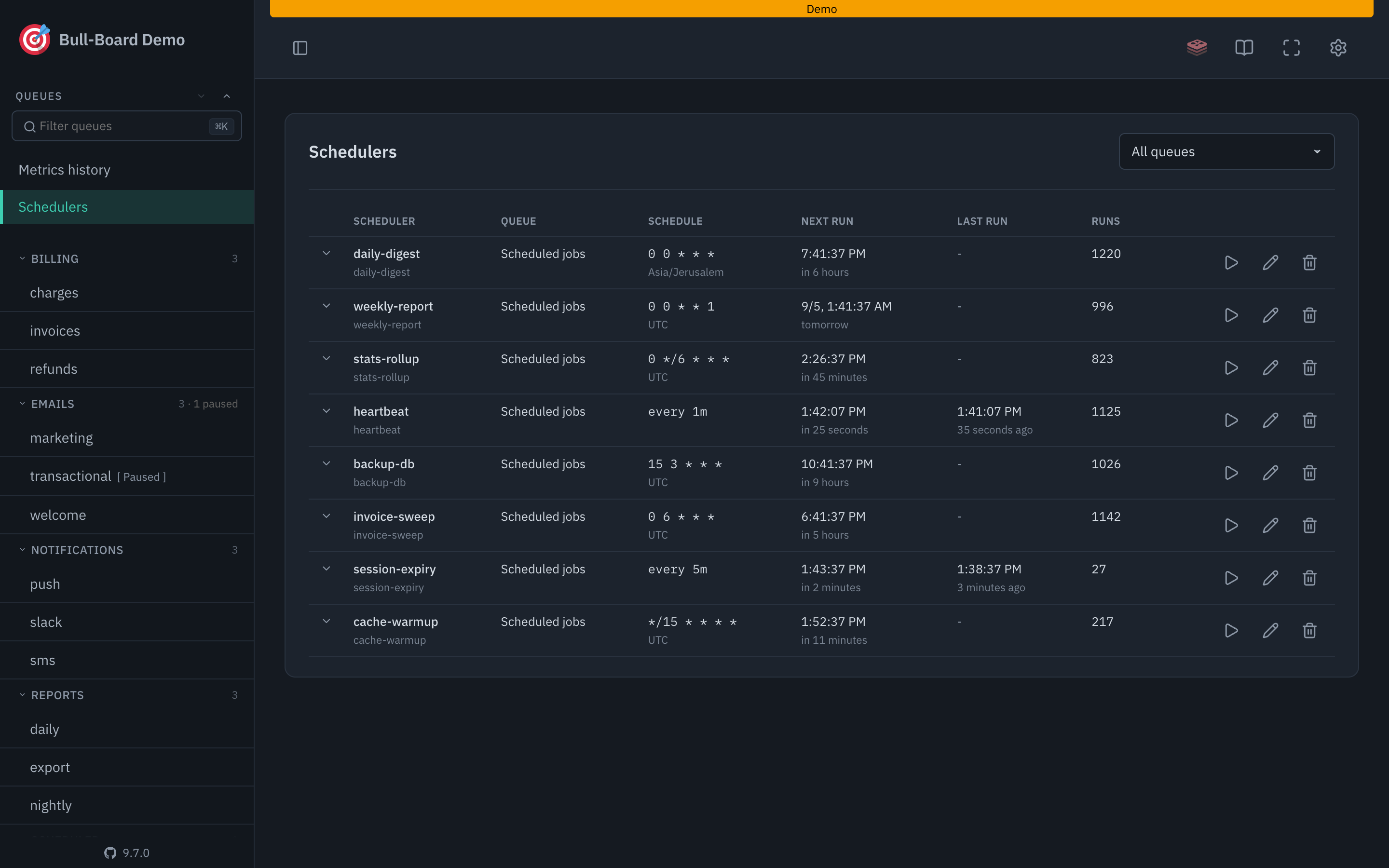 ](https://felixmosh.github.io/bull-board/guide/exploring-the-dashboard)
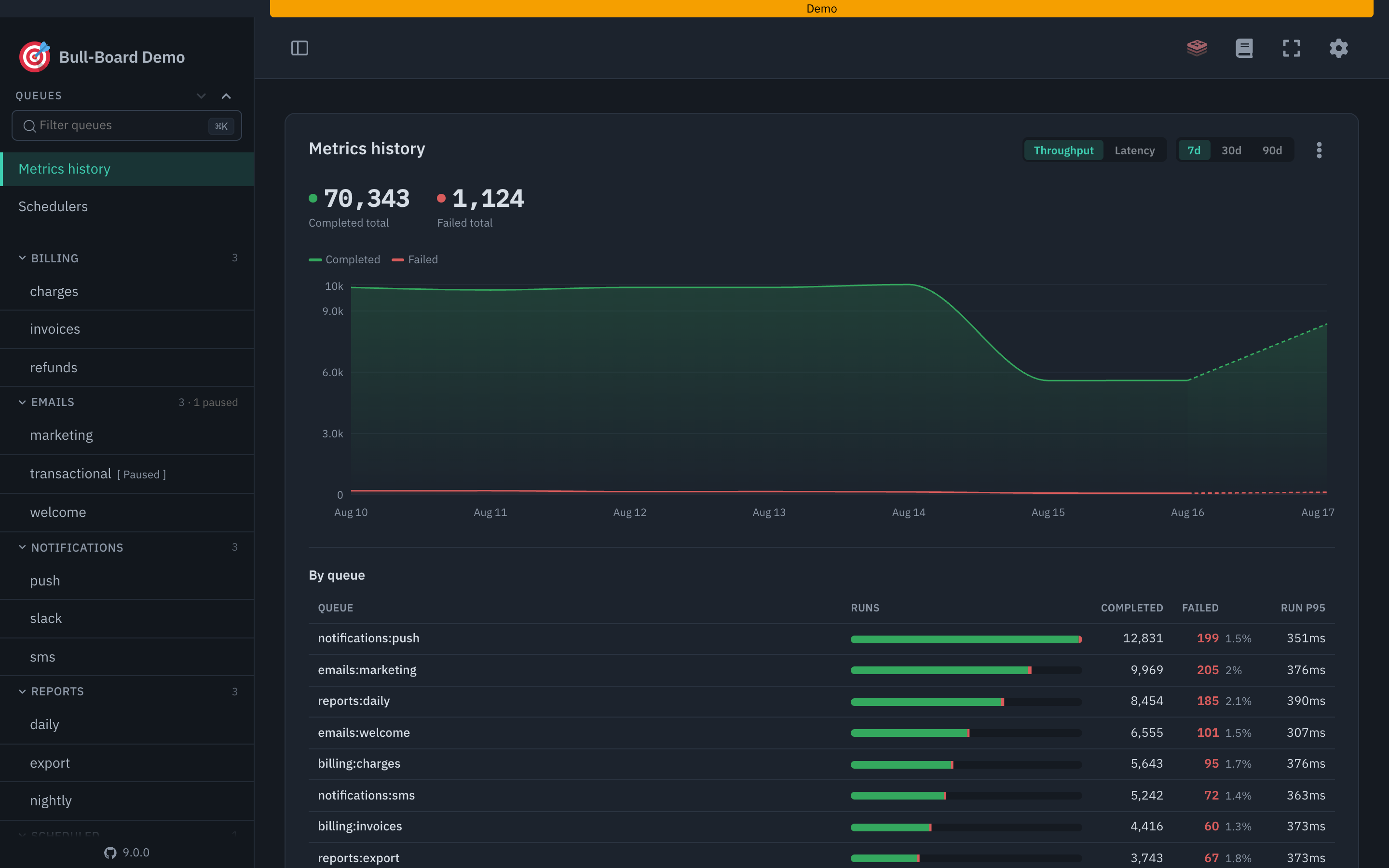 ](https://felixmosh.github.io/bull-board/recipes/historical-metrics)
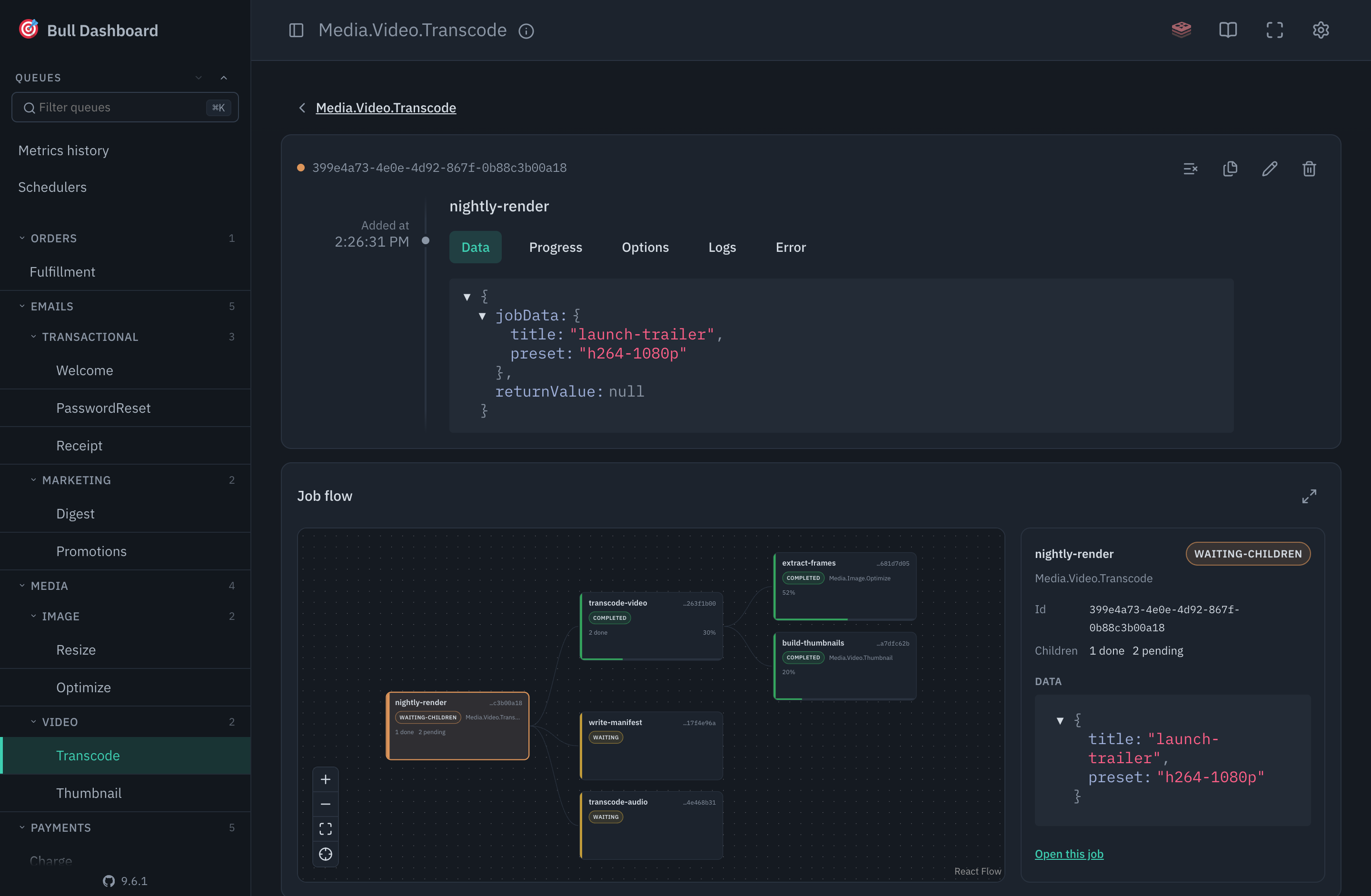 ](https://felixmosh.github.io/bull-board/recipes/job-logs-and-flows)
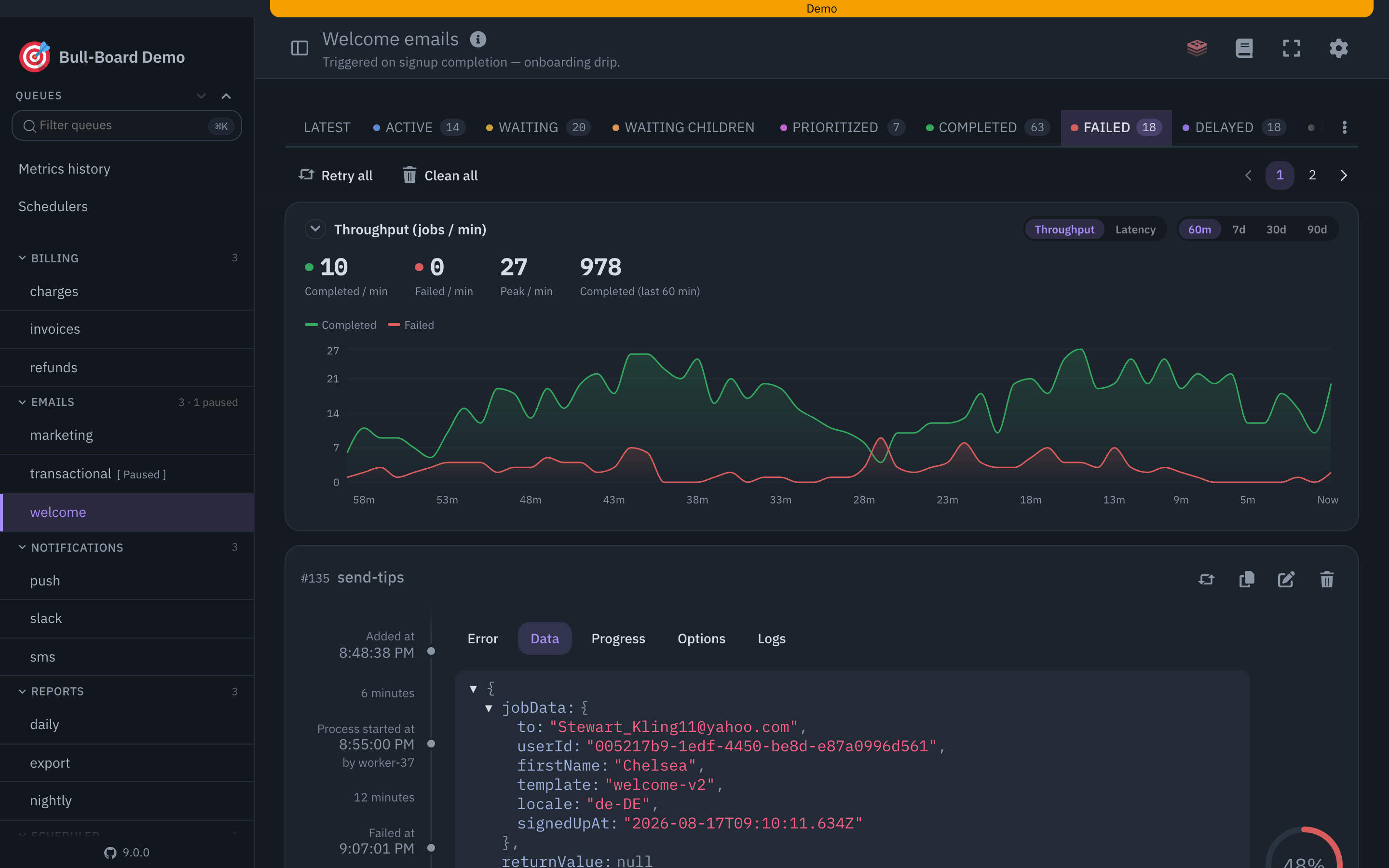 ](https://felixmosh.github.io/bull-board/recipes/whitelabel-theming)
 |
| [@bull-board/metrics](https://www.npmjs.com/package/@bull-board/metrics) |  |
|
| [@bull-board/metrics](https://www.npmjs.com/package/@bull-board/metrics) |  |  |
| [@bull-board/cli](https://www.npmjs.com/package/@bull-board/cli) |  |
|
| [@bull-board/cli](https://www.npmjs.com/package/@bull-board/cli) |  |  |
| [@bull-board/express](https://www.npmjs.com/package/@bull-board/express) |  |
|
| [@bull-board/express](https://www.npmjs.com/package/@bull-board/express) |  |  |
| [@bull-board/fastify](https://www.npmjs.com/package/@bull-board/fastify) |  |
|
| [@bull-board/fastify](https://www.npmjs.com/package/@bull-board/fastify) |  |  |
| [@bull-board/koa](https://www.npmjs.com/package/@bull-board/koa) |  |
|
| [@bull-board/koa](https://www.npmjs.com/package/@bull-board/koa) |  |  |
| [@bull-board/hapi](https://www.npmjs.com/package/@bull-board/hapi) |  |
|
| [@bull-board/hapi](https://www.npmjs.com/package/@bull-board/hapi) |  |  |
| [@bull-board/nestjs](https://www.npmjs.com/package/@bull-board/nestjs) |  |
|
| [@bull-board/nestjs](https://www.npmjs.com/package/@bull-board/nestjs) |  |  |
| [@bull-board/hono](https://www.npmjs.com/package/@bull-board/hono) |  |
|
| [@bull-board/hono](https://www.npmjs.com/package/@bull-board/hono) |  |  |
| [@bull-board/h3](https://www.npmjs.com/package/@bull-board/h3) |  |
|
| [@bull-board/h3](https://www.npmjs.com/package/@bull-board/h3) |  |  |
| [@bull-board/elysia](https://www.npmjs.com/package/@bull-board/elysia) |  |
|
| [@bull-board/elysia](https://www.npmjs.com/package/@bull-board/elysia) |  |  |
| [@bull-board/bun](https://www.npmjs.com/package/@bull-board/bun) |  |
|
| [@bull-board/bun](https://www.npmjs.com/package/@bull-board/bun) |  |  |
## Contributing
Issues and PRs welcome. Check the [issues page](https://github.com/felixmosh/bull-board/issues) before opening a new one. When reporting a bug, include versions (Node, Redis, Bull/BullMQ, bull-board) and a minimal reproduction.
To develop locally:
```sh
git clone git@github.com:felixmosh/bull-board.git
cd bull-board
yarn && yarn dev:docker && yarn build && yarn dev
```
This starts Redis, builds the packages, and opens the dev server at `http://localhost:3000/ui`. See [CONTRIBUTING.md](./CONTRIBUTING.md) for the monorepo layout, running tests and examples, and adding a new server adapter.
## Acknowledgements
- [Juan](https://github.com/joaomilho) for building the first version of this library.
## License
[MIT](https://github.com/felixmosh/bull-board/blob/master/LICENSE).
|
## Contributing
Issues and PRs welcome. Check the [issues page](https://github.com/felixmosh/bull-board/issues) before opening a new one. When reporting a bug, include versions (Node, Redis, Bull/BullMQ, bull-board) and a minimal reproduction.
To develop locally:
```sh
git clone git@github.com:felixmosh/bull-board.git
cd bull-board
yarn && yarn dev:docker && yarn build && yarn dev
```
This starts Redis, builds the packages, and opens the dev server at `http://localhost:3000/ui`. See [CONTRIBUTING.md](./CONTRIBUTING.md) for the monorepo layout, running tests and examples, and adding a new server adapter.
## Acknowledgements
- [Juan](https://github.com/joaomilho) for building the first version of this library.
## License
[MIT](https://github.com/felixmosh/bull-board/blob/master/LICENSE).