# Changes while dragging
> For virtual list support see our [virtual list pattern](/docs/patterns/virtual-lists.md)
> ❌ **This behaviour is only supported in `11.x`**. We do plan on supporting this type of behaviour again in a future `minor` release. We needed to cut this existing behaviour order to get `12.x` across the line. Going forward, tree behaviour will be supported on the latest version. We know this sucks, but we thought it better to move things forward.
`react-beautiful-dnd` supports the addition and removal of ``s during a drag.
## What behaviours does this unlock?
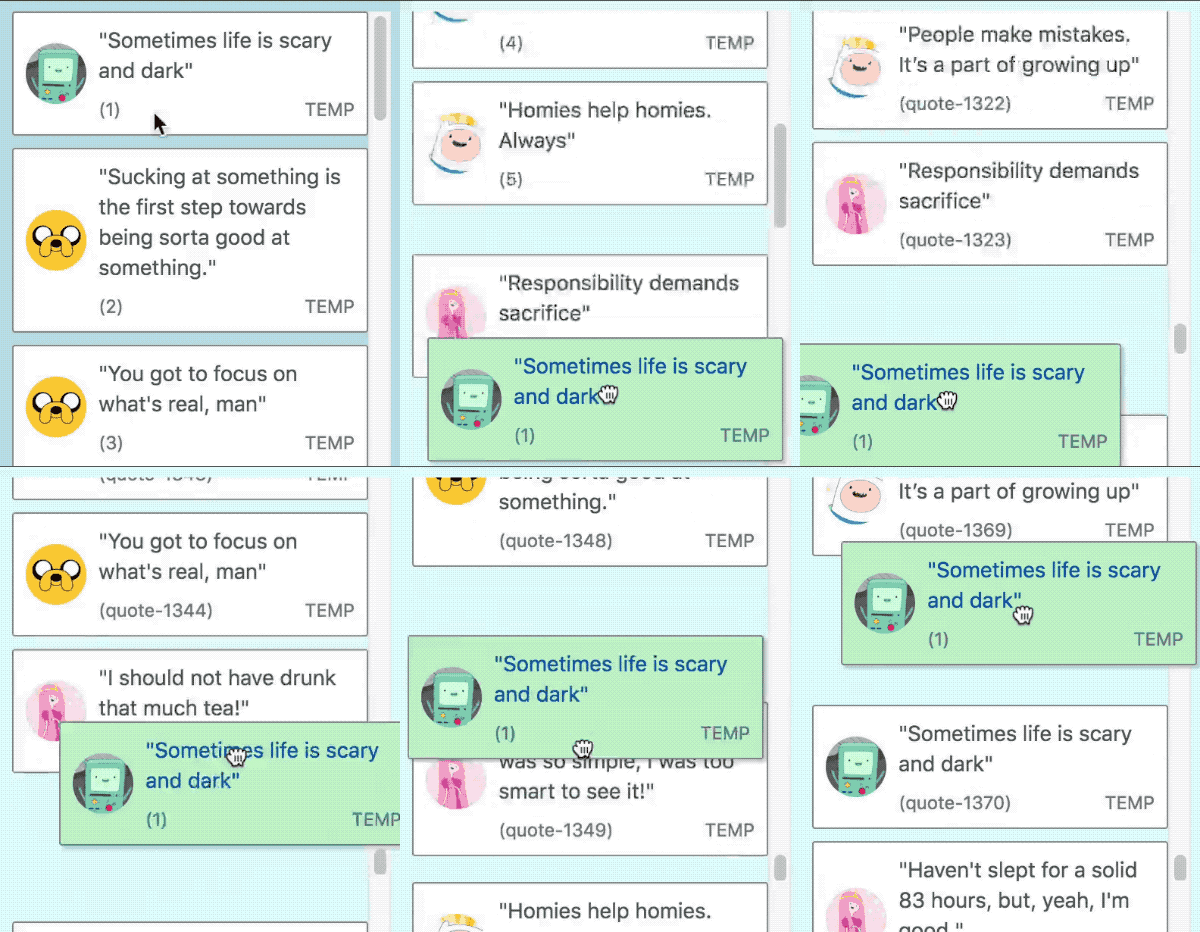
### Lazy loading of list items
> In this example we are adding more ``s to a list we scroll closer to the bottom of the list
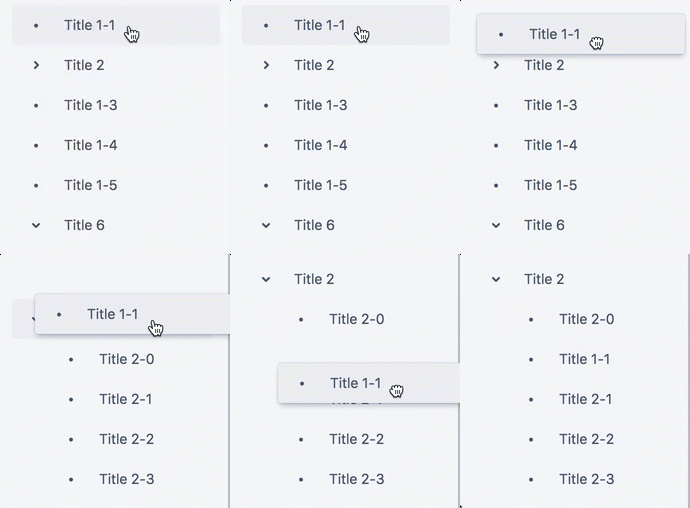
### Collapsing and expanding groups
> We recommend you use the [`@atlaskit/tree`](https://atlaskit.atlassian.com/packages/core/tree) component for this behaviour
## Rules
> We attempt to print helpful debug information to the `console` if you do not follow these rules in development builds
- You are allowed to add or remove `Draggables` during a drag
- You can only add or remove `Draggables` that are of the same `type` as the dragging item.
- Any changes must occur within a `` that is a _scroll container_ (has `overflow: auto` or `overflow: scroll`). _This is prevent accidental shifts to other `Droppables` on the page_
- The size of the internal content of the _scroll container_ can change, but the outer bounds of the _scroll container_ itself cannot change.
- You cannot modify the sizes of any existing `` or `` during a drag
- You cannot add or remove a `` during a drag. _We did this to avoid accidental shifting of other ``s_
- When an item is removed or added it must be done instantly. You cannot animate the size of the item. You are welcome to animate a property when adding a `` that does not impact the size of the item, such as `opacity`
## ` > onDragUpdate` behavior
- `onDragUpdate` will be called if the `DragUpdate > source > index` of the dragging item has changed as the result of `Draggables` being added or removed before it.
- `onDragUpdate` will be called if the `DragUpdate > destination` of the dragging item has changed as a result of the addition or removal.
## ` > onDragEnd` behavior
`onDragEnd` will be called with values that are adjusted for any additions or removals of `Draggables` during a drag. This can mean that the `onDragStart: DragStart > source > index` can be different from the `onDragEnd: DropResult > source > index`.
### Sample `onDragEnd` flow
> What is important to note is that the `source` property can change during a drag as a result of dynamic changes.
1. A drag starts.
`onDragStart` is called with:
```js
{
draggableId: 'item-1',,
type: 'TYPE',
source: {
droppableId: 'droppable',
index: 1,
},
}
```
2. The first `` in the list (`item-0`) is removed.
`onDragUpdate` is called with `DragUpdate`:
```diff
{
draggableId: 'item-1',,
type: 'TYPE',
source: {
droppableId: 'droppable',
+ // item-1 is now in index 0 as item-0 is gone
+ index: 0,
},
// adjusted destination
destination: null,
}
```
3. The drag ends
`onDragEnd` is called with `DropResult`:
```diff
{
draggableId: 'item-1',,
type: 'TYPE',
source: {
droppableId: 'droppable',
+ // the source reflects the change
+ index: 0,
},
destination: null,
reason: 'DROP',
}
```
## Drag end while we are patching the virtual model
If a drag ends after a `` has been added or removed, but we have not finished collecting and patching the _virtual dimension model_ then we will delay the drop until the patch is finished. This is usually only a single frame. The `onDropEnd` callback will be called with a `DropResult` that is correct after the patch.
[← Back to documentation](/README.md#documentation-)