# Sensor API 🎮

With our Sensor API it is possible to:
- Create drag and drop interactions from **any input** type you can think of
- Create beautiful scripted **experiences**
The public Sensor API is the same API that our [mouse](/docs/sensors/mouse.md), [keyboard](/docs/sensors/keyboard.md), and [touch](/docs/sensors/touch.md) sensors use. So it is powerful enough to drive any experience we ship out of the box.
## Examples
These are some examples to show off what is possible with the Sensor API. They are currently not built to be production ready. Feel free to reach out if you would like to help improve them or add your own!
(Please be sure to use prefix `rbd-`)
| Voice 🗣 | Webcam 📷 | Thought 🧠 |
| :--------------------------------------------------------------------------------------------------------------------------------------: | :----------------------------------------------------------------------------------------------------------------------------------: | :------------------------------------------------------------------------------------------------------------------------------------------: |
|  | 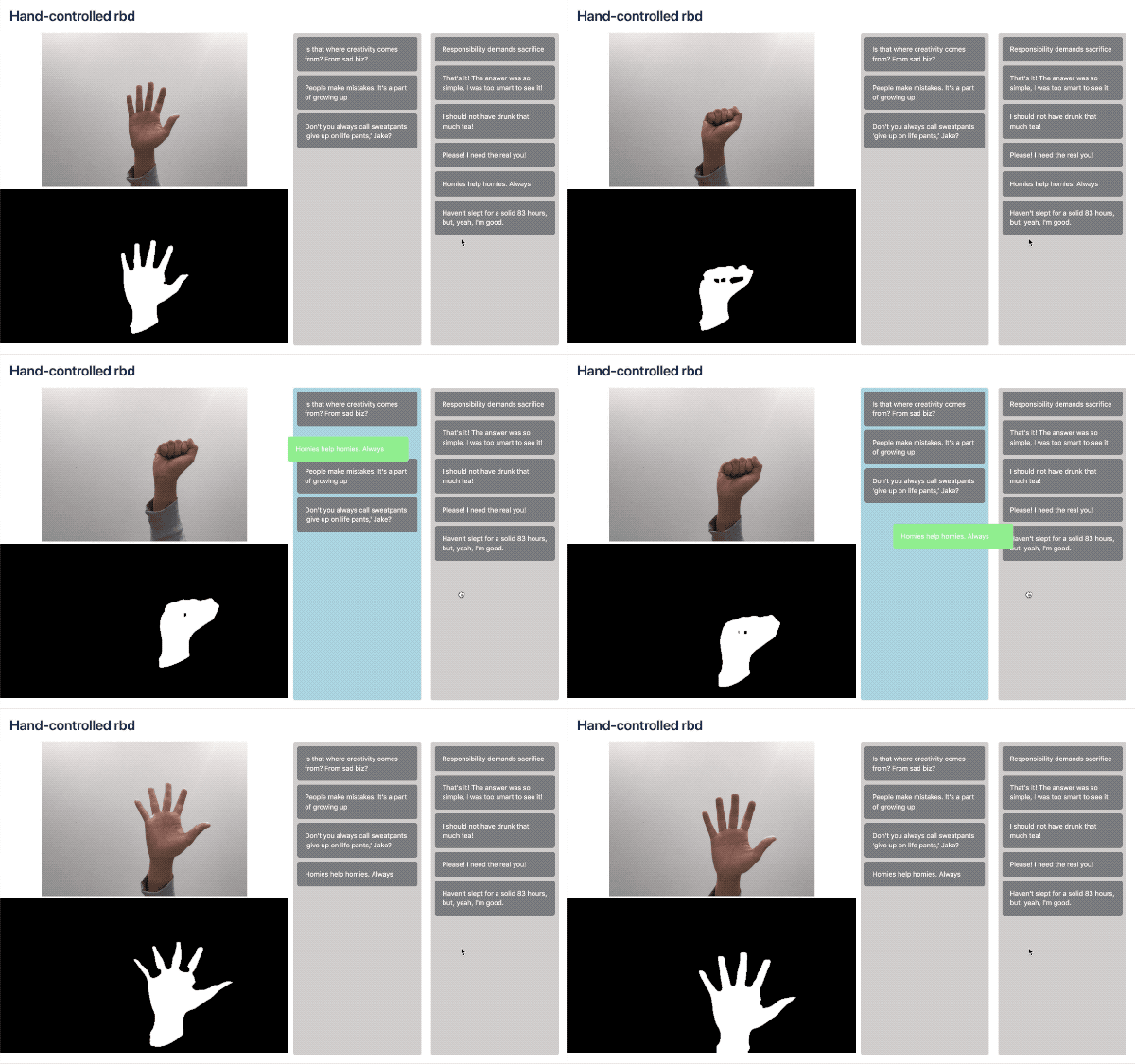 | 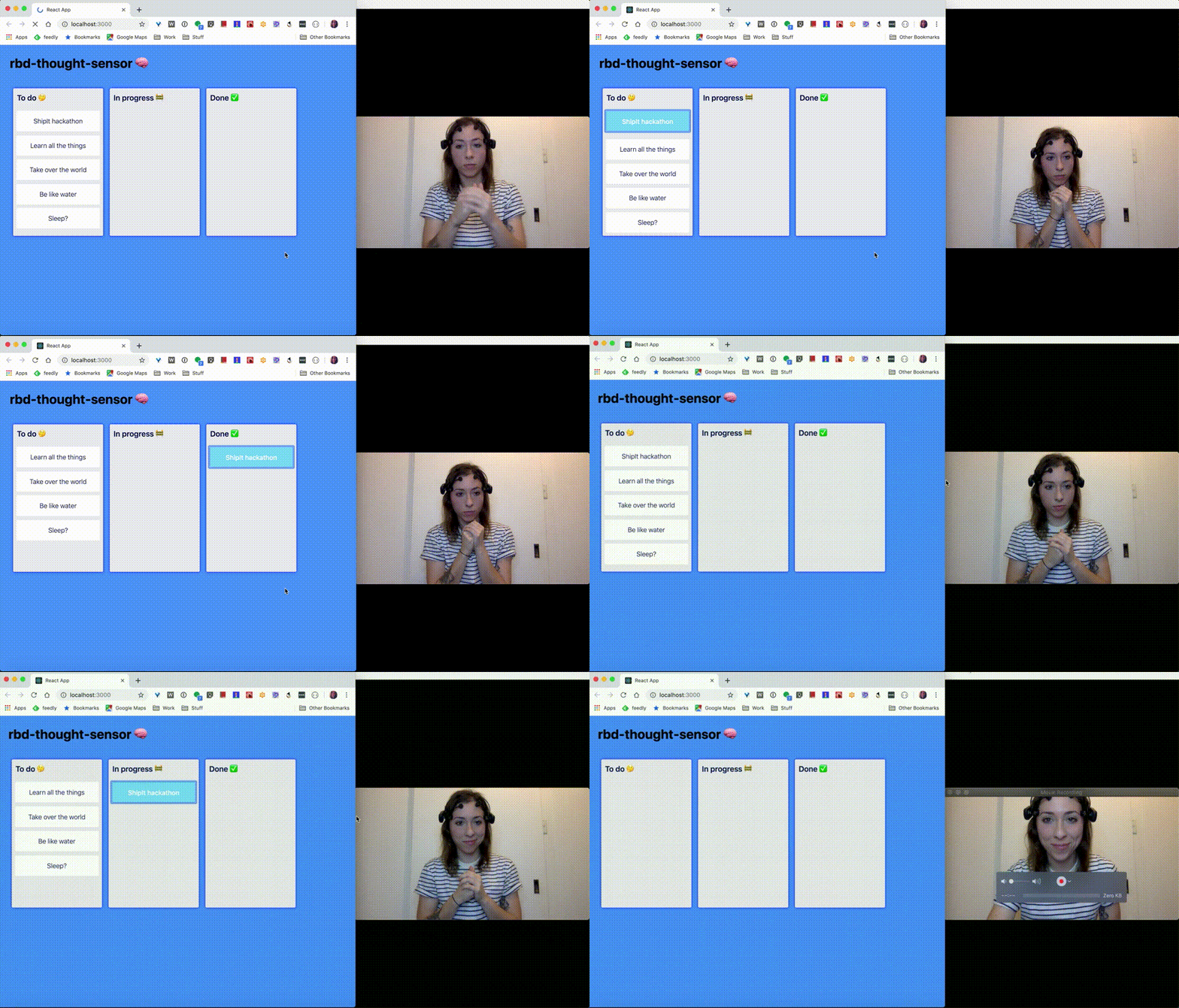 |
| [`rbd-voice-sensor`](https://github.com/danieldelcore/rbd-voice-sensor)
created by [@danieldelcore](https://github.com/danieldelcore) | [`rbd-webcam-sensor`](https://github.com/kangweichan/rbd-webcam-sensor)
created by [@kangweichan](https://github.com/kangweichan) | [`rbd-thought-sensor`](https://github.com/charliegerard/rbd-thought-sensor)
created by [@charliegerard](https://github.com/charliegerard) |
| With controls | Run sheet | Onboarding |
| :--------------------------------------------------------------------------------------------------------------: | :--------------------------------------------------------------------------------------------------------------------------------: | :----------------------------------------------------------------------------------------------------------------: |
| 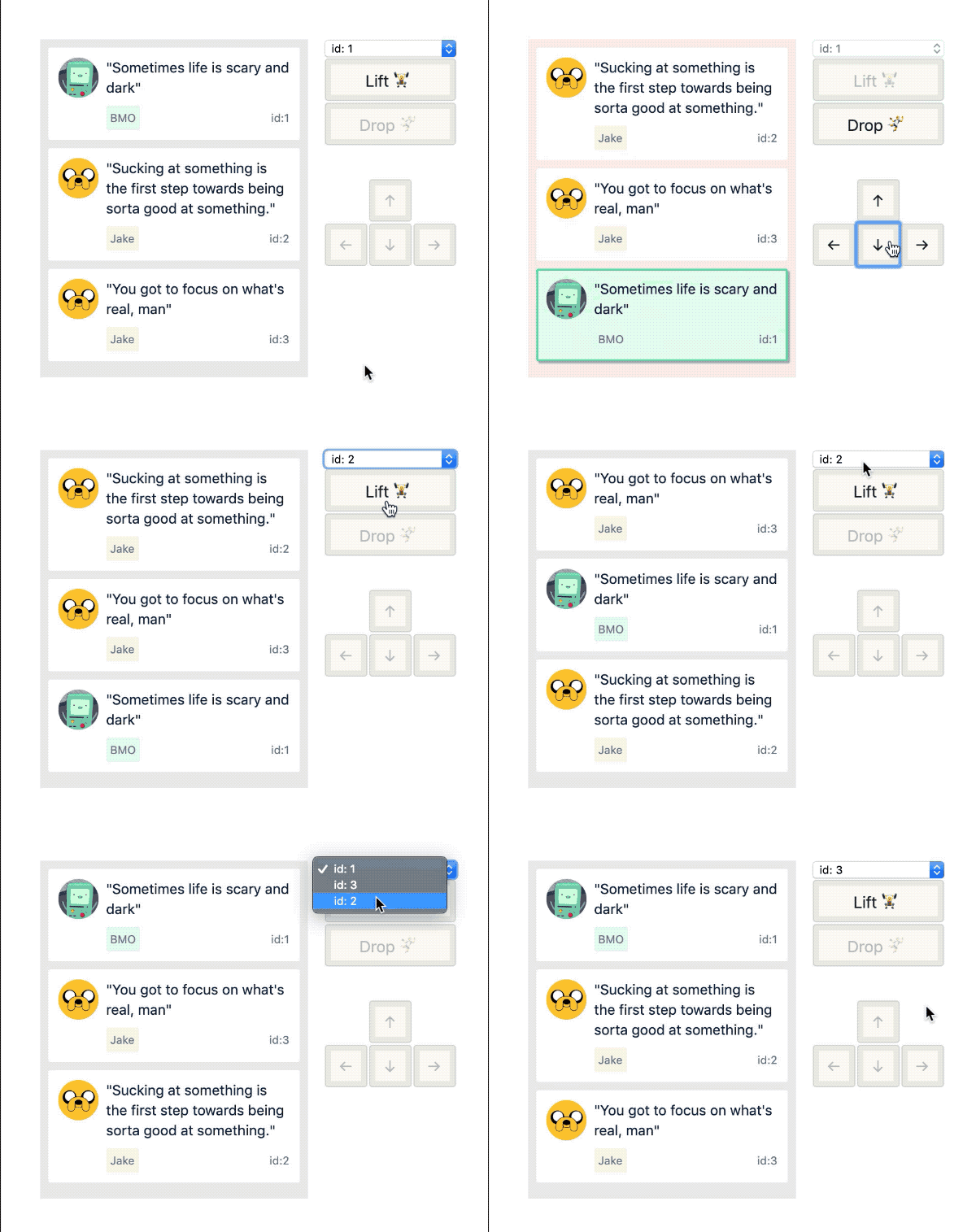 |  |  |
| Mapping controls to movements | Running scripted experiences along side a user controlled drag | A scripted onboarding experience for a trip planning application |
## Overview
You create a `sensor` that has the ability to attempt to claim a **lock**. A **lock** allows _exclusive_ control of dragging within a ``. When you are finished with your interaction, you can then release the **lock**.
```js
function mySimpleSensor(api: SensorAPI) {
const preDrag: ?PreDragActions = api.tryGetLock('item-1');
// Could not get lock
if (!preDrag) {
return;
}
const drag: SnapDragActions = preDrag.snapLift();
drag.moveDown();
drag.moveDown();
drag.moveDown();
drag.drop();
}
function App() {
return (
{/*...*/}
);
}
```
## Lifecycle

1. Try to get a **lock** when a `sensor` wants to drag and item. A sensor might not be able to claim a lock for a variety of reasons, such as when another `sensor` already has a **lock**.
2. If a **lock** is obtained then there are a number of _pre drag_ actions available to you (`PreDragActions`). This allows a `sensor` to claim a lock before starting a drag. This is important for things like [sloppy click detection](/docs/sensors/mouse.md#sloppy-clicks-and-click-prevention-) where a drag is only started after a sufficiently large movement.
3. A _pre drag_ lock can be upgraded to a _drag lock_, which contains a different set of APIs (`FluidDragActions` or `SnapDragActions`). Once a `` has been lifted, it can be moved around.
## Rules
- Only one `` can be dragging at a time for a ``
- You cannot use outdated or aborted **locks** (see below)
- That's it!
## API
### Creating a `sensor`
A `sensor` is a [React hook](https://reactjs.org/docs/hooks-intro.html). It is fine if you do not want to use any of the React hook goodness, you can treat the `sensor` just as a function. React hooks are just functions that let you use the built in React hooks if you want to 🤫. You pass your `sensor` into the `sensors` array on a ``.
```js
function useMyCoolSensor(api: SensorAPI) {
const start = useCallback(function start(event: MouseEvent) {
const preDrag: ?PreDragActions = api.tryGetLock('item-2');
if (!preDrag) {
return;
}
preDrag.snapLift();
preDrag.moveDown();
preDrag.drop();
}, []);
useEffect(() => {
window.addEventListener('click', start);
return () => {
window.removeEventListener('click', start);
};
}, []);
}
function App() {
return (
);
}
```
**The `sensors` array should not change dynamically**. If you do this you run the risk of violating the [rules of React hooks](https://reactjs.org/docs/hooks-rules.html).
You can also disable all of the prebuilt sensors ([mouse](/docs/sensors/mouse.md), [keyboard](/docs/sensors/keyboard.md), and [touch](/docs/sensors/touch.md)) by setting `enableDefaultSensors={false}` on a ``. This is useful if you _only_ want a `` to be controlled programmatically.
### Controlling a drag: try to get a lock
A `sensor` is provided with a an object (`SensorAPI`) which is used to try to get a **lock**
```js
type Sensor = (api: SensorAPI) => void;
type SensorAPI = {|
tryGetLock: TryGetLock,
canGetLock: (id: DraggableId) => boolean,
isLockClaimed: () => boolean,
tryReleaseLock: () => void,
findClosestDraggableId: (event: Event) => ?DraggableId,
findOptionsForDraggable: (id: DraggableId) => ?DraggableOptions,
|};
type DraggableOptions = {|
canDragInteractiveElements: boolean,
shouldRespectForcePress: boolean,
isEnabled: boolean,
|};
```
- `tryGetLock` (`TryGetLock`): a function that is used to **try** and get a **lock** for a ``
- `canGetLock(id)`: returns whether a lock _could_ be claimed for a given `DraggableId`
- `isLockClaimed()`: returns `true` if any sensor currently has a lock
- `tryReleaseLock()`: will release any active lock. This can be useful for programmatically cancelling a drag.
- `findClosestDraggableId(event)`: a function that will try to find the closest `draggableId` based on an event. It will look upwards from the `event.target` to try and find a _drag handle_
- `findOptionsForDraggable(id)`: tries to lookup `DraggableOptions` associated with a ``
```js
export type TryGetLock = (
draggableId: DraggableId,
forceStop?: () => void,
options?: TryGetLockOptions,
) => ?PreDragActions;
```
- `draggableId`: The `DraggableId` of the `` that you want to drag.
- `forceStop` (optional): a function that is called when the lock needs to be abandoned by the application. See **force abandoning locks**.
```js
type TryGetLockOptions = {
sourceEvent?: Event,
};
```
- `sourceEvent` (optional): Used to do further validation when starting the drag from a user input event. We will do some [interactive element checking](/docs/api/draggable.md#interactive-child-elements-within-a-draggable-)
### Controlling a drag: pre drag (`PreDragAction`)
The `PreDragAction` object contains a number of functions:
```js
type PreDragActions = {|
// discover if the lock is still active
isActive: () => boolean,
// whether it has been indicated if force press should be respected
shouldRespectForcePress: () => boolean,
// Lift the current item
fluidLift: (clientSelection: Position) => FluidDragActions,
snapLift: () => SnapDragActions,
// Cancel the pre drag without starting a drag. Releases the lock
abort: () => void,
|};
```
This phase allows you to conditionally start or abort a drag after obtaining an exclusive **lock**. This is useful if you are not sure if a drag should start such as when using [long press](/docs/sensors/touch.md) or [sloppy click detection](/docs/sensors/mouse.md). If you want to abort the pre drag without lifting you can call `.abort()`.
### Controlling a drag: dragging
You can lift a dragging item by calling either `.fluidLift(clientSelection)` or `snapLift()`. This will start a visual drag and will also trigger the `onDragStart` responder. There are two different _lift_ functions, as there are two different dragging modes: **snap dragging** (`SnapDragActions`) and **fluid dragging** (`FluidDragActions`).
#### Shared
```js
type DragActions = {|
drop: (args?: StopDragOptions) => void,
cancel: (args?: StopDragOptions) => void,
isActive: () => boolean,
shouldRespectForcePress: () => boolean,
|};
type StopDragOptions = {|
shouldBlockNextClick: boolean,
|};
```
#### Fluid dragging
> ✍️ [Raathi Kugarajan](https://twitter.com/Raathigesh) has written a blog : ["Scripted natural motion with react-beautiful-dnd"](https://dev.to/raathigesh/scripted-natural-motion-with-react-beautiful-dnd-4ifj) which outlines how you can create scripted user behaviour with the Sensor API 👏
``s move around naturally in response a moving point. The _impact_ of the drag is controlled by a _collision engine_. (This is what our [mouse sensor](/docs/sensors/mouse.md) and [touch sensor](/docs/sensors/touch.md) use)
```js
type FluidDragActions = {|
...DragActions,
move: (clientSelection: Position) => void,
|};
```
Calls to `.move()` are throttled using [`requestAnimationFrame`](https://developer.mozilla.org/en-US/docs/Web/API/window/requestAnimationFrame). So if you make multiple `.move()` calls in the same animation frame, it will only result in a single update
```js
const drag: SnapDragActions = preDrag.fluidLift({ x: 0, y: 0 });
// will all be batched into a single update
drag.move({ x: 0, y: 1 });
drag.move({ x: 0, y: 2 });
drag.move({ x: 0, y: 3 });
// after animation frame
// update(x: 0, y: 3)
```
#### Snap dragging
``s are forced to move to a new position using a single command. For example, "move down". (This is what our [keyboard sensor](/docs/sensors/keyboard.md) uses)
```js
export type SnapDragActions = {|
...DragActions,
moveUp: () => void,
moveDown: () => void,
moveRight: () => void,
moveLeft: () => void,
|};
```
## Force abandoning locks
A **lock** can be aborted at any time by the application, such as when an error occurs. If you try to perform actions on an aborted **lock** then it will not do anything. The second argument to `SensorAPI.tryGetLock()` is a `forceStop` function. The `forceStop` function will be called when the **lock** needs to be abandoned by the application. If you try to use any functions on the **lock** after it has been abandoned they will have no effect and will log a warning to the console.
```js
function useMySensor(api: SensorAPI) {
let unbindClick;
function forceStop() {
if (unbindClick) {
unbindClick();
}
}
const preDrag: ?PreDragActions = api.tryGetLock('item-1', forceStop);
// Could not get lock
if (!preDrag) {
return;
}
const drag: SnapDragActions = preDrag.snapLift();
const move = () => drag.moveDown();
window.addEventListener('click', move);
unbindClick = window.removeEventListener('click', move);
}
```
The `PreDragActions`, `FluidDragActions` and `SnapDragActions` all have a `isActive()` function which can be called to discover if a lock is still active. So if you do not want to provide a `forceStop()` function, it is best to defensively call api's with a `isActiveCheck`.
```js
function useMySensor(api: SensorAPI) {
const preDrag: ?PreDragActions = api.tryGetLock();
// Could not get lock
if (!preDrag) {
return;
}
const drag: SnapDragActions = preDrag.snapLift();
const move = () => {
if (drag.isActive()) {
drag.moveDown();
return;
}
// unbinding if no longer active
window.removeEventListener('click', move);
};
window.addEventListener('click', move);
}
```
## Invalid behaviours
These are all caused by not respecting the lifecycle (see above)
> ⚠️ = warning logged
> ❌ = error thrown
- ⚠️ Using any `PreDragAction`, `FluidDragAction` or `SnapDragAction` after `forceStop()` is called
- ⚠️ Using any `PreDragAction` after `.abort()` has been called
- ⚠️ Using any `FluidDragAction` or `SnapDragAction` after `.cancel()` or `.drop()` has been called.
- ❌ Trying to call two `lift` functions on a `PreDragAction` will result in an error being thrown.
[← Back to documentation](/README.md#documentation-)