# NinerLog — Free, Open-Source Pilot Logbook for EASA & FAA Pilots
**A modern digital pilot logbook you can actually own.** Log flights in seconds, track EASA and FAA currency automatically, get training flights signed by your instructor, and export everything whenever you want. Use the free hosted version at [app.ninerlog.com](https://app.ninerlog.com), or self-host the whole stack with one `docker compose up`.
[](LICENSE)
[](https://github.com/fjaeckel/ninerlog-api)
[](https://github.com/fjaeckel?tab=packages&repo_name=ninerlog)
[](https://ninerlog.com)
[](https://ninerlog.com/self-hosted)
[**Website**](https://ninerlog.com) · [**Launch the app**](https://app.ninerlog.com) · [**Self-hosting guide**](https://ninerlog.com/self-hosted) · [**Features**](https://ninerlog.com/features)
---
## Quick Start (Docker Compose)
```bash
# 1. Clone this repo
git clone https://github.com/fjaeckel/ninerlog.git
cd ninerlog
# 2. Configure environment
cp .env.example .env
# Edit .env — at minimum set JWT_SECRET, REFRESH_SECRET, POSTGRES_PASSWORD
# 3. Start everything
docker compose up -d
# 4. Open NinerLog
# Visit http://localhost in your browser
```
The stack pulls pre-built, publicly available images from GitHub Container Registry — no login, no build step, no toolchain to install. For HTTPS with a real domain, see [docs/HTTPS.md](docs/HTTPS.md).
## Screenshots
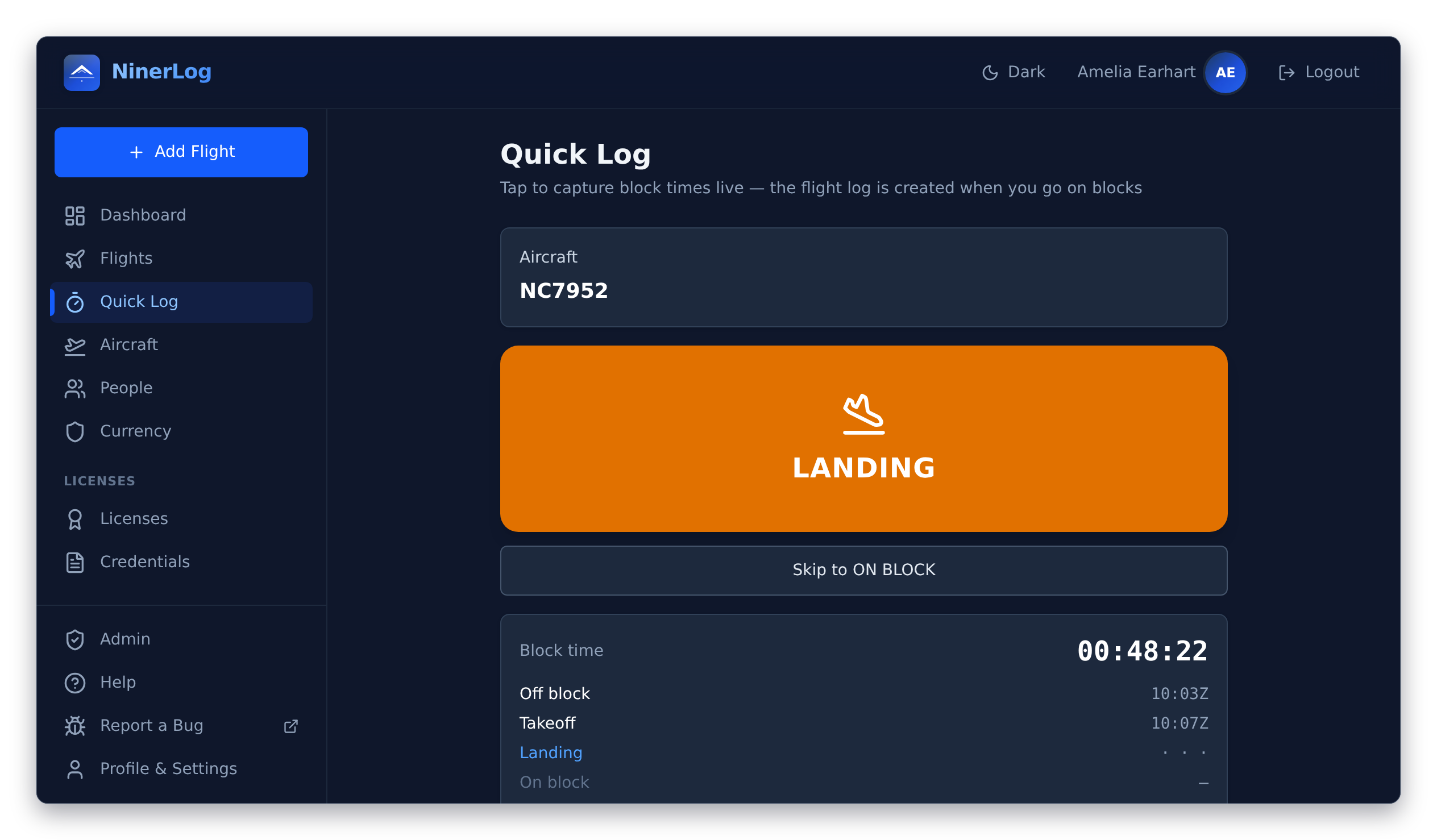
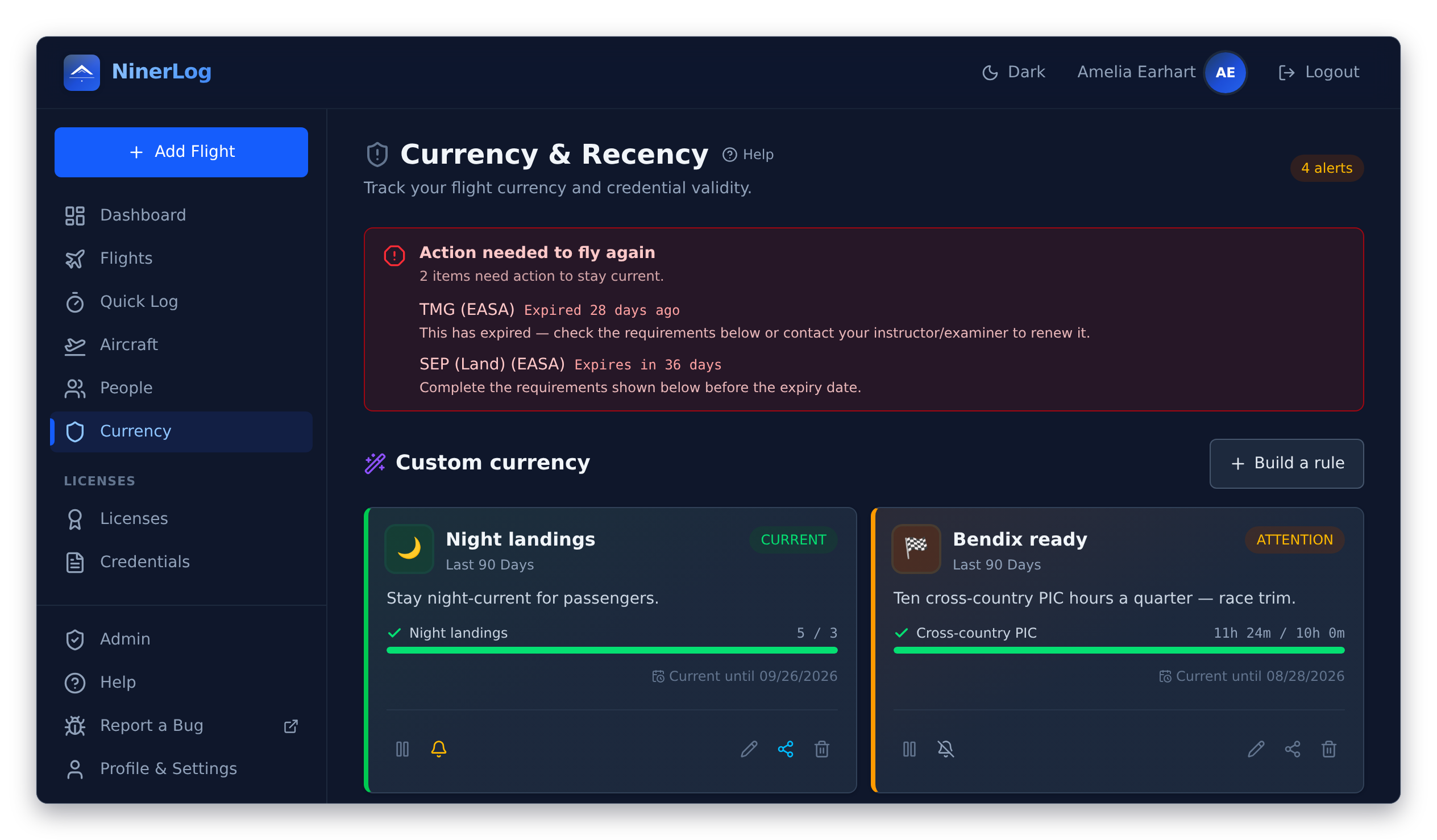
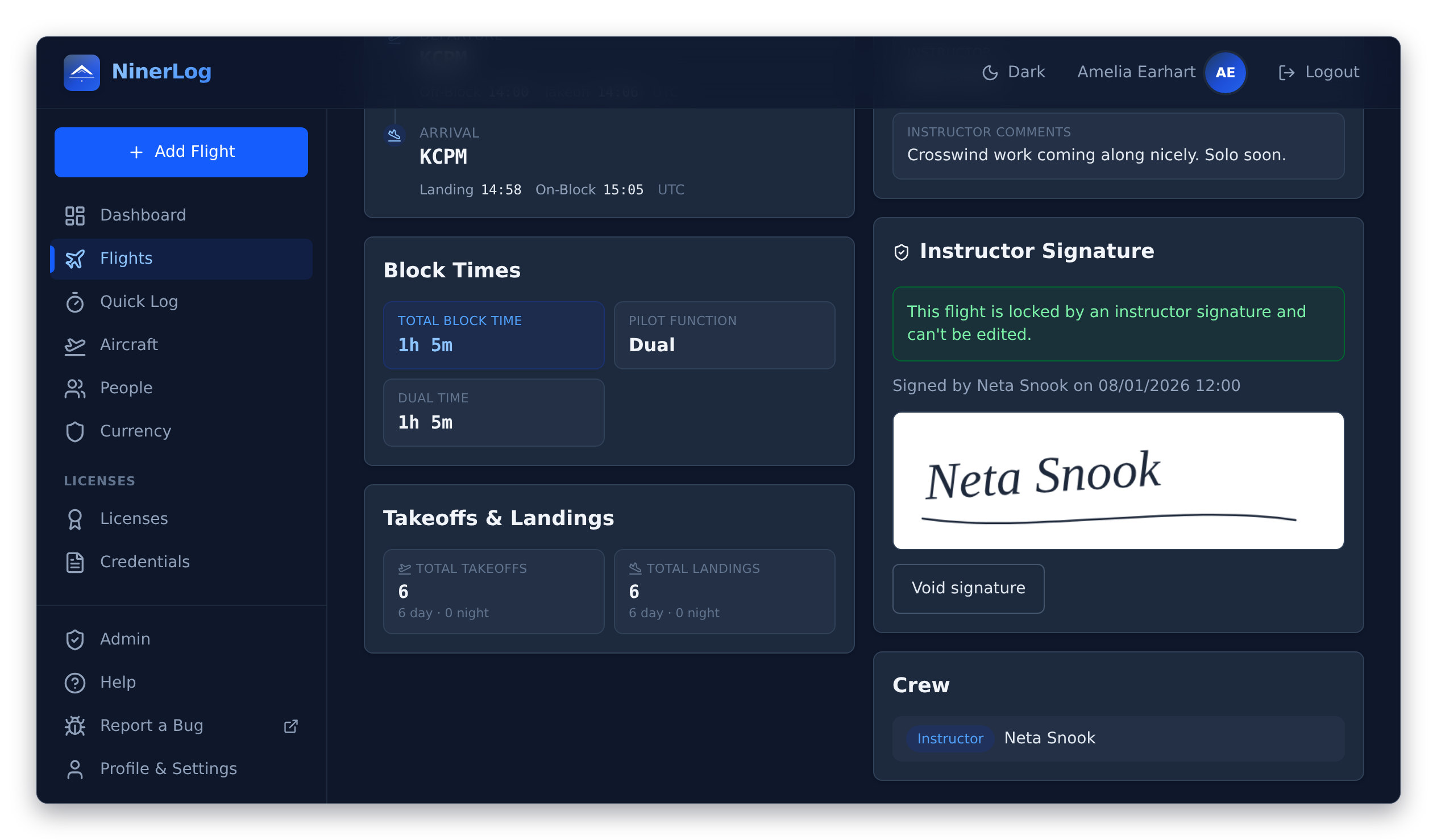
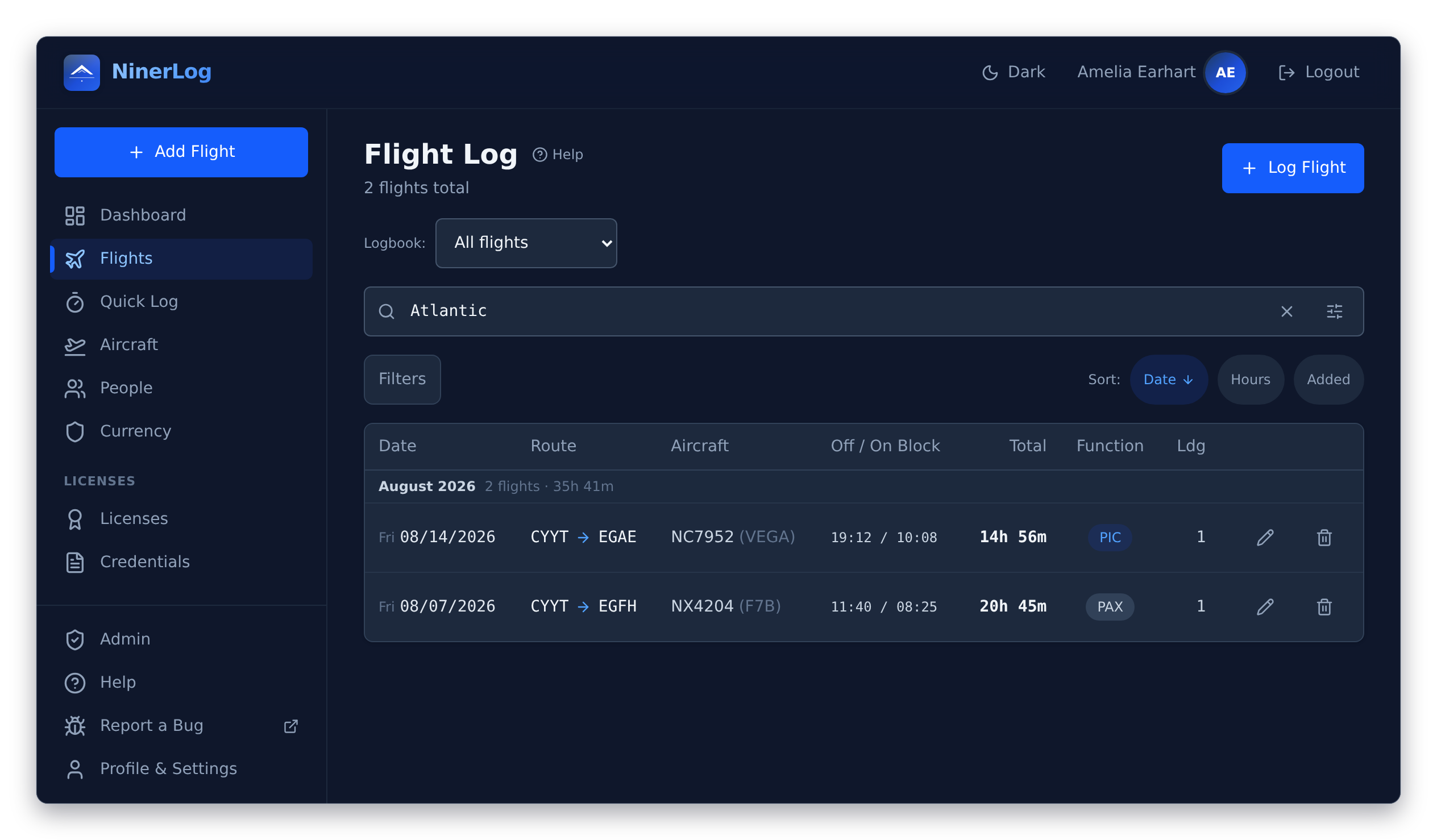
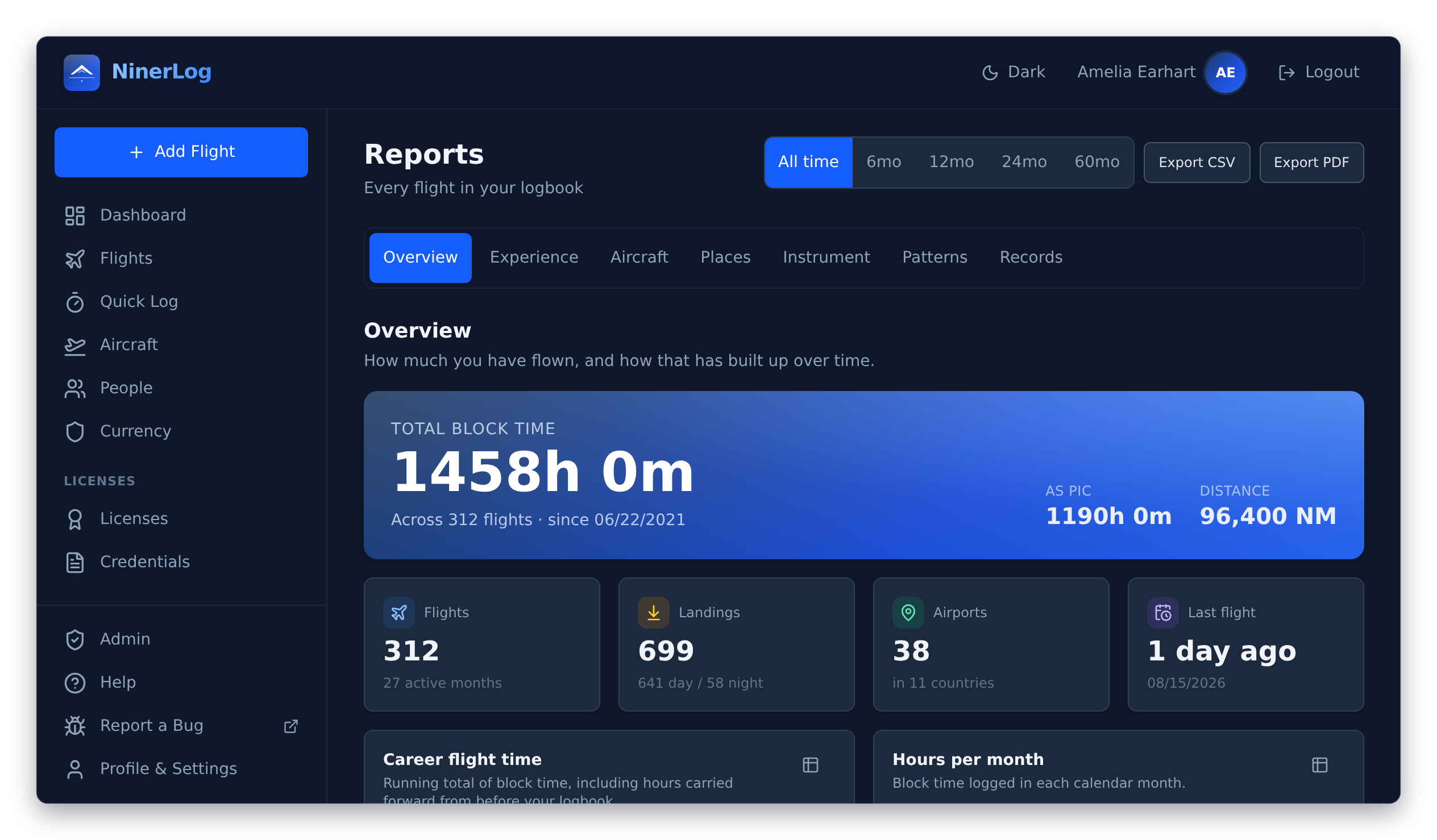
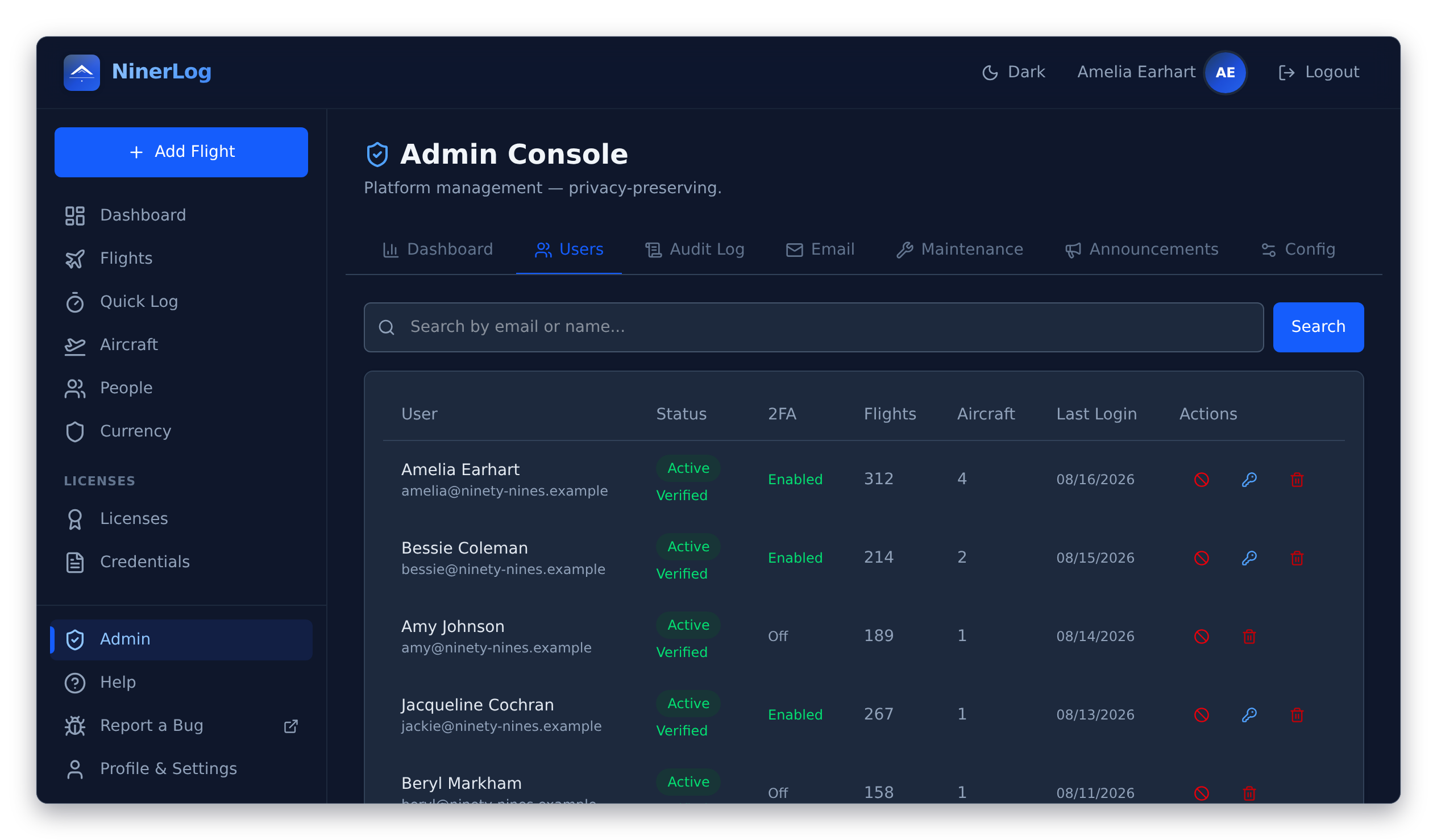
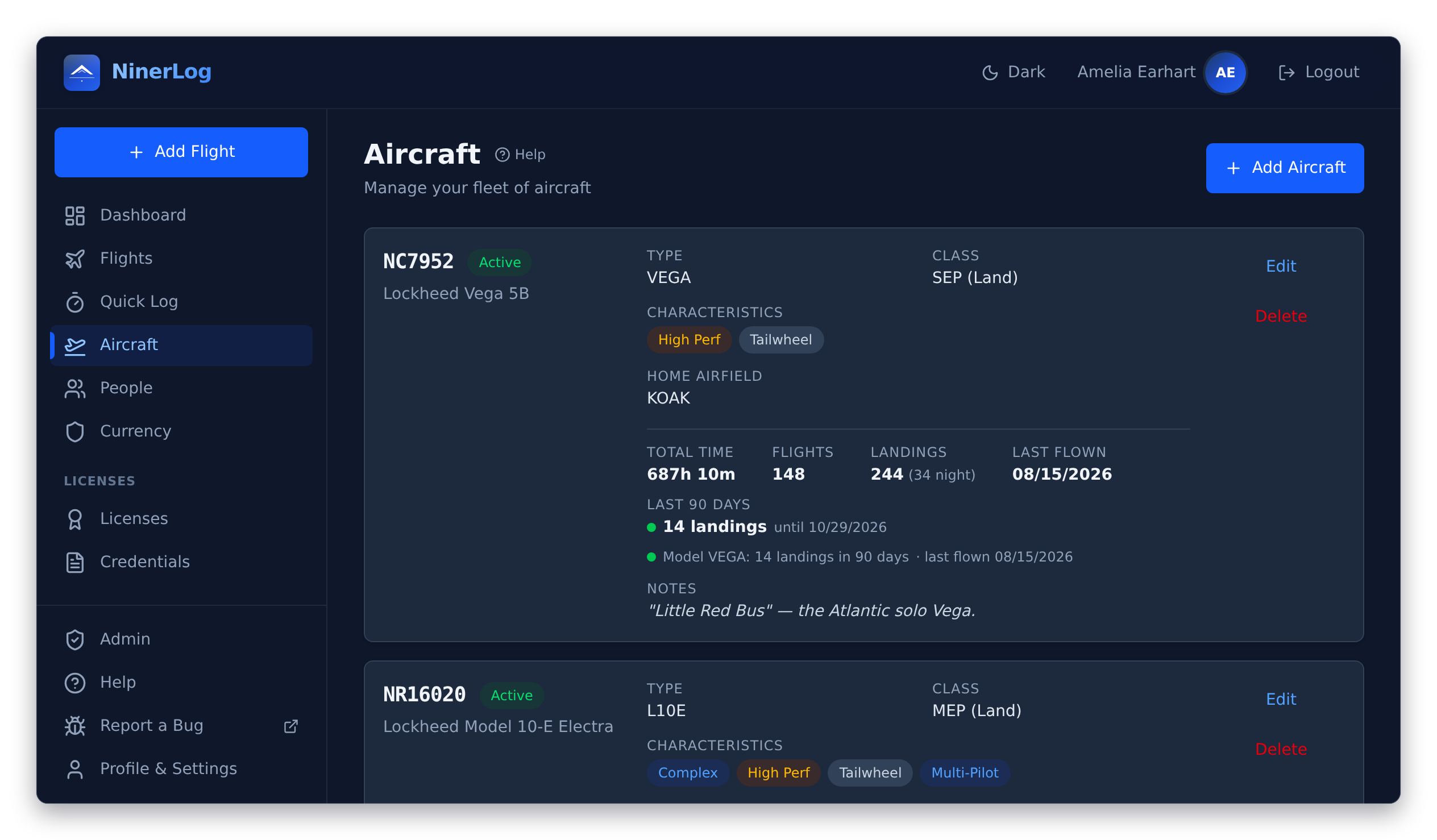
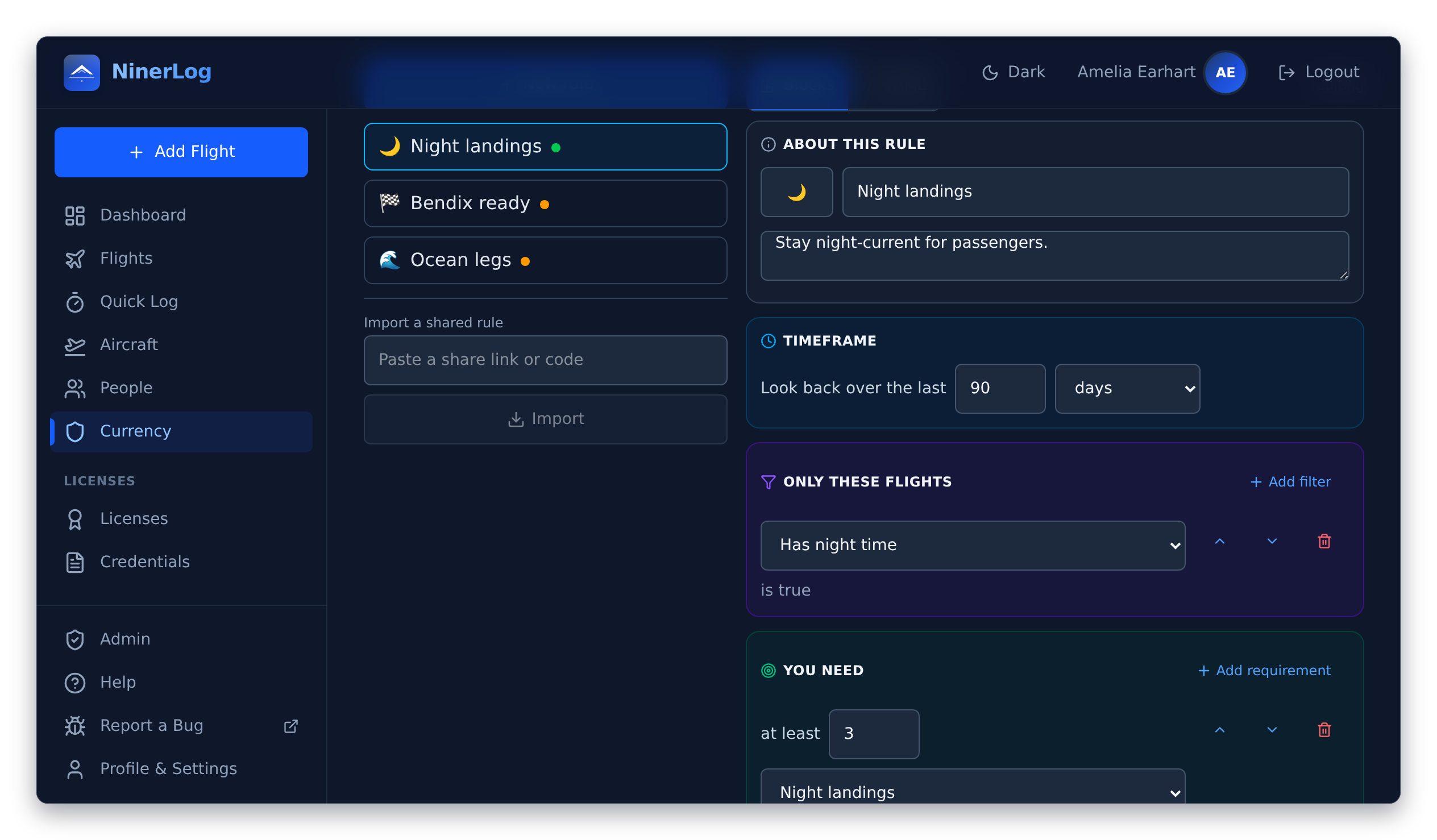
Every screenshot follows your theme — light and dark. The demo logbook they show is a small homage to the famous women of aviation: Amelia Earhart's flights, her Lockheed Vega and Electra, Neta Snook signing the training flight, and a Ninety-Nines member roster on the admin console.
**Quick Log — a flight logs itself, one tap per milestone:**
| Quick Log — live block times | Currency tracking |
|---|---|
| | |
| Instructor signing | Flight search |
|---|---|
| | |
| Reports & statistics | Flying club admin |
|---|---|
| | |
| Fleet insights | Custom currency rules |
|---|---|
| | |
## Features
**Flight logging**
- **Quick Log** — tap once at off-block, takeoff, landing, and on-block; the entry writes itself, with GPS airport detection and offline support
- Block times, flight times, and advanced time splits; day and night landings and takeoffs tracked separately
- IFR in detail — actual and simulated instrument time, holds, and every approach with its type, airport and runway
- Simulator/FSTD sessions recorded apart from flight time, exactly as AMC1 FCL.050 requires; passenger legs that count toward nothing
- Off-airport sites — a farm strip or glacier without an ICAO code stays as the place name you typed
- Auto-calculated: night time from real sunset/sunrise at your airports, day/night landing split, cross-country time, great-circle distance, and PIC/solo/SIC/dual-given from the crew list
**Search**
- One search box across registration, type, departure/arrival ICAO, remarks and names — partial matches count
- Stack date range, aircraft, airport, and pilot-function filters on top; filters persist while you navigate
- Pick your own flight-list columns; airport codes resolve to names from a 29,000+ airport database
**Licenses & currency**
- Multi-license support — hold a PPL and an SPL, EASA and FAA, all at once; flights count toward every applicable license and class rating automatically
- Class ratings with expiry tracking (SEP, MEP, SET, TMG, IR)
- EASA revalidation rules (FCL.740), FAA 90-day passenger currency (14 CFR 61.57), night currency, and the flight review (61.56)
- Instrument currency with approach and hold counting, plus IPC tracking
- 90-day recency per aircraft model and per registration
- **Custom currency rules** — write your club's or insurer's rule in a block editor or as YAML, preview it against your real logbook, share it with a link, and get per-rule email reminders
- Expiry warnings on the dashboard and email reminders at the days you choose
**Credentials & people**
- Medicals (EASA and FAA classes), ICAO language proficiency, radio certificates and security clearances, each with expiry reminders
- Attach photos or PDFs of the actual documents
- Instructors, safety pilots and passengers kept as contacts, linked to their flights, exportable as vCards
**Fleet**
- Per-aircraft statistics — hours, flights, landings, last flown, and the date recency lapses
- Logging defaults per aircraft; complex, high-performance and tailwheel flags usable in custom rules
- Re-register an aircraft and carry its logged flights across
**Training**
- Instructor signs on your phone after the debrief, or remotely via a secure link or QR code
- Signing links expire on your terms (24 hours to 30 days)
- Signed entries lock against edits; voiding leaves a documented audit trail
**Your data**
- Import from twelve formats, auto-detected — ForeFlight, LogTen Pro, MyFlightbook, capzlog.aero, FLYLOG.io, Wader, Vereinsflieger, SkyDemon, EASA and FAA layouts, and any other CSV or XLS with column mapping
- Export CSV in three column sets, a full JSON backup, and a **signable PDF logbook** — EASA AMC1 FCL.050 or FAA §61.51 layout, A4/A5/Letter, book-style spreads with a signature line on every page
- Prior-experience snapshot carries your paper logbook's closing totals into every running total and the PDF
- Optional scheduled cloud backups to storage **you** own — any S3-compatible bucket, SFTP server or WebDAV share
- No vendor lock-in — ever
**Reports**
- Your logbook in seven chapters — overview, experience, aircraft, places, instrument, patterns, and personal records
- Career hours curve, role split by year, hours by type/registration/class, most-visited airports and routes
- Route maps and an airport heatmap
**Security**
- Passkey sign-in (Face ID, Touch ID, Windows Hello, hardware keys)
- TOTP two-factor authentication with any standard authenticator app
- Printable one-time recovery codes, and a list of every signed-in device with one-click revocation
- Optional OIDC single sign-on with your own identity provider (Authentik, Keycloak, Entra ID, Google, …)
**Self-hosted extras**
- Built-in admin console with seven tabs — dashboard, users, audit log, email, maintenance, announcements, configuration
- Invite, enable, disable, unlock and reset members without touching the database; every pilot keeps their own private logbook
- Club-wide announcements pushed to members' dashboards
- Tamper-resistant audit log, email delivery status with suppression list, and a release update checker
**Everywhere**
- Progressive web app — phone, tablet, desktop; installs to your home screen, works offline where it counts
- English and German, with more languages coming; light and dark themes
- In-app help base with illustrated topics, and a replayable welcome tour
- A documented OpenAPI spec with delta sync — the groundwork for anything you want to build yourself
## What's Included
| Service | Image | Port |
|---------|-------|------|
| **API** | `ghcr.io/fjaeckel/ninerlog-api:latest` | 3000 (internal) |
| **Frontend** | `ghcr.io/fjaeckel/ninerlog-frontend:latest` | 80 / 443 |
| **PostgreSQL** | Custom (Alpine + auto-TLS) | 5432 (internal) |
| **Certbot** | `certbot/certbot:latest` | — |
| **DB Backup** | Custom (Alpine + pg_dump) | — |
### Architecture
```
┌─────────────┐ ┌─────────────┐ ┌──────────────┐
│ Browser │────▶│ Frontend │────▶│ API │
│ │ │ (nginx) │ │ (Go) │
└─────────────┘ │ :80/:443 │ │ :3000 │
└─────────────┘ └──────┬───────┘
│
┌──────▼───────┐
│ PostgreSQL │
│ :5432 (TLS) │
└──────────────┘
```
- **Frontend** serves the React PWA and reverse-proxies `/api/*` to the API container.
- **PostgreSQL** uses auto-generated self-signed TLS certificates for wire encryption between containers.
- **Certbot** handles Let's Encrypt certificate renewal for HTTPS.
- **DB Backup** runs scheduled `pg_dump` snapshots, gzip-compressed, with automatic retention pruning.
## Configuration
All configuration is done via environment variables in `.env`. See [docs/CONFIGURATION.md](docs/CONFIGURATION.md) for the full reference.
### Minimum Required
| Variable | Description |
|----------|-------------|
| `POSTGRES_PASSWORD` | Database password |
| `JWT_SECRET` | Secret key for access tokens (min. 32 chars) |
| `REFRESH_SECRET` | Secret key for refresh tokens (min. 32 chars) |
That's it for local, HTTP-only testing — `TLS_DOMAIN` is left empty and `CORS_ORIGIN` defaults to `http://localhost` in `.env.example`, so `docker compose up -d` serves plain HTTP on port 80 without any domain or certificate setup.
### For Production (HTTPS)
| Variable | Description |
|----------|-------------|
| `TLS_DOMAIN` | Your domain name (e.g. `logbook.example.com`) |
| `CORS_ORIGIN` | Must match your domain (e.g. `https://logbook.example.com`) |
| `VITE_API_BASE_URL` | Usually `/api/v1` (default) |
See [docs/HTTPS.md](docs/HTTPS.md) for the full TLS/Let's Encrypt setup.
## Updating
```bash
# Pull latest images
docker compose pull
# Restart with new images
docker compose up -d
```
See [docs/UPGRADING.md](docs/UPGRADING.md) for version pinning and migration notes.
## Documentation
- [Configuration Reference](docs/CONFIGURATION.md) — All environment variables
- [HTTPS Setup](docs/HTTPS.md) — Let's Encrypt / TLS configuration
- [Passkeys / WebAuthn](docs/PASSKEYS.md) — Enabling passwordless sign-in
- [OIDC Single Sign-On](docs/OIDC.md) — Delegating all authentication to an external identity provider
- [Upgrading](docs/UPGRADING.md) — Pulling new versions, migrations
- [Backups](docs/BACKUPS.md) — Automated database backups and restore
- [Cloud Backups](docs/CLOUD_BACKUPS.md) — Per-user encrypted backups to pluggable cloud storage providers
- [Monitoring](docs/MONITORING.md) — Private Prometheus scraping of the `/metrics` endpoint
- [API Documentation](https://github.com/fjaeckel/ninerlog-api/blob/main/api-spec/openapi.yaml) — OpenAPI 3.1 specification
## Repositories
| Repository | Purpose | License |
|------------|---------|---------|
| [ninerlog](https://github.com/fjaeckel/ninerlog) (this repo) | Self-hosted deployment — Docker Compose, docs | MIT |
| [ninerlog-api](https://github.com/fjaeckel/ninerlog-api) | Backend API (Go) | AGPL-3.0 |
| [ninerlog-frontend](https://github.com/fjaeckel/ninerlog-frontend) | Web app (React PWA) | MIT |
## License
This repository — the deployment tooling, Compose files, and documentation — is [MIT licensed](LICENSE).
The application itself is split across two repos with their own licenses: the [API](https://github.com/fjaeckel/ninerlog-api) is **AGPL-3.0**, and the [frontend](https://github.com/fjaeckel/ninerlog-frontend) is **MIT**. Running a self-hosted instance for yourself or your club is unrestricted; the AGPL obligations on the API apply if you offer a modified version of it over a network.