[中文](README.md) · English
# dsh-douyin-creator
**Make DeepSeek check official Douyin sources before giving creator advice.**
[](https://github.com/forgeturl/dsh-douyin-creator/actions/workflows/ci.yml)
[](package.json)
[](LICENSE)
[](https://github.com/deepseek-ai/deepseek-harness)
 ### Real model-and-tool end-to-end verification
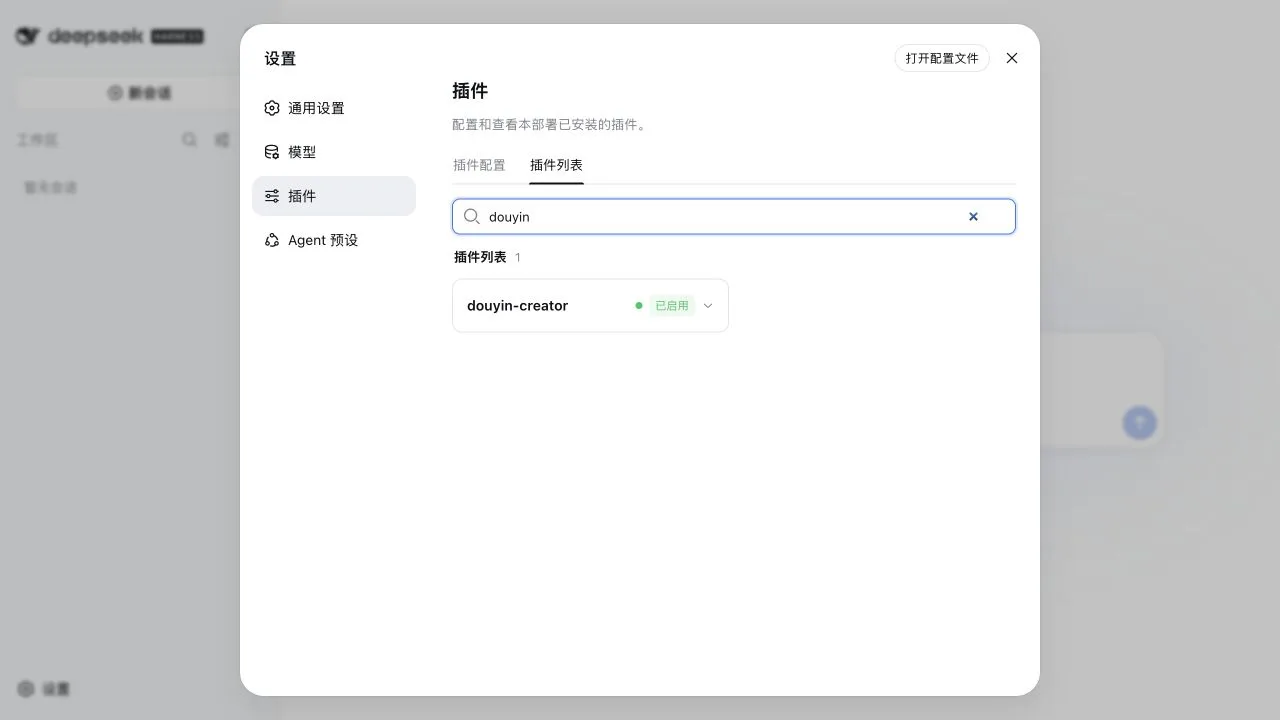
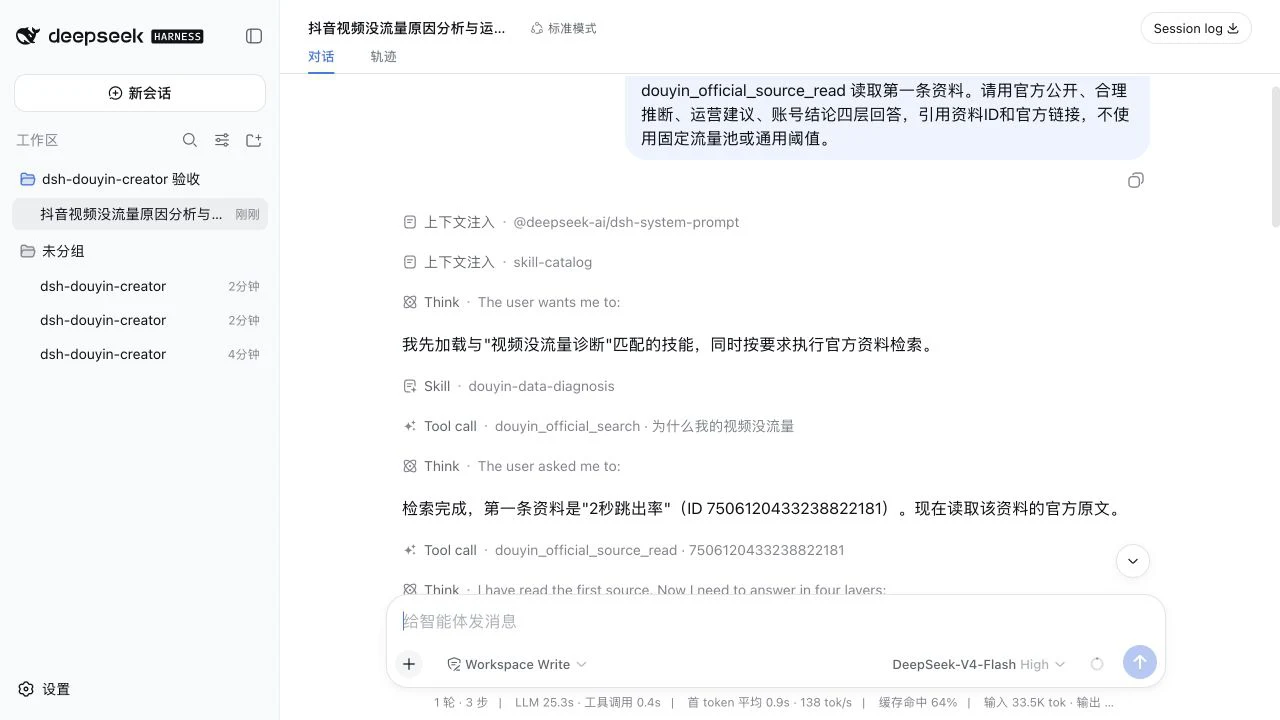
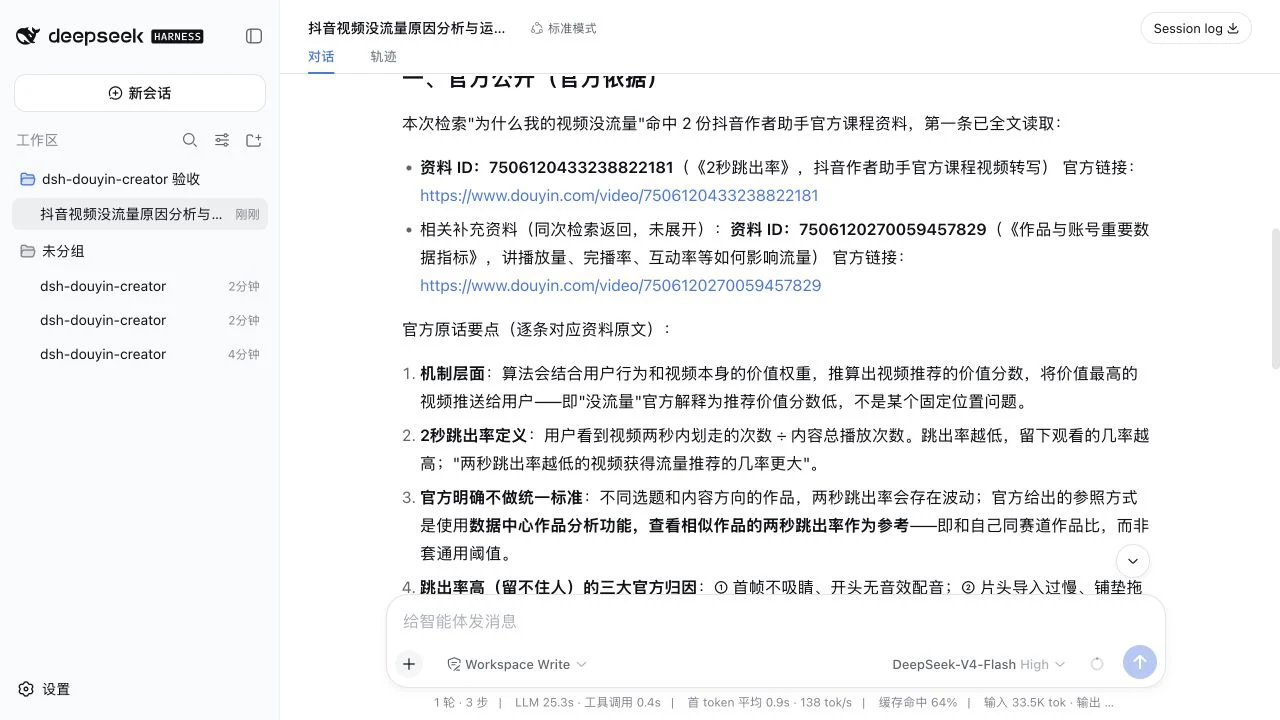
On 2026-08-30, we completed a real Web UI conversation with **DeepSeek-V4-Flash** in an isolated profile. The model actually invoked `douyin-data-diagnosis`, `douyin_official_search`, and `douyin_official_source_read`, then returned clickable official Douyin sources and the four evidence layers. This was more than a static code or “enabled” status check.
### Real model-and-tool end-to-end verification
On 2026-08-30, we completed a real Web UI conversation with **DeepSeek-V4-Flash** in an isolated profile. The model actually invoked `douyin-data-diagnosis`, `douyin_official_search`, and `douyin_official_source_read`, then returned clickable official Douyin sources and the four evidence layers. This was more than a static code or “enabled” status check.
 The API key remained only in an isolated local test configuration and was never written to the repository, conversation, or screenshots. See the [acceptance test report](docs/验收测试报告.md) for the full test scope and remaining remote-only boundaries.
## What it helps with
| Your question | What the plugin does |
| --- | --- |
| Is this topic worth making? | Checks recommendation, search, content-quality, and governance sources, then proposes a testable judgment |
| Does this script contain fake algorithm claims? | Reviews platform claims, numbers, causality, cover copy, and spoken copy |
| Why did a post underperform? | Checks content, audience, search, originality, and governance signals instead of blaming an “account score” |
| What should I publish next week? | Turns hypotheses, production tasks, metrics, and stopping rules into a weekly experiment |
| What did Douyin actually publish? | Returns source IDs, titles, dates, official URLs, and relevant excerpts |
| I am starting from scratch. What should I make? | Builds an account card, three content pillars, and three first-week MVP posts |
| I need the original context, not just an excerpt. | Reads the indexed source by ID with pagination and transcript/freshness warnings |
## Real sources, layered conclusions
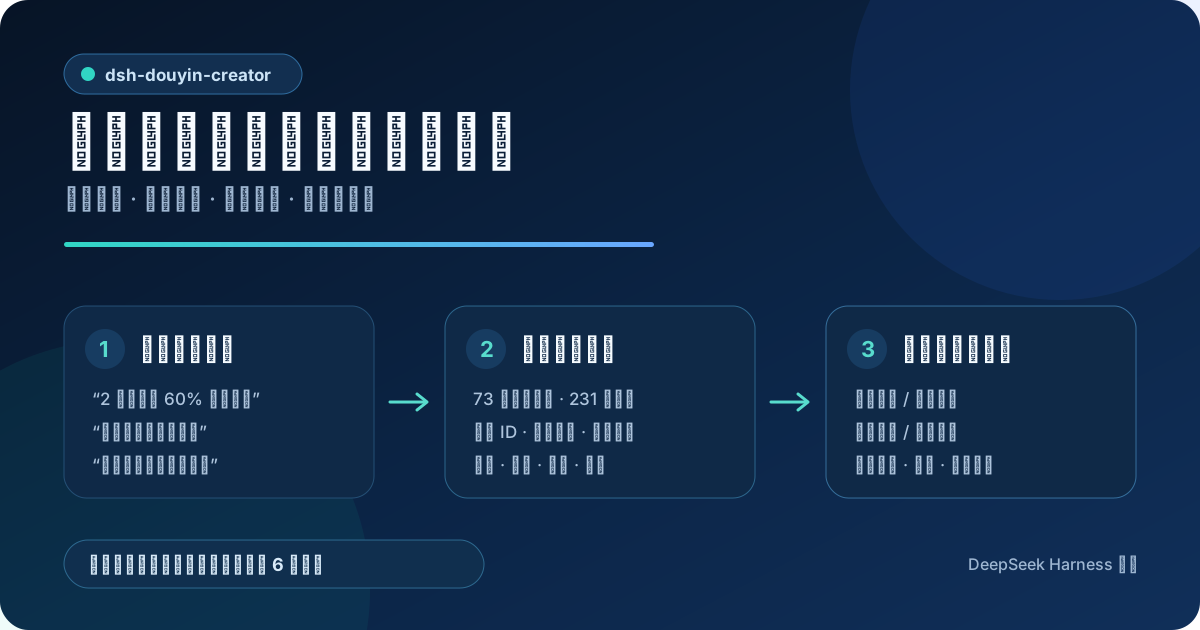
The image below is not a fabricated product interface. It is an explanation built from real records in the current plugin index, with source IDs and official URLs preserved.
The API key remained only in an isolated local test configuration and was never written to the repository, conversation, or screenshots. See the [acceptance test report](docs/验收测试报告.md) for the full test scope and remaining remote-only boundaries.
## What it helps with
| Your question | What the plugin does |
| --- | --- |
| Is this topic worth making? | Checks recommendation, search, content-quality, and governance sources, then proposes a testable judgment |
| Does this script contain fake algorithm claims? | Reviews platform claims, numbers, causality, cover copy, and spoken copy |
| Why did a post underperform? | Checks content, audience, search, originality, and governance signals instead of blaming an “account score” |
| What should I publish next week? | Turns hypotheses, production tasks, metrics, and stopping rules into a weekly experiment |
| What did Douyin actually publish? | Returns source IDs, titles, dates, official URLs, and relevant excerpts |
| I am starting from scratch. What should I make? | Builds an account card, three content pillars, and three first-week MVP posts |
| I need the original context, not just an excerpt. | Reads the indexed source by ID with pagination and transcript/freshness warnings |
## Real sources, layered conclusions
The image below is not a fabricated product interface. It is an explanation built from real records in the current plugin index, with source IDs and official URLs preserved.
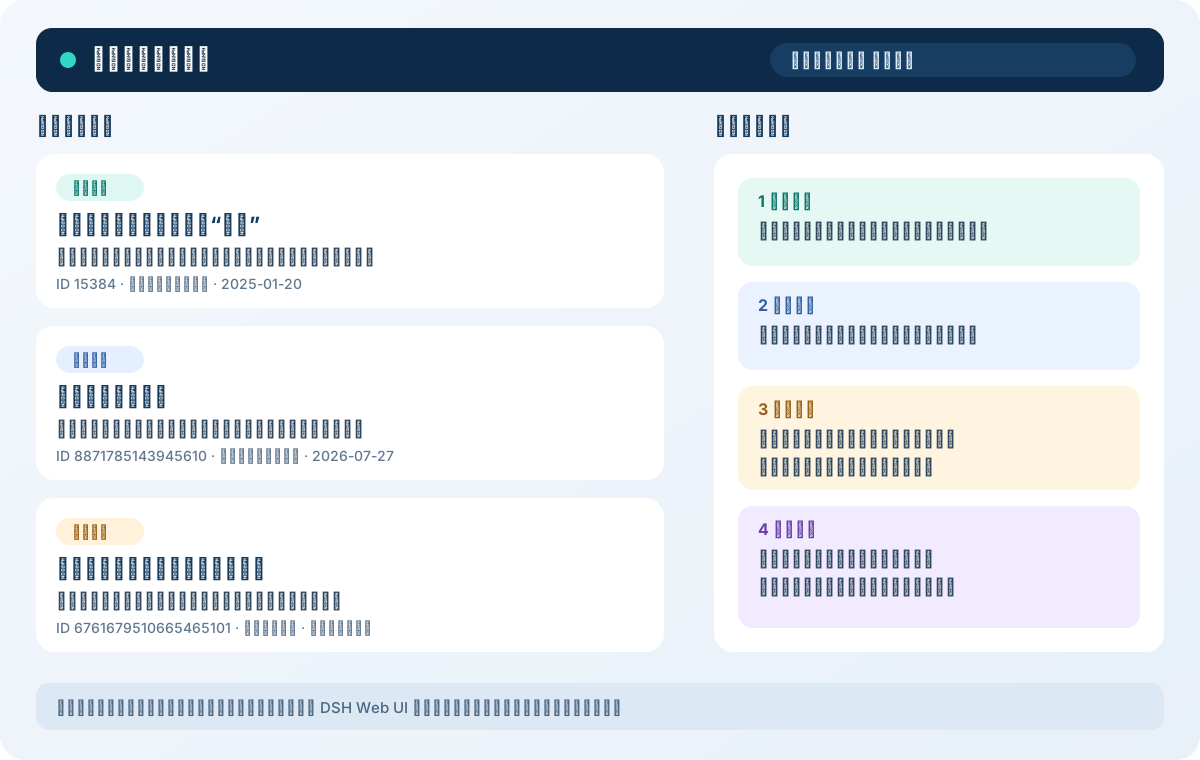 Answers are separated into four layers:
1. **Officially published** — directly supported by an official source.
2. **Reasonable inference** — derived from public mechanisms but not promised by Douyin.
3. **Operational advice** — a testable and reviewable creator action.
4. **Account-specific conclusion** — only valid when the user provides a defined sample, time window, and metric basis.
The plugin must not present fixed traffic-pool ladders, universal account scores, permanent metric weights, universal retention thresholds, guaranteed viral formulas, or a universal best posting time as official Douyin claims.
## Real creator practice
The maintainer uses this workflow to operate the Douyin account 《商道人物志》. As of **August 2026**, the account is approaching **60,000 followers**, with meaningful results in day-to-day practice.
This is one maintainer-operated account, not a promise that other accounts will reproduce the same views, followers, or revenue.
## Two tools and five focused skills
| Name | Purpose |
| --- | --- |
| `douyin_official_search` | Searches 73 knowledge units and 231 chunks, returning source IDs, official URLs, dates, and evidence excerpts |
| `douyin_official_source_read` | Reads source context by ID with pagination and transcript warnings |
| `douyin-creator-onboarding` | Builds a beginner account card, content pillars, and first-week MVP posts |
| `douyin-topic-evaluation` | Evaluates audience needs, search opportunity, content value, and governance risk |
| `douyin-script-review` | Reviews platform claims, facts, numbers, and causality, then provides replacement-ready copy |
| `douyin-data-diagnosis` | Uses the account's own baseline to diagnose content, audience, search, originality, and governance signals |
| `douyin-weekly-plan` | Organizes evidence, hypotheses, publishing actions, and metrics into a weekly experiment |
You can also invoke a skill explicitly:
```text
/douyin-script-review
```
## Compatibility and data freshness
| Item | Status |
| --- | --- |
| Plugin version | `0.2.0` |
| Node.js | `^22.19.0` or `>=24.0.0` |
| DeepSeek Harness | Install, configuration composition, plugin loading, real model calls, and tool calls verified with `0.1.0-rc.7` |
| Source snapshot | 2026-08-13 to 2026-08-14 |
| Index build | 2026-08-21 |
| Knowledge base | 73 knowledge units; 231 chunks |
| Distributed media | Zero image, audio, or video files in the npm package; README visuals are not downloaded with it |
Questions about current policies, interfaces, or rules must still be checked against the latest official pages rather than answered only from this snapshot.
## Install and develop
Non-technical users should start with the Windows/macOS double-click launchers in the repository root. Developers can use the following command instead (no global `dsh` required):
```bash
npx --yes github:forgeturl/dsh-douyin-creator#main
```
Or use the `npx` invocation recommended by DeepSeek Harness directly:
```bash
npx --yes @deepseek-ai/dsh@0.1.0-rc.7 plugin --profile web add 'github:forgeturl/dsh-douyin-creator#main'
```
Install a local checkout:
```bash
npx --yes @deepseek-ai/dsh@0.1.0-rc.7 plugin --profile web add /absolute/path/to/dsh-douyin-creator
```
The runtime `index.js` is committed, so a Git install does not need a build step. Use the `plugin` subcommands provided by your installed Harness version to update or remove the plugin; run `npx --yes @deepseek-ai/dsh@0.1.0-rc.7 plugin --help` first to confirm the current syntax.
## Download-size boundary
The public npm package contains runtime code, five skills, and text-only knowledge data. The illustrated guide and double-click installers ship with the GitHub/customer ZIP. Repository visuals are limited to bounded SVG/WebP files under `docs/images/`; each must stay below 300 KiB and their combined size below 600 KiB. GIF, video, audio, PDF, and high-resolution PNG/JPG files are rejected. README visuals are excluded from the npm package.
## Verify locally
```bash
npm test
npm run pack:check
```
The checks cover natural-language search, source reading, readable output, index counts, skill metadata, the Harness manifest, one-click installers, media boundaries, and reciprocal README language links.
## Contributing
- Contribution guide: [CONTRIBUTING.md](CONTRIBUTING.md)
- Security policy: [SECURITY.md](SECURITY.md)
- Changelog: [CHANGELOG.md](CHANGELOG.md)
- License: [MIT](LICENSE); see [NOTICE.md](NOTICE.md) for third-party source rights
Official-source additions and focused skill improvements are welcome. Every platform fact must include an official URL, publication date, retrieval date, and source type. Machine transcripts are supplementary evidence only.
Answers are separated into four layers:
1. **Officially published** — directly supported by an official source.
2. **Reasonable inference** — derived from public mechanisms but not promised by Douyin.
3. **Operational advice** — a testable and reviewable creator action.
4. **Account-specific conclusion** — only valid when the user provides a defined sample, time window, and metric basis.
The plugin must not present fixed traffic-pool ladders, universal account scores, permanent metric weights, universal retention thresholds, guaranteed viral formulas, or a universal best posting time as official Douyin claims.
## Real creator practice
The maintainer uses this workflow to operate the Douyin account 《商道人物志》. As of **August 2026**, the account is approaching **60,000 followers**, with meaningful results in day-to-day practice.
This is one maintainer-operated account, not a promise that other accounts will reproduce the same views, followers, or revenue.
## Two tools and five focused skills
| Name | Purpose |
| --- | --- |
| `douyin_official_search` | Searches 73 knowledge units and 231 chunks, returning source IDs, official URLs, dates, and evidence excerpts |
| `douyin_official_source_read` | Reads source context by ID with pagination and transcript warnings |
| `douyin-creator-onboarding` | Builds a beginner account card, content pillars, and first-week MVP posts |
| `douyin-topic-evaluation` | Evaluates audience needs, search opportunity, content value, and governance risk |
| `douyin-script-review` | Reviews platform claims, facts, numbers, and causality, then provides replacement-ready copy |
| `douyin-data-diagnosis` | Uses the account's own baseline to diagnose content, audience, search, originality, and governance signals |
| `douyin-weekly-plan` | Organizes evidence, hypotheses, publishing actions, and metrics into a weekly experiment |
You can also invoke a skill explicitly:
```text
/douyin-script-review
```
## Compatibility and data freshness
| Item | Status |
| --- | --- |
| Plugin version | `0.2.0` |
| Node.js | `^22.19.0` or `>=24.0.0` |
| DeepSeek Harness | Install, configuration composition, plugin loading, real model calls, and tool calls verified with `0.1.0-rc.7` |
| Source snapshot | 2026-08-13 to 2026-08-14 |
| Index build | 2026-08-21 |
| Knowledge base | 73 knowledge units; 231 chunks |
| Distributed media | Zero image, audio, or video files in the npm package; README visuals are not downloaded with it |
Questions about current policies, interfaces, or rules must still be checked against the latest official pages rather than answered only from this snapshot.
## Install and develop
Non-technical users should start with the Windows/macOS double-click launchers in the repository root. Developers can use the following command instead (no global `dsh` required):
```bash
npx --yes github:forgeturl/dsh-douyin-creator#main
```
Or use the `npx` invocation recommended by DeepSeek Harness directly:
```bash
npx --yes @deepseek-ai/dsh@0.1.0-rc.7 plugin --profile web add 'github:forgeturl/dsh-douyin-creator#main'
```
Install a local checkout:
```bash
npx --yes @deepseek-ai/dsh@0.1.0-rc.7 plugin --profile web add /absolute/path/to/dsh-douyin-creator
```
The runtime `index.js` is committed, so a Git install does not need a build step. Use the `plugin` subcommands provided by your installed Harness version to update or remove the plugin; run `npx --yes @deepseek-ai/dsh@0.1.0-rc.7 plugin --help` first to confirm the current syntax.
## Download-size boundary
The public npm package contains runtime code, five skills, and text-only knowledge data. The illustrated guide and double-click installers ship with the GitHub/customer ZIP. Repository visuals are limited to bounded SVG/WebP files under `docs/images/`; each must stay below 300 KiB and their combined size below 600 KiB. GIF, video, audio, PDF, and high-resolution PNG/JPG files are rejected. README visuals are excluded from the npm package.
## Verify locally
```bash
npm test
npm run pack:check
```
The checks cover natural-language search, source reading, readable output, index counts, skill metadata, the Harness manifest, one-click installers, media boundaries, and reciprocal README language links.
## Contributing
- Contribution guide: [CONTRIBUTING.md](CONTRIBUTING.md)
- Security policy: [SECURITY.md](SECURITY.md)
- Changelog: [CHANGELOG.md](CHANGELOG.md)
- License: [MIT](LICENSE); see [NOTICE.md](NOTICE.md) for third-party source rights
Official-source additions and focused skill improvements are welcome. Every platform fact must include an official URL, publication date, retrieval date, and source type. Machine transcripts are supplementary evidence only.